2M Marketers

Track public Threads posts and replies mentioning your brand, competitors, or campaigns, alongside your other online mentions.
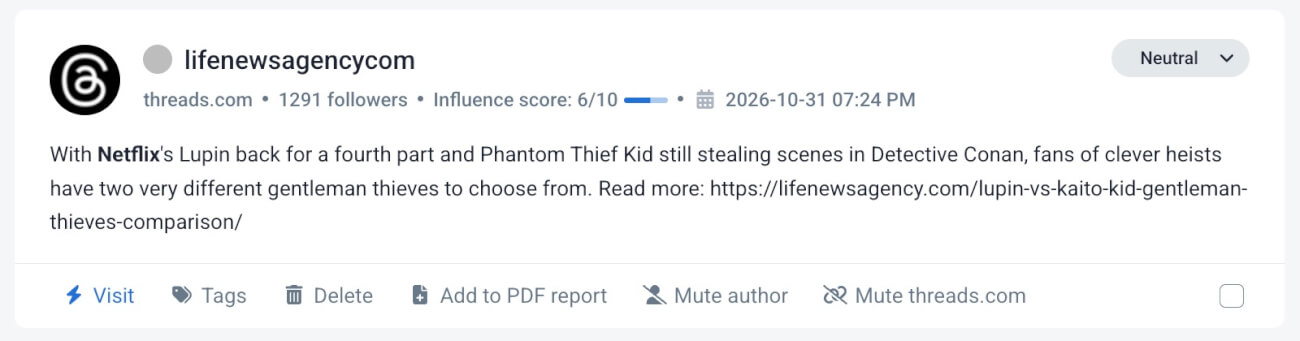
Threads has reached 500 million monthly active users. But what happens when conversations about your brand are taking place there and your monitoring doesn’t pick them up?
A customer complains about your product in a reply to someone else’s post. Someone recommends a competitor in a discussion about your industry. People share their opinions about your latest campaign without ever tagging your brand.
These conversations can tell you a lot about what your audience thinks. But if you’re only checking notifications or searching Threads manually, they’re easy to miss.
That’s why we’re introducing Threads monitoring in Brand24.
You can now discover public Threads posts and replies matching your monitored keywords, analyze their sentiment, and view them alongside mentions from your other online sources. No separate keyword lists or monitoring projects required.
Key takeaways
-
What's new?
Brand24 now supports Threads monitoring, including public posts and relevant replies containing your tracked keywords.
-
Why does it matter?
Threads reached 500 million monthly active users in June 2026. In October, Threads came up in 15% of Brand24 sales calls.
-
What can you track?
Brand mentions, customer complaints, competitor conversations, campaign reactions, and industry keywords.
-
How do you start?
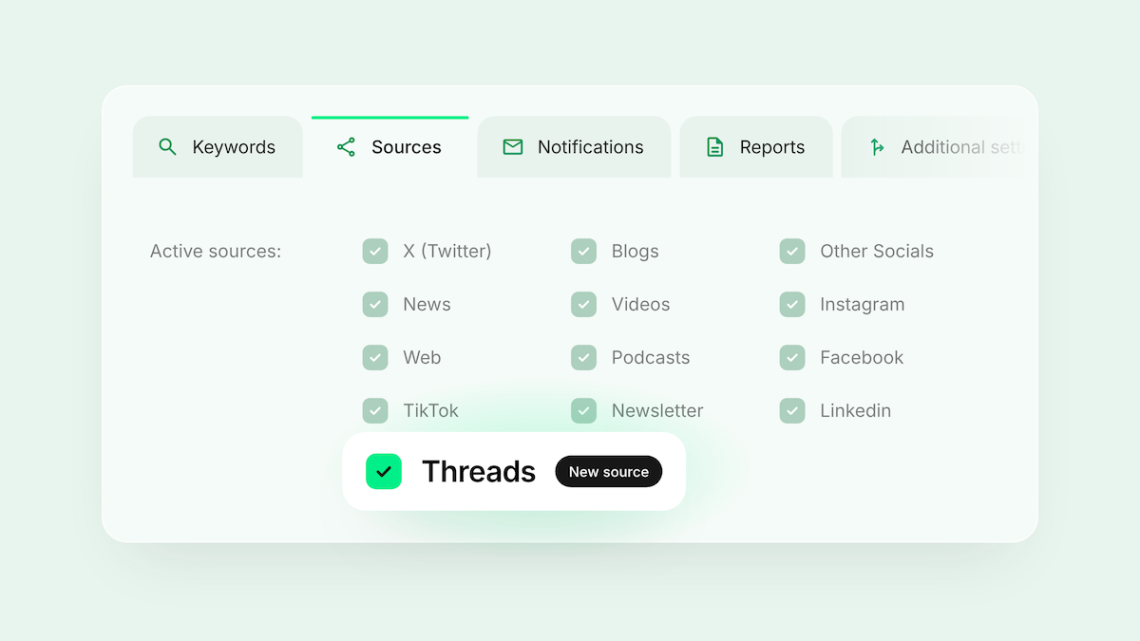
Connect a public Threads account and enable Threads in your project settings. Brand24 uses your existing keywords.
Why Threads matters for your brand now
Threads isn’t just another place to publish content, but it become another place where people discuss products, compare brands, and share experiences.
In June 2026, Meta announced 500 million monthly active users. Earlier that year, Similarweb data reported by TechCrunch showed Threads ahead of X in global daily mobile-app users: 141.5 million versus 125 million in January.
That means another large source of potentially valuable conversations. And unlike comments under your own posts or direct mentions of your profile, many of these discussions are easy to overlook.
A potential customer might ask for recommendations without naming your brand. Someone might describe a problem your product solves. Or a customer might share negative feedback in a reply under another person’s post.
You won’t necessarily receive a notification about any of them.
Social listening helps you look beyond conversations directed at your account to discover relevant public discussions about your brand, competitors, and industry.
With Threads monitoring in Brand24, you can add those conversations to the sources you’re already tracking.
What can you do with Threads monitoring?
1. Find customer complaints hidden in replies
A frustrated customer might complain about your product in the replies to someone else’s Threads post. Without a tag or direct mention of your account, the conversation can easily go unnoticed.
Other users might join in with similar experiences or recommend a competitor. By the time someone brings the discussion to your attention, several people may already be involved.
Brand24 searches for your monitored keywords in public Threads content, including matching replies returned by Threads search.
It also analyzes sentiment, helping you identify negative conversations worth investigating.
Try this: Monitor your brand name, common product names, and relevant spelling variations. Review negative Threads mentions to identify recurring complaints and decide which need a response.
2. Follow a story across multiple platforms
As we all know reputation problem doesn’t necessarily stay where it started.
A customer might complain on Threads, someone else discusses the issue on X, and an industry publication later covers it.
If you’re monitoring only one source, you’re working with an incomplete picture.
With Threads enabled, matching mentions appear in your existing Brand24 project alongside your other monitored sources.
That makes it easier to investigate how a story is being discussed across platforms and whether the sentiment differs between them.
Try this: When a sensitive story emerges, filter mentions by source and compare the discussions on Threads with those appearing elsewhere.
Keep in mind that Threads results depend on the platform’s search availability, so monitoring doesn’t guarantee every public post will be collected.
3. See how people react to your campaigns and launches
People might discuss your new product, recommend it to others, question its pricing, or share an opinion in a conversation you didn’t start.
Monitoring your campaign name, product name, or distinctive hashtag can help you find some of those reactions on Threads.
And because Brand24 includes Threads mentions in your existing monitoring projects, you can examine them together with the other sources you’re tracking.
Try this: Before your next launch, add the campaign name and relevant product keywords to your Brand24 project. After launch, filter for Threads mentions and examine the feedback and sentiment.
4. Learn what people say about your competitors
Your competitors’ customers can teach you a lot! Maybe they’re asking for features your product already offers? Or they’re praising something your positioning doesn’t emphasize enough?
By monitoring competitor names and relevant product keywords, you can find matching public discussions on Threads.
For B2B marketing and product teams, these conversations can provide useful input for comparison pages, sales battlecards, positioning, and content planning.
Try this: Monitor two or three direct competitors and review the Threads mentions you collect. Look for repeated questions, complaints, and reasons people recommend one product over another.
What data does Brand24 collect from Threads?
Brand24 searches public Threads content for your monitored keywords. When Threads returns a matching post or reply, Brand24 can collect it as a mention.
Collected mentions can include the text, author username, profile and post links, publication date, and whether the mention is a reply.
Depending on what Threads makes available, additional author details may also be included.
Brand24 analyzes the language and sentiment of collected mentions.
Frequently asked questions
Can Brand24 monitor Threads?
Yes. Brand24 monitors public Threads posts and replies matching the keywords in your projects. You can find them in the Mentions tab under Other Socials, together with sentiment analysis.
Do I need a Threads business account?
No. A regular public Threads profile is enough. A Brand24 account administrator must connect the profile and authorize the integration.
Can I monitor Threads conversations about my competitors?
Yes. Add competitor names and relevant product keywords to your monitoring projects. Brand24 can then collect matching public Threads posts and replies returned by Threads search.
Does Brand24 collect every reply under a Threads post?
No. Brand24 can collect replies that contain your monitored keyword and are returned by Threads search. It doesn’t automatically retrieve an entire conversation thread.
Add Threads to your social listening
Your customers don’t limit their conversations to the platforms you’re already tracking.
And when relevant discussions happen outside your usual monitoring sources, you risk missing feedback, competitor insights, and opportunities to understand what your audience needs.
With Threads monitoring in Brand24, you can bring another source of public conversations into the workflow you’re already using
Already using Brand24? Connect Threads and check your mentions.
New to Brand24? Start a free trial and discover what people are saying about your brand across the web.
Top Reads
X (Twitter) Analytics Tools: The 15 Best for 2026
Brand Awareness Strategy [Ultimate Guide for 2026]
Sentiment Analysis in 2026: Definition, AI Methods & Original Research
Brand Monitoring: Tools & Guide for 2026
Brand Reputation Management: Expert Guide + Original Research [2026]
How to See How Many Times a Hashtag Was Used on X (Twitter)
9 Hashtag Tracking Tools Tested in 2026
Social Media Reach: How to Measure & Improve It in 2026?
Share of Voice: Definition, Formula, Tools [2026 Guide]
Social Media Analysis: Complete Guide for 2026
Start Social Listening!
Get the Brand24 trial and start social listening like a PRO.