Table of contents
2M Marketers

Are the most popular X (Twitter) analytics tools truly worth your time and money? In this article, I share what I found during my 2-week-long “test to find best” project and break down each pro and con, key features, and pricing. Generally, here’s all the info you need to choose a tool without wasting time on doing resaerch on your own!
Best X (Twitter) analytics tools: shortlist
Here’s the quick list of the best Twitter analytics tools I reviewed, followed by the full breakdown of each one below:
- Brand24 – best for sentiment analysis and reach beyond your own profile. Bonus points for the AI features for analysis.
- X Analytics (X Premium) – best for individuals who only need their own account’s analytics
- Sprout Social – best for teams that need polished, exec-ready reports
- Tweet Binder – best for one-off event or campaign hashtag reports
- Keyhole – best for real-time analytics
- Hootsuite – best for teams juggling multiple accounts and networks
- SocialPilot – best for agencies and small teams on a tight budget
- Twitonomy – best for analyzing any public account, including ones you don’t own
- Fedica – best for best-time-to-post scheduling
- Agorapulse – best for teams that want high-performing posts flagged automatically
- Brandwatch – best for enterprise teams that need AI image and logo recognition
- Metricool – best for solo marketers who want analytics, scheduling, and ad reporting in one plan
- Talkwalker (now Lumen) – best for large brands that want image and video recognition
- Mentionlytics – best for emotion-level sentiment analysis
- Buffer – best for solo creators who want simple scheduling with basic analytics attached
Top 15 X (Twitter) analytics tools
| Tool | Best for | Key features | Free trial | Starting price |
|---|---|---|---|---|
|
Small businesses and mid-market teams |
Sentiment analysis, demographics, and AI-based analysis |
14 days |
$199/mo (annual) |
|
|
Individual creators and single-account users |
Per-post impressions and engagement, 28-day profile overview, video view metrics |
None |
$8/mo |
|
|
Mid-market and enterprise teams |
Unified social inbox, cross-network scheduling, exec-ready reporting |
30 days |
$79/seat/mo |
|
|
Small businesses, agencies, and researchers |
Fast hashtag and campaign reports, influence detection, exportable visual reports |
Free report, no trial |
~$33-48/mo |
|
|
Small business and mid-market PR/marketing teams |
Real-time hashtag tracking, live event dashboards, influencer discovery |
None |
~$179/mo |
|
|
Teams of all sizes, leaning enterprise |
Multi-network scheduling, unified inbox, AI content assistant (OwlyWriter) |
14 days |
$99/mo |
|
|
Small businesses and agencies |
Bulk multi-client scheduling, white-label reports, budget-friendly pricing |
14 days |
$17/mo |
|
|
Small businesses, agencies, and journalists |
Follower and engagement analytics, competitor account comparison, exportable reports |
None |
~$19/mo
|
|
|
Small businesses, agencies, and individual creators |
Best-time-to-post heatmap, audience/follower demographics, multi-platform scheduling |
Free plan, no timed trial |
~$10/mo
|
|
|
Small businesses and agencies |
Unified inbox with CRM-style tagging, auto-flagged top posts, multi-client management |
30 days |
$79/mo
|
|
|
Mid-market and enterprise teams |
AI theme detection (Iris AI), image and logo recognition, massive source coverage |
None, demo only |
Custom
|
|
|
Solo creators and small businesses |
All-in-one scheduling, analytics, and ad reporting, built-in link-in-bio tool |
Free plan, no trial |
~$20/mo
|
|
|
Mid-market and enterprise teams |
Image and video recognition (Blue Silk AI), massive source coverage, Hootsuite ecosystem integration |
None, demo only |
Custom
|
|
|
Small businesses and marketing teams |
Emotion-level sentiment analysis, geo-mapped mentions, share-of-voice tracking |
14 days
|
$69/mo
|
|
|
Solo creators and freelancers |
Simple cross-platform scheduling, clean minimal-learning-curve interface, genuine free plan |
Free plan |
~$6-12/mo
|


X’s own Twitter analytics tab only sees your own account. It won’t tell you what people are saying about your brand anywhere else on the platform, whether that sentiment is positive or negative, or which hashtag is actually landing.
That’s the gap every tool on this list is trying to close.
I spent a few weeks testing and trialing the most common Twitter analytics tools out there.
And yep, I work for Brand24 (but I did my best to keep this guide non-promotional). I ran Brand24 monitoring daily, so the insights below are mostly my first-hand experience.
For the other 14, I tested the trial versions where possible, verified every rating and price on G2, Capterra, and then cross-checked what actual users say on Reddit and in social media comments.
Generally, the same due diligence I’d want from anyone reviewing Twitter analytics tools.
Here’s a closer look at each of these Twitter analytics tools, starting with the one I know best.
01 Brand24
4.6/5
G2 (355 reviews)
4.7/5
Capterra (255 reviews)
14 days / Free trial
From $199 / Month
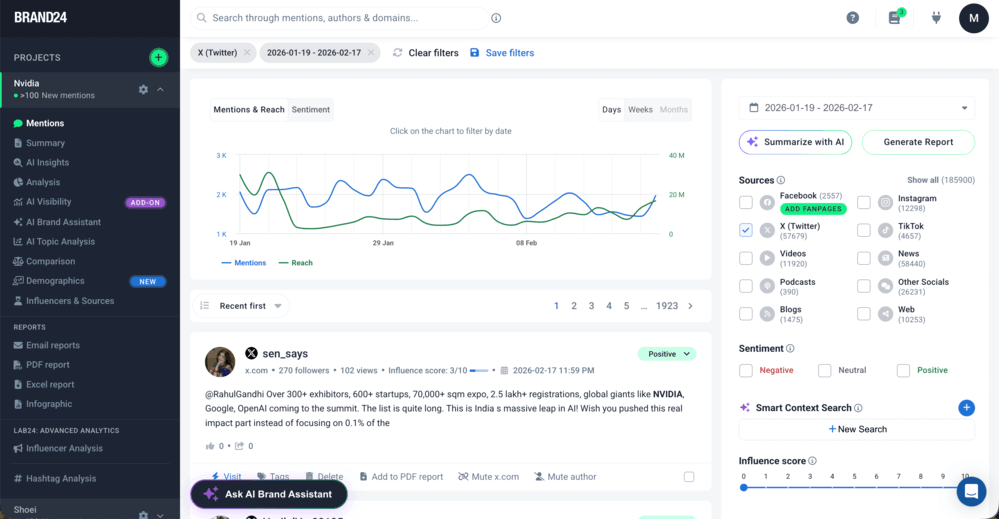
Brand24 is a social listening tool that offers robust X (Twitter) analytics. It’s best for sentiment analysis and hashtag reach tracking that go beyond what native X analytics shows.
Why I picked Brand24?
Storm Alerts flags a sudden spike in mention volume and explains what triggered it, so you’re not left staring at a graph wondering why it jumped.
It means you can stay up-to-date with interesting conversations and communities, as well as accurately assess the reach of your X (Twitter) marketing campaigns and track engagement, with AI Insights and AI Brand Assistant helping automatically detect trends and spikes in the data.
🔍 Monitored sources: X/Twitter, news, blogs, forums, YouTube, TikTok, Instagram, Reddit, podcasts
✅ Pros
- Covers X plus eight other source types, not just one platform
- Helps you find the most suitable Twitter influencer for your next Twitter influencer marketing campaign.
- AI sentiment analysis is included on every plan
- Anomaly detection catches spikes before you’d notice them manually
- Exportable PDF and PPT customizable reports for stakeholders, with customization that helps tailor presentations
❌ Cons
- No permanent free plan (a 14-day free trial)
- No scheduling and publishing
📚 Learn more: Brand24 · What is social listening
02 X Premium
G2/Capterra: not listed
Free trial: none
Starting price: $8/month
Best for individuals who want the closest thing to a free Twitter analytics tool for their own account, though the free view is limited and the full dashboard sits behind Premium.
Why I picked X Analytics?
It’s the native Twitter analytics platform built into every account, so there’s nothing extra to set up.
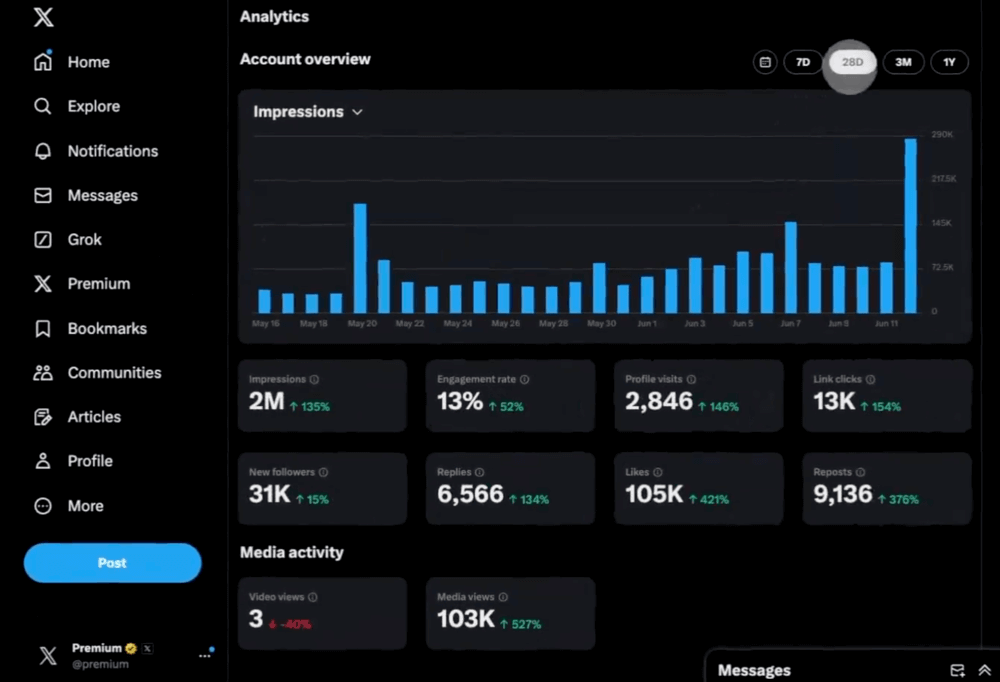
The Premium tier is the only way to unlock a desktop dashboard with CSV export and extra analytics features, while free users and private accounts get much less detail.
It lets you track metrics like profile visits, link clicks, video views, and new followers, and monitor follower growth, tweet performance, post performance, and engagement rate across your account.
You also get key metrics plus audience insights such as age and location, but the more advanced analytics still stop short of competitor or sentiment data.
Every number comes straight from X’s own systems, so there’s no discrepancy to reconcile against what the platform itself reports.
🔍 Monitored sources: your own X account only
✅ Pros
- Cheapest paid option on this list
- Official first-party data straight from the platform
- Simple, no separate login or setup required
❌ Cons
- No sentiment analysis of any kind
- No competitor or industry benchmarking
- Doesn’t track mentions or hashtags beyond your own posts
- Requires a paid subscription just to see the dashboard
📚 Learn more: X Premium analytics
03 Sprout Social
4.4/5
G2 (6,871 reviews)
4.4/5
Capterra (608 reviews)
30 days / Free trial
From $79/Seat/Month
Best for social media professionals or teams that need to deliver polished reports to leadership.
Why I picked Sprout Social?
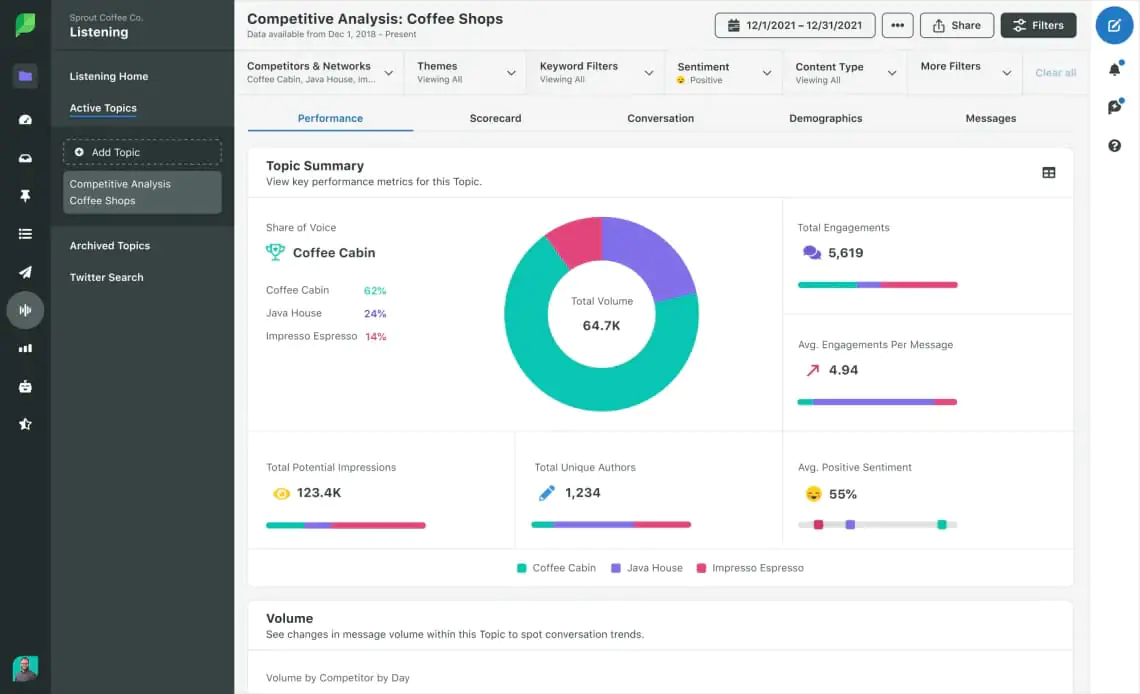
It’s Smart Inbox’s feature tags every incoming message across networks automatically, and those tags feed directly into the reporting dashboard instead of sitting in a separate inbox tool you’d have to reconcile manually.
The platform offers customizable reports, which makes stakeholder presentations easier.
Plus, the 30-day trial gives you enough runway to build a real monthly report before you commit to paying.
🔍 Monitored sources: X, Instagram, Facebook, LinkedIn, TikTok, Pinterest, YouTube, Reddit
✅ Pros
- Exec-ready reports auto-generated
- Strong customer support features
- Scales well for larger teams with social media management workflows and reporting needs
- Deep integrations with tools like Salesforce and Zendesk
❌ Cons
- Per-seat pricing adds up quickly for bigger teams
- Steeper learning curve than smaller tools on this list
- Advanced listening features sit behind higher-tier plans
📚 Learn more: Sprout Social alternatives
04 TweetBinder (by Audiense)
4.4/5
G2 (16 reviews)
Not listed on Capterra
No free trial / one-off free report at 200 mentions over 7 days
From $33-48/month
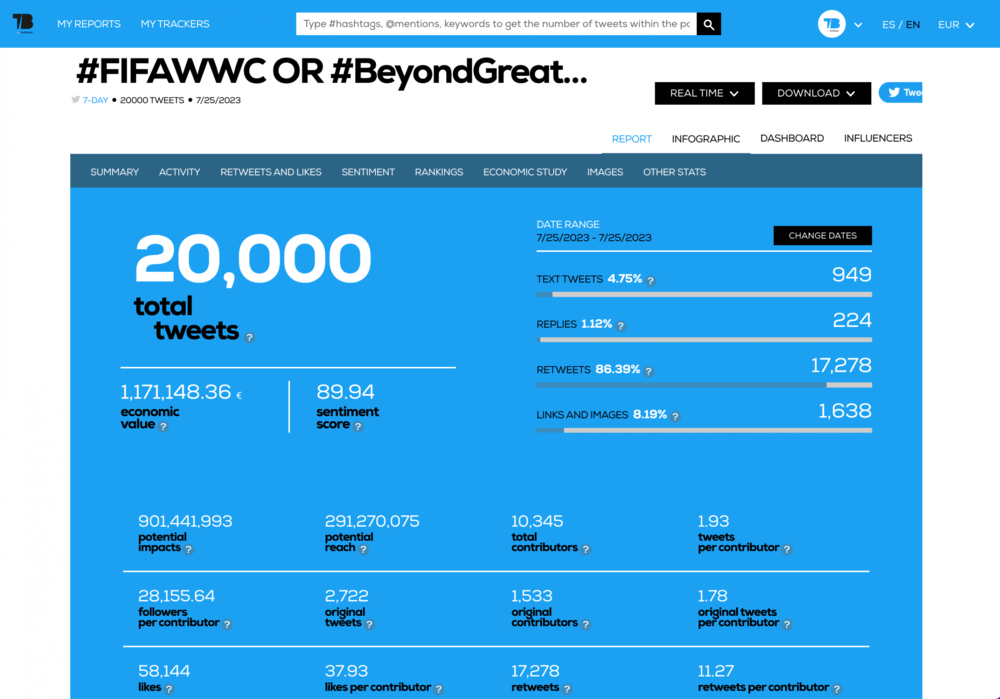
Best for businesses that need real-time hashtag monitoring and competitive analysis around event hashtags while preparing for a single event.
Why I picked Tweet Binder?
Its Influence Detector scores, which actually drive a hashtag conversation, instead of just ranking by follower count. The free report tier lets you test its hashtag analysis on a real event before paying anything, which matters if you only need one report a year.
🔍 Monitored sources: X/Twitter hashtags, mentions, and keywords
✅ Pros
- Exportable PDF and Excel campaign reports
- Built specifically for single-event use cases
- Free sample report available before signing up
- Historical hashtag data goes further back than native analytics
❌ Cons
- X-only, no other platforms covered
- A small review base makes it harder to judge at scale
05 Keyhole
4.4/5
G2 (70 reviews)
5/5
Capterra (2 reviews)
no free trial
From $179/Month
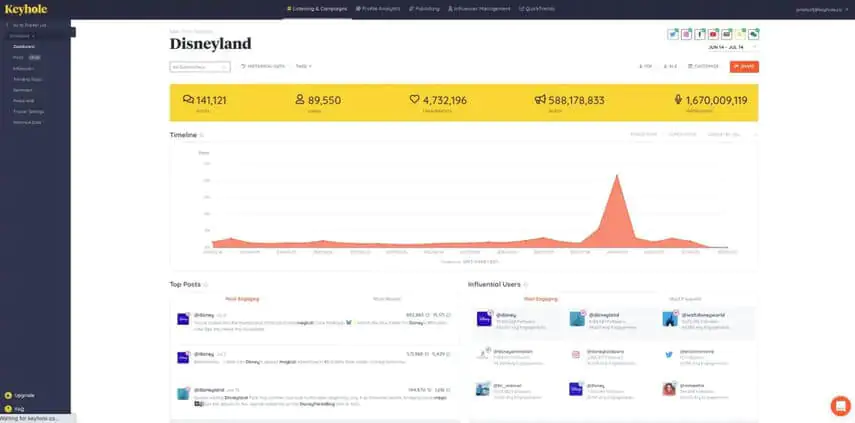
Best for businesses that need real-time hashtag tracking on a screen at a live event and competitor analysis for campaign or event hashtags.
Why I picked Keyhole?
It’s built specifically for displaying real-time hashtag tracking on a screen at conferences and events, rather than only in a private dashboard.
Since its Muck Rack’s acquisition, it now comes with access to Muck Rack’s press and media database, useful if you’re tracking journalist mentions alongside hashtags.
🔍 Monitored sources: X, Instagram, TikTok, YouTube, news, blogs
✅ Pros
- Real-time event dashboards
- Influencer discovery built in
- Now includes Muck Rack’s PR and media data
❌ Cons
- Lacks AI analysis features
- Limited source coverage
📚 Learn more: Keyhole alternatives
06 Hootsuite
4.3/5
G2 (7,406 reviews)
4.4/5
Capterra (3,801 reviews)
Free trial / 14 days
From $99/Month
Best for teams that want a social media management dashboard for multiple accounts and multiple networks.
Why I picked Hootsuite?
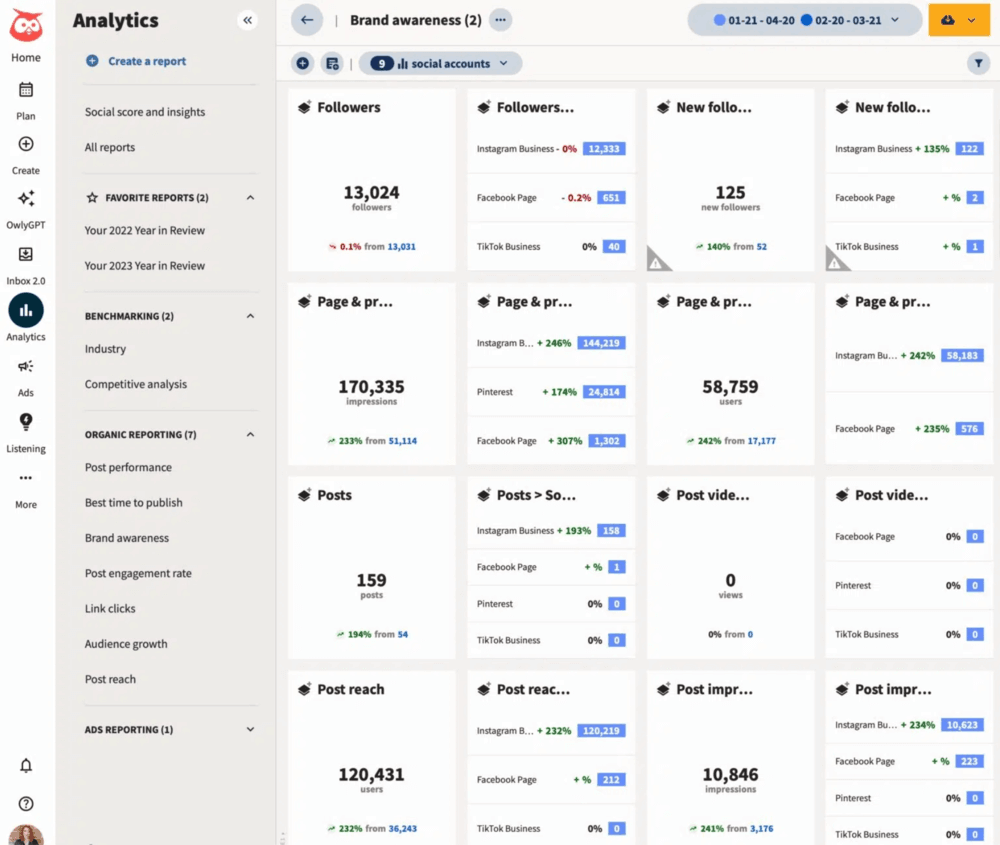
It lets you watch multiple keyword, hashtag, and mention columns side by side in real time. It’s a layout most competitors don’t offer anymore.
It’s OwlyWriter AI feature drafts post captions inside the same dashboard you’re already using for analytics.
Overall, the combined workflow works well for day-to-day community management.
🔍 Monitored sources: X, Instagram, Facebook, LinkedIn, TikTok, YouTube, Pinterest
✅ Pros
- Large integration marketplace
- Strong scheduling and analytics combination
- Backed by a large user base and support community
- Built-in AI content drafting
❌ Cons
- Pricing climbs quickly as you add social profiles
- Interface can feel cluttered if you only manage one network
- Deeper listening features need a higher-tier add-on
📚 Learn more: Hootsuite alternatives
07 SocialPilot
4.5/5
G2 (844 reviews)
4.4/5
Capterra (375 reviews)
Free trial / 14 days
From $17/Month
This X analytics tool Best for a small brand or agency that needs solid analytics to support social media strategy without an enterprise budget.
Why I picked SocialPilot?
It’s has great scheduling feaures – up to 500 posts from a single CSV upload, making it a scale most budget tools cap far lower.
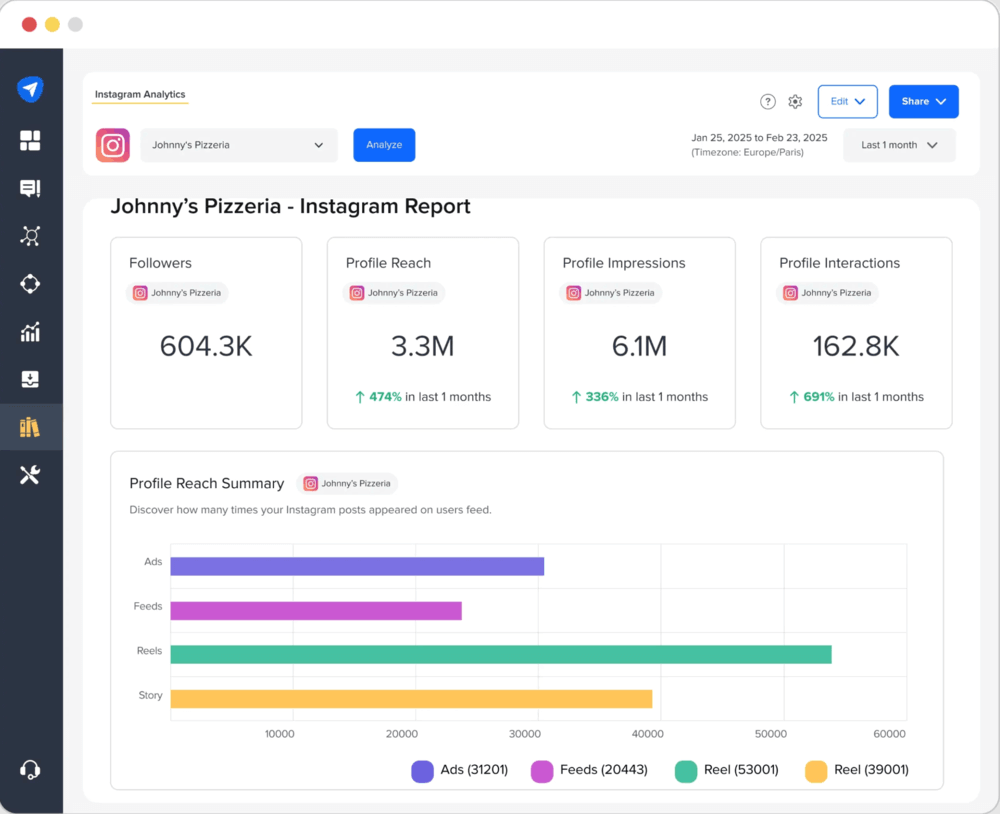
Plus, the white-label client reports are built in this tool, so an agency can hand a branded report to a client without buying a separate reporting tool.
🔍 Monitored sources: X, Instagram, Facebook, LinkedIn, TikTok, Google Business Profile, Pinterest
✅ Pros
- Lowest starting price among the full-featured tools here
- White-label reporting included
❌ Cons
- Sentiment analysis is very basic
- Less depth on hashtag-specific analytics
08 Twitonomy
4/5
G2 (12 reviews)
no rating
Capterra
no free trial
From $19/Month
Best for a small brand that needs analytics on more than one public account for competitor analysis and account performance benchmarking.
Why I picked Twitonomy?
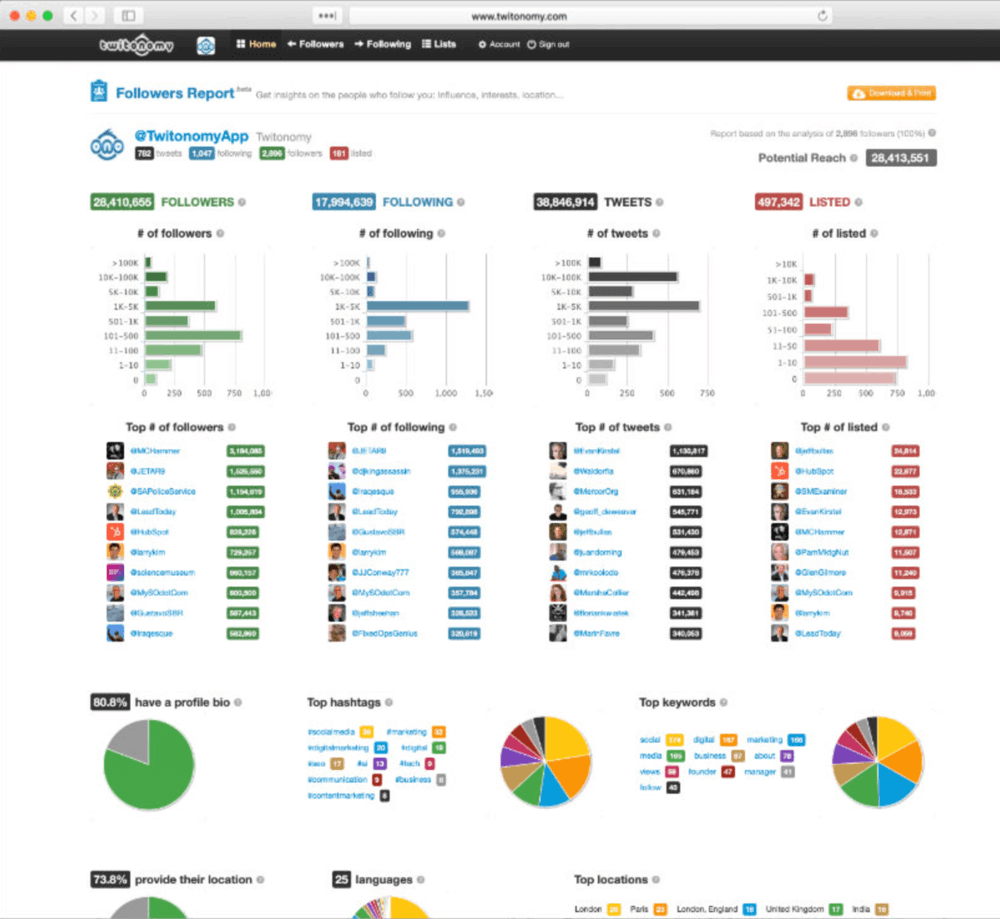
It exports a full follower list to Excel for backup or analysis, something most tools on this list don’t offer at all. It works on any public account, not just your own, so you can run the same breakdown on a competitor’s profile.
🔍 Monitored sources: any public X/Twitter account, plus your own engagement data
✅ Pros
- Low cost
- Works on competitor accounts without needing their login
- Follower-list export and mention-network graphs
❌ Cons
- A very small review base makes reliability hard to judge
- X-only
- Interface hasn’t been modernized in years
09 Fedica (with Followerwonk)
3.5/5
G2 (3 reviews)
no rating
Capterra
a permanent free plan
From $10/Month
Why I picked Fedica?
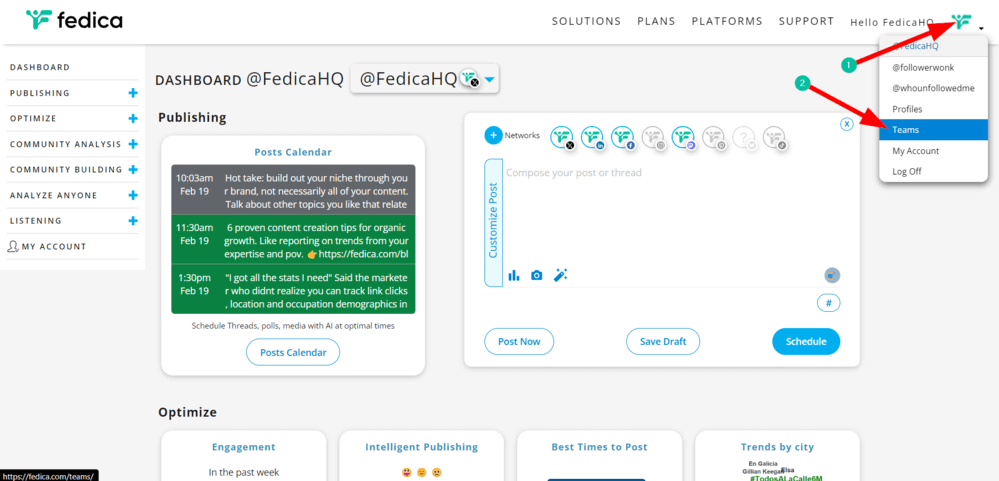
Its best-time-to-tweet heatmap is personalized per account rather than a generic industry benchmark. It absorbed Followerwonk’s bio search and follower-overlap comparison directly into its dashboard.
So it can now answer:
- Who follows whom?
- Which followers do competitors share?
- When are followers most active?
- What keywords appear in user bios?
And anyone who used to run both tools now only needs one login, and anyone looking for a free Twitter analytics tool with scheduling built in gets both in the same place.
🔍 Monitored sources: X/Twitter accounts, hashtags, keywords, influencers
✅ Pros
- Combines scheduling and audience analysis in one place
- Genuine free tier, not just a trial
- Built-in giveaway and contest-winner picker
❌ Cons
- The UI is a bit outdated and its hard to navigate sometimes
10 Agorapulse
4.5/5
G2 (973 reviews)
4.6/5
Capterra (713 reviews)
30 days / Free trial
From $79/Month
Best for teams that want their top performing posts flagged automatically instead of dug out of a report.
Why I picked Agorapulse?
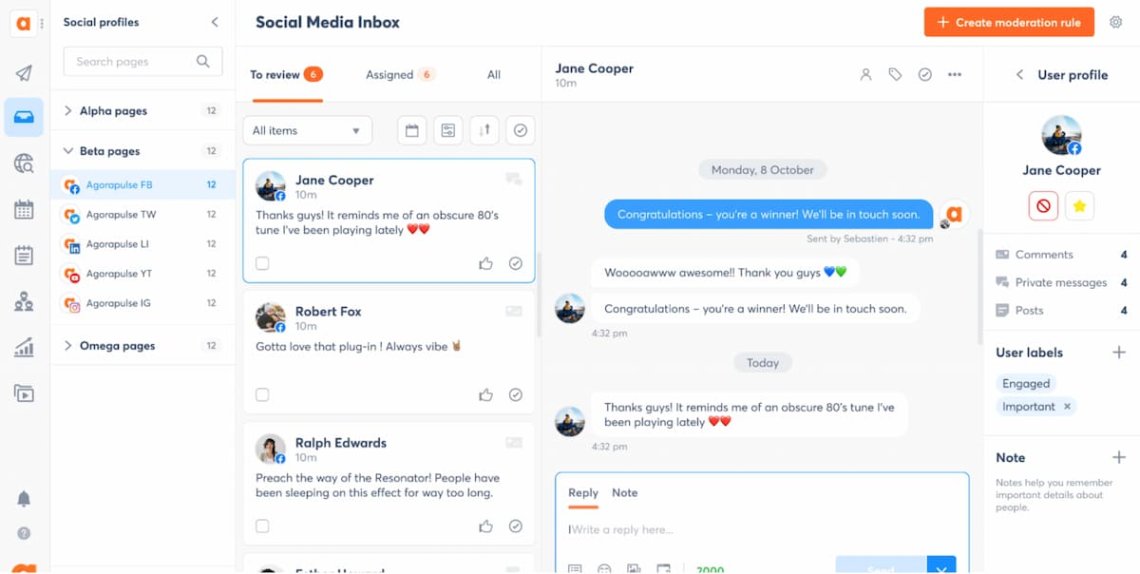
It automatically flags “boostable” high-performing posts instead of making you dig through a report to spot them yourself.
Plus, the 30-day trial is enough time to test it across a full reporting cycle before paying.
🔍 Monitored sources: X, Instagram, Facebook, LinkedIn, TikTok, YouTube
✅ Pros
- Unified inbox with CRM-style contact tagging
- Long trial period to properly test it
- Strong customer support reputation
- Competitive pricing against main alternatives – Sprout Social and Hootsuite
❌ Cons
- Reporting customization is less flexible than Sprout Social’s
- Deeper listening features require a higher tier
- The inbox and CRM tagging system takes time to learn
11 Brandwatch
4.5/5
G2 (973 reviews)
4.2/5
Capterra (255 reviews)
No free trial
Custom pricing
Best for enterprise teams that need deeper analytics across visuals and conversations, not just text mentions.
Why I picked Brandwatch?
Their Iris AI feature surfaces conversation themes and explains what’s driving them, going further than a spike alert by digging into the actual cause.
The tool also detects logos and products inside photos and videos, useful if your brand shows up in images more often than in captions.
🔍 Monitored sources: X, plus broad web, news, forums, images, video, and other social data
✅ Pros
- Enterprise-grade AI theme detection
- Image and logo recognition across visual content
- Deep historical data
- Trusted by large agencies and brands
❌ Cons
- No public self-serve pricing, requires a real sales conversation
- No free trial
- Overkill and overpriced for a solo marketer or small brand
📚 Learn more: Brandwatch alternatives
12 Metricool
4.5/5
G2 (98 reviews)
4.4/5
Capterra (98 reviews)
No free trial
From 20$ /Month
Best for a solo marketer who wants analytics, scheduling, and ad reporting bundled into one flat rate while tracking post performance across networks.
Why I picked Metricool?
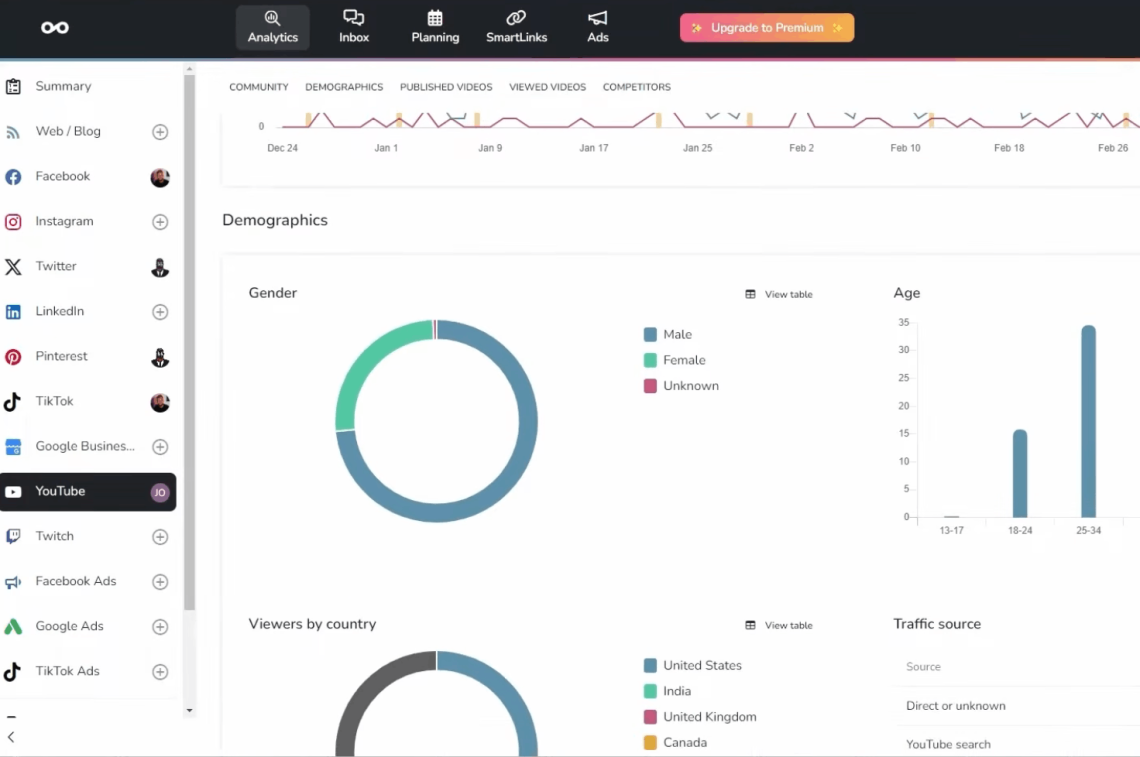
It bundles analytics, scheduling, and ad reporting across networks into one flat-rate plan.
It has a link-in-bio tool built in, so there’s no need to pay for a separate Linktree-style service on top. Its free plan alone makes it worth a look if all you want is a free Twitter analytics tool for basic tracking.
🔍 Monitored sources: X, Instagram, Facebook, LinkedIn, TikTok, YouTube, Google Business, ad platforms
✅ Pros
- Genuinely free tier, not a time-limited trial
- Ad reporting included
- Link-in-bio tool bundled in
❌ Cons
- Sentiment analysis is very basic
- No advanced analytics or AI features
13 Talkwalker (now Lumen by Talkwalker)
4.3/5
G2 (137 reviews)
4.4/5
Capterra (24 reviews)
No free trial
Custom pricing
Best for large brands that want image and video recognition alongside Hootsuite’s scheduling tools.
Why I picked Talkwalker?
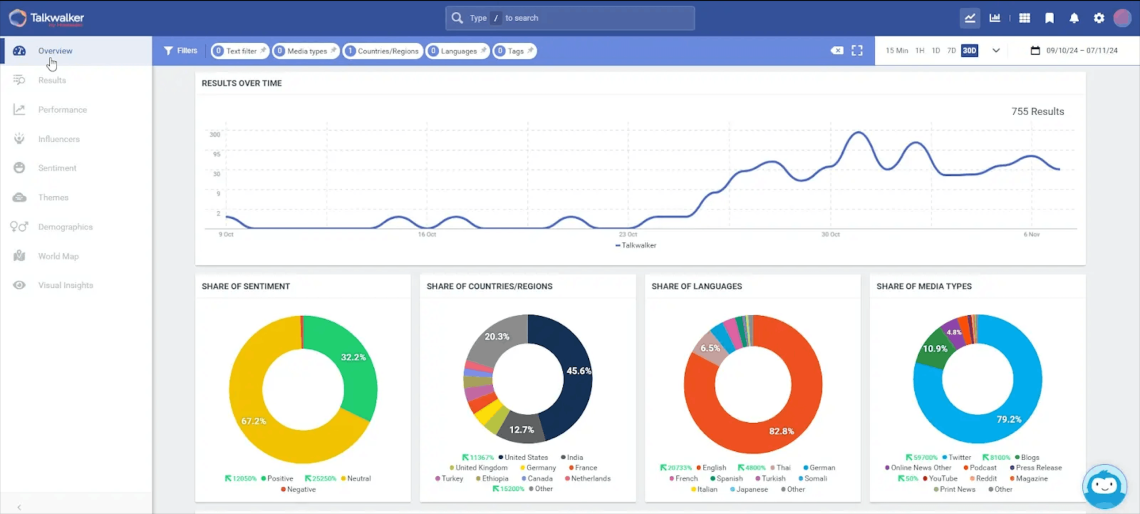
It’s Blue Silk AI recognizes logos and products inside photos and video, covering similar ground to Brandwatch but now sold as part of the Hootsuite family since the acquisition.
It’s rebranded as Lumen and folded into Hootsuite’s ecosystem, so an existing Hootsuite customer adds it without picking up a new vendor relationship.
🔍 Monitored sources: X, plus broad web, news sites, image, and video sources across networks
✅ Pros
- Strong image and video recognition
- Now bundled with Hootsuite’s ecosystem
- Enterprise-grade historical data
❌ Cons
- Not for small budgets
📚 Learn more: Talkwalker alternatives
14 Mentionlytics
4.3/5
G2 (112 reviews)
4.7/5
Capterra (38 reviews)
Free trial / 14 days
From $69/Month
Best for sentiment analysis that scores specific emotions, not just positive, negative, or neutral.
Why I picked Mentionlytics?
It has an interesting feature called Mentions Map geo that plots where mentions originate on a live world map. It’s a nice visualization.
Sentiment analysis scores emotion level rather than a simple three-way label, which catches frustration or excitement that a binary score would most probably miss.
🔍 Monitored sources: X, Instagram, Facebook, TikTok, YouTube, news, blogs, forums
✅ Pros
- Emotion-level sentiment scoring
- Geo-mapped mentions
❌ Cons
- Scheduling and publishing aren’t working well than the all-in-one platforms
15 Buffer
4.3/5
G2 (1,083 reviews)
4.5/5
Capterra (1,492 reviews)
Free basic plan
From $5/Month
Best for a solo creator who wants a genuinely free Twitter analytics tool bundled with simple scheduling, without a learning curve.
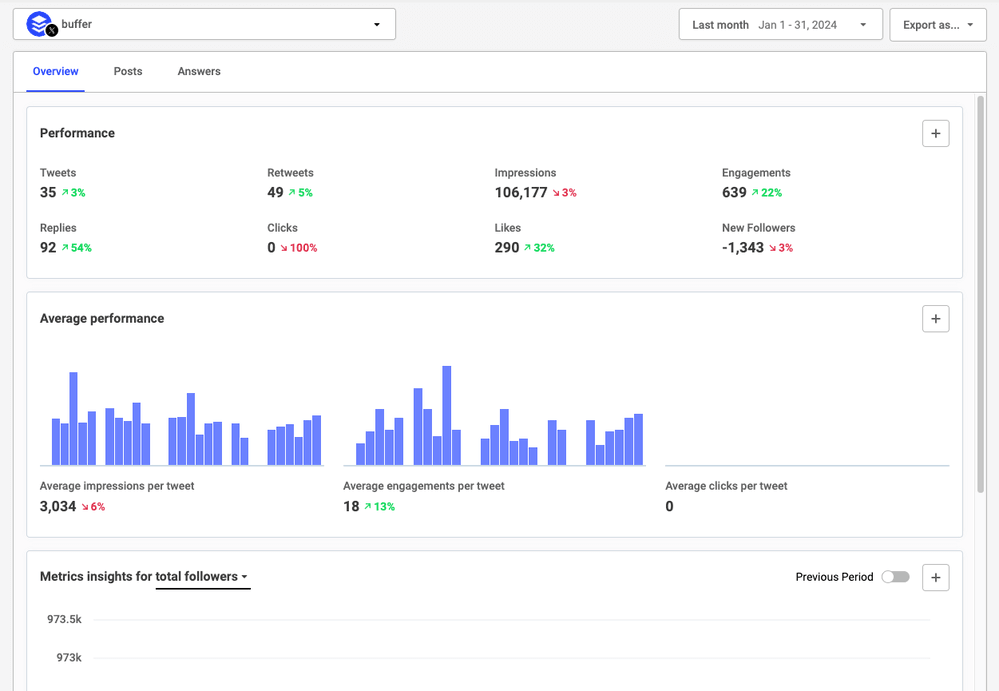
You get a clean, easy-to-use dashboard that lets you keep an eye on key metrics like engagement rate, impressions, replies, reposts, likes, clicks, and follower growth over time.
Why I picked Buffer?
Analytics are inside the same simple interface as scheduling, so there’s no exporting data to a separate dashboard to make sense of it.
The free plan is genuinely usable, not a time-limited trial, so basic X analytics keep running indefinitely without paying anything.
🔍 Monitored sources: X, Instagram, Facebook, LinkedIn, TikTok, Mastodon, Pinterest, YouTube, Google Business
✅ Pros
- Easiest learning curve on this list
- Real free plan, not a trial
- Clean, uncluttered interface
- Affordable per-channel pricing
❌ Cons
- Analytics are basic compared to Brand24, Mentionlytics, or Sprout Social
- No sentiment analysis
- No hashtag-specific or event-tracking features
Conclusion
Picking the best Twitter analytics tools comes down to your use case.
- If you’re a solo creator or small brand watching your budget, go with SocialPilot or Metricool.
- If you need enterprise-grade sentiment and AI features, go with Brand24, Brandwatch or Talkwalker.
- If you’re running a live event and need a hashtag wall on a screen, go with Tweet Binder or Keyhole.
- If you want one dashboard for a whole marketing team across networks, go with Sprout Social, Hootsuite, or Agorapulse.
AI-driven features are crucial in 2026, not a premium add-on most Twitter analytics tools treat it as.
Native Twitter analytics alone is no longer enough for any brand that cares what’s said about it outside its own posts.
FAQ
There’s no single best tool, it depends on what you’re optimizing for. Brand24 and Mentionlytics lead on sentiment analysis and hashtag reach, especially for teams that need third-party analytics tools for competitor analysis beyond native data. Sprout Social and Hootsuite lead on full team management across multiple networks. SocialPilot and Buffer lead on budget-friendly simplicity. Brandwatch and Talkwalker lead on enterprise-scale AI image recognition, at enterprise prices.
For native Twitter analytics, log into your account, open the sidebar, and select Analytics if you’re on a Premium plan, or check the Analytics option under your profile picture in the mobile app. Third-party tools require connecting your account after signup, usually through an OAuth login screen.
Yes, though it’s evolved since the rebrand to X, formerly Twitter. Basic analytics remain available to Premium subscribers, the free tier offers only a stripped-down per-post view, and the dashboard has been redesigned while keeping its core functionality.
Native X analytics is free at a basic level. Among third-party tools, Fedica, Metricool, and Buffer all qualify as genuinely free Twitter analytics tools, not just time-limited trials, though each caps features more tightly than their paid tiers.
Track profile visits to see whether your posts drive curiosity about your account. Track link clicks to measure traffic intent. Track engagement rate to compare post performance fairly across different reach levels. Track follower growth to spot momentum over time. Track video views if video is part of your mix, these are the core numbers most Twitter analytics tools build their dashboards around.
Weekly for an active account, with a deeper monthly review to catch trends a single week won’t show. Check again immediately after any campaign or spike in mentions, while the context for what caused it is still fresh.
Yes. They show your best-performing tweets so you can repeat the formats and topics that work. You can use the data to decide how many posts to publish without guessing. Over time, those patterns make future campaigns easier to plan.