Table of contents
2M Marketers

This update makes Brand24 better at three things: filtering irrelevant mentions, delivering more accurate AI insights, and keeping your data secure.
Here’s what changed and how it impacts your workflow.
Key takeaways:
-
Smart Context Search uses AI to understand context behind mentions,
reducing irrelevant results and making large datasets easier to analyze.
-
Brand Assistant delivers more precise answers by working on filtered data,
so every insight reflects what you’re currently investigating.
-
New AI prompts help you start working faster,
giving you ready starting points for common workflows like identifying sentiment shifts or spotting trends and key influencers.
-
Two-Factor Authentication (2FA) strengthens account protection,
adding a second verification step during login. It's an extra layer of security protecting your account from unauthorized access.
-
Mention limit progress bar shows your usage in real time,
giving you full visibility and helping you avoid unexpected limits during campaigns.
01 New AI-powered filter: Smart Context Search
If you’ve ever opened your project and thought, “There’s so much noise here,” this filter solves exactly that problem.
Smart Context Search uses AI to understand what you mean, not just what you type.
Instead of pulling every mention with a keyword, it focuses only on those that match the actual context.
👉 Example:
Use Context Search and search for “Jaguar electric cars and innovation”:
→ You’ll see discussions about the brand and topic
→ Not random mentions about the animal or unrelated content
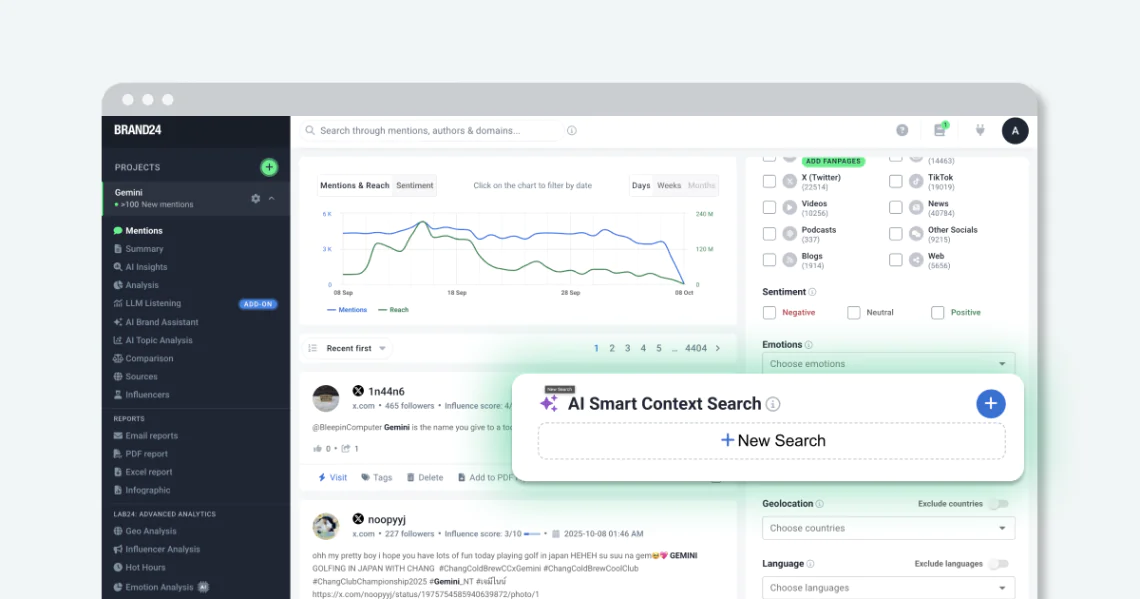
How does it work in practice?
Once applied, Smart Context Search:
- analyzes the meaning of mentions in your project
- filters out irrelevant results
- keeps working on new mentions as they appear (your results stay clean over time, not just at the moment of search)
Where can you use it?
It’s perfect for:
- Campaign monitoring – track conversations about a specific product or hashtag.
- Reputation management – isolate mentions related to a crisis or topic trend.
- Competitive analysis – understand how people talk about your competitors.
⚠️ Note
Available as an add-on for Pro, Business, and Enterprise plans.
Reach out to your Account Manager to learn more.
02 Better security with Two-Factor Authentication (2FA)
Your Brand24 account contains valuable data, like mentions, reports, and insights, and it’s now more secure than ever.
With 2FA, you get an extra layer of protection every time you log in. In addition to your password, you’ll enter a code from your phone.
So even if someone gets your password, they still can’t access your account.
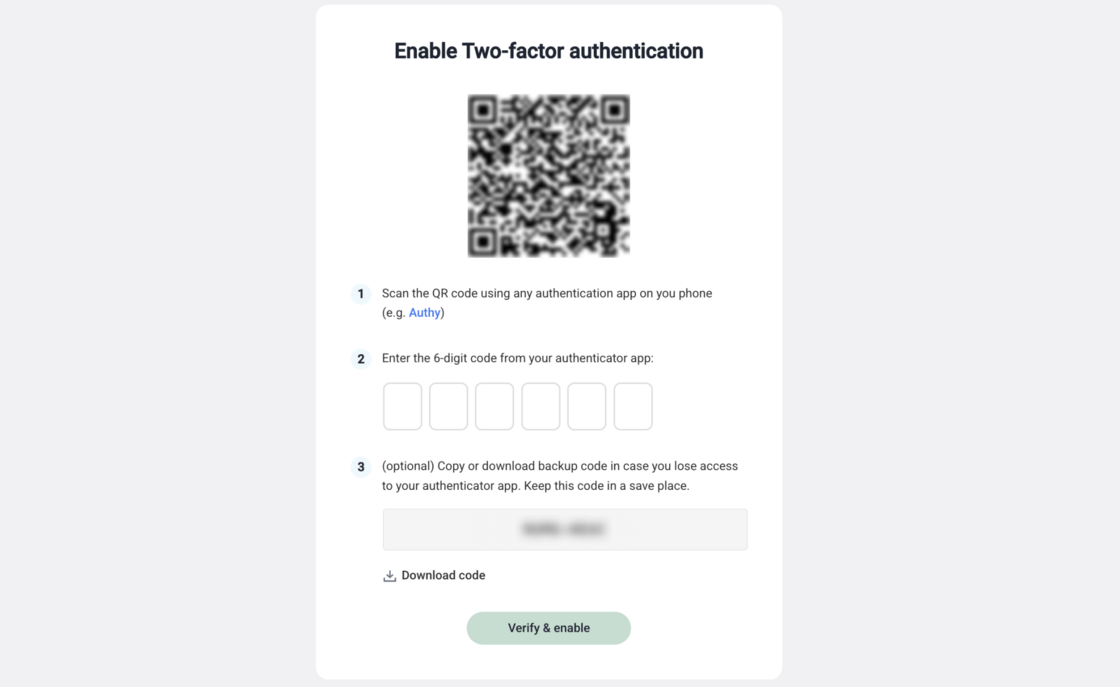
Why turn it on?
- Keep your monitoring data safe, including sensitive mentions, insights, and campaign results.
- Protect access to your projects and reports, especially if multiple people use the account or share results internally
- Block unauthorized logins even if your password leaks, thanks to the extra verification step
🔐 Learn how to enable Two-Factor Authentication
Want to secure your account? Follow the step-by-step guide or watch how to enable 2FA in Brand24.
03 More useful answers from AI Brand Assistant
Brand Assistant got two updates that make it easier to move from raw mentions to actual insights: ready-made prompts and answers based on your filters.
1. Start with a prompt instead of a blank chat
One of the awkward parts of AI chat is knowing how to start. You open it, and then spend a minute wondering what to ask.
Now Brand Assistant gives you ready-made prompts built around common marketing tasks.
So instead of typing from scratch, you can pick a direction and jump straight into analysis.
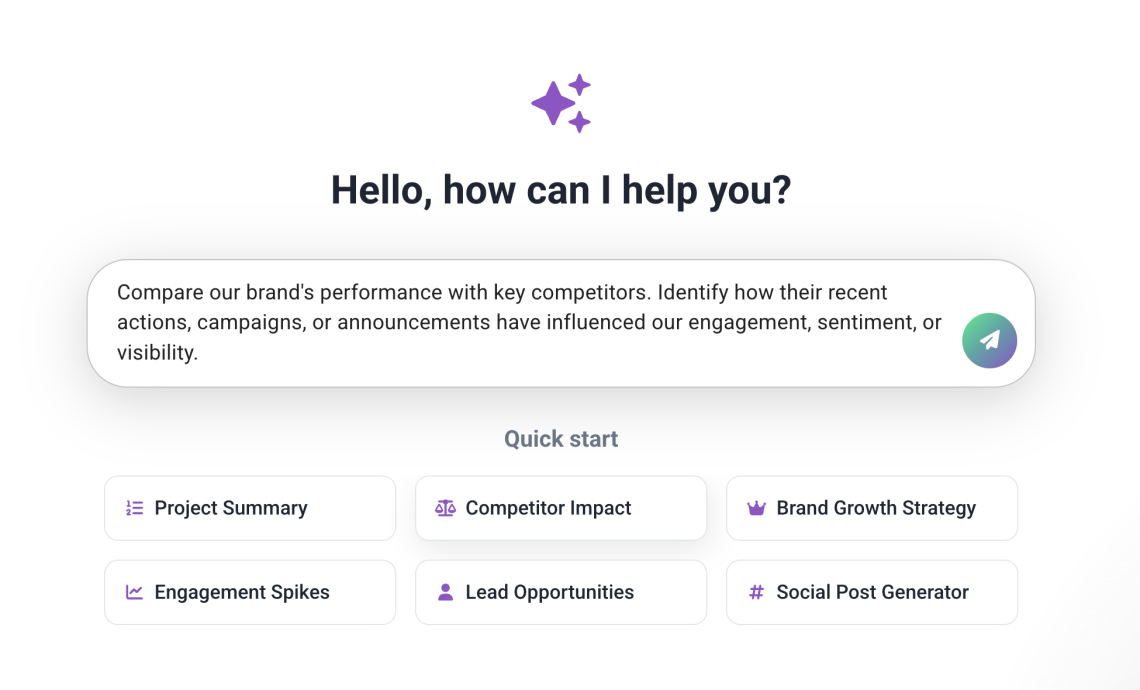
You can use these prompts to:
- analyze sentiment and spot what’s driving changes
- find trending topics in your mentions
- identify influencers behind the conversation
- explore other common analysis tasks faster
It’s a small change, but it removes the “what should I ask?” moment and gets you to insights faster!
2. Get answers based on the exact data you’re viewing
The Brand Assistant also improved at understanding what you’re looking at in the tool.
It now takes into account the filters you’ve applied in the Mentions, Analysis, and Comparison tabs.
That means it works on the exact slice of data you’re looking at, not the whole project by default.
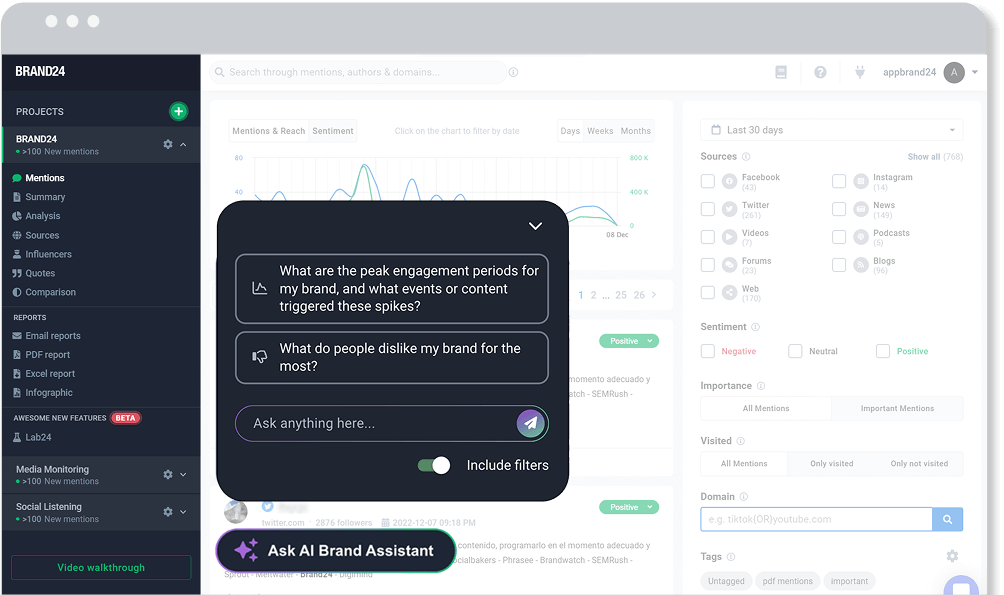
For example:
- filter for negative mentions
- ask: “What caused the sentiment drop last week?”
Brand Assistant will analyze only those filtered mentions and explain what’s behind the change.
No more generic answers! Just insights based on the dataset you’re actually investigating.
03 Mention Limit Progress Bar
Ever hit your mention limit out of nowhere? We’ve got you. You can now see your mention usage directly at the top of your dashboard.
A progress bar now shows how many mentions you’ve used, and how close you are to the cap.
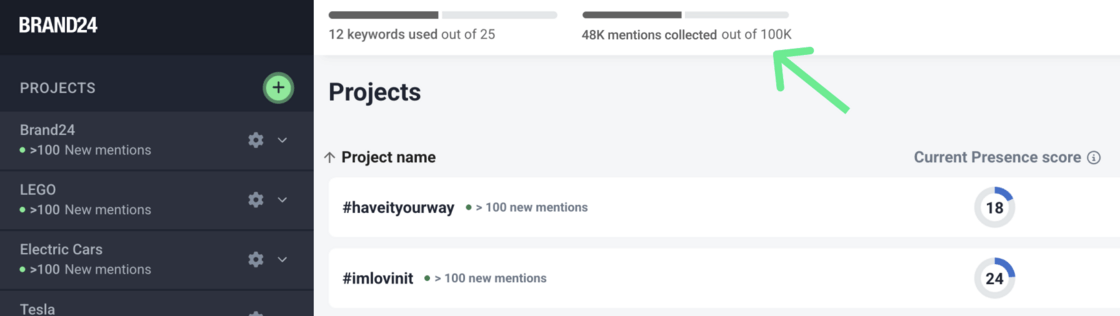
It clearly displays the number of mentions you’ve collected (e.g. 48K out of 100K) and how close you are to the limit, so you can react before your monitoring stops.
👉 It’s especially useful during spikes or active campaigns, when mention volume can grow fast.

Top Reads
X (Twitter) Analytics Tools: The 15 Best for 2026
Brand Awareness Strategy [Ultimate Guide for 2026]
Sentiment Analysis in 2026: Definition, AI Methods & Original Research
Brand Monitoring: Tools & Guide for 2026
Brand Reputation Management: Expert Guide + Original Research [2026]
How to See How Many Times a Hashtag Was Used on X (Twitter)
9 Hashtag Tracking Tools Tested in 2026
Social Media Reach: How to Measure & Improve It in 2026?
Share of Voice: Definition, Formula, Tools [2026 Guide]
Social Media Analysis: Complete Guide for 2026
Start Social Listening!
Get the Brand24 trial and start social listening like a PRO.