Table of contents
2M Marketers

-
You can’t directly follow hashtags on X While X allows you to search for hashtags, it doesn’t offer a built-in “follow hashtag” feature. -
X Pro helps you monitor hashtags in real time, but without analytics TweetDeck (now X Pro) lets you create dedicated columns to track specific hashtags more efficiently. However, it doesn't provide structured data analysis, historical insights, or reporting tools. -
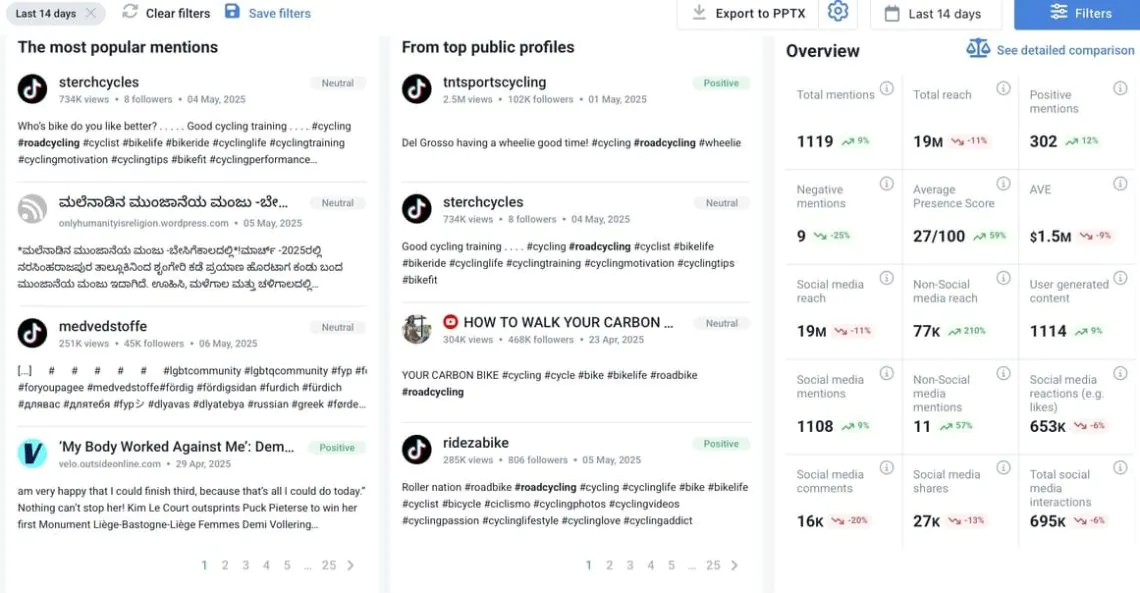
Social listening tools provide full hashtag analytics and performance insights Platforms like Brand24 go beyond simple monitoring by offering metrics such as mention volume, estimated reach, engagement data, sentiment analysis, influencer identification, and automated alerts. -
For campaigns and strategic decisions, dedicated tools are far more effective If you want actionable insights, trend detection, and measurable results, social listening platforms deliver significantly more value than native X features alone.
Brand24, a media monitoring and analytics tool Tweetdeck, a column-based tracking tool X’s internal search bar
How to follow a hashtag on (X) Twitter in Brand24?
-
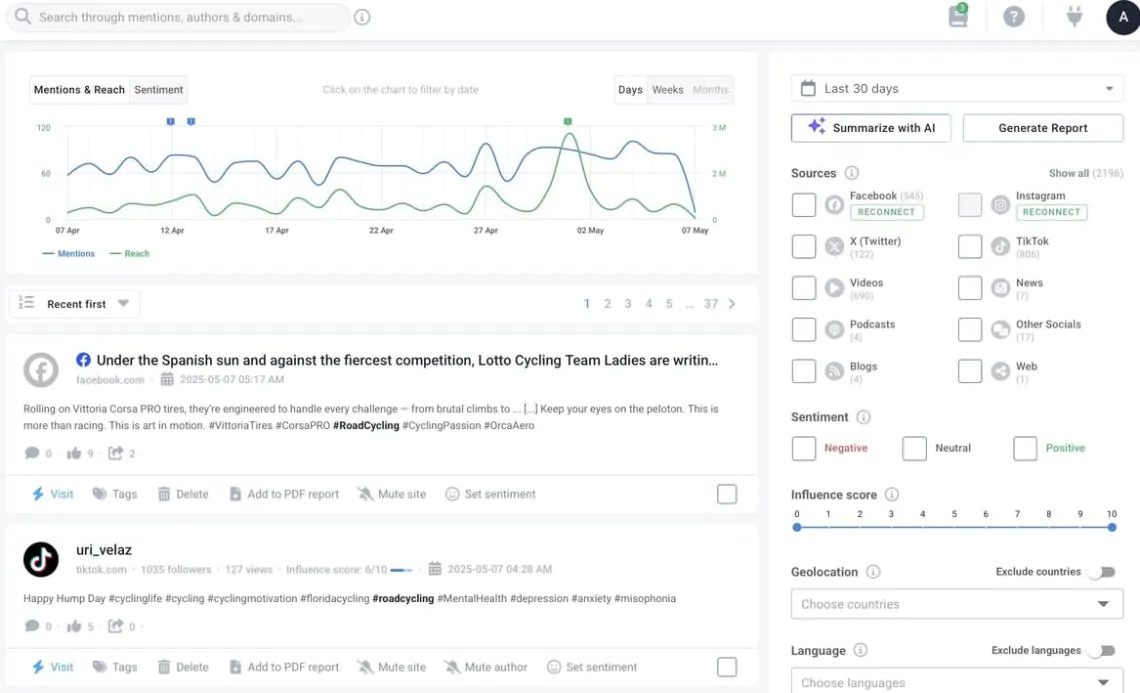
1
Metrics of volume: Number of tweets containing your hashtags over a specific period of time -
2
Metrics of engagement: Number of likes, retweets, comments -
3
Metrics of sentiment: Sentiment analysis of tweets mentioning your hashtags -
4
Metrics of influence: Most influential Twitter profiles using your hashtags -
5
Social media reach: Social media reach of all tweets containing your hashtags -
6
Trending hashtags: Top 100 most popular hashtags used the hashtags you follow
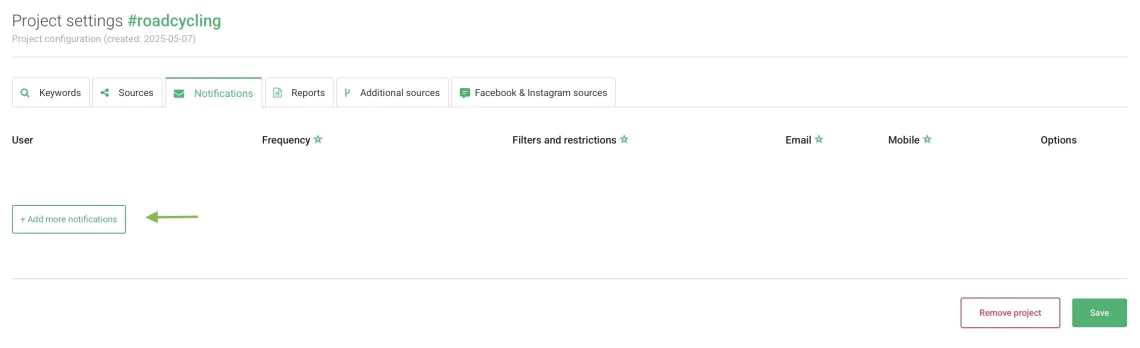
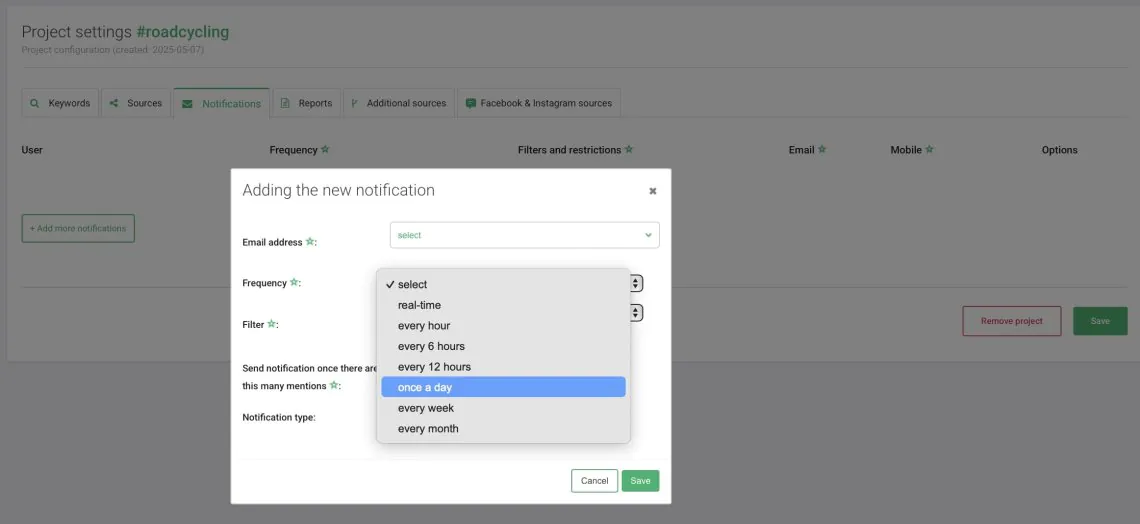
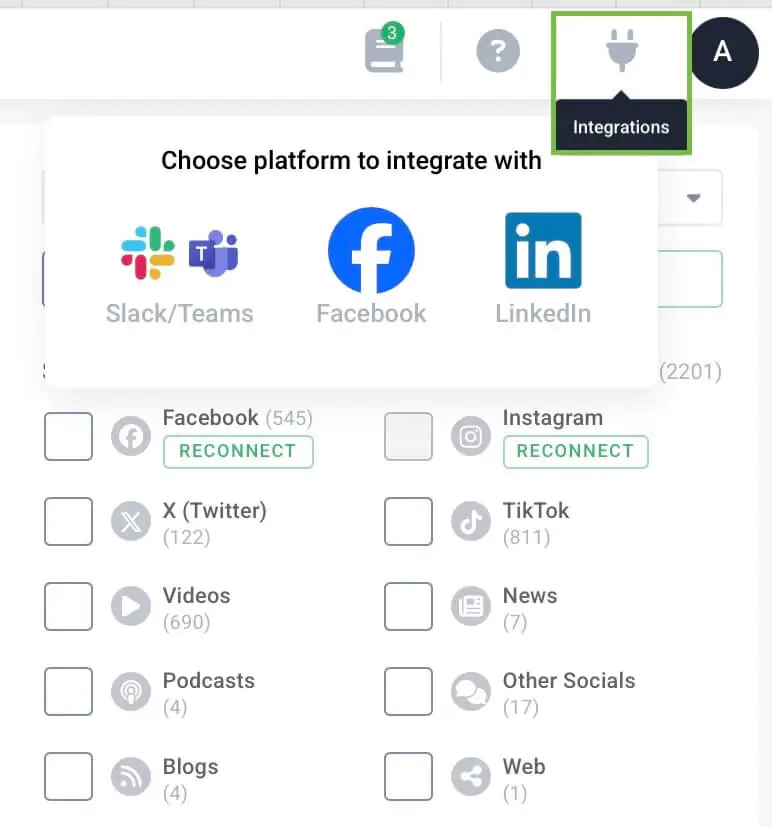
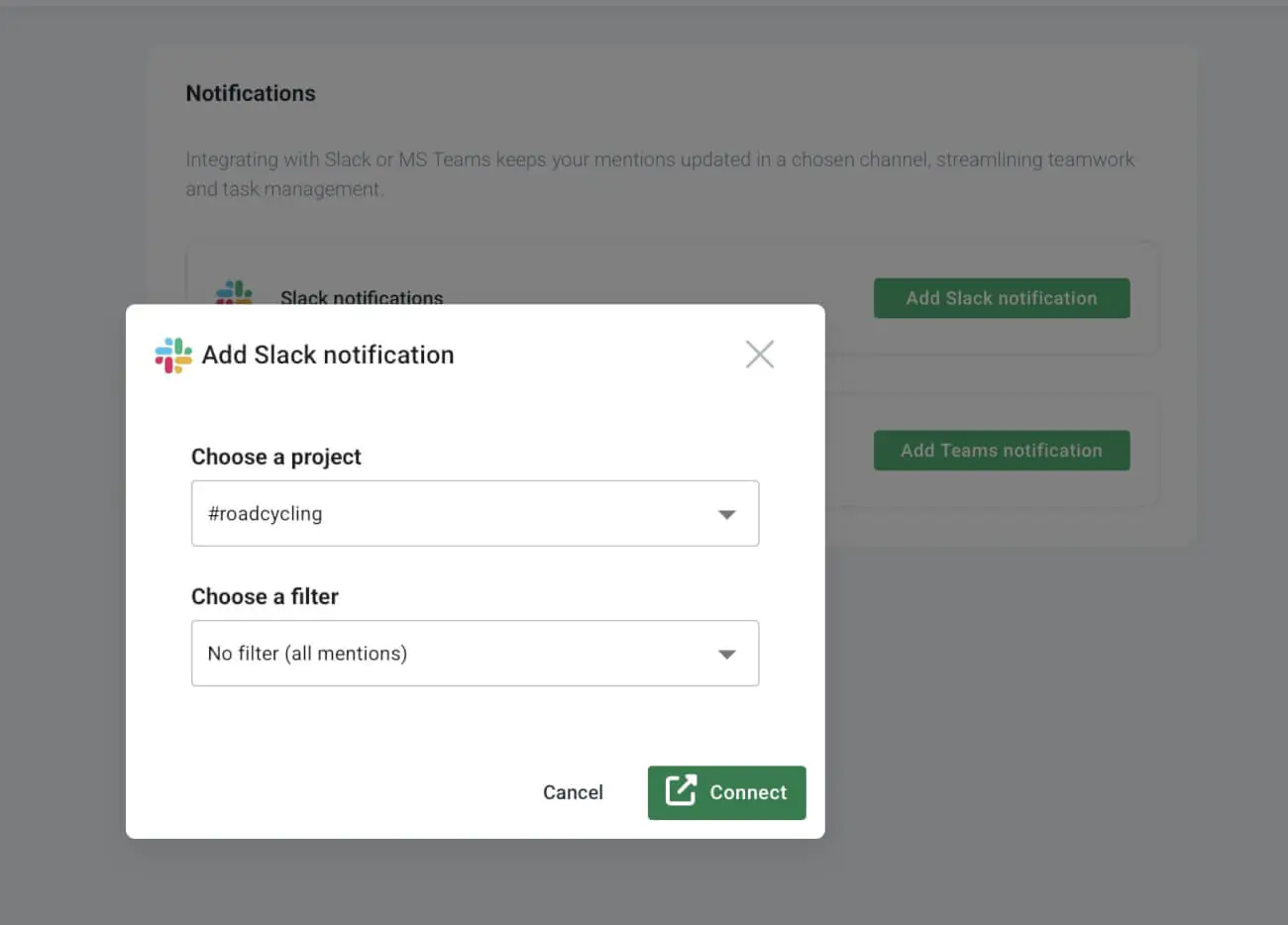
Dashboard of the tool: All tweets with your hashtag arrive there Email notifications: You can set email notifications to notify you about new tweets immediately or periodically Slack: If you use Slack communicator, you can receive mentions to a pre-defined channel
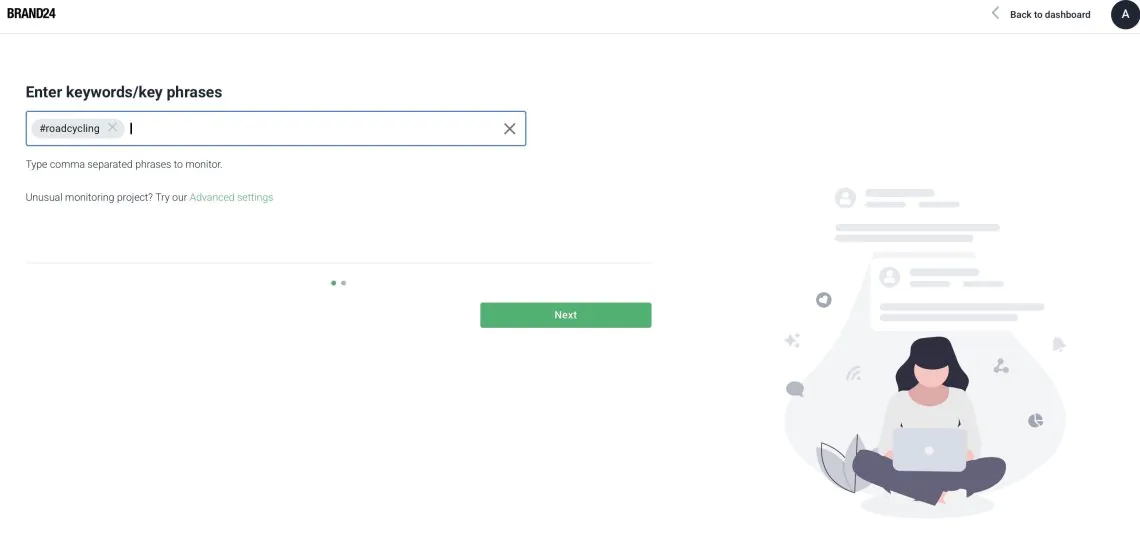
Notifications
Analysis tab
Slack notifications


How to follow a hashtag on X (Twitter) using Tweetdeck (X Pro)?

-
1
Click on the + sign in the panel at the left-hand side. -
2
Choose Search. -
3
Type in your hashtag with the # sign. -
4
Voila! Tweetdeck just created a column with recent tweets containing your hashtag.
Excluded keywords Date range Language Location Engagement and more
How to follow a hashtag on X (Twitter) manually?
-
1
Go to X Search. -
2
Type in your hashtag, including the hashtag sign, in the search box in the top right corner, next to your profile options. -
3
Hit Search and X (Twitter) will return with the most recent tweets and popular accounts using your hashtag. -
4
The bummer is that if you want to stay up to date with your hashtag mentions, you need to refresh and browse this page every now and then to follow the most recent content.