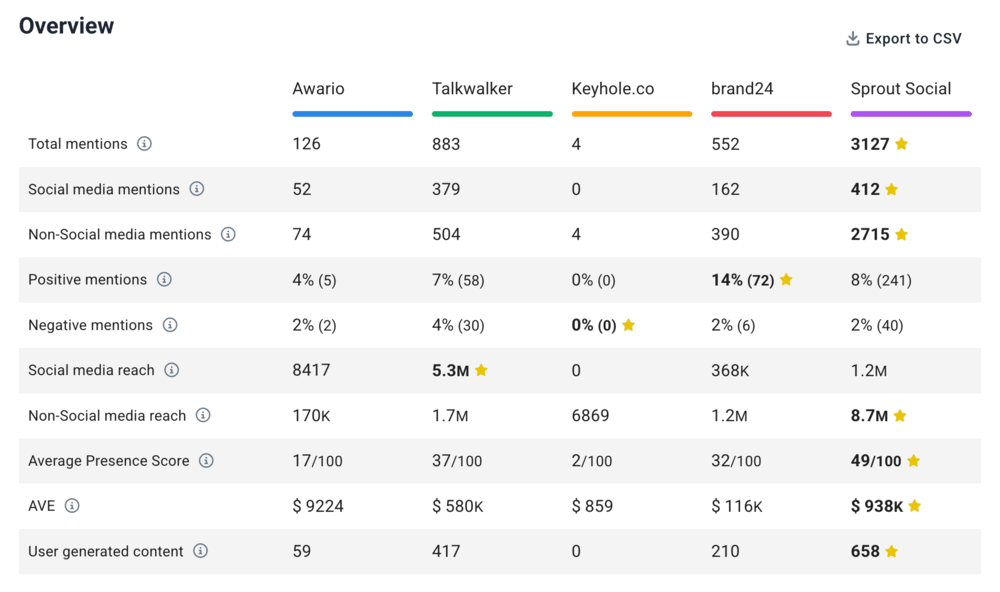
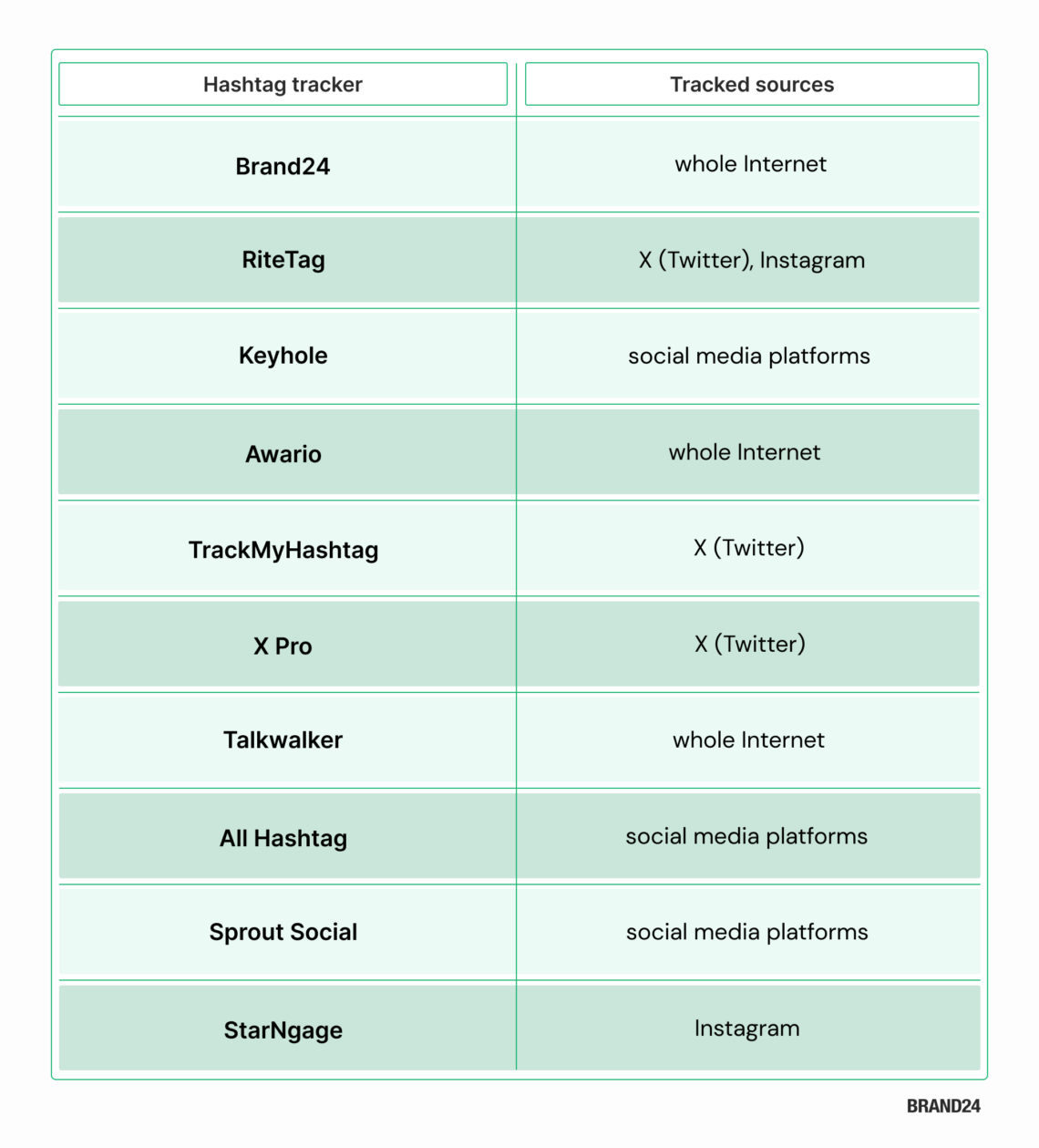
We put this ranking together by reviewing feedback on G2 and Capterra, checking AI overviews, and digging into real user conversations on Reddit. The end result is a curated list to help make choosing a hashtag tracking tool a whole lot easier.
In many cases, using two tools together can give you a more complete view, so feel free to mix and match if it works for your workflow.
01 Brand24
4.6/5 – G2 (322 reviews)
4.7/5 – Capterra (253 reviews)
14-day free trial available
From $149/month
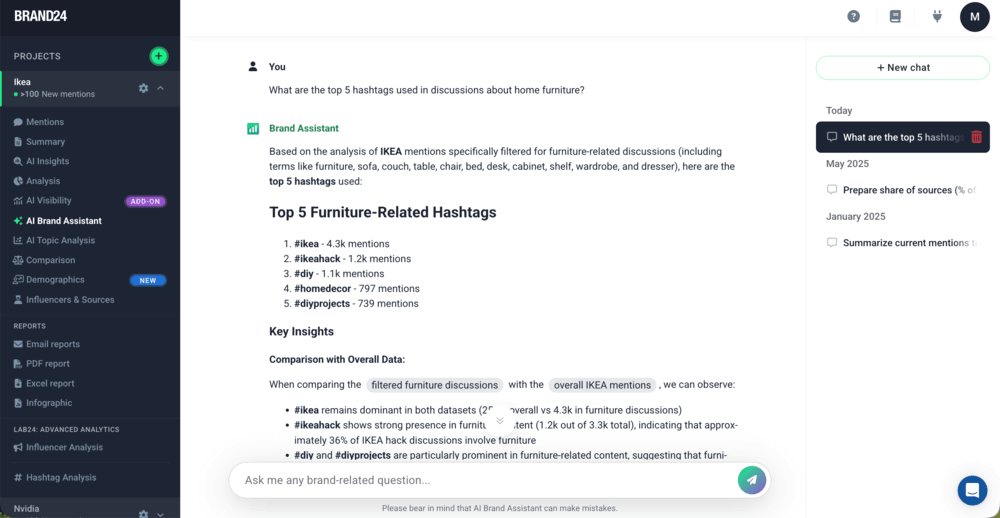
Brand24 is a social listening and media monitoring tool that tracks and analyzes hashtags across social media platforms (like Instagram, Facebook, TikTok, X (Twitter), Linkedin) and non-social media sources (like blogs, forums, review sites, news, and many others).
It shows you how the hashtag performs over time:
The volume of hashtag mentions
The reach of the hashtag mentions (both social media and non-social media reach)
Brand24 also includes strong AI features, such as the Anomaly Detector (which explains sudden spikes in reach or mentions) and AI Brand Assistant (turning hashtag data into easily digestible summaries and insights).
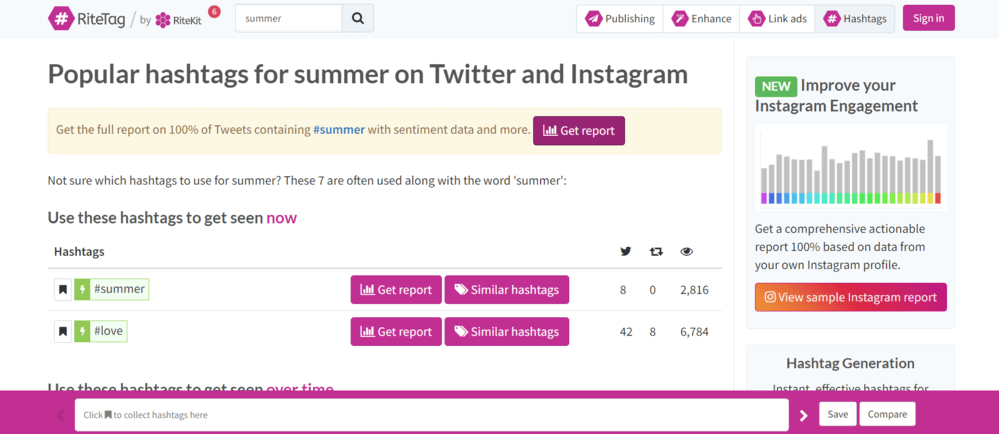
Another tool for monitoring hashtag performance is RiteTag, part of RiteKit. It’s useful for evaluating specific hashtags on X (Twitter) and Instagram, though it currently supports only those two platforms.
How many posts and reposts per hour contain the particular hashtag
How many people per hour have seen posts and reposts containing the hashtag
It also suggests hashtags that increase discoverability and exposure. It tells you which one to use to get seen now and over time.
A paid version may sometimes not be enough, but it will meet your needs if you just want to check any X or Instagram hashtag.
I recommend this tool for the Twitter hashtag campaign.
🔑 Key features
Historical hashtag data (30-day analytics)
Top tweets posted
Related hashtags
Hashtag generator for Instagram
Hashtag comparison
Hashtag suggestions and sets
Actionable reports
RiteTag dashboard
03 Keyhole
4.3/5 – G2 (70 reviews)
5.0/5 – Capterra (2 reviews)
Free demo available
Custom pricing on request
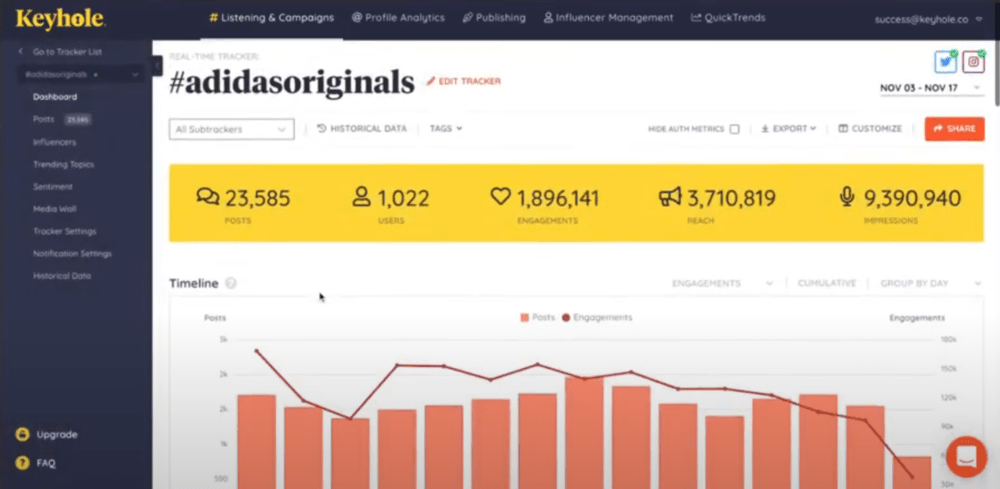
Keyhole is a social media tool that allows users to track hashtags across Instagram, Facebook, Twitter, TikTok, YouTube, and LinkedIn.
It tells you how many times a hashtag has been used in posts and how many users have done so. Other metrics provided are hashtag engagement and reach.
Also, Keyhole has account-level analytics. It analyzes a given account’s hashtag performance, an excellent way to determine whether relevant hashtags work.
You can also look for trending hashtags to boost your content engagement.
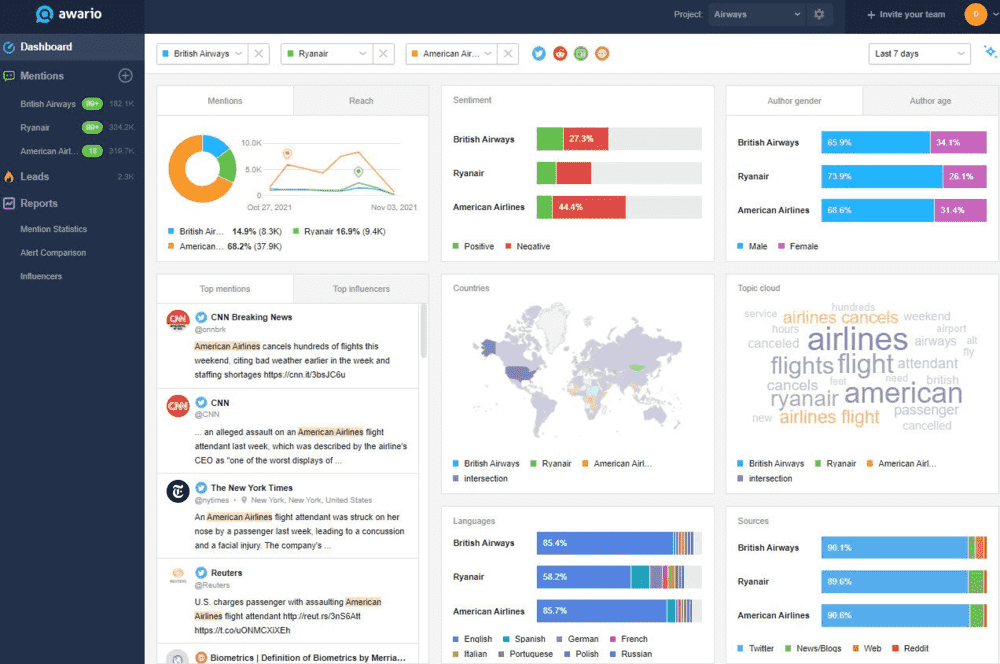
Another hashtag monitoring tool is Awario, a web and social media monitoring tool. Like other tools, it offers plenty of features to analyze online buzz around a hashtag.
With this hashtag tracking tool, you can:
Find the right hashtag based on social media popularity and engagement
Monitor relevant hashtags and your branded hashtags on Twitter, YouTube, Reddit, Instagram, and Facebook in real-time
Get analytics of your hashtag campaigns
In addition to hashtag analytics, Awario shows profiles that use your hashtags in their social posts. It helps in finding influencers and brand ambassadors.
Awario claims to deliver historical data, but many users do not have access to it.
🔑 Key features
Real-time hashtag monitoring
Sentiment analysis of hashtags and hashtag campaigns
Reports with collected data
Awario dashboard
05 TrackMyHashtag
5.0/5 – G2 (2 reviews)
4.2/5 – Capterra (47 reviews)
Free demo available
From $149.99/up to 25,000 posts
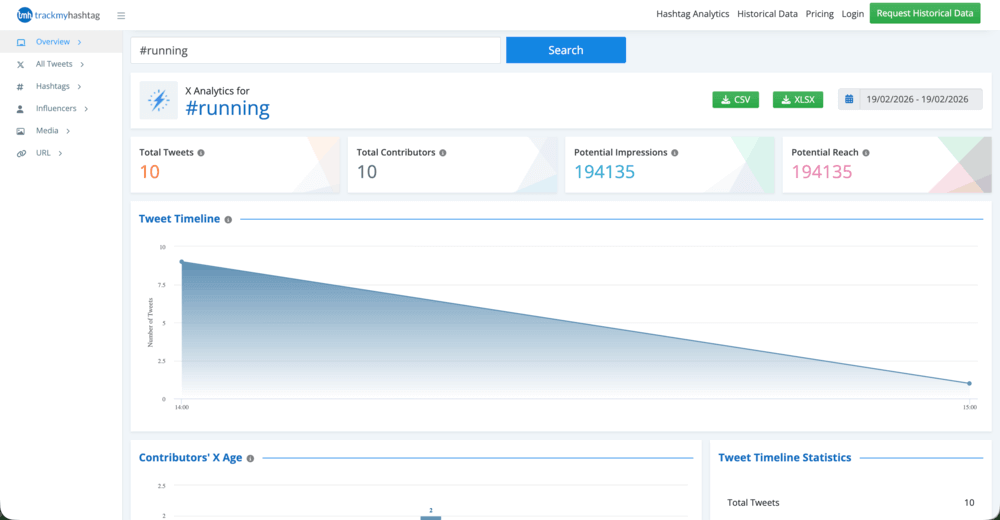
TrackMyHashtag is designed specifically for X (Twitter). It can track and analyze any profiles, hashtags, or keywords.
It is ideal for Twitter campaigns. It analyzes them on various levels:
Engagement
Social media reach
Daily and weekly patterns of tweeting
Language
Location
Top related hashtags
And much more.
Interestingly, this Twitter monitoring tool collects real-time and historical hashtag data starting from 2006 (!).
It’s pretty rare for hashtag analytics tools to have access to data that far back in time. Unfortunately, you have to pay extra for that.
🔑 Key features
Twitter monitoring
Twitter hashtag analytics
All the tweets posted with the hashtag
Twitter chats with the hashtag
Twitter impressions
Real-time and historical hashtag data
TrackMyHashtag dashboard
06 X Pro / X Premium analytics
No free demo available
From $8/month
After Twitter’s rebrand to X, native analytics became part of X Premium, and TweetDeck evolved into X Pro, now a paid tool.
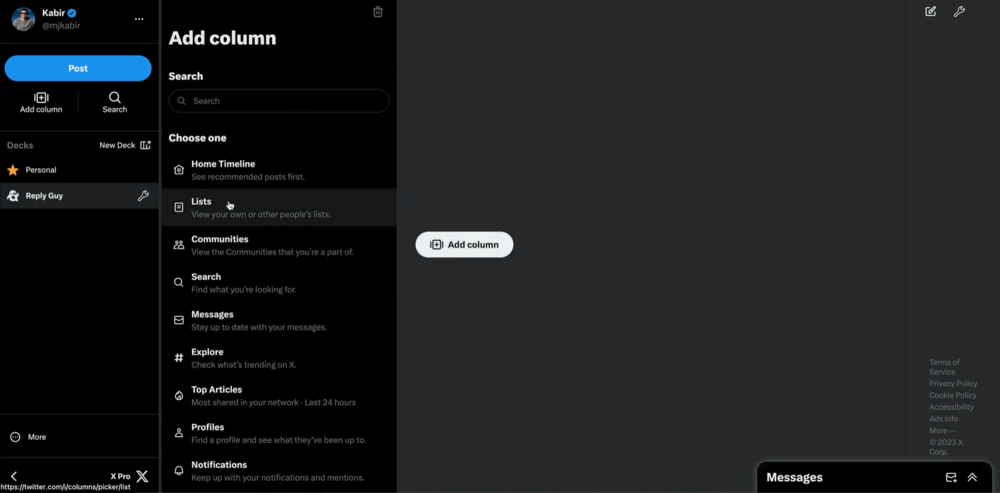
X Pro is a customizable dashboard that lets you create columns to monitor hashtags, keywords, lists, and notifications in real time. Just add a search column with your chosen hashtag, and you’ll instantly see all related posts.
It’s worth noting that it mainly focuses on native engagement metrics and doesn’t offer advanced hashtag analysis or historical reporting.
Still, it’s worth using X Pro if you’re particular about your brand monitoring only on Twitter.
🔑 Key features
Real-time hashtag tracking
Twitter hashtag impressions
Customizable online dashboard
Geolocation insights
X Pro dashboard
07 Talkwalker
4.3/5 – G2 (136 reviews)
4.4/5 – Capterra (24 reviews)
Free demo available
Custom pricing on request
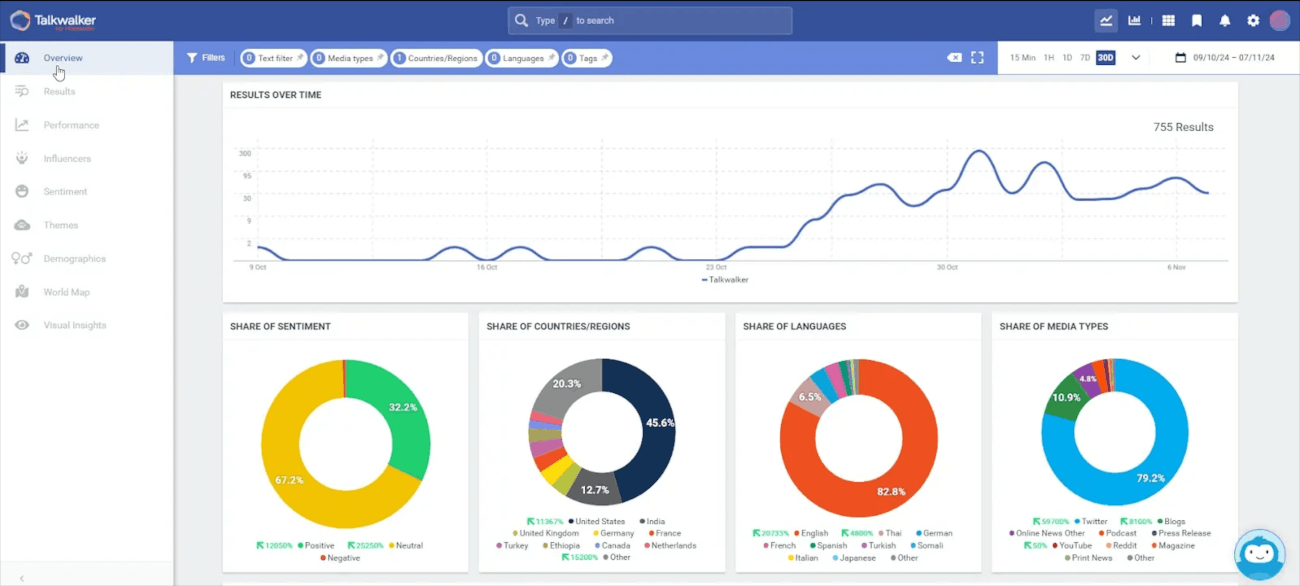
The next tool in this overview is Talkwalker, a well-known social listening tool. It tracks hashtags across 30 social networks, over 150 million websites, blogs, and more.
Talkwalker provides metrics on volume of mentions, engagement, reach, and more.
It also identifies the top profiles that use the hashtags you track.
This tool does not provide pricing on its website, so we can guess it is expensive. This is intentional to avoid discouraging you from purchasing.
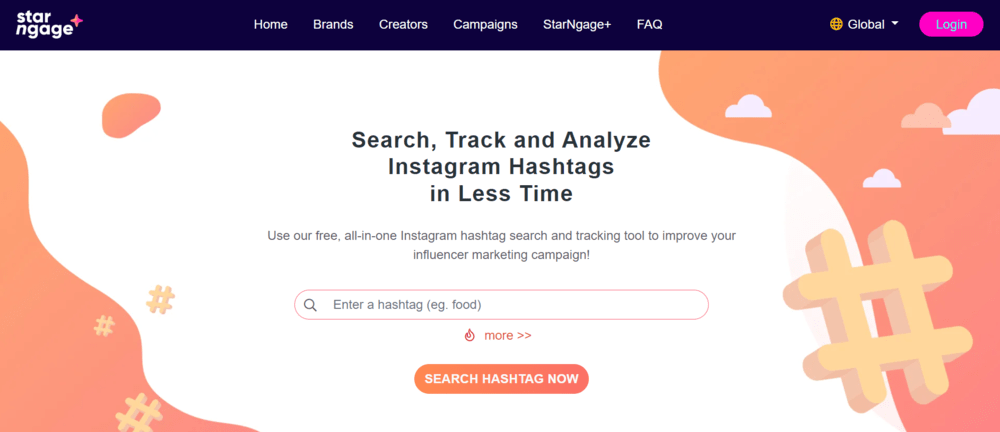
StarNgage is an influencer marketing platform that also offers a free Instagram hashtag tracker for basic hashtag research.
With this tool, you can quickly check how often a hashtag is used and see the total likes and comments generated by posts that include it. It’s a simple way to evaluate hashtag popularity and spot engagement trends before adding a tag to your strategy.
StarNgage also helps you discover top influencers and brands using a selected hashtag, as well as find related hashtag ideas to expand your visibility.
Keep in mind that this tool focuses solely on Instagram hashtag tracking, so it won’t support multi-platform hashtag monitoring.
It is worth noting that this tool is only for Instagram (!).
🔑 Key features
Instagram hashtag usage statistics
Engagement overview (likes and comments)
Top influencers, brands, and posts
Related hashtag suggestions
StarNgage website
FAQ
Why is hashtag tracking important?
Hashtags are helpful; they categorize content, increase visibility, and foster community engagement.
Here are the reasons why it is worth paying attention to hashtags and tracking them:
Use case
What hashtag tracking helps you measure
Why it matters
Event & campaign performance
Mentions, reach, engagement in real time
Instantly see how much buzz your campaign generates and how people respond
Brand awareness
Frequency of branded hashtag usage, visibility, and distribution
Understand how widely your brand message spreads and where it appears
Audience sentiment
Context of posts using your hashtag
Analyze how people actually talk about your brand, product, or industry
Trend discovery
Trending conversations and viral or emerging topics
React faster and stay relevant in your niche
Influencer identification
Most active and influential accounts using your hashtag
Spot potential brand ambassadors and collaborators
How to find trending hashtags?
If your hashtags don’t match your content, you likely won’t get much social media reach.
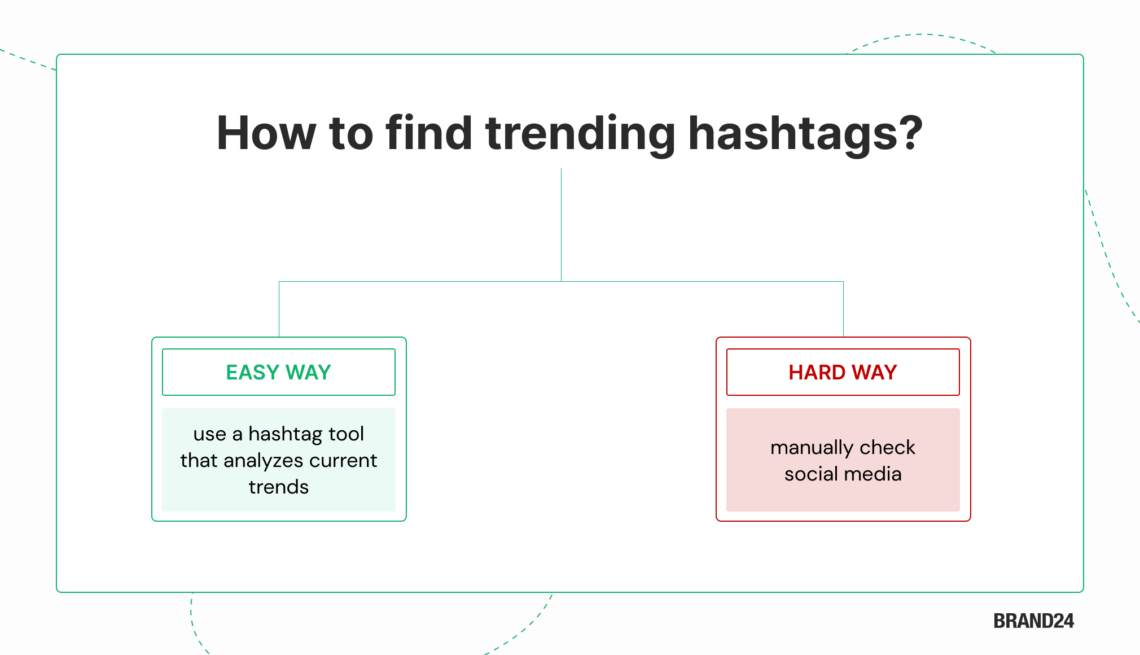
How to find a perfect trending hashtag? There are two ways:
The hard way is to visit social media platforms and manually check user-generated trends.
The easy way is to use a hashtag tool that analyzes current trends, shows hashtag popularity, and presents the data in a pleasant way.
Not sure how to track your hashtag?
Here’s a short video that explains it:
How to choose a hashtag-tracking tool?
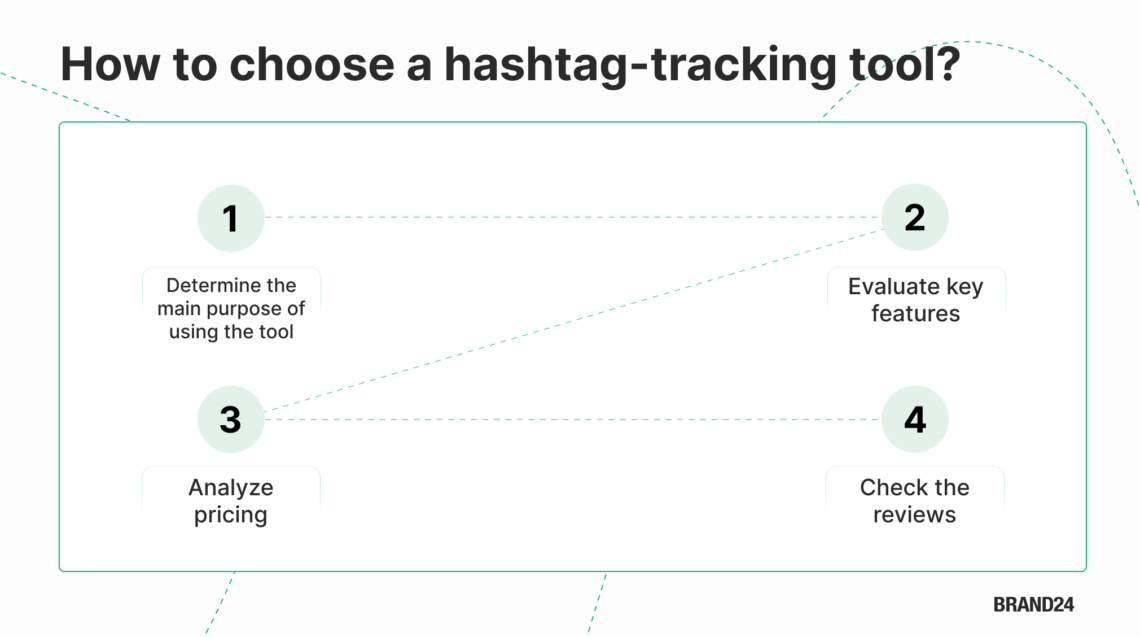
There are many hashtag trackers on the market. Here’s a short step-by-step guide to help you make a good decision:
Step 1: Define your hashtag-tracking goal
Do you want to track branded hashtags, campaign performance, competitor activity, or industry trends? Some tools focus on simple hashtag analytics, while others provide AI-powered sentiment analysis and cross-platform monitoring.
Step 2: Carefully evaluate the features
Not all hashtag analytics tools offer the same depth. Some provide basic mention counts, while others include sentiment analysis, reach metrics, influencer identification, historical data, or AI-powered insights. Review feature lists and real case studies to see how the tool performs in practice.
Step 3: Compare pricing and value
Free tools can be great for quick, simple hashtag research. If you need deeper analytics, better reporting, and access to long-term data, paid platforms usually deliver more. Just make sure the price lines up with the level of insight you’re looking for.
Step 4: Check the reviews
Look at verified reviews on platforms like G2 or Capterra. Focus on feedback from users with similar roles or goals to understand real strengths and limitations.
If you stick to these four steps, you will make the best decision.
Remember that you can often test the hashtag tracker for free before you pay!
Tom was the Head of Content at Brand24 for 5 years. During that time, he was actively involved in building an AI-powered social listening tool. He is an experienced digital content creator and marketing strategist working in the SaaS industry.