Table of contents
2M Marketers

Choosing a competitor analysis tool is harder than it should be: the category is crowded, most tools overlap, and the wrong pick costs you time and budget.
I evaluated them on data depth, AI features, source coverage, ease of use, and value for money, and cut it down to the 16 worth your time in 2026.
If you’re in a hurry, here’s a shortlist:
- Brand24 — best for monitoring competitor brand mentions, measuring brand awareness and AI search visibility
- Kompyte — best for monitoring website and messaging changes, and creating sales battle cards
- Semrush — best for SEO and traffic competitor intelligence like keyword gaps, and traffic sources
- Majestic — best for deep backlink intelligence and link-building opportunity research
- Google Analytics 4 — best for benchmarking your own performance against industry average numbers
- BuzzSumo — best for tracking competitors’ top-performing content and social engagement
- Sprout Social — best for social media benchmarking
- Hootsuite — best for combining social media management with live competitor monitoring
- SpyFu — best for PPC and paid search competitive intelligence, including 15+ years of ad history
- SE Ranking — best for localized SEO tracking combined with AI search visibility monitoring
- Chatbeat — best for advanced AI search visibility tracking: how your competitors rank in major AI chatbots
- Owler (free plan) — best for basic monitoring of competitor business strategy, like funding rounds, or corporate news
- Meta & LinkedIn Ad Libraries — best for tracking competitors’ paid social ad strategies for free
- Ahrefs free tools — best for quick checks on competitor backlinks, keywords, and organic traffic
Getting the tool right matters more than it used to: 57.5% of sales teams report more competitive deals than a year ago, according to Crayon, and the competitive intelligence tools market is projected to grow from $557.6M in 2026 to $1.28B by 2033, at a 12.6% CAGR.
In other words, your competitors are getting better at watching you. The tools in this guide will help you watch them back: let’s find the best one for your team!
A quick comparison table:
| Tool | Competitive Analysis Strengths | Free Trial | Starting Price |
|---|---|---|---|
| Brand24 | Competitor online mentions & sentiment, Share of Voice, AI search visibility | 14 days | $199/month |
| Kompyte | Tracking website changes, messaging shifts, AI battle cards | No free trial | Custom pricing |
| Semrush | Keyword gaps, traffic sources, ad research, backlink benchmarking | 7-day free trial | $199/month |
| Majestic | Trust Flow, Citation Flow, Clique Hunter, link gap analysis | Free demo | $49.99/month |
| Google Analytics 4 | Industry benchmarks, referral insights, audience data | Freemium | Free |
| BuzzSumo | Top-performing competitor content, influencer tracking | 7-day free trial | $199/month |
| Sprout Social | Engagement rates, audience growth, Share of Voice | 30-day free trial | $199/month |
| Hootsuite | Live monitoring streams, industry benchmarking, social listening | 30-day free trial | $199/month |
| SpyFu | 15+ years of ad history, keyword overlap, spend estimates | 7-day free trial | $199/month |
| SE Ranking | Localized rank tracking, SERP analysis, AI Overviews monitoring | 14-day free trial | $109/month |
| Chatbeat | AI Share of Voice, LLM ranking position, citation source analysis | Free trial available | $99/month |
| Owler (free plan) | Competitor graphs, funding alerts, company firmographics | Free plan | Free / paid tiers |
| Meta and LinkedIn Ad Libraries | Ad creative, copy, duration, targeting (EU), landing pages | Freemium | Free |
| Ahrefs free tools | Top 100 backlinks, traffic estimates, SERP checker | No account needed | Free |
My recommendations here come from three sources: my 5+ years experience using competitor analysis tools as a content marketer, verified ratings on G2 and Capterra, and real-world feedback from marketers on Reddit and in community forums.
I’ve personally tested all tools on this list, and where I had doubts in judging their helpfulness in competitive analysis, I relied on community reviews.
The tools are organized into 7 categories by use case:
- All-in-one AI competitor analysis tools
- SEO competitor analysis tools
- Website competitor analysis tools
- Social media competitor analysis tools
- PPC competitor analysis tools
- AI visibility competitor analysis tools
- Free competitor analysis tool
Best all-in-one AI competitor tools
01 Brand24
4.6/5 – G2 (357 reviews)
4.7/5 – Capterra (254 reviews)
14-day free trial available
From $199/month
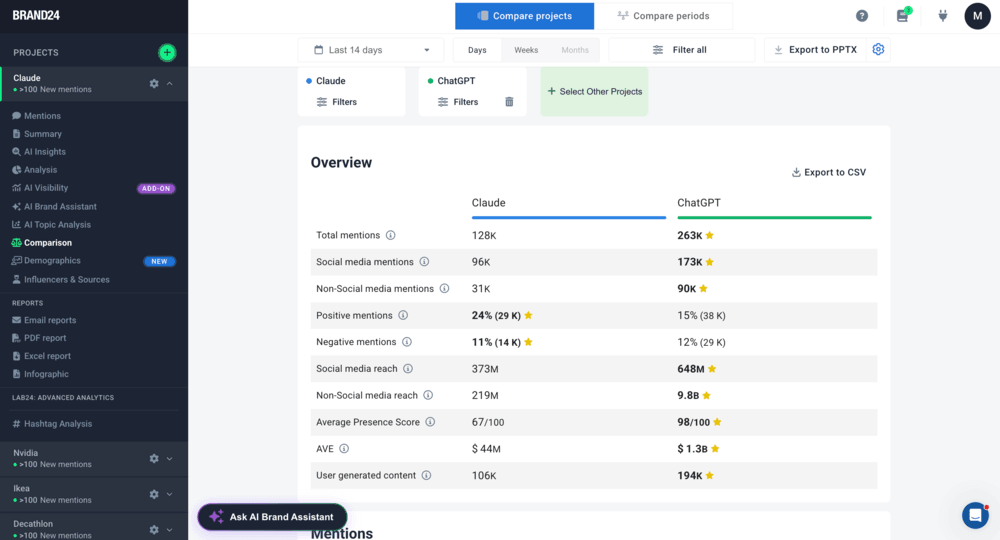
Brand24 is an AI-powered media monitoring and social listening tool that collects data from over 25 million online sources (social media, non-social media, and AI chatbots) to give you a complete picture of where and how your competitors are discussed.
Why I picked Brand24?
- Brand24 is the only tool in this list that tells you not just what competitors are doing, but how people feel about it, and what they like or don’t like in competitors online activities.
- You can analyze your competitors simultaneously using the Comparison Tab and have a clear picture of their brand mentions and marketing performance.
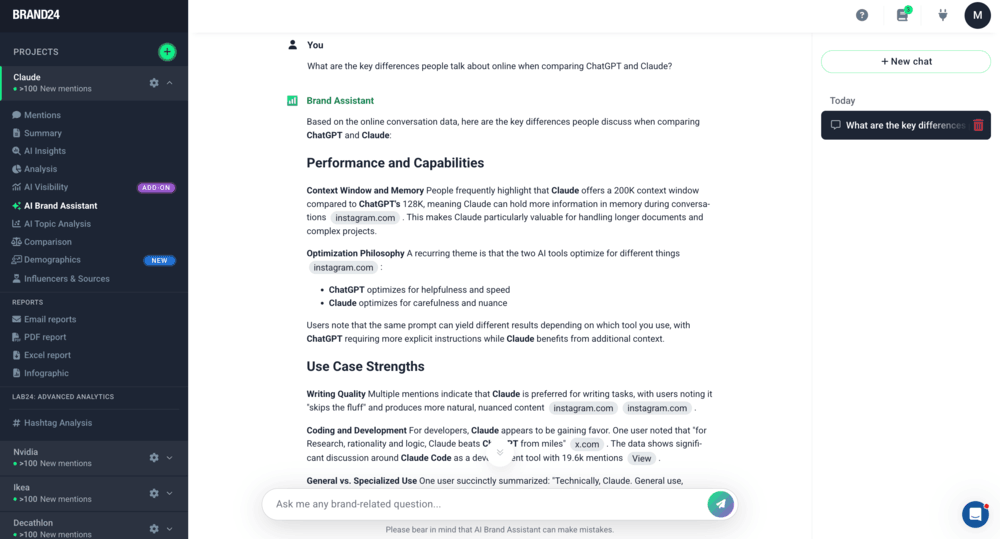
- The AI Brand Assistant also lets you ask natural-language questions about competitor-related social listening data and get personalized recommendations.
🎯 Best for:
- Brand managers, PR teams, and marketing leaders at mid-to-enterprise companies, especially if audience reaction is a key part of your competitive research
- Any team that wants to track visibility in AI chatbots
🔑 Top features for competitor analysis:
- AI Brand Assistant: Simply ask the bot questions like “What were the main customer complaints about [Competitor]’s [Product] launch?” and get data-backed answers
- Comparison Tab: Compare your performance against many competitors side by side
- AI-Powered Insights: Weekly AI summaries of competitor brand mentions, changes in audience reception, and new trending topics around them
- Event & Anomaly Detector: Brand24 flags spikes in rivals’ mentions and explains the context behind them (e.g. viral campaign, PR crisis, product issue)
✅ Pros:
- Real-time competitor monitoring in 25+ source types
- Clear comparison between multiple brands in a single view
- AI visibility tracking for LLM mentions
- Storm Alerts for sudden spikes in competitor activity
❌ Cons:
- Limited historical data
- Requires careful keyword choice to filter out irrelevant mentions
- Pricing may be high for very small teams or solo users
💬 What people think about Brand24:
02 Kompyte
4.3/5 – G2 (102 reviews)
4.6/5 – Capterra (37 reviews)
No free trial available
Custom pricing on request
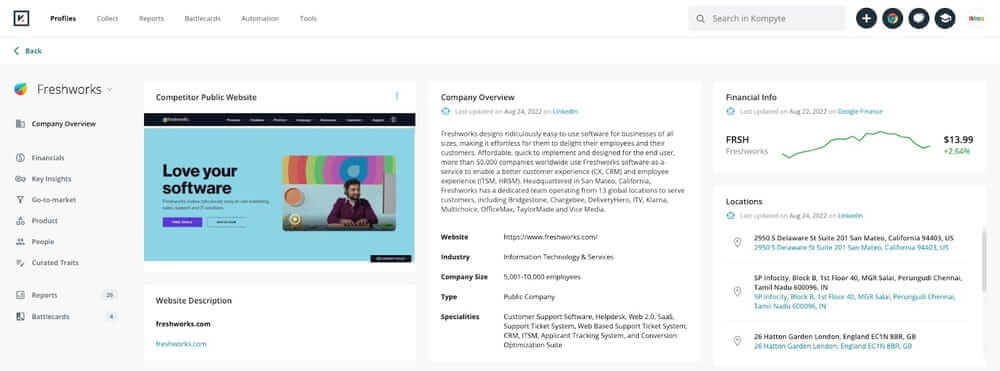
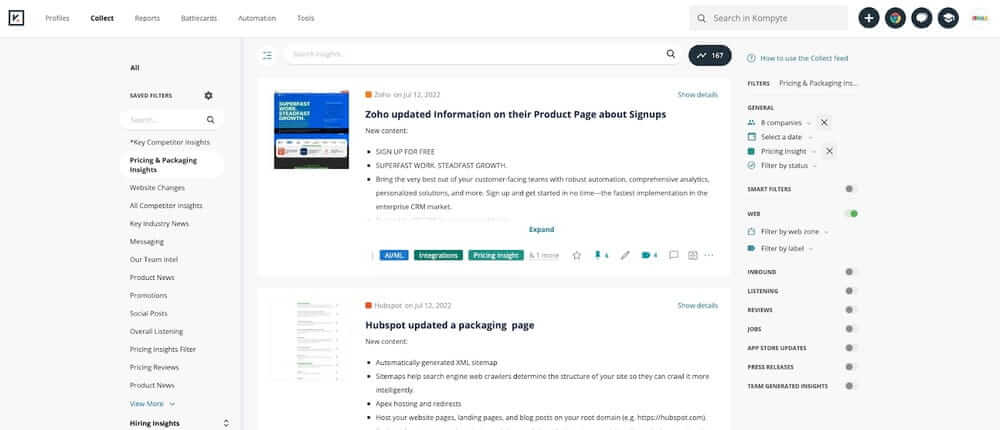
Kompyte (by Semrush) is a competitive intelligence automation tool that tracks changes in the digital footprint of your competitors (e.g. in website code, pricing pages, ad campaigns, content publishing, or product positioning).
It collects these changes automatically and organizes them into clear comparisons, so you can see where competitors are focusing their efforts.
Why I picked Kompyte?
- It’s the only tool I tested that connects competitive research and literal impact on your revenue: its AI-powered Battle Cards can be sent directly into your sales team’s CRM.
- The AI filters out small website changes and shows you only the strategic ones (like a new pricing tier or a new case study targeting enterprise buyers)
🎯 Best for:
- Sales teams, product marketing managers, and competitive intelligence analysts
- B2B or SaaS companies with sales teams that often face client objections connected to competition
🔑 Top features for competitor analysis:
- Real-Time Website Tracking: Tracks changes in competitor pricing, product and career pages (and detects even visual changes!)
- Ad and SEO Monitoring: Analyzes competitors’ active search ads, copy variations, estimated budgets, and target keywords to help you understand their strategy
- Automated Battlecards: Creates sales battlecards with their strengths, weaknesses, and best counter-arguments and sends this data to your CRM
- Content and Social Tracking: Monitors blogs, newsletters, and social media to map their content positioning strategy
✅ Pros:
- Real-time competitor monitoring of websites, messaging, and campaigns
- Great fit for sales and product marketing teams
- Reduces hours of manual competitive monitoring
- Clear side-by-side comparisons for quick analyses
❌ Cons:
- No social listening features (you won’t see audience reaction or sentiment analysis)
- Pricing is hidden (you need to talk to sales before you see numbers)
💬 What people think about Kompyte:
SEO competitor analysis tools
03 Semrush
4.5/5 – G2 (3,317 reviews)c
4.6/5 – Capterra (2,315 reviews)
7-day free trial available
From $199/month
Semrush is a competitor analysis tool and search intelligence platform focused on SEO, traffic, and search visibility.
It helps you understand how competitors acquire traffic, which keywords they rank for, and how their content, paid advertising, and backlink strategies drive results.
Why I picked Semrush?
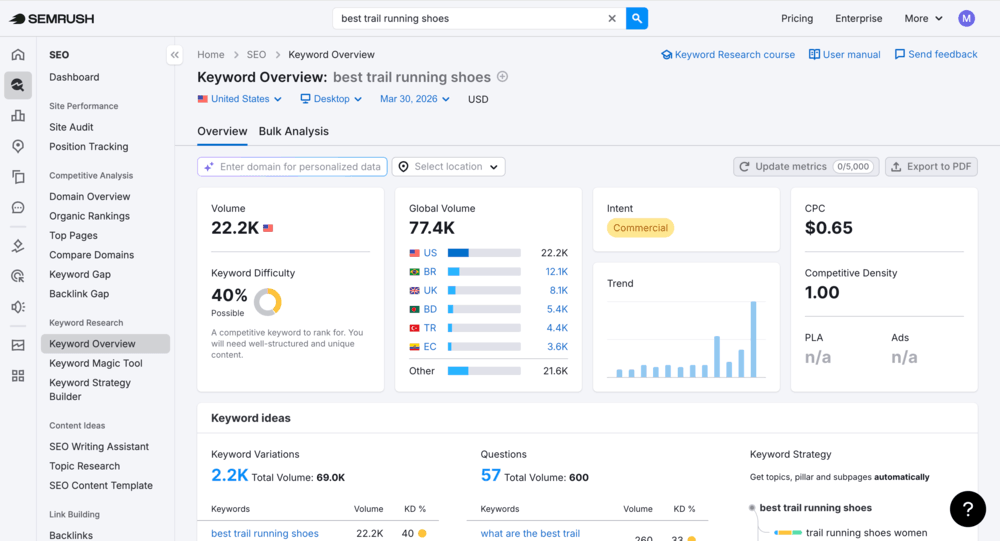
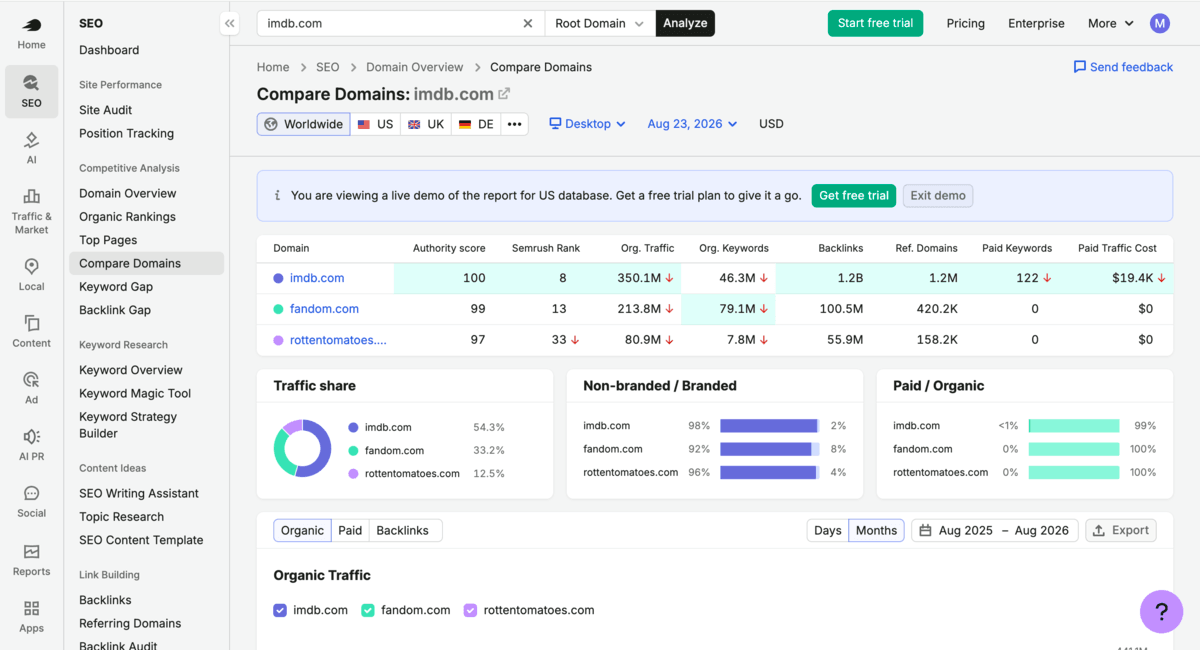
- Semrush’s Keyword Gap and Compare Domains features gives me one of the most complete competitive SEO pictures available in a single tool.
- I can see which keywords the competitors rank for that we don’t, and how their domain authority compares to ours.
- I also find the Traffic Analytics feature very useful: to quickly see where competitors are investing most
🎯 Best for:
- SEO managers, content strategists, and paid search teams who want to understand how competitors get search traffic and what are the keyword opportunities
- Strong for teams running both organic and paid search campaigns
🔍 Top features for competitor analysis:
- Domain Overview & Traffic Analytics: Check competitor’s URLs to see their monthly traffic, keywords, authority, and traffic sources (organic, paid, referral, social, direct)
- Organic Research & Keyword Gap: See which search terms your competitors rank for and at which positions and compare your domain with up to four others
- Advertising Research: Analyze competitor Google Ads ad copy, landing pages, target keywords, and estimated monthly cost
- Backlink Analytics & Gap: Map their referring domains, anchor texts, and identify sites with high authority that link to them but not to you
✅ Pros:
- Widely used, industry-standard tool with reliable data
- Keyword Gap analysis is one of the best in the market
- Provides deep traffic source analysis for channel benchmarking
- Covers both SEO and PPC analytics in a single platform
❌ Cons:
- No real-time social listening or brand mention tracking
- Can be expensive for smaller teams
- It was a bit overwhelming at the beginning because of the feature depth
💬 What people think about Semrush:
04 Majestic
4.3/5 – G2 (73 reviews)
4.4/5 – Capterra (30 reviews)
Free preview (demo) available
From $49.99/month
Majestic is a competitor analysis tool focused on backlink intelligence.
It feels more limited in scope than Semrush or Ahrefs, but if your competitor research focuses specifically on link authority and link-building strategy, Majestic will be perfect.
Why I picked Majestic?
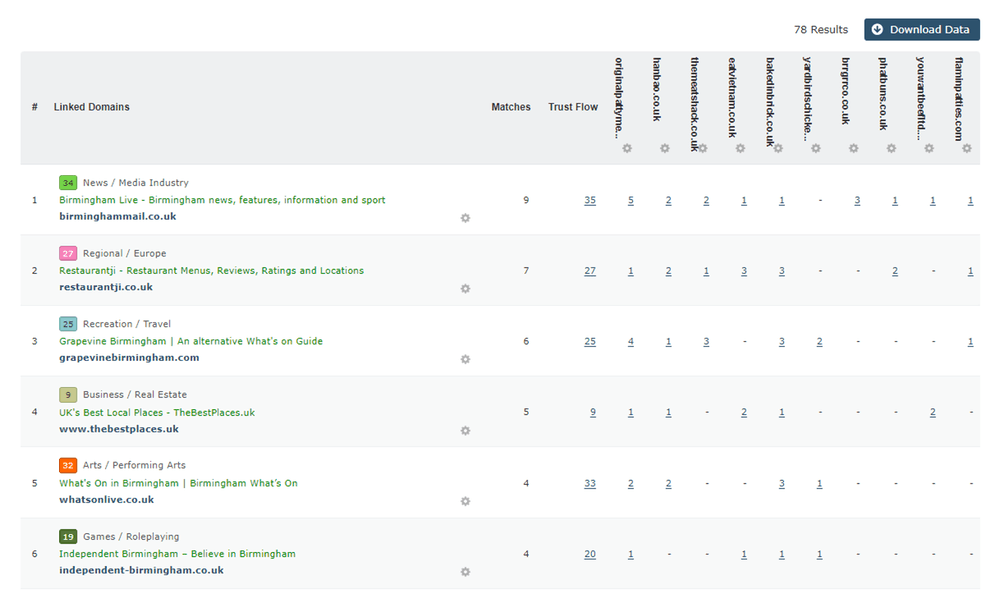
- No other tool gave this depth of backlink data, especially the Clique Hunter feature (it showed industry publications that link to competitors but not to us)
- Fresh and Historic Indexes also let you trace exactly how a competitor built their domain authority over time
🎯 Best for:
- SEO specialists and digital PR teams focused on link-building strategy
- Researchers who want a dedicated backlink intelligence tool rather than an all-in-one SEO platform
🔍 Top features for competitor analysis:
- Fresh and Historic Indexes: Two massive link databases (Fresh Index updates daily and Historic Index lets you see how rivals built their authority over the last 12 months)
- Site Explorer: Catalogs and analyzes external backlinks, referring domains, and anchor text distribution in competitors’ URLs
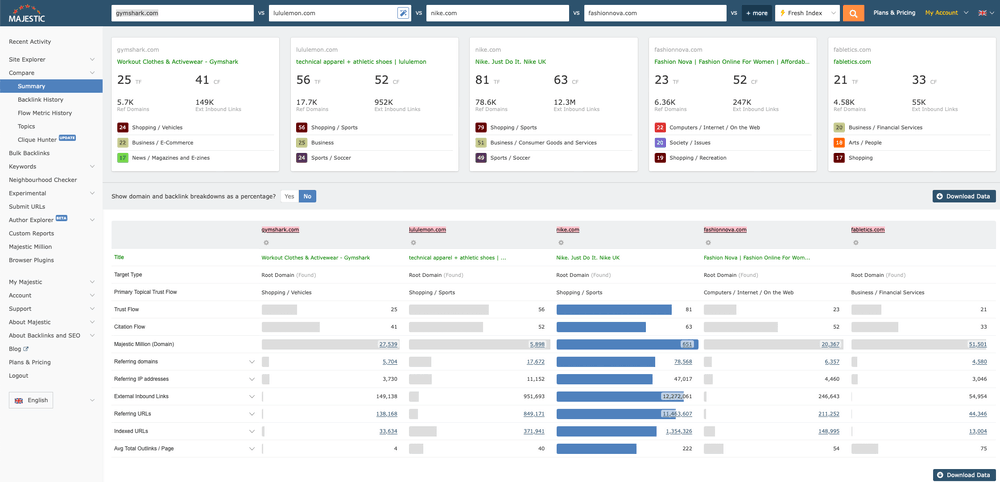
- Link Graph & Link Compare: Analyze up to five competitor domains to benchmark their backlink profiles, metrics, and link networks
- Clique Hunter: Identifies websites that link to multiple competitors but not to you
✅ Pros:
- Deepest backlink intelligence available as a standalone tool at this price
- Clique Hunter is great for identifying linkbuilding opportunities
- Trust Flow and Citation Flow are clear metrics for link quality evaluation
❌ Cons:
- Focuses only on backlinks (no traffic, or media monitoring data)
- Interface is less modern than Semrush or Ahrefs
💬 What people think about Majestic:
Website competitor analysis tools
05 Google Analytics 4
4.5/5 – G2 (6,708 reviews)
4.7/5 – Capterra (8,089 reviews)
Freemium
Freemium
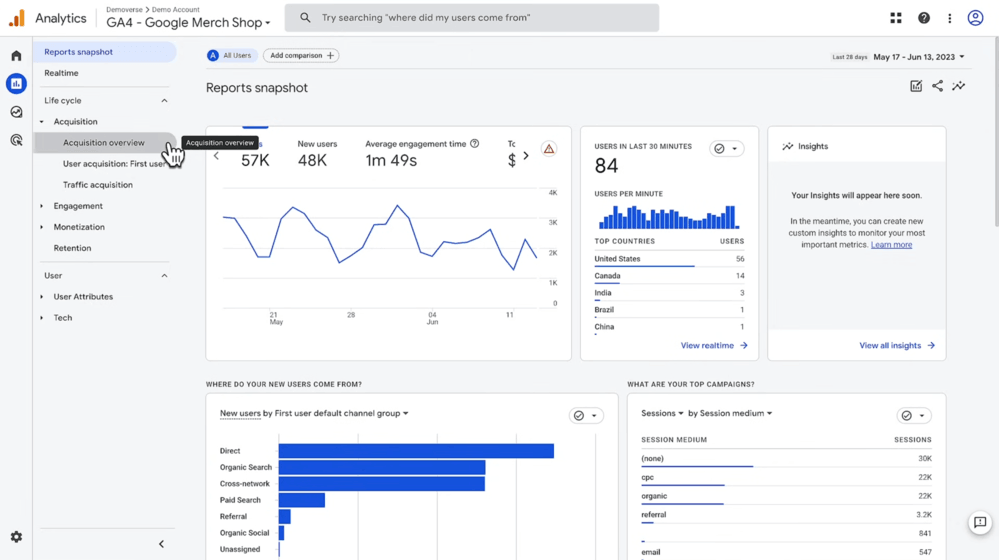
Google Analytics 4 is not a direct competitor analysis tool because it requires a tracking code installed on a website, so you can’t use it to see your competitors’ data.
However, I include it anyway, because it helps you get powerful indirect competitor intelligence through referral insights, benchmarking tools, and Search Console integration.
Why I picked Google Analytics 4?
- Because of what it reveals about our position in the market, which is the essential baseline before analyzing anyone else.
- After connecting it to Search Console, I found users searching for “[Competitor] alternative” and landing on our pages (and saw which rivals we compete against).
🎯 Best for:
- Analysts, growth teams, and marketers who want to get competitive insights from their own data
- Using it as a supporting tool to dedicated competitive analysis tools.
🔍 Top features for competitor analysis:
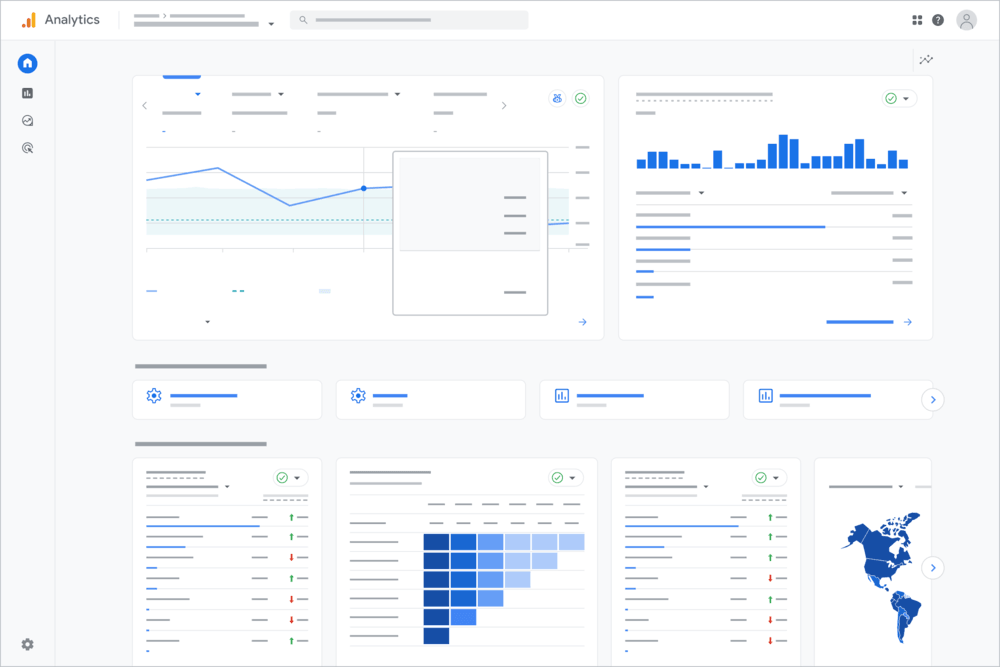
- Traffic Acquisition (Referral Insights): Filter for competitor domain names to see if they are monitoring your site or linking to you from their blog articles
- GSC Integration: Connect Google Search Console to see users searching “[Your Brand] vs [Competitor]”
- Industry Benchmarking: Compare your engagement rates, bounce rates, and conversion metrics to industry averages to understand where you stand
✅ Pros:
- Free and widely available
- Strong insights into your own performance and user behavior, unlike external tools
- Integrates with Google Ads, Search Console, and other Google tools
- Benchmarking reports help you identify trends inside your industry
❌ Cons:
- Cannot directly access competitor data
- Benchmarking data is anonymous
- Setup and data interpretation require technical knowledge to do it correctly
💬 What people think about Google Analytics:
Social media competitor analysis tools
06 BuzzSumo
4.5/5 – G2 (106 reviews)
4.5/5 – Capterra (146 reviews)
Free 7-day trial available
From $199/month
BuzzSumo is a content intelligence and social media analytics tool that helps you analyze competitors’ influencer marketing, content marketing, and PR performance.
The tools showed which topics, formats, and articles generate the highest engagement for your competitors.
Why I picked BuzzSumo?
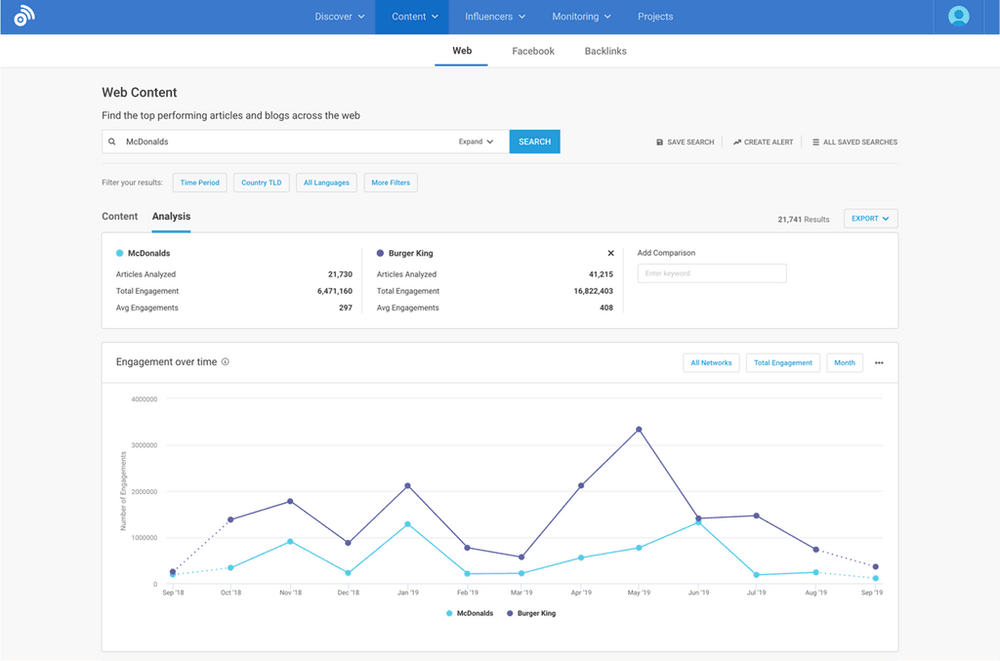
- It answered a question no other tool in this list could: Which of my competitor’s articles went viral, and why?
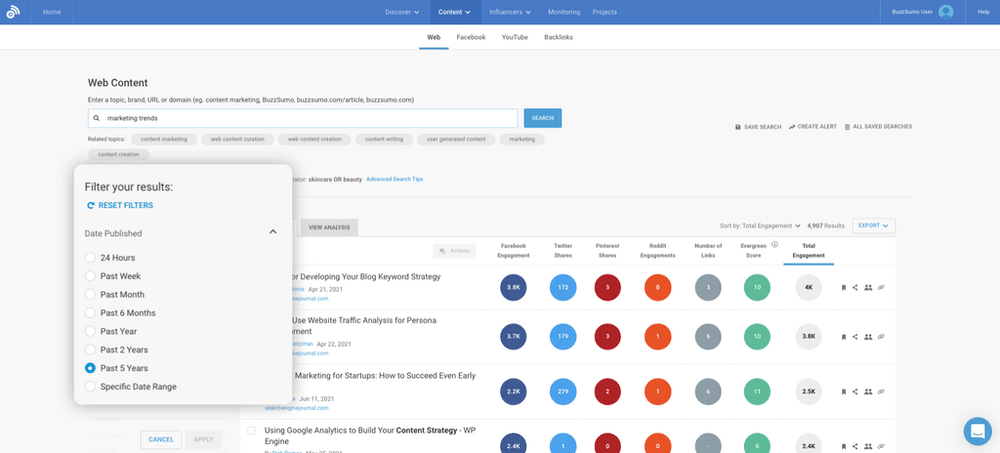
- The feature I liked the most is Content Analyzer. It lets you filter the competitor’s domain for the last 90 days, and get a clear map of their top-performing pages, articles, and influencers
🎯 Best for:
- Content marketing teams, social media managers, and PR professionals who want to understand what content brings competitor engagement
🔍 Top features for competitor analysis:
- Competitor Content Performance: See competitor’s most shared articles across social media platforms
- Content Analyzer and Gap: Discover content topics driving viral interactions in social media
- Backlink Social Amplification: See which social media accounts and sites are sharing competitors’ links
- Top Authors and Influencers: Analyze competitors’ influencer marketing strategy (see which journalists, bloggers, and creators write about or promote them)
✅ Pros:
- Strong focus on content performance analysis
- Content alerts keep you updated without manual social media monitoring
- Shows content formats and topics that generate the highest engagement for rivals
- Combines content analytics with social performance and backlink insights
❌ Cons:
- No real-time social listening or sentiment analysis
- Data depth varies by platform (I found it stronger on Facebook and X than Instagram or TikTok)
- At $199/month, it’s expensive if content research is only a small part of your everyday work
💬 What people think about BuzzSumo:
07 Sprout Social
4.4/5 – G2 (6,743reviews)
4.4/5 – Capterra (606 reviews)
Free 30-day trial available
From $199/month
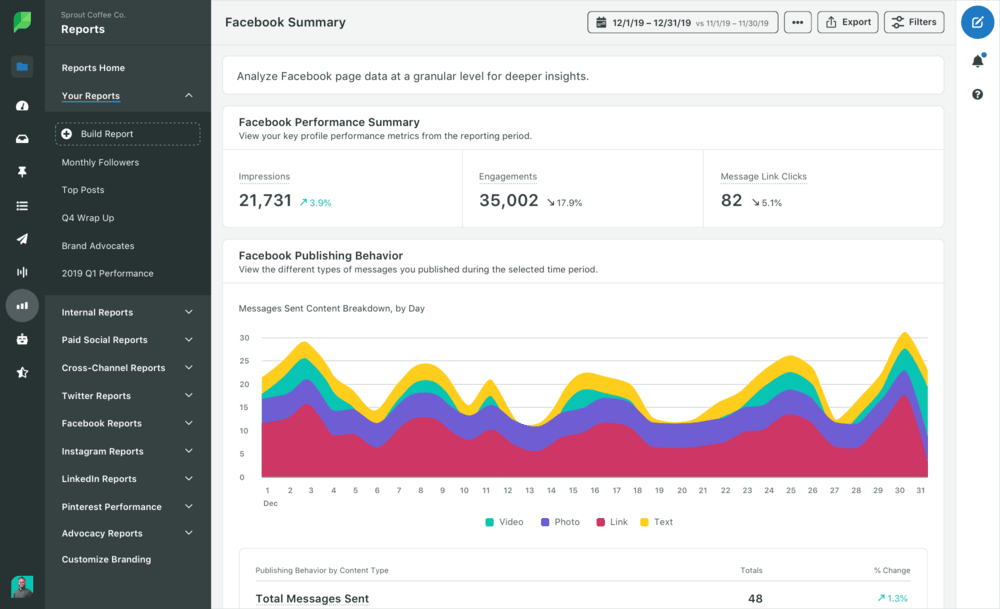
Sprout Social is an enterprise-grade, social media management and competitor analysis tool focused on social media performance and benchmarking.
While BuzzSumo focuses on viral content and influencer marketing, thanks to Sprout Social, I could check competitors’ brand health, social presence, engagement, and share of voice.
Why I picked Sprout Social?
- Sprout Social’s Competitor Performance Reports are the most detailed automated benchmarking reports I’ve seen in this category.
- After you set up reports for competitors on social media, you get automated weekly comparisons of their engagement rates, posting frequency, and top posts.
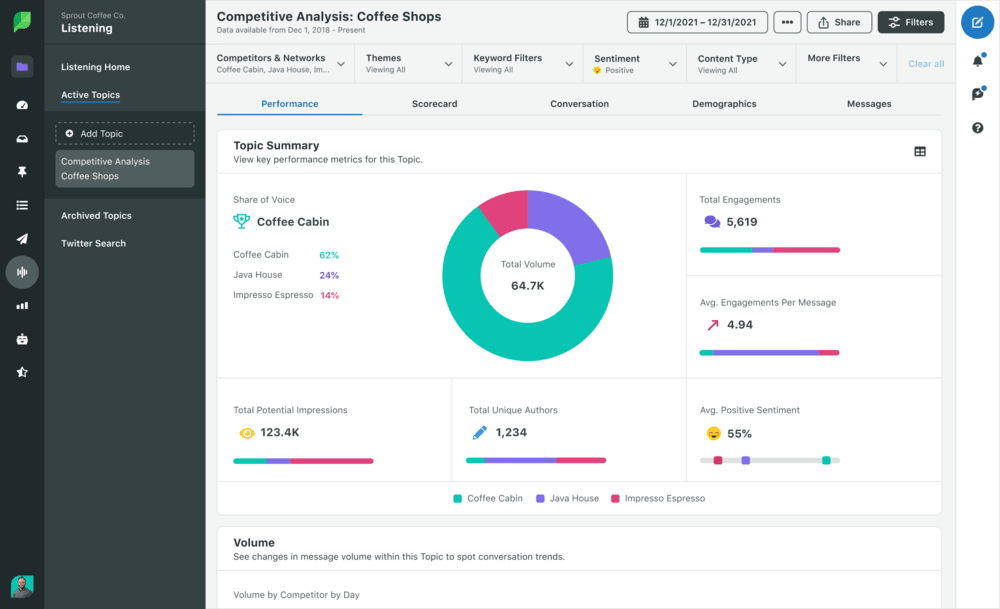
- I also liked the Share of Voice feature (useful for measuring brand awareness).
🎯 Best for:
- Social media teams and digital marketing managers who publish actively on social channels and need to benchmark their performance weekly or monthly
- Agencies producing competitor reporting for clients
📚 Further read: Sprout Social Alternatives
🔍 Top features for competitor analysis:
- Competitor Performance Reports: Automated templates for sentiment analysis, comparison of engagement, audience growth, and posting volume
- Share of Voice Tracking: Analyzes industry hashtags, brand handles, and keywords to calculate what percentage of the online conversation belongs to you vs competitor
- Content Mix & Strategy Analysis: Identifies what types of content competitors post most frequently (video, carousel, image, text) and shows those with highest engagement
- Campaign Benchmarking: Track how a competitor’s specific campaigns or product launch performs compared to yours
✅ Pros:
- Automated side-by-side competitor benchmarking
- Combines competitive performance data with some social listening insights
- Good reporting formats for teams and client presentations
- 30-day free trial is one of the longest in this category
❌ Cons:
- Social listening is just an add-on feature, and it’s not included in base plans
- Expensive for smaller teams
💬 What people think about Sprout Social:
08 Hootsuite
4.3/5 – G2 (7,109 reviews)
4.4/5 – Capterra (3,794 reviews)
Free 30-day trial available
From $199/month
Hootsuite is one of the most widely used social media management platforms and competitor analysis tools, focused on social media performance, benchmarking, and basic social listening.
It’s best for day-to-day social management and tracking how your competitors perform on social media channels.
Why I picked Hootsuite?
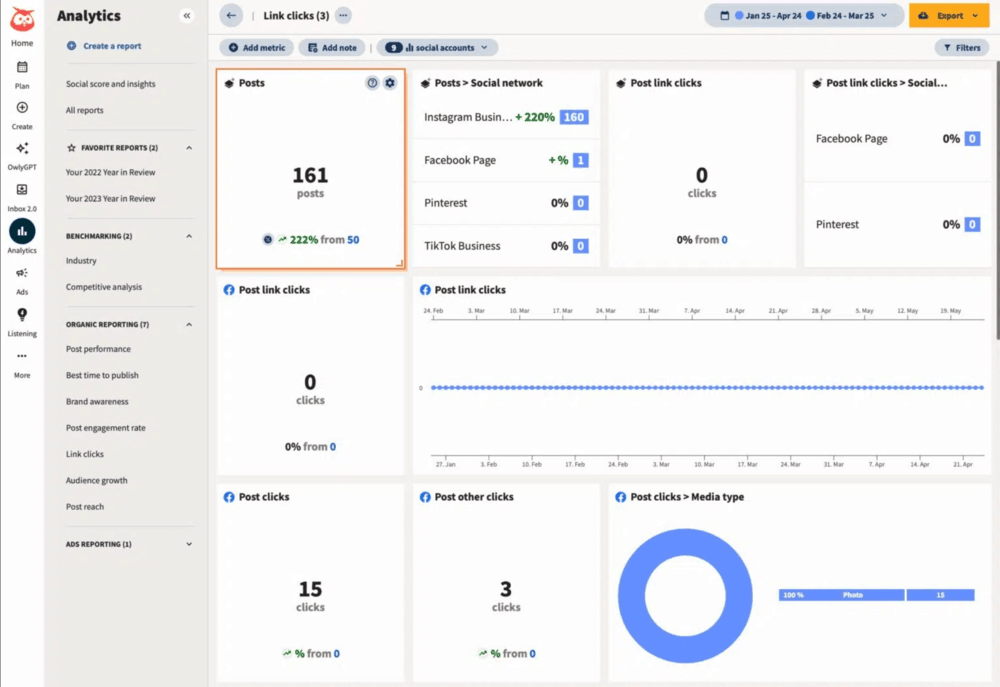
- Because it solves a very specific problem! Namely, getting a competitive analysis without switching tools.
- I just needed to set up dedicated dashboard columns for each competitor’s live social feed and brand mentions, and after a while, I could monitor what they post without having to visit their actual profiles.
🎯 Best for:
- Social media managers already using Hootsuite for publishing, who want competitive monitoring built into their existing workflow.
- Teams that need both social publishing and basic competitive benchmarking from one platform.
🔍 Top features for competitor analysis:
- Custom Monitoring Streams: Dedicated dashboard columns to track competitors’ live social feeds, hashtags, and brand mentions in real time
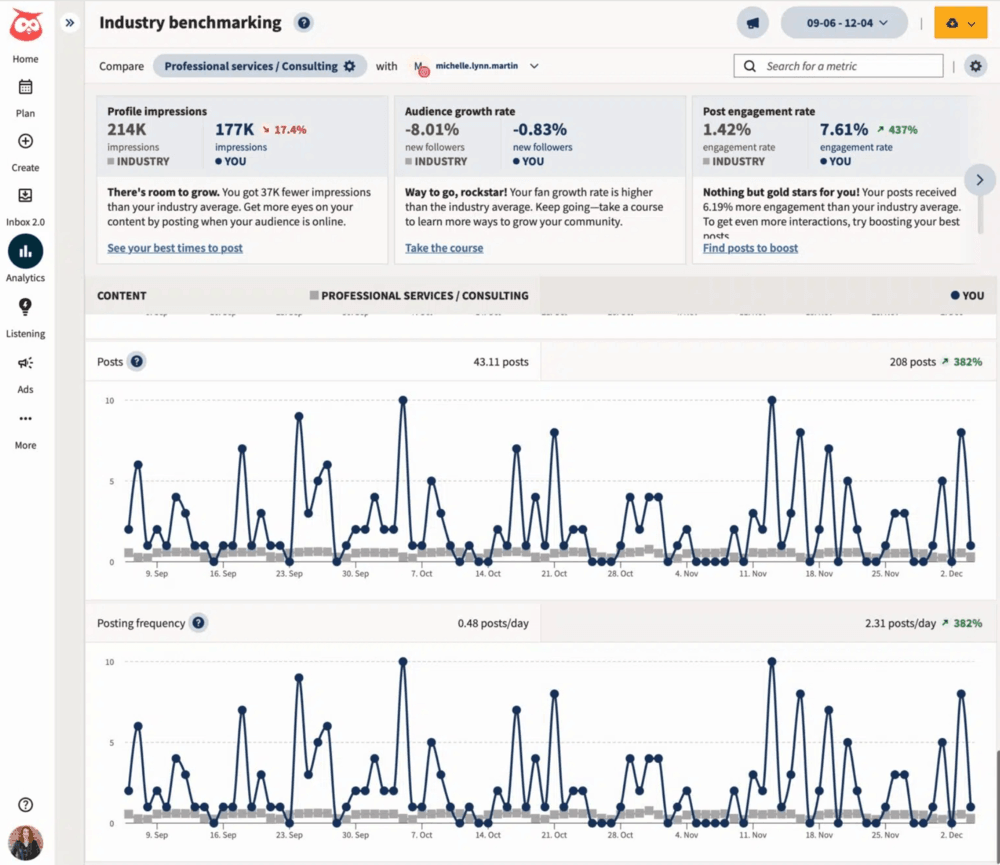
- Social Media Benchmarking (Hootsuite Analytics): Compare your performance against competitors in engagement, audience growth, and posting frequency
- Industry Benchmarks: Anonymized benchmarks from your specific industry for an overall competitive view
- Hootsuite Listening (Talkwalker): Advanced integration for tracking online mentions, sentiment trends, and share of voice of your rivals
- OwlyWriter AI: Built-in AI to brainstorm improved versions of competitor content for your own channels
✅ Pros:
- Live monitoring streams give real-time visibility into competitor social activity
- Industry benchmarks are great for getting market context
- Combines social media management, social listening, and competitive analysis in one tool
- 30-day free trial
❌ Cons:
- Less advanced competitor benchmarking than Sprout Social’s dedicated reports
- Advanced analytics and Talkwalker social listening features are included in higher-tier plans
💬 What people think about Hootsuite:
PCC competitor analysis tools
09 SpyFu
4.6/5 – G2 (518 reviews)
4.4/5 – Capterra (145 reviews)
Free 7-day trial available
From $199/month
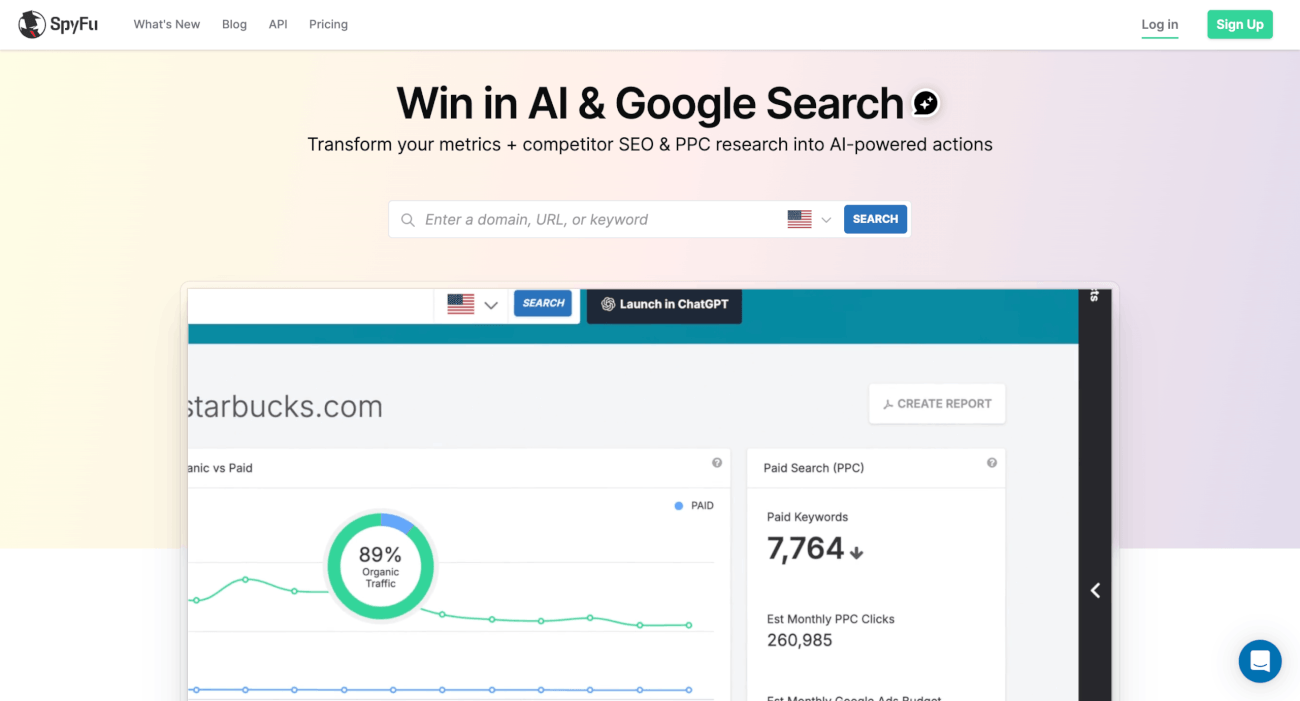
SpyFu is a competitor analysis tool and search marketing intelligence platform focused entirely on SEO and PPC. It helps you get a clearer picture of what your competitors are doing with their paid campaigns.
Why I picked SpyFu?
- I really liked the PPC Ad History feature: you can analyze competitors’ ad history going back to and immediately identify which campaigns they’ve run for years, or which they tested and abandoned
🎯 Best for:
- PPC managers and paid search strategists who need deep historical ad intelligence for keyword bidding, messaging strategy, and best allocation of budget
- SEO teams that want to understand competitors’ organic performance over time
🔍 Top features for competitor analysis:
- Complete PPC Ad History: See every Google Ads campaign a competitor has ever run (and for how long)
- Kombat (Keyword Overlap): A Venn diagram comparing your domain against two rivals to uncover shared, unique, and missing keywords
- Organic Search Ranking History: Tracks a competitor’s complete SEO performance (traffic, top pages, etc.)
- Top Competitor Lists: Automatic lists of your closest competitors based on keyword overlap
- Google Ads Advisor: Scans competitor ads history and recommends profitable keywords
✅ Pros:
- Great depth of historical Google Ads data (15+ years)
- Fast and visual keyword gap analysis with Kombat feature
- Organic history shows long-term SEO trends and competitor strategy changes
- Good value relative to Semrush for PPC-focused teams
❌ Cons:
- Limited to search channels (no social media or non-social sources monitoring)
- No real-time brand visibility monitoring or sentiment analysis
- Data is estimated, not drawn from actual analytics accounts
💬 What people think about SpyFu:
10 SE Ranking
4.8/5 – G2 (1,434 reviews)
4.7/5 – Capterra (297 reviews)
Free 14-day trial available
From $109/month
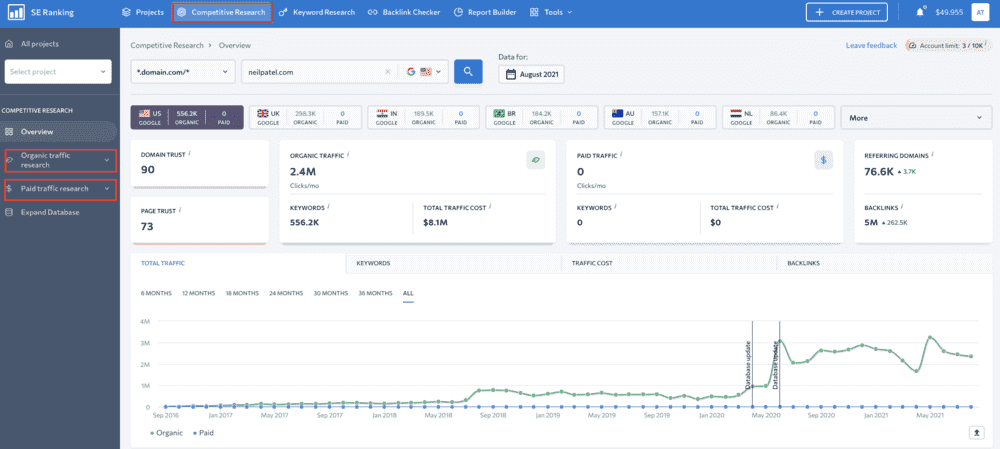
SE Ranking is an all-in-one SEO platform that helps with competitor research, keyword tracking, backlinks monitoring, and search performance analysis across both organic and paid channels.
It gives you an organized look at how competitors rank at precise geographic coordinates (city, postal code, etc.).
Why I picked SE Ranking?
- It’s comprehensive enough to replace more targeted solutions, but still not too pricey for teams without enterprise budgets.
🎯 Best for:
- Agencies and marketing teams that need rank tracking, competitor keyword analysis, and some AI search visibility monitoring.
- Great value alternative to Semrush for teams that don’t need enterprise-level data depth.
🔍 Top features for competitor analysis:
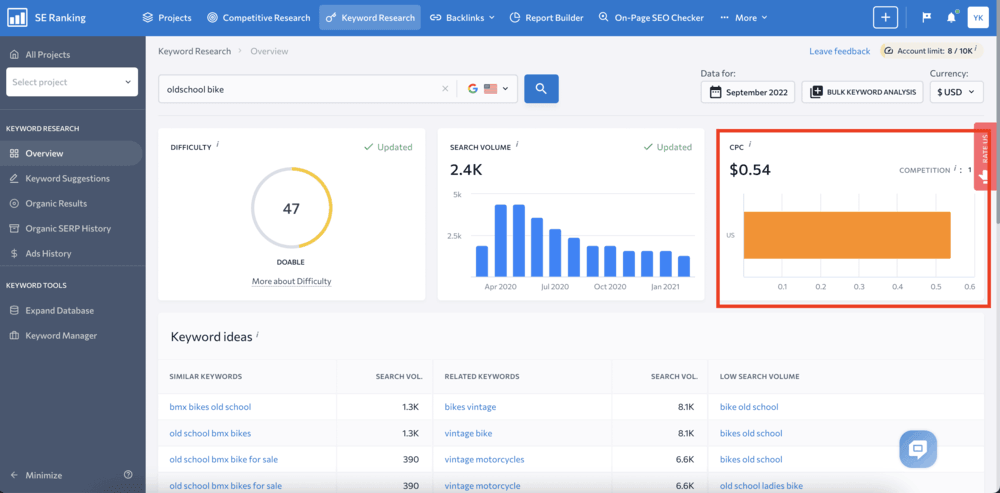
- Localized Rank Tracking: Monitor daily SERP positions for specific keywords in specific locations, on both desktop and mobile
- Competitor Research Tool: Analyze competitor’s organic and paid traffic volume, total keywords, and traffic value
- SERP Competitors History: Track top search results for target keywords over time, to see competitors’ top ranking pages and authority
- Backlink Checker & Monitor: Analyze competitor backlink profiles and link-building activity
- Competitor Page Changes Monitor: Automated alerts when competitors change headers, meta tags, or content on their landing pages (similar to Kompyte but at an SEO tool price)
✅ Pros:
- AI Results Tracker for Google AI Overviews: unique at this price point
- Localized rank tracking for regional competitive analysis
- Good backlink monitoring included without a separate tool
❌ Cons:
- Less data depth than enterprise tools like Ahrefs or Semrush
- No real-time social listening or brand monitoring
- White-label reporting and API access only at higher tiers
💬 What people think about SE Ranking:
AI Visibility Competitor Analysis Tools
11 Chatbeat
Free demo available
From $99/month
Chatbeat is an AI visibility and optimization platform designed for Generative Engine Optimization (GEO) and LLM SEO.
The tool monitors how major AI chatbots (ChatGPT, Google Gemini, Perplexity, Claude, DeepSeek, Grok) rank, describe, and recommend your brand compared to your competitors.
Why I picked Chatbeat?
- It tracks the competitive dimension that most tool in this list don’t cover: what happens when potential customers ask an AI instead of searching Google.
- When I ran competitor analysis through Chatbeat, I could see the specific third-party sources the LLMs base on when they recommend competitors.
🎯 Best for:
- In 2026: every marketing manager who is aware that the traffic to their website from AI search will exceed traditional search traffic by 2028
- Marketing teams, SEO specialists, and brand managers
🔍 Top features for competitor analysis:
- AI Share of Voice (SoV): Check how often your competitors are named or recommended in LLMs to category prompts (e.g., “What’s the best CRM for small businesses?”) compared to you
- Average Ranking Position: Tracks the ranking lists that AI chatbots generate for brand recommendations
- Citation & Source Attribution Maps: Show the specific websites, articles, and reviews that AI chatbots cite when they talk about your industry
- Sentiment & Narrative Tracking: Sentiment analysis of how AI tools discuss competitors with flagging hallucinations or misinformation about your brand
- Competitor Query Detection: Monitors competitor AI brand mentions in chatbot conversations related to your keywords
✅ Pros:
- Only tool in this list specifically built to track AI search visibility
- Benchmarking in 8+ LLM models
- Shows hidden competitors being recommended by AI that don’t appear in standard SEO tools
- Citation source analysis directly improves your content strategy for GEO
❌ Cons:
- Coverage is limited to the set of prompts you choose to track monthly
- Won’t tell you competitors’ organic keyword traffic, backlinks, or PPC spend
💬 What people think about Chatbeat:

Free competitor analysis tools
12 Owler (Free Plan)
4.3/5 – G2 (483 reviews)
4.3/5 – Capterra (4 reviews)
Free Community tier available
From $39/month
Owler is a competitor analysis tool and business intelligence platform. It specializes in mapping competitive landscapes, monitoring company news, and delivering real-time market intelligence.
For the sake of this list, I tested a free Community Tier.
Why I picked Owler?
- In my opinion, Owler’s Competitor Graph feature is very useful
- It generates a map of direct and indirect competitors based on company data, and can show rivals you didn’t even know existed!
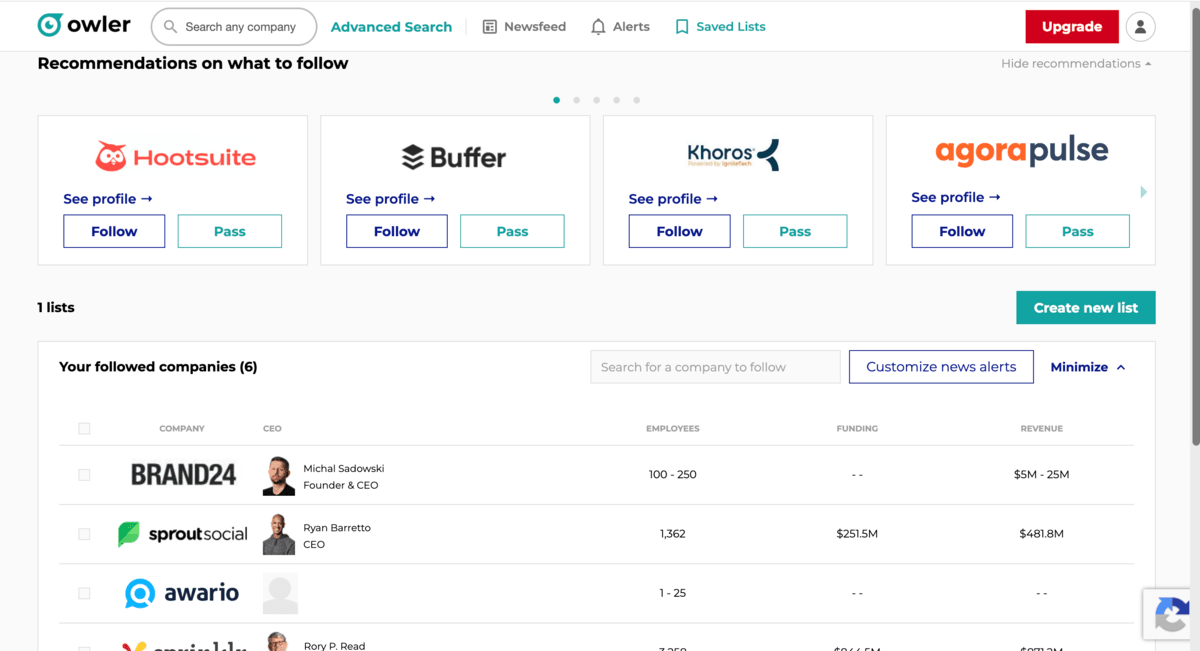
- I added five companies to my free dashboard and received news alerts about a competitor’s stock gains and a new AI feature launch
🎯 Best for:
- Sales teams, marketers, and founders at companies who need a no-cost way to monitor competitor news, business moves, and basic firmographic data.
- Works best as an add-on to dedicated SEO or social listening tools.
🔍 Top features for competitor analysis (free Community plan):
- Competitor Graph: A list of direct and indirect rivals based on millions of inter-company relationships
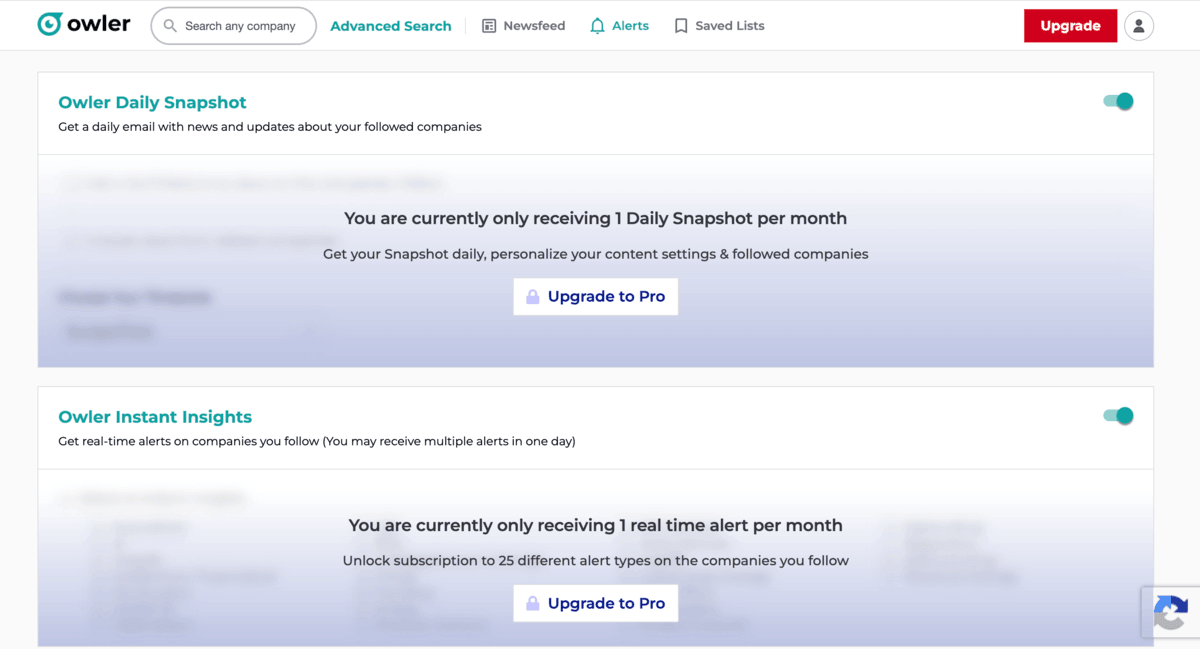
- Instant Insights: Emails summarizing news and blog posts about your 5 tracked companies
- Customizable Alerts (limited): Push notifications for major events like product launches or news mentions for your followed companies
- Basic Profile Access: View public data like headquarters, website, sector, and competitor relationships
✅ Pros:
- Free tier is good enough for basic competitor analysis and monitoring
- Competitor Graph shows indirect rivals you might not have searched for manually
- Daily email reduces the need for manual media monitoring
❌ Cons:
- Free plan limits you to tracking only 5 companies
- Revenue estimates and employee information are blurred for non-followed companies
- No CRM integration, no CSV export, no advanced filtering on the free plan
💬 What people think about Owler:
13 Meta Ad Library & LinkedIn Ad Library
4.5/5 – G2 (675 reviews)
4.7/5 – Capterra (581 reviews)
Free version & trial available
From $108/month
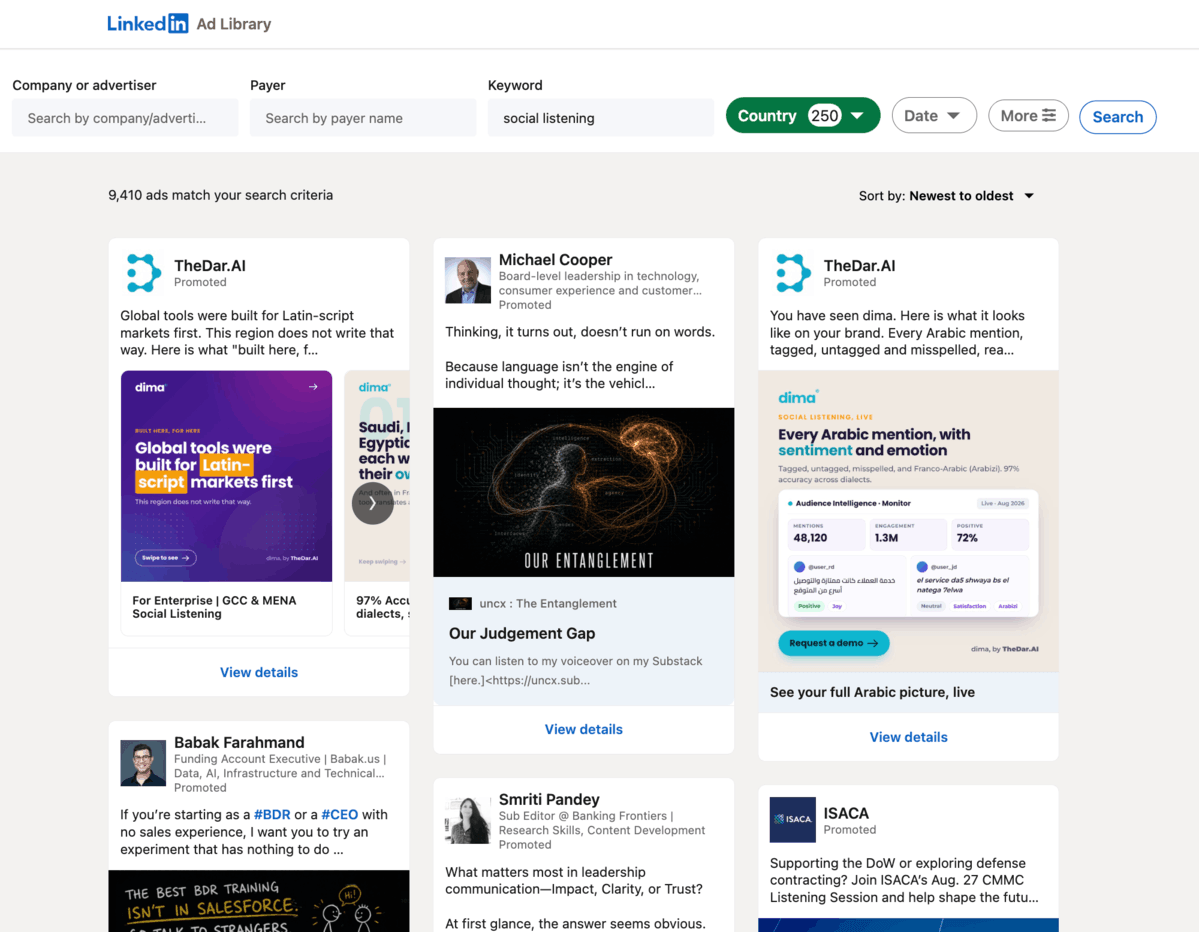
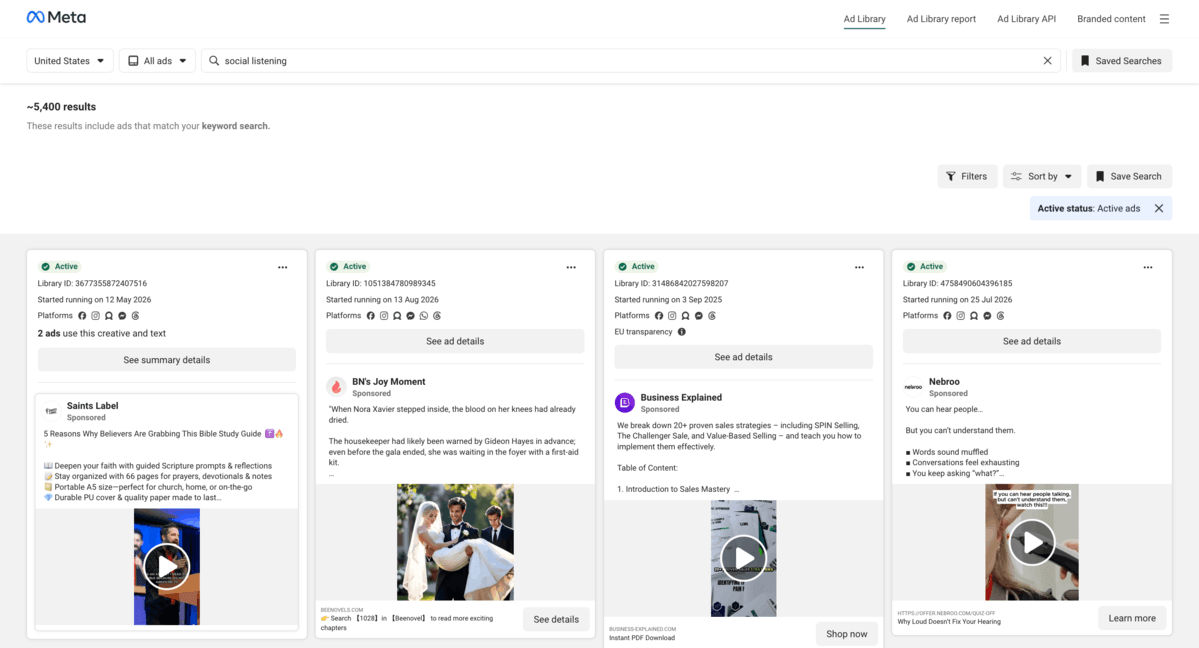
Both Meta Ad Library and LinkedIn Ad Library aren’t the typical competitor analysis tools, but they still deserve a spot on this list. They’re free ad libraries that let you see competitors’ paid social ads “in action”.
You can check out what they’re displaying, who they’re targeting, and how long specific campaigns have been live.
Why I picked LinkedIn Ad Library and Meta Ads Library?
- These two tools are so underused for competitive research!
- I spent an afternoon analyzing three competitors’ active ads in both libraries and got to know their messaging and lead magnet strategies
🎯 Best for:
- Performance marketers, growth teams, and brand strategists who want to understand competitors’ paid social strategies without paying for a separate tool.
- Meta Ad Library for B2C, D2C, and e-commerce brands; and LinkedIn Ad Library for B2B, SaaS, and companies targeting enterprises
🔑 Key features (free version):
🔍 Top features for competitor analysis:
Both libraries:
- Ad Longevity: Filter by start date to see competitor top ad formats and messaging angles
- Landing Page Architecture: Analyze ad CTAs, Landing Pages, monetization strategies, and UTM parameters
- Lead Magnet Insights: Search industry keywords to see what lead magnets your competitors use
- Creative Testing Volume: Count how many creative variations a competitor has simultaneously (for example, large volumes indicate A/B testing!)
✅ Pros:
- Completely free!
- Meta library gives access to all active ads for any brand globally
- Shows competitors’ messaging changes and creative strategy
- No tool setup required
❌ Cons:
- No performance metrics
- LinkedIn library shows only ads from the last 12 months, and inactive ads disappear
- Requires manual analysis
14 Ahrefs Free Tools
4.5/5 – G2 (714 reviews)
4.7/5 – Capterra (585 reviews)
Free tools available
From $129/month (paid tiers)
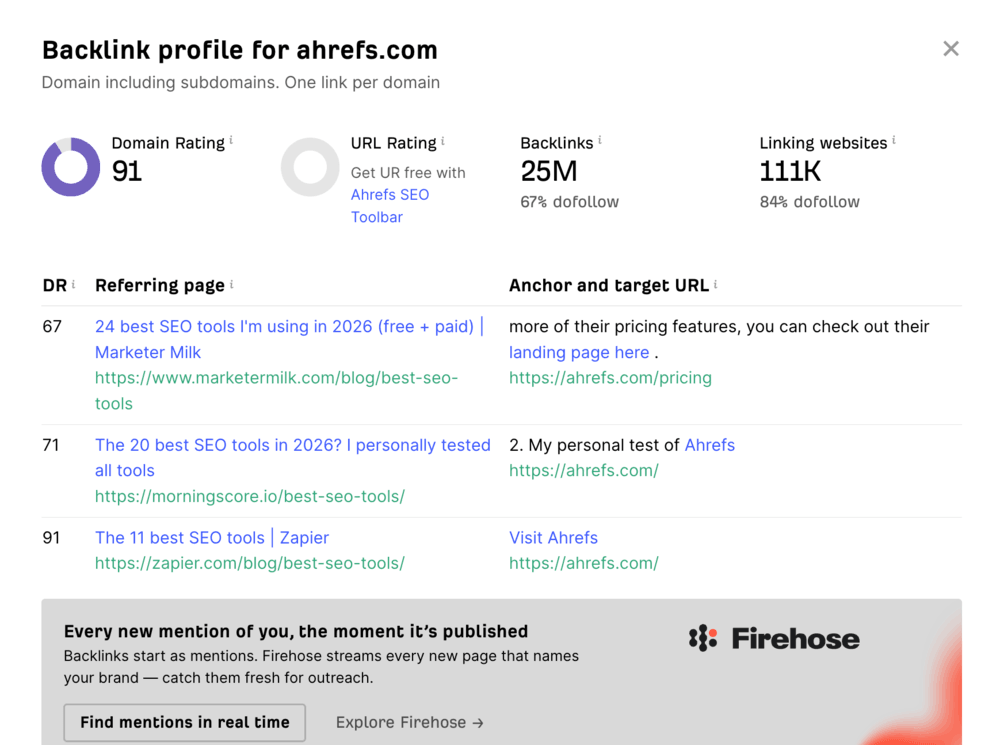
Ahrefs’ free tools offer a good “entry point” for backlink and keyword competitor research without need to pay for anything.
While the full Ahrefs platform gives you a complete competitive analysis picture, these free tools are worth knowing about too.
Why I picked Ahrefs free tools?
- I recommend them to anyone starting competitor research with no budget
- Free Backlink Checker alone gives you the top 20 backlinks for any competitor, which is enough to understand the basics of their strategy
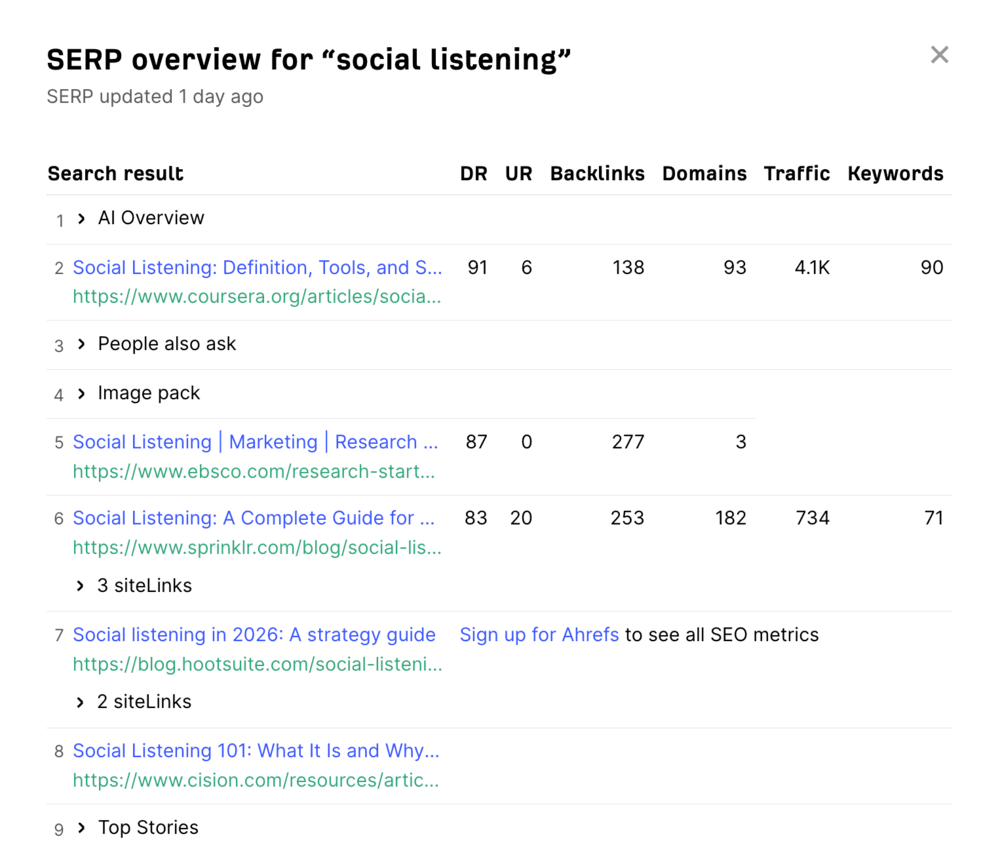
- SERP Checker is also powerful: you can check the top 10 results for any keyword, with competitor’s estimated traffic and domain strength
🎯 Best for:
- Teams starting competitive research with no tool budget
- Works well as a first step before buying Ahrefs paid plan
🔍 Top features for competitor analysis (free):
- Free Backlink Checker: See the top 20 backlinks and referring domains for any competitor URL
- Free Website Traffic Checker: Estimated organic traffic, top keywords, and top 5 organic search terms
- Free Keyword Rank Checker: Enter a keyword and a competitor’s domain to see where they rank
- Free SERP Checker: Analyze any search term to see the top results with estimated traffic, backlinks, and domain strength
✅ Pros:
- Most of these tools require no account and no credit card
- Free Backlink Checker is one of the most reliable in the market even at the free tier
- Solid starting point for SEO-focused competitor analysis before upgrading to the paid platform
❌ Cons:
- Each free tool gives a limited data depth
- No historical data, rank tracking, or full keyword database access
- No dashboard or project management
FAQ
Competitor analysis tools are software platforms that help you track and analyze what other brands in your market are doing across channels including SEO, GEO, PPC, social media, and online brand awareness.
They collect data like traffic sources, keywords, brand mentions, backlink profiles, and audience sentiment, so you can understand what’s working for competitors and where you can outperform them.
There’s no single “best” tool, because it depends on what exactly you want to analyze.
- For real-time competitor mentions, sentiment, and AI Visibility: Brand24
- For SEO and keywords: Ahrefs, SE Ranking
- For AI Search visibility: Chatbeat
- For social media analytics: Sprout Social, Hootsuite
- For PPC research: SpyFu
In practice, most teams use a combination of tools to cover different areas.
They help you make better decisions based on real market data instead of guesswork.
With the right tool, you can:
- Spot gaps in your strategy (e.g., missing keywords or channels)
- Identify high-performing content and campaigns
- Track brand visibility and share of voice
- Monitor reputation and customer sentiment
- React faster to trends or competitor moves
Start with your main goal and ask yourself:
- Do you want to improve SEO, ads, content, or AI brand visibility?
- Do you need real-time data or historical analysis?
- Are you looking for quick insights or deep research?
Then match tools to that need.
A simple workflow can look like this:
- Identify competitors (direct + indirect)
- Analyze their strengths (channels, content, keywords)
- Find gaps (what they rank for or talk about that you don’t)
- Test and adapt your strategy
- Monitor continuously to track changes over time
The key here is consistency, as competitor analysis works best when it is an ongoing process.
AI features help you move from raw data to actual insights much faster.
Instead of manually digging through reports, AI competitor analysis tools can:
- Detect trends and anomalies automatically
- Analyze sentiment and audience perception
- Highlight opportunities and risks in real time
- Summarize large datasets into clear takeaways


