Table of contents
Instagram Monitoring: Tools & Complete Guide for 2026
-
Instagram is too big to ignore. With 2 billion+ monthly active users and 63% opening the app daily, it's one of the world's most engaged platforms — and most brand conversations there go unmonitored. -
Most mentions happen without a tag — and without monitoring, you'll never see them. People post about brands in captions, Stories, and comment threads without using @. That's where the most candid — and valuable — conversations happen. -
Instagram moves fast — early detection beats damage control. A critical comment thread can go viral before your team's morning standup. Monitoring acts as a PR early warning system, catching negative sentiment before it spreads. -
Influencer marketing without monitoring is guesswork. Monitoring shows how an influencer's audience actually responded — not just the numbers the influencer reports. Sentiment and downstream brand lift tell the real story. -
Your competitors' comment sections are market research. Tracking what people say about rivals on Instagram reveals where they're falling short — and where you can step in with a better offer.
What is Instagram monitoring?
-
1
Direct brand mentions (tagged with @) -
2
Untagged brand mentions in captions and comments -
3
Hashtag conversations -
4
Competitor account activity and mentions -
5
Influencer content and its real reach -
6
Sentiment around campaigns and product launches
Why Instagram monitoring matters?
|
1
|
|
|
2
|
|
|
3
|
62% |
|
4
|
|
|
5
|
|
Instagram monitoring tips
|
|
|
|
|
|
|
|
|
|
|
|
|
|
|
|
|
|
What to look for in a monitoring tool?
|
|
|
|
|
|
|
|
|
|
|
|
|
|
|
|
|
|
|
|
|
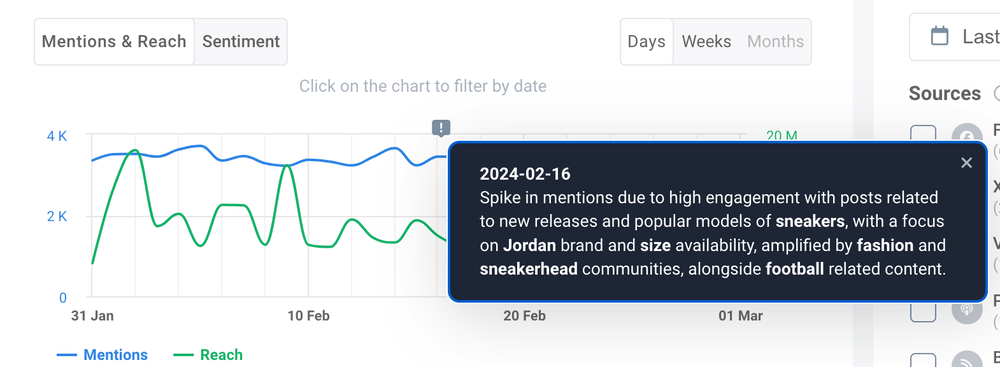
Real-world examples
Pasibus — knowing which influencers actually move the needle

Uber — reading the room after a major launch
How to monitor Instagram: step by step
01 Start with Instagram Insights
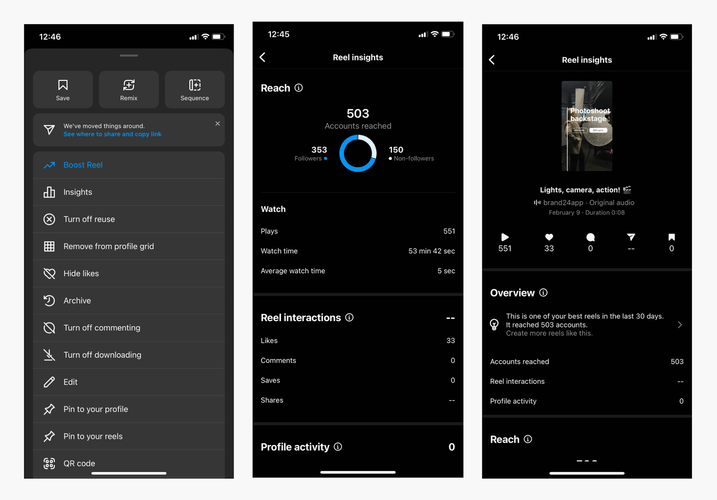
Follower growth and demographics Post, Reel, and Story performance Reach and impressions per content type Engagement rate trends Best-performing content
02 Add a social listening layer
-
1
Choose your keywords — brand name, product names, campaign hashtags, competitor names -
2
The tool monitors public Instagram posts, Reels, and comments for those keywords -
3
Mentions appear in a dashboard, filtered by date, sentiment, or reach -
4
Set up alerts for spikes or high-priority keywords -
5
Act on what surfaces — respond, collect, or escalate
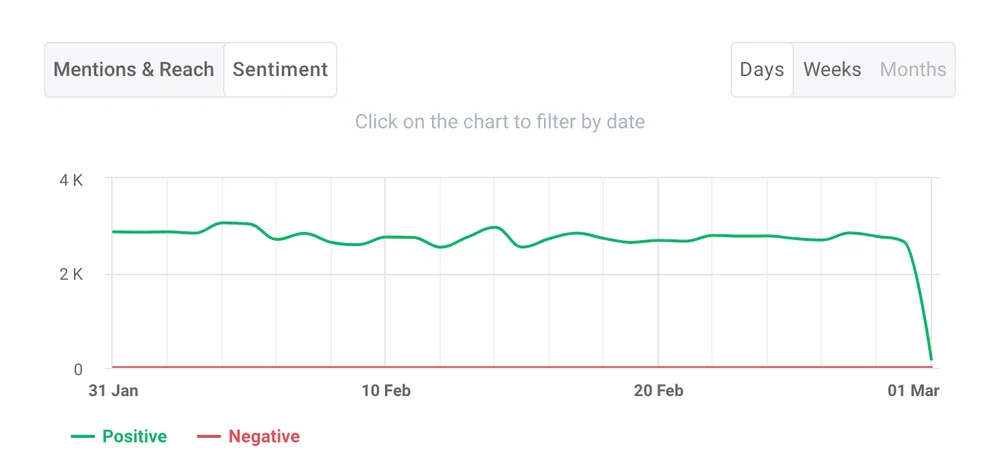


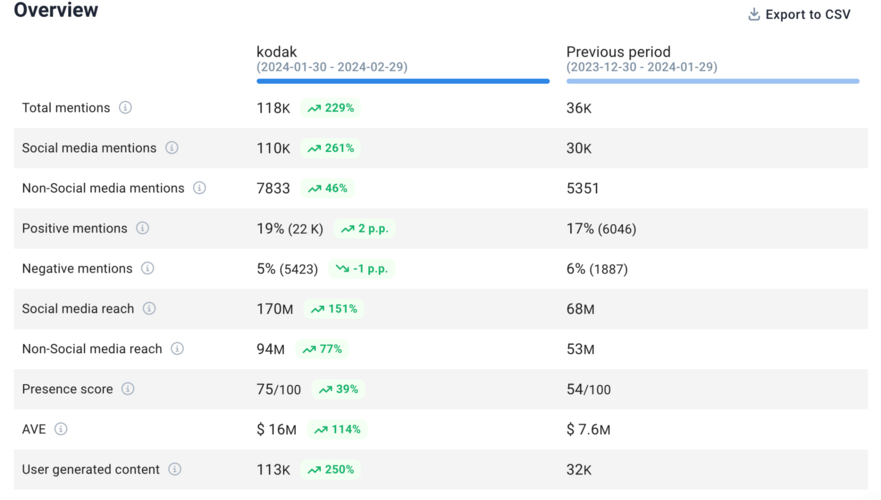
03 Track progress, not just snapshots
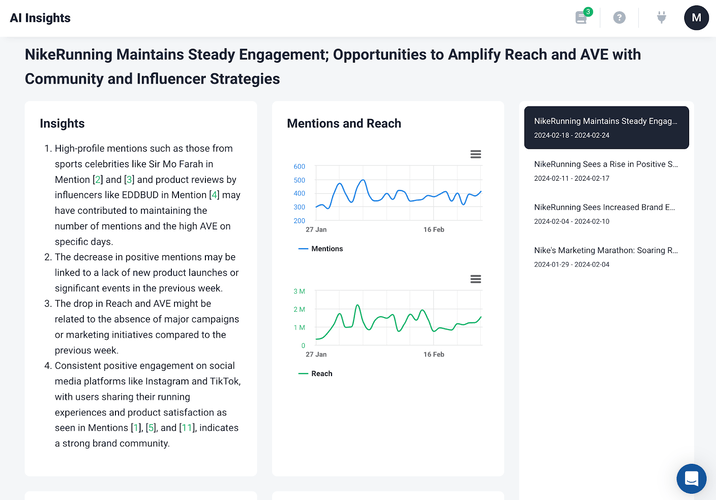
Instagram Insights vs. social listening tools
|
|
|
|
|
|
|
|
|
|
|
|
|
|
|
|
|
|
|
|
|
|
|
|
|
|
|
|
|
|
|
|
|
|
|
|
|
|
|
|
Conclusion: “Getting started” checklist
-
1
Define 3–5 core keywords (brand name, product names, key hashtags) -
2
List 2–3 competitor accounts you want to track -
3
Set up or review Instagram Insights on your business account -
4
Choose a social listening tool with native Instagram support and sentiment analysis -
5
Configure real-time alerts for brand name and high-priority keywords -
6
Establish a weekly rhythm: review mentions, DMs, and competitor activity -
7
Assign ownership — someone specific who acts on flagged mentions within 24 hours -
8
Run a period comparison every month to spot what's shifting
FAQ
Why monitor an Instagram profile?
Is Instagram monitoring legal ?
Can I track mentions when someone doesn’t tag me?
How is Instagram monitoring different from just checking Instagram Insights?
How often should I review Instagram monitoring data?
What keywords should I start with?
Does Instagram monitoring help with influencer marketing?
Can Instagram Stories be monitored?

Article Reviewed by