Table of contents
X (Twitter) Analytics Tools: The 12 Best to Try in 2026
Choosing the best X (Twitter) analytics tool depends on what you need: engagement tracking, campaign reporting, competitor benchmarking, or sentiment analysis.
Below you’ll find a side-by-side comparison of the 12 top tools and clear guidance on who each one is for.
| Tool | Pricing | Key differentiator | Best for |
|---|---|---|---|
|
1
|
From ~$149/month, free 14-day trial available |
Real-time X mention monitoring, AI sentiment analysis, spike detection (Storm Alerts) |
Real-time tracking brand mentions, reach, sentiment, and competitor activity on X |
|
From $199/month, free 30-day trial available |
Advanced engagement reports for tweets, replies, and follower growth |
Analyzing engagement performance of owned X profiles |
|
|
From $199/month, 30-day trial available |
Combined scheduling, performance tracking in one dashboard |
Managing and analyzing scheduled X content |
|
|
4
|
Custom pricing on request — demo available |
Real-time hashtag analytics, historical hashtag reports |
X hashtag campaign tracking |
|
From $10/month — free plan available |
Search X bios and compare follower overlap between accounts |
Bio-based audience search and X audience insights |
|
|
Custom pricing on request — demo available |
Integration of X analytics with media intelligence features |
X monitoring for PR and media co-op purposes |
|
|
From $62.99, free trial available |
Detailed historical hashtag reports for Twitter/X events |
Event-based X hashtag analysis |
|
|
From $30/month — free trial available |
Budget-friendly analytics tied to publishing workflows |
X post performance tracking for small teams |
|
|
From ~$8/month per user |
Built-in analytics for impressions, engagement rate, and follower growth |
Tracking tweet engagement metrics |
|
|
10
|
From $5/month, free plan available |
Simple X engagement analytics, scheduling, and campaign tagging |
X content performance tracking combined with publishing |
|
11
|
$19/month + free plan available |
Breakdown of X posts, mentions, and hashtag usage with exportable reports |
Post-level analytics and detailed account activity reports |
|
12
|
From $10/month + free plan available |
Follower mapping, demographic analysis, AI-powered audience insights |
Audience demographics and follower insights |









Top 12 X (Twitter) analytics tools
⚠️ Research methodology
This ranking was created after reviewing feedback on G2 and Capterra, analyzing AI overviews, and examining real user discussions on Reddit. The result is a curated list designed to make selecting an X (Twitter) analytics tool easier.
In many cases, combining two tools can give you a more complete picture, so don’t hesitate to mix and match if that fits your workflow.
01 Brand24
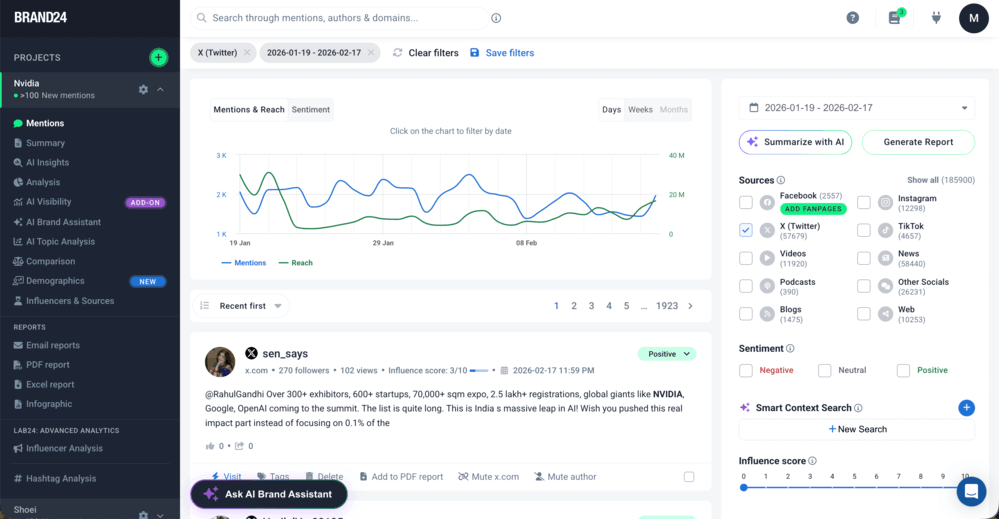
Brand24 is a social listening tool that offers robust X (Twitter) analytics.
One of the strongest features of analytics is the ability to measure hashtag performance.
It means you can stay up-to-date with interesting conversations and communities, as well as accurately assess the reach of your X (Twitter) marketing campaigns and track engagement, with AI Insights and AI Brand Assistant helping automatically detect trends and spikes in the data.
Moreover, in the Analysis tab, you can find information about the:
- A total number of results from X;
- A tweet count containing a specific keyword or hashtag;
- Estimated X reach;
- Social media interactions, shares, and likes;
- The number of positive and negative mentions.
By analyzing the combined data, Brand24 will calculate the influence score to help you find the most suitable Twitter influencer for your next Twitter influencer marketing campaign.
The tool will also generate a list of trending hashtags you can use to boost your reach even further.
Who is it best for?
Best for any business interested in strong hashtag analytics, X reach/sentiment key metrics, and identifying the best influencers for a successful X (Twitter) marketing campaign.
02 X Premium
Native X (Twitter) Analytics is a tool for anyone looking for insights into their performance and target audience on X.
It’s a great option at the beginning of your digital adventure.
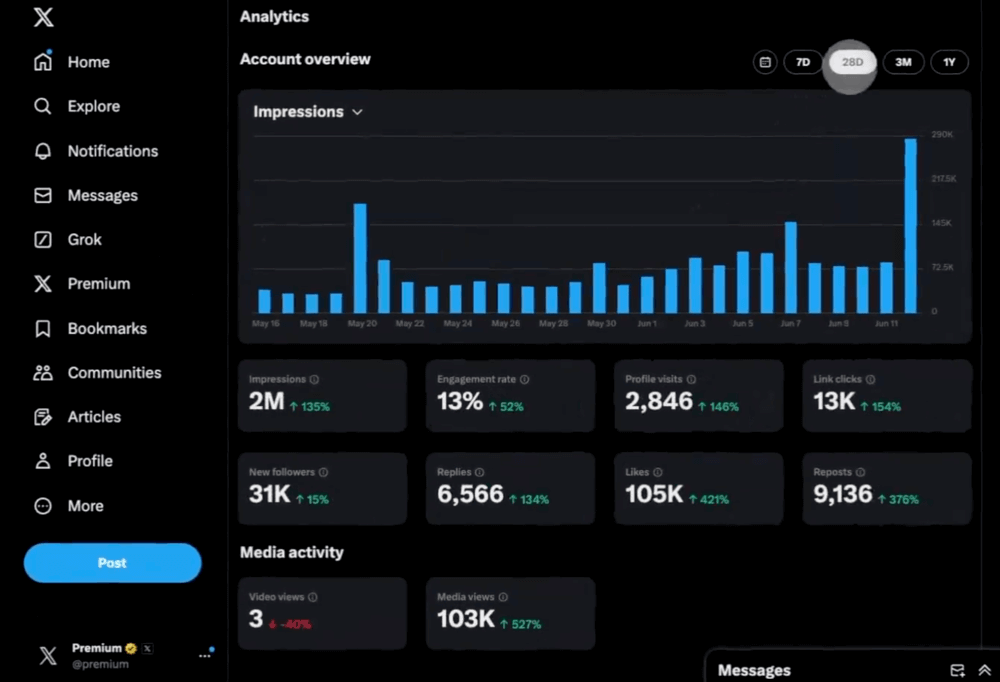
It offers a bunch of great social analytics metrics that will help you step up your X game, such as:
- Audience analytics (age, active times, location, gender, device they use)
- Content analytics (likes, impressions, reach, replies)
- Account overview (engagement rate, followers, impressions)
Unfortunately, native X (Twitter) analytics doesn’t present any data beyond your own profile.
Who is it best for?
Best for beginners who focus on their X performance and don’t run campaigns on other platforms.
03 Sprout Social
No listing of social listening tools will be complete without Sprout Social! It’s one of the most popular social media marketing tools available.
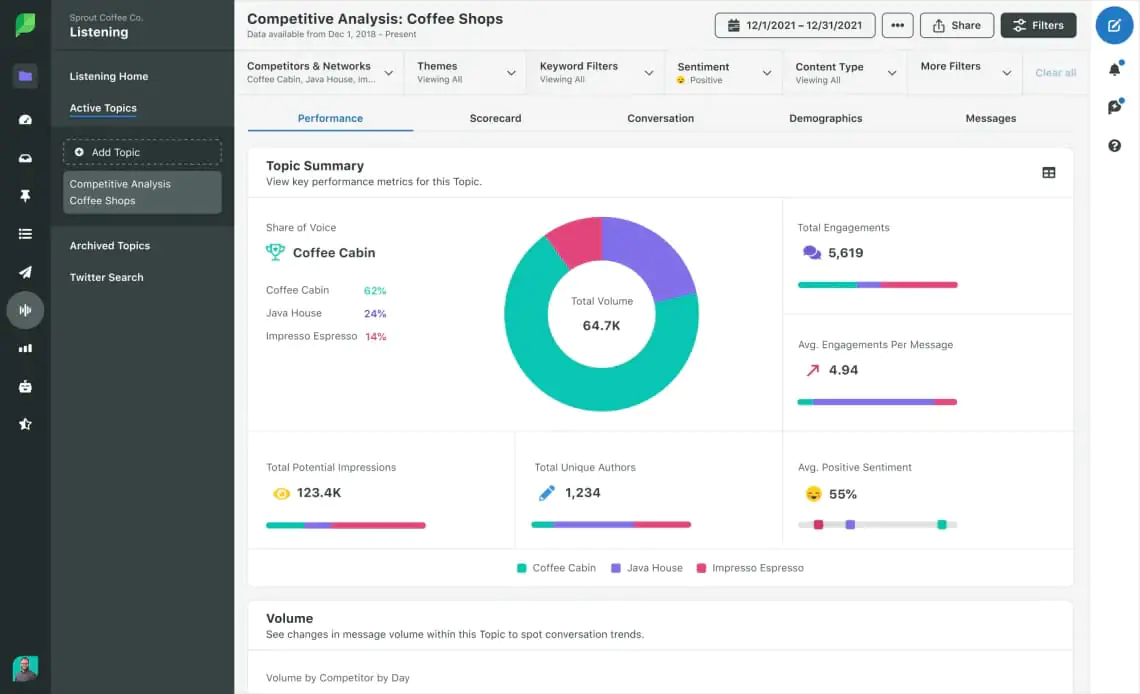
Sprout Social offers robust reports and insights that you could easily present to the C-suite.
This Twitter analytics platform will help you:
- Determine top-performing posts,
- Find the subjects most often mentioned in connection with your brand,
- Discover new topics for discussion to spark engagement on your Twitter account.
Plus, its big advantage is that it collects historical data for your social media account.
From all the features, scheduling is one of the most important.
A shared publishing calendar gives you a clear overview of your marketing efforts. You have all the data in one place, and the tool allows you to prepare competitors’ reports.
Who is it best for?
Best for a company that needs to deliver reports to its C-class management and is looking for a robust social media management platform.
Check also: Sprout Social alternatives
04 TweetBinder (by Audiense)
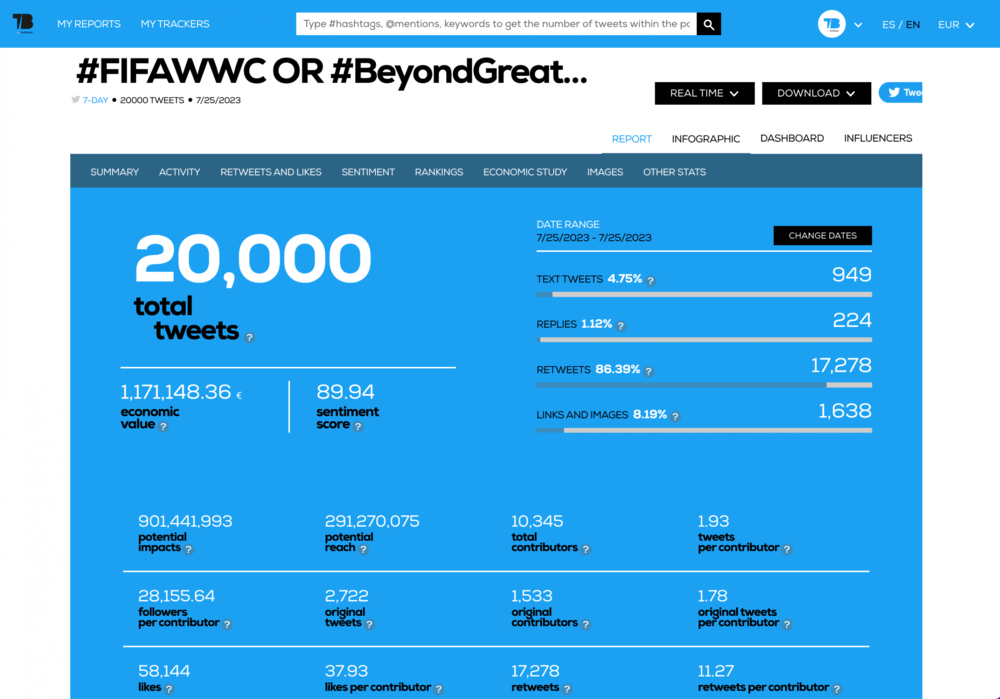
TweetBinder, apart from X analytics, offers services dedicated to events, such as creating a social media feed with a full moderation suite.
Moreover, you can get access to Twitter’s historical data and hashtag monitoring.
It also identifies influencer accounts that will best suit your influencer marketing campaign.
If you want to give TweetBinder a spin, you can create a free report based on hashtags, @mentions, or keywords.
It’s an excellent way for beginner marketing managers to see how Twitter can help them with effective Twitter marketing!
Who is it best for?
Businesses that need real-time hashtag monitoring and are preparing an event that requires a social media feed.
05 Keyhole
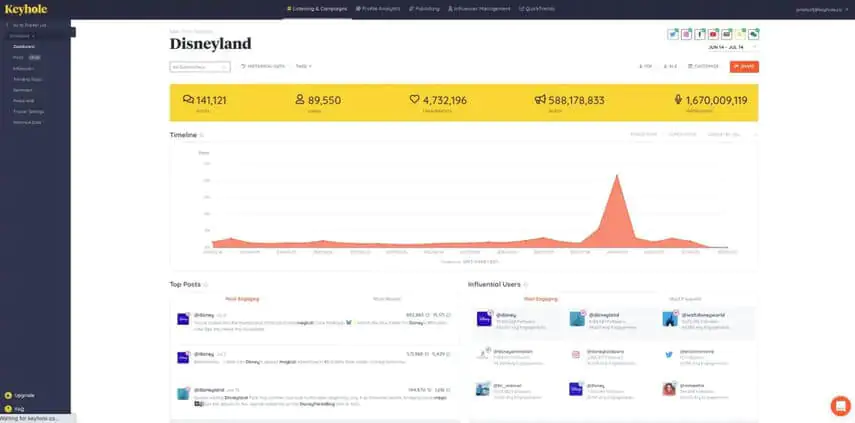
If you need to track tweets in real time, Keyhole is the tool to use. Of course, that’s not the only useful feature of this Twitter analytics tool. With the information provided in its dashboards, you can also:
- Monitor your brand performance across different social media platforms,
- Conduct market research,
- Monitor the social media messages during events,
- Monitor the results of your campaigns,
- Find the influencers you’d like to engage.
A unique Keyhole feature is the Keyhole Premium Support. A dedicated professional (for an additional fee) will help you track your hashtags or perform market research.
Who is it best for?
Best for businesses in need of real-time hashtag tracking.
06 Hootsuite
No social media analytics tools listicle is complete without Hootsuite!
The industry giant is mainly a solution for teams collaborating on campaigns across different social channels.
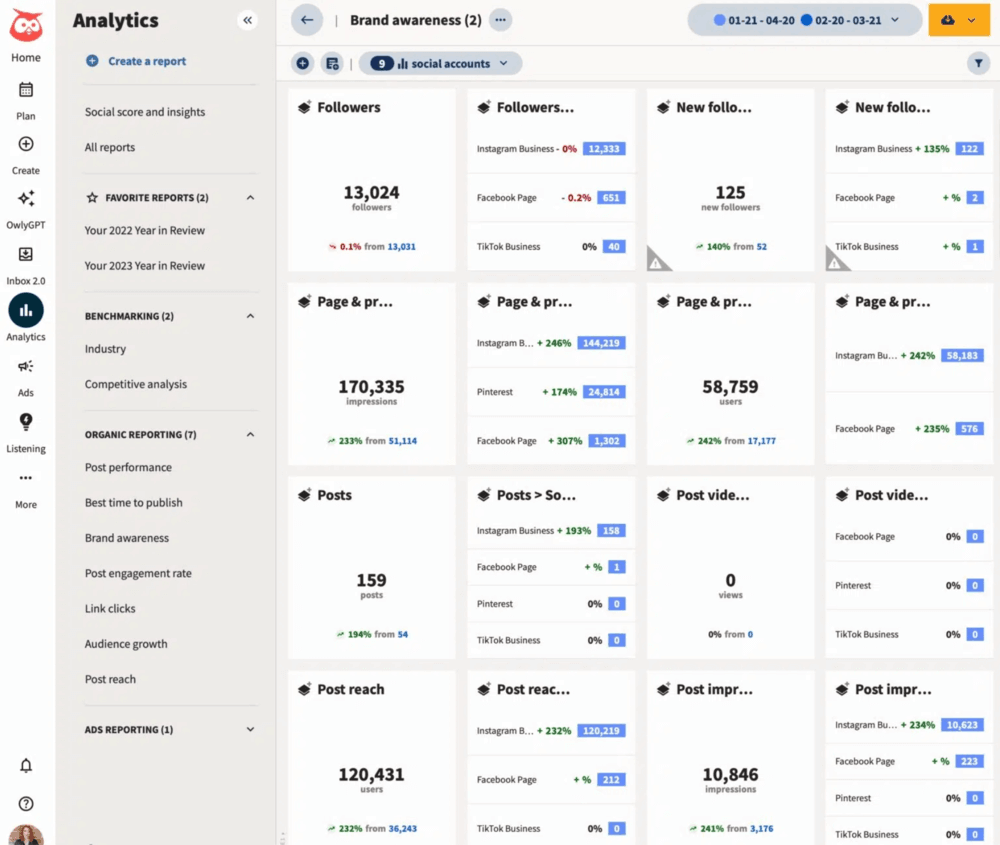
Hootsuite is a full-stack analytics platform and more! It allows you to:
- Schedule your posts in advance,
- Monitor the performance of the content,
- Discover new content to repost,
- Organize your content in a shared content library,
- Get an overview of your key engagement metrics,
- Create reports.
And that’s just the tip of the iceberg:
You can also manage your team’s performance and protect your accounts against fraud.
Who is it best for?
Best for teams looking for an all-encompassing tool and working on multiple projects at the same time.
07 SocialPilot
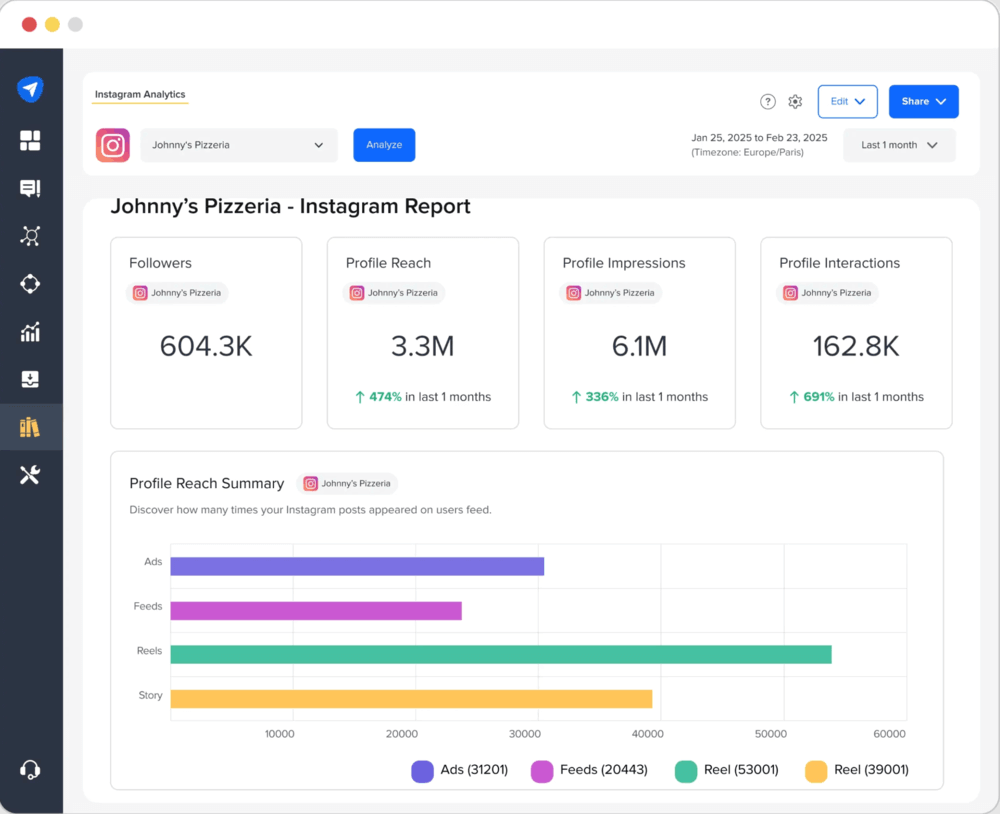
This X analytics tool provides users with valuable insights into their X (Twitter) activity, including detailed information on who is talking about them, what they’re saying, and how often they’re saying it.
With this information, businesses can adjust their social media strategy to better engage X users.
In addition, SocialPilot also offers a suite of other features designed to help businesses grow their Twitter following and track their success.
The most interesting features:
- Publish and schedule X posts,
- X analytics reports,
- Tracking popular hashtags and influencers.
08 Twitonomy
What’s great about Twitonomy is how easy it is to use. Just sign in with your X (Twitter) account, and you’re ready to dive into a full set of X analytics.
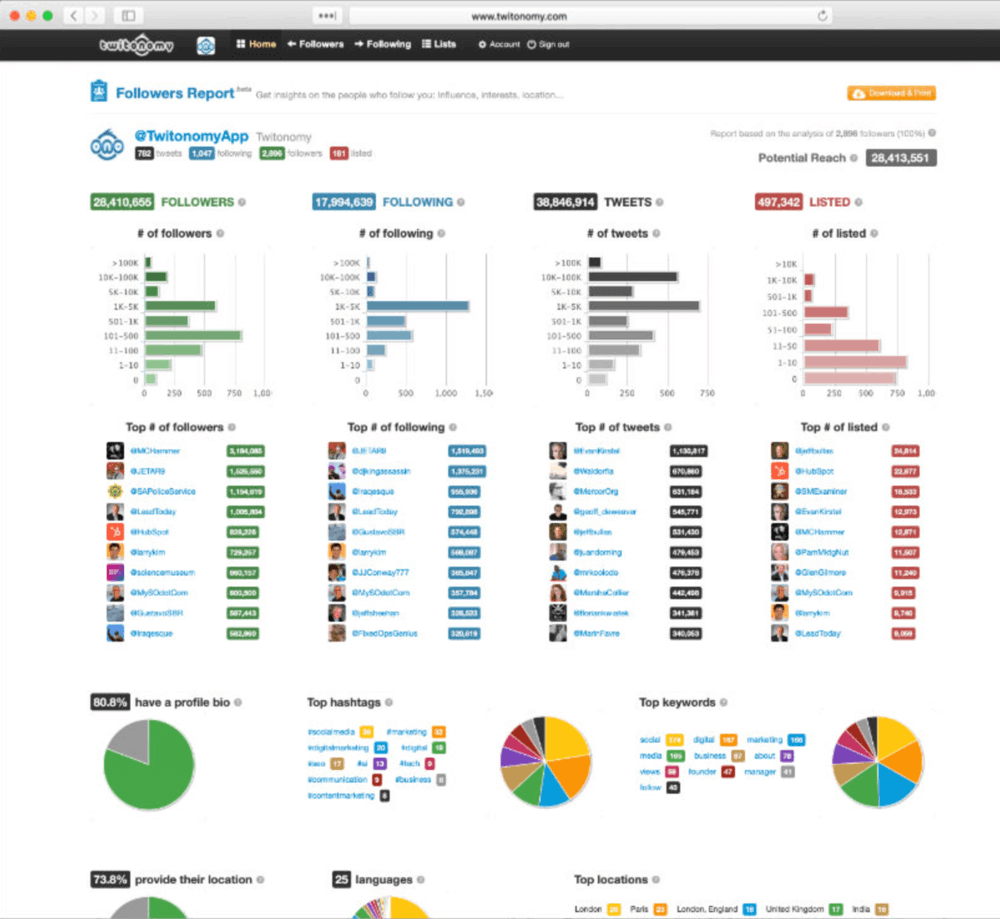
Twitonomy will show a broad set of data, including:
- Your most popular posts (including mentions and reposts monitoring)
- Followers growth, geolocation, and demographics,
- Engagement metrics,
- The best day and time to post.
One of the most important features of Twitonomy is the ability to compare two X accounts. You can easily track your competitors’ accounts.
Moreover, you can track Twitter performance based on predefined keywords and perform an in-depth analysis of any X account.
Who is it best for?
Best for a small brand that needs Twitter analytics data for more than one account.
09 Followerwonk
⚠️ Important information
Followerwonk is now part of the Fedica platform, following its acquisition in 2023. While previously a standalone tool, it now functions as a specialized Twitter/X analytics feature within Fedica’s dashboard.
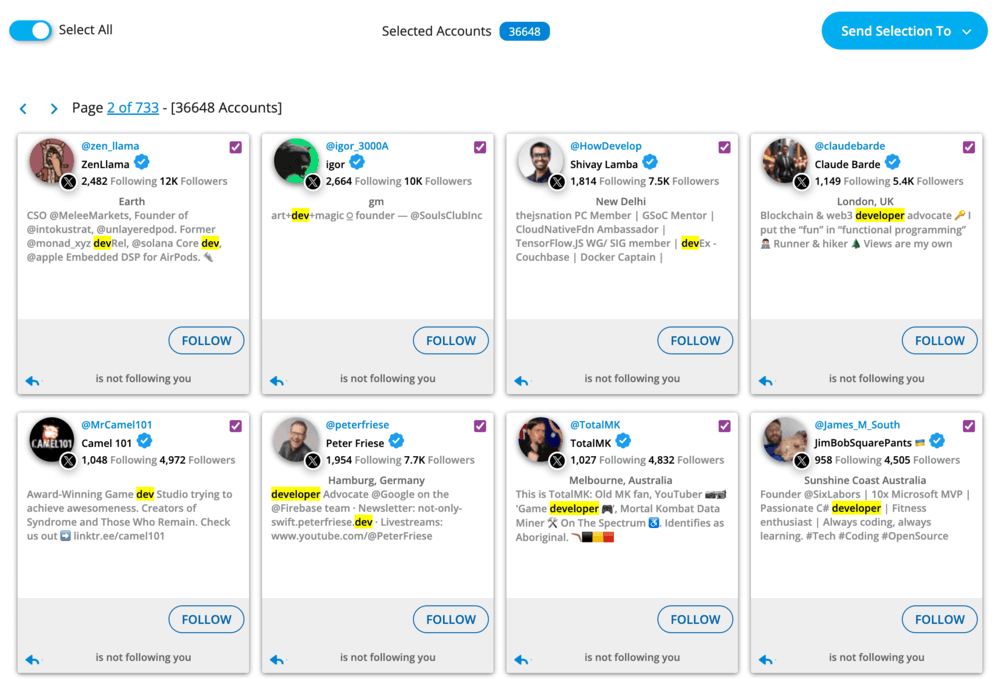
Followerwonk analyses your X audience. The X (Twitter) analytics tool will provide you with lifestyle information, for example:
- Who follows whom?
- Which followers do competitors share?
- When are followers most active?
- What keywords appear in user bios?
What I find particularly interesting is the Search Bios feature. It lets you find exactly the users you want to target, whether they’re your next influencer for a marketing campaign or for another kind of outreach.
You can compare your profile to your competitors and count the followers you’ve gained or lost. The tool even provides a detailed graph of the difference in follower numbers.
Who is it best for?
Best for agencies and marketers looking to analyze audience overlap, spot competitor connections, and dig into follower networks on X.
10 Fedica (previously Tweepsmap)
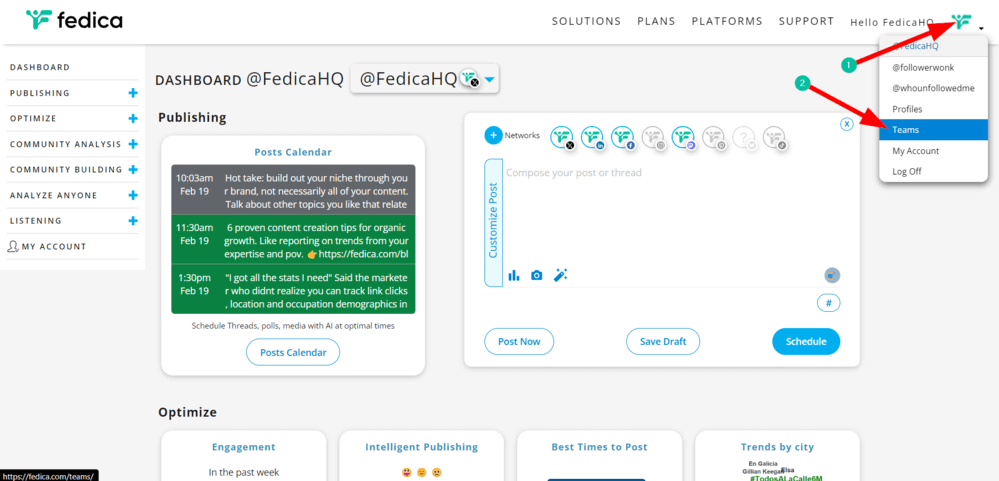
Fedica is a broader social media management and analytics platform that includes Followerwonk’s relationship tools within its ecosystem.
While Followerwonk focuses on network overlaps, Fedica goes deeper into audience intelligence and AI-driven analytics.
In addition, the tool provides detailed mapping and analysis of X (Twitter) followers, helping you better understand your audience and target your content accordingly.
The tool helps you analyze:
- Account growth and engagement trends
- Detailed follower demographics (age, gender, occupation, language)
- Geographic distribution down to the city level
- Audience interests and sentiment
- Bot and fake follower detection
Who is it best for?
Best for marketers and agencies who need deeper X (Twitter) audience segmentation, demographic analysis, and content management.
11 Buffer
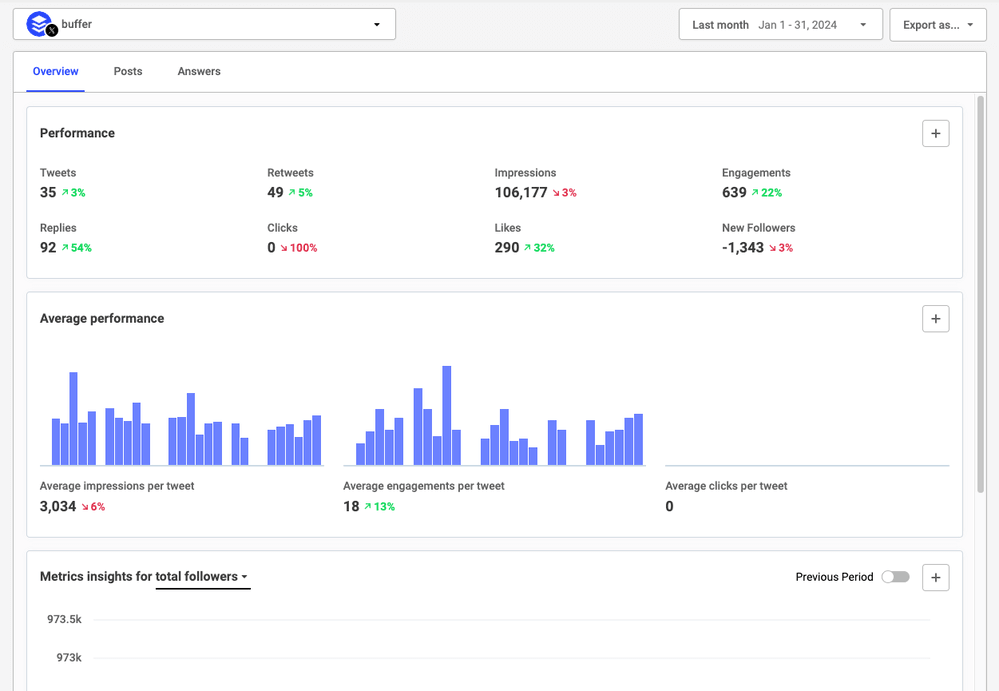
Buffer offers X (Twitter) analytics that help you track account performance and optimize content strategy.
You get a clean, easy-to-use dashboard that lets you keep an eye on key metrics like engagement rate, impressions, replies, reposts, likes, clicks, and follower growth over time.
The tool allows you to:
- Analyze individual X post performance
- Track engagement rate and reach
- Monitor follower growth
- Identify best times to post
- Review audience demographics
Who is it best for?
Best for creators, marketers, and small teams who want simple X analytics, content scheduling, and reporting in one place.
12 Meltwater
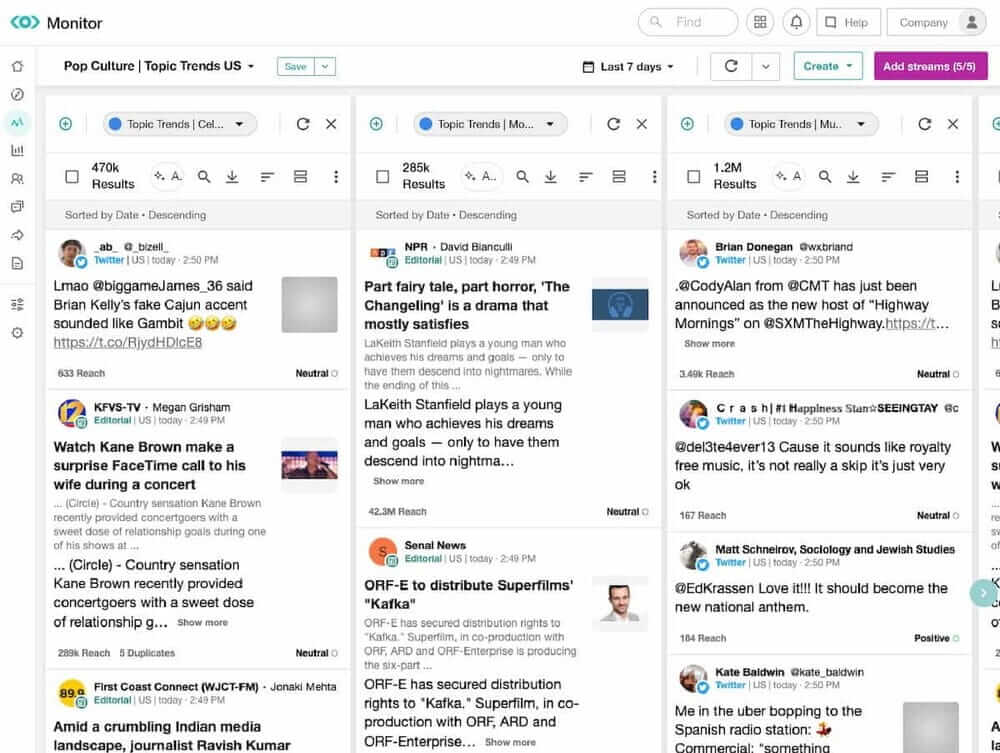
Meltwater is a social listening and analytics tool that helps brands track their X (Twitter) performance beyond what the native metrics show.
It brings together analytics for your own account with wider conversation monitoring, so you can see how your posts are doing and what people are saying about your brand across the platform.
With Meltwater, you can:
- Monitor keywords, mentions, and hashtags in real time
- Analyze sentiment around your brand or campaigns
- Track engagement, reach, and impressions for your X account
Who is it best for?
Best for bigger teams and brands that want more advanced X monitoring, like competitor tracking and sentiment analysis.
What X (Twitter) analytics tools can reveal
A well-chosen social media analytics tool will give you exactly the data you need to meet your desired business outcome.
X (Twitter) monitoring data will give you an opportunity to track X basic metrics, such as:
- engagement metrics of your posts (a robust social media analytics tool should calculate the number of likes, comments, and reposts),
- social media reach of your posts (a number showing how many people could have come in contact with your brand),
- posts mentioning your brand with the @ handle.
Analyze the important X metrics that will help you grow your brand awareness:
- Find the most active public profiles talking about your brand or product and use their influence to your advantage,
- Grow your business by incorporating a brand awareness strategy into your X (Twitter).
X analytics platforms will also help you manage the X content marketing strategy:
- Find Twitter trending hashtags within your business niche and adjust your content accordingly,
- See what engages X followers the most to develop content your audience wants to see,
- Always reply when someone is talking about your brand, product, or service.
FAQ
What are X analytics tools?
X (Twitter) analytics tools are platforms that help you track and analyze X account performance, engagement, audience growth, and brand mentions.
They go beyond native X analytics by offering features like sentiment analysis, competitor benchmarking, hashtag tracking, influencer identification, and advanced reporting.
Some tools focus on publishing and performance tracking, while others specialize in social listening and audience intelligence.
What is the best X (Twitter) analytics tool?
The best X analytics tool depends on your goal.
- For comprehensive social media management, Sprout Social and Hootsuite offer robust solutions.
- For reporting, real-time monitoring, and AI-powered reach and sentiment analysis, Brand24 provides excellent capabilities.
- Small businesses with budget constraints might prefer SocialPilot or Twitonomy.
- Enterprise users often require the advanced features of Sprout Social or Keyhole.
How do I access X (Twitter) analytics?
For X native analytics:
- Log in to your account
- Click on “More” in the left sidebar
- Select “Analytics” (Premium users)
or
- Open X’s mobile app
- Tap your profile picture
- Select “Analytics.”
For third-party tools like Brand24, you’ll need to connect your X account through their platform after signing up.
Does Twitter analytics still exist in 2026?
Yes, though it has evolved significantly since Twitter’s rebranding to X. Basic analytics are available to Premium subscribers, while the free tier offers limited metrics.
The X (Twitter) analytics dashboard has been redesigned with new engagement and reach metrics, but the core functionality remains the same and doesn’t provide advanced analytics.
What is the difference between native X analytics and third-party tools?
Native X analytics focus on your own account performance (engagement, impressions, follower growth).
Third-party tools go further by offering:
- Brand mention monitoring
- Sentiment analysis
- Competitor benchmarking
- Influencer discovery
- Advanced reporting and data exports
If you only need post-level metrics, native analytics may be enough. For strategy and growth, external tools will give you deeper insights.
What metrics should an X (Twitter) analytics tool track?
A good X analytics tool should track:
- Engagement metrics (likes, replies, reposts, engagement rate)
- Reach and impressions
- Follower growth
- X hashtag performance
- Mentions and brand sentiment
How often should I check my Twitter analytics?
For active accounts, weekly analysis is recommended to track performance and make timely adjustments.
Monthly deep dives help identify engagement trends and plan strategy updates. After campaigns, immediate analysis helps measure success against goals.

Article Reviewed by