Table of contents
How Can Brands Track Hashtags on X (Twitter)? Guide & Tools for 2026
When Taylor Swift drops a new album, hashtags like #TS11 can generate thousands of posts on X in just a few hours. And while you can track a hashtag on X, the platform won’t tell you how many times it was used or how the conversation evolved.
That makes it difficult for brands to measure campaign performance or keep tabs on branded hashtags.
In this guide, you’ll learn how to track hashtags on X and which tools can help you analyze them the right way.
Key takeaways:
-
X doesn’t provide full hashtag analytics natively
You can search for hashtags on X, but the platform doesn’t show how many times a hashtag was used, how it performed over time, or who drove the conversation. Native analytics mainly focus on the performance of your own posts.
-
Does X Premium provide platform-wide hashtag insights?
No. Premium analytics can show engagement metrics like clicks or impressions for your tweets, but they don’t reveal overall hashtag volume, sentiment, or competitor performance across the platform.
-
Third-party tools are needed to measure X hashtag performance
Tools like Brand24, Tweet Binder, Twitonomy, TrackMyHashtag, or Fedica collect public posts using a hashtag and calculate metrics such as reach, sentiment, engagement, and influencer activity.
-
Different tools focus on different types of analysis
Some tools specialize in campaign reports and historical data, while others focus on real-time monitoring, influencer identification, or audience insights.
-
Hashtag tracking helps measure campaign impact and trends
Tracking hashtags on X allows brands to analyze campaign reach, discover influencers, track sentiment, and identify spikes in conversation during events or trending moments.
How to track hashtags directly on X
Before you jump into external tools, it’s worth getting familiar with what you can do right on X.
It gives you a few easy ways to browse hashtags and follow conversations, though what you can access depends on whether you’re on a free account or an X Premium subscription.
| Feature | Free X Account | Paid (X Premium) |
|---|---|---|
| Manual hashtag search | ✅ Yes | ✅ Yes |
| Search filters | ⚠️ Yes but limited | ✅ Yes |
| Trending hashtags and topics (Explore tab) | ✅ Yes | ✅ Yes |
| Post-level engagement metrics | ✅ Yes | ✅ Yes |
| Real-time hashtag columns (X Pro) | ❌ No | ✅ Yes |
| Full X analytics dashboard | ❌ No | ✅ Yes |
| AI hashtag trend summaries (Grok AI) | ⚠️ Yes but limited | ✅ Yes (SuperGrok) |
Free (Basic) account features
With a free X account, hashtag tracking mostly relies on manual observation and simple engagement data.
Here are the main options available:
1. Manual hashtag search
The easiest way to check a hashtag is through X’s search bar.
- 1 Type the hashtag (for example, #YourCampaign) into the search field.
- 2 Open the results page.
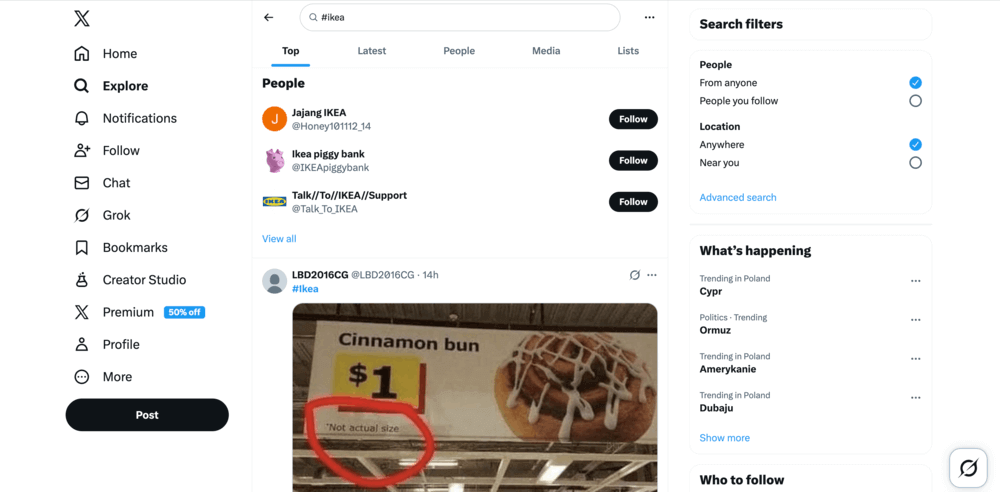
- 3 Switch between Top and Latest posts.
Top shows posts that receive strong engagement:
While Latest displays posts in chronological order:
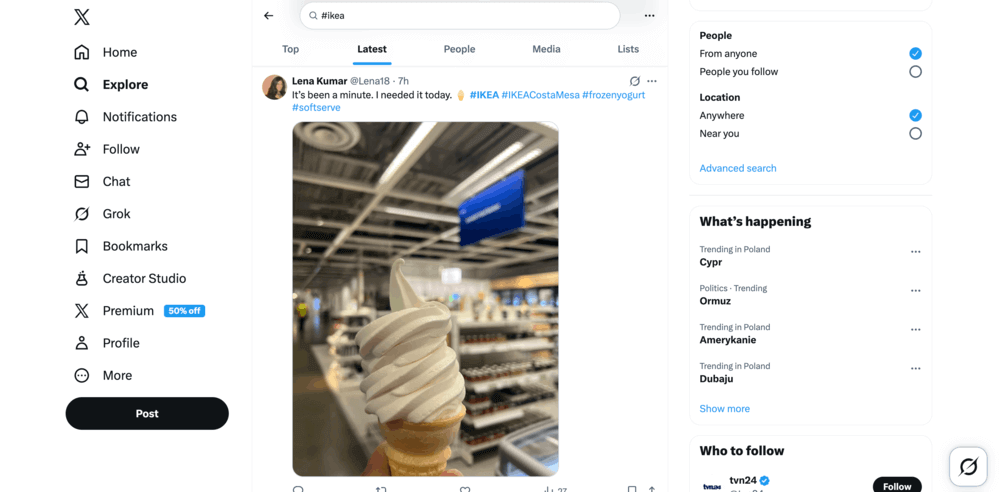
This method is useful for quickly browsing current conversations and seeing how people use a specific hashtag.
2. Explore and Trending sections
The Explore tab highlights topics and hashtags that are currently popular on the platform.
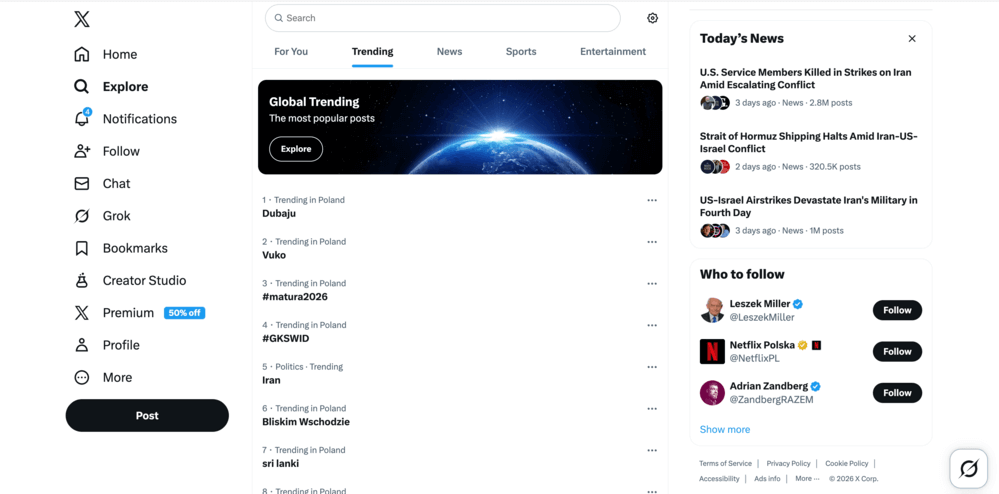
You can use it to:
- spot emerging conversations,
- see which hashtags gain traction at the moment,
- find industry-related topics worth following.
⚠️ Important note
The trends shown in the Explore and Trending tabs are often personalized and location-based, so the results may vary from user to user.
3. Post-level analytics
X offers basic engagement stats for individual posts. If you click the analytics icon on one of your own posts, you can check metrics like:
- views
- likes
- reposts
- replies
Just keep in mind these insights only cover your own content, not the overall conversation around a hashtag.
4. X Lists
Another workaround is creating X Lists:
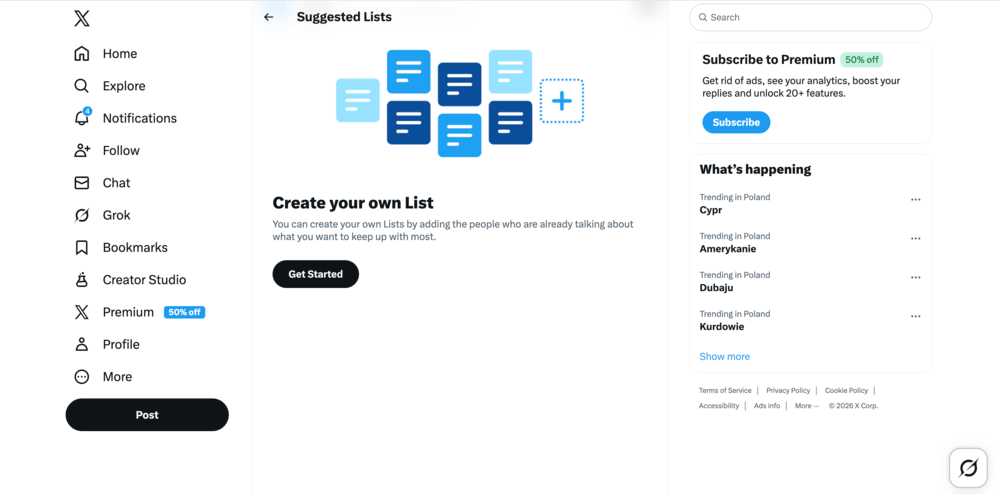
You can group accounts that frequently use a certain hashtag and monitor their posts together. This can help you keep track of relevant conversations manually.
Features available with X Premium
Some additional monitoring and analytics options are available only with X Premium (Basic, Premium, or Premium+) subscriptions.
1. Hashtag columns in X Pro (formerly TweetDeck)
If you use X Pro, you can create a dedicated column for a hashtag.
This allows you to:
- monitor posts using a hashtag in real time,
- keep multiple hashtags visible at once,
- observe conversations without repeatedly searching.
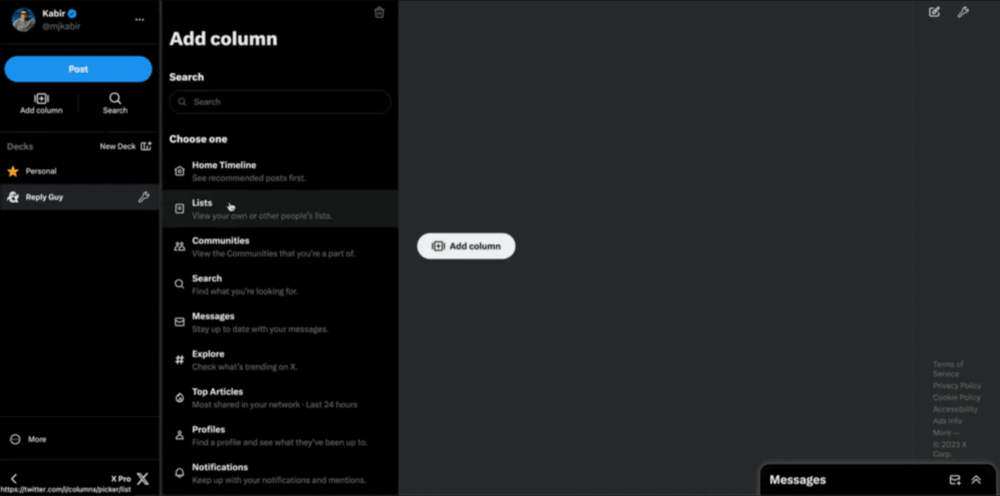
For many social media managers, this is the most convenient native way to follow ongoing discussions.
2. Full X Analytics dashboard
Premium subscribers can access the X Analytics dashboard, which provides broader account-level insights and audience data.
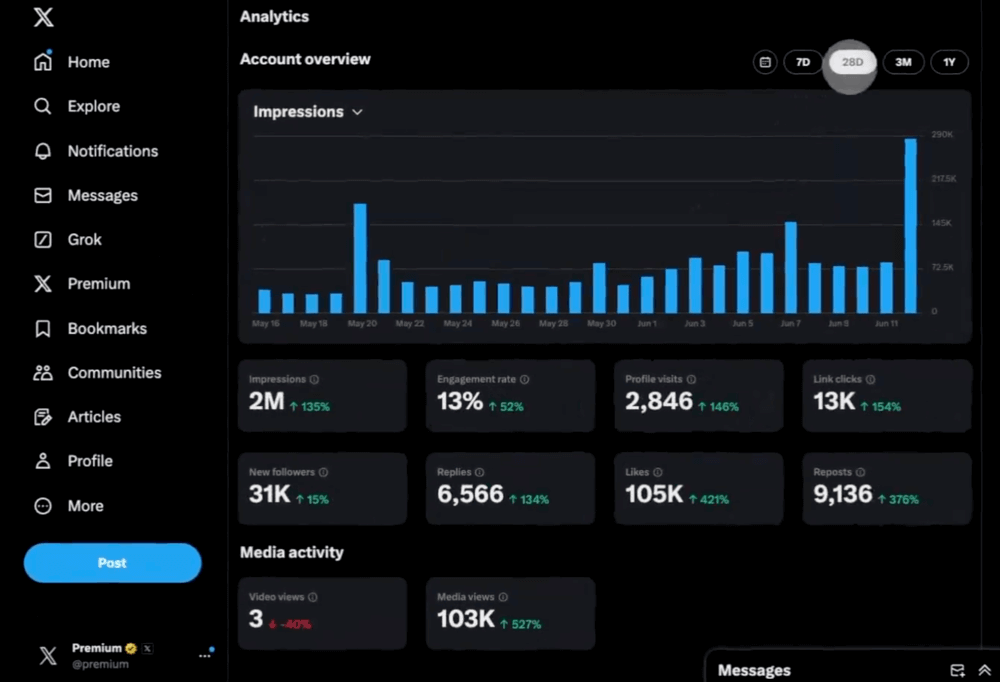
While this can help evaluate your own performance, it still focuses primarily on your account activity rather than hashtag-wide analytics.
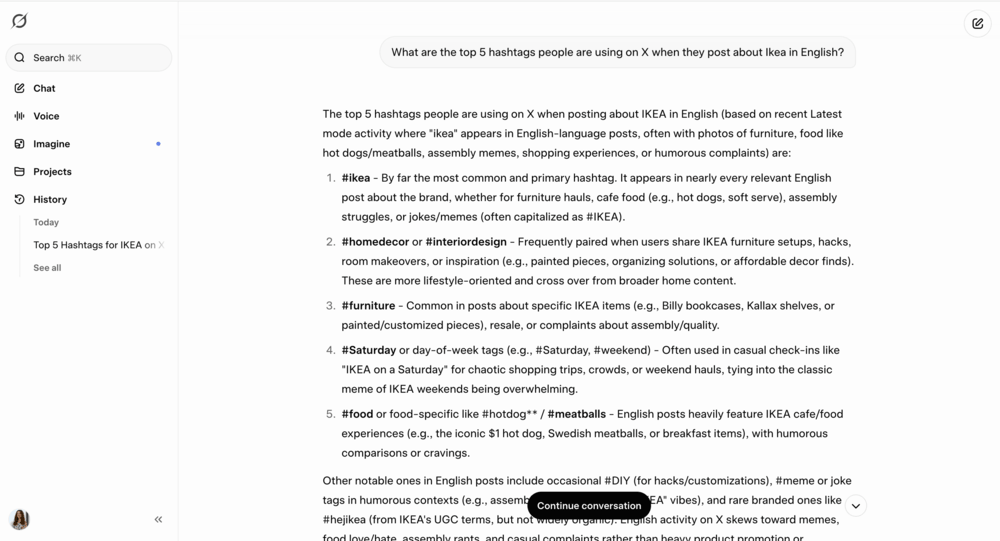
3. Grok AI
Premium users can also use Grok AI to summarize trending topics or hashtags and explore conversations through AI-powered prompts.
⚠️ Important note
As of 2026, Grok offers limited free access with usage caps, while advanced features and higher usage limits require an X Premium subscription.
What native X tracking does well
Native features are useful for:
- browsing conversations around a hashtag,
- spotting trending topics in real time,
- browsing posts in real time,
- checking engagement on your own content.
When native hashtag tracking becomes limiting
These X (Twitter) options are great for keeping an eye on conversations, but they are mostly designed for browsing content rather than analyzing it.
For example, X doesn’t provide built-in tools to easily measure:
- total reach of a hashtag,
- how many times a hashtag was used,
- how the volume of posts changes over time,
- sentiment around the conversation,
- which authors generate the largest impact,
- or how one hashtag compares with another.
If you’re running a hashtag campaign, tracking a branded hashtag, or preparing performance reports, these insights become important.
That’s why marketers often pair native platform features with monitoring tools that collect and analyze hashtag data over time.
X (Twitter) hashtag tracking tools
Below is a comparison of the 5 most popular tools for tracking hashtags on X.
| Tool | Best for | Top X hashtag tracking features | What could be better |
|---|---|---|---|
| Brand24 | AI-powered monitoring of hashtag campaigns & online conversations | Real-time hashtag monitoring, sentiment & trend analysis, AI Brand Assistant | Shallow historical depth |
| TweetBinder | Measuring hashtag performance during events & campaigns | Real-time & historical hashtag tracking, contributor rankings | Limited to X data |
| Twitonomy | Exploring hashtag conversations & identifying influential contributors | Search analytics for hashtags, visual analytics charts, influencer identification | Advanced analytics & custom date ranges require paid plans |
| TrackMyHashtag | Deep hashtag analytics & historical campaign analysis | Historical X data, real-time hashtag tracking, influencer ranking | Primarily focused on X, limited broader monitoring |
| Fedica | Understanding the audience behind hashtag conversations | Audience demographics insights, geographical conversation mapping | Advanced reports & deeper analytics require paid plans |
⚠️ Research methodology
When selecting these tools, I prioritized 5 key factors: data accuracy and official API integration, strong analytics depth, affordable pricing, and access to historical data. I also reviewed user feedback on two major review platforms: G2 and Capterra.
In many cases, using two tools together can give you a more complete view, so feel free to mix and match as long as it works for your workflow.
01 Brand24
4.6/5 – G2 (322 reviews)
4.7/5 – Capterra (253 reviews)
14-day free trial available
From $199/month
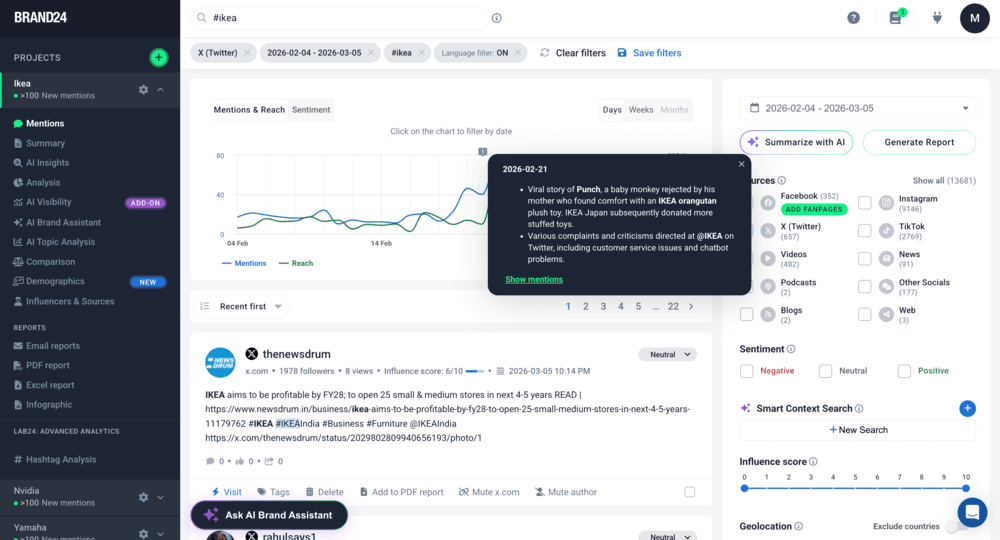
Brand24 is a social listening and media monitoring tool that tracks hashtags (and keywords or brand mentions) across X and other social platforms, as well as non-social sources (like news, blogs, or forums).
It collects hashtag mentions in real time and turns them into structured insights and data visualizations. Brand24 also uses AI-powered features to summarize discussions, surface trends around your hashtag, or analyze your visibility in AI chatbots.
🔑 Key features
- Real-time hashtag monitoring – Track X posts using a specific hashtag as they appear online.
- Hashtag reach analysis – Measure the potential reach of posts using a hashtag.
- Sentiment analysis – Automatically classify mentions as positive, neutral, or negative.
- Storm Alerts – Receive notifications when hashtag activity spikes unexpectedly.
- Influencer identification – Find accounts generating the most engagement around a hashtag.
- AI Insights and Brand Assistant – Quickly summarize X conversations and trends around tracked hashtags.
⭐ Best for
- Brands running hashtag campaigns
- PR teams monitoring brand conversations
- Marketing teams analyzing campaign performance
- Agencies tracking competitor hashtags
💪 Strengths
- Tracks hashtags and mentions across many platforms, not just X
- AI summaries make large conversations easier to understand
- Real-time alerts help teams react quickly to spikes in discussion
👎 What could be better
- Lack of deep historical data
- Setting up the right keywords and filters may require a bit of initial configuration
02 TweetBinder
4.4/5 – G2 (15 reviews)
Free trial available
From $62.99/month
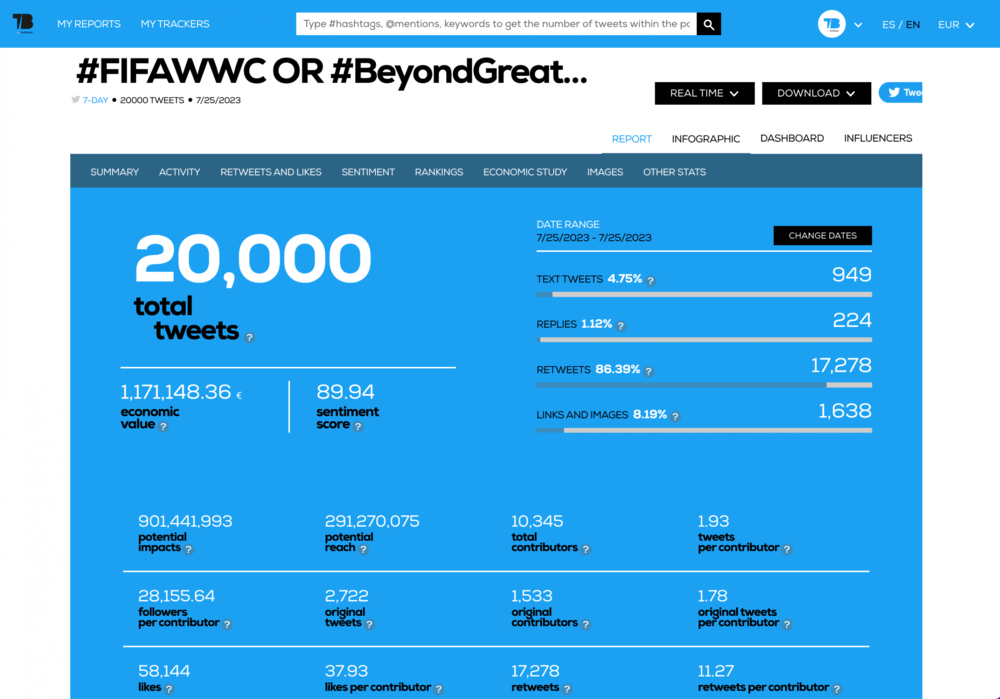
TweetBinder is a hashtag & keyword analytics tool built specifically for X (Twitter). It is commonly used to monitor hashtag performance during events, campaigns, or live discussions.
Instead of browsing posts manually, TweetBinder gathers X posts into structured reports showing activity, engagement, and top contributors.
🔑 Key features
- Hashtag analytics reports – analyze tweets using a specific hashtag
- Real-time tweet collection – monitor posts as they appear on X
- Top contributors rankings – identify users generating the most engagement
- Engagement metrics – track likes, reposts, and replies related to a hashtag
- Event hashtag reports – measure hashtag activity during conferences or campaigns
- Exportable reports – download hashtag analytics for presentations or reporting
- Activity charts – visualize when a hashtag is most active
⭐ Best for
- Marketers analyzing hashtag performance on X
- Event organizers tracking conference or event hashtags
- Agencies preparing campaign performance reports
- Social media teams measuring engagement around specific conversations
💪 Strengths
- Strong hashtag analytics specifically for X campaigns and events
- Clear visual reports and contributor rankings that highlight key participants in the conversation
👎 What could be better
- Focused mainly on X data, with limited cross-platform monitoring
- Free reports are limited in the number of tweets and time range analyzed
03 Twitonomy
4.0/5 – G2 (12 reviews)
Free version available
From $19/month
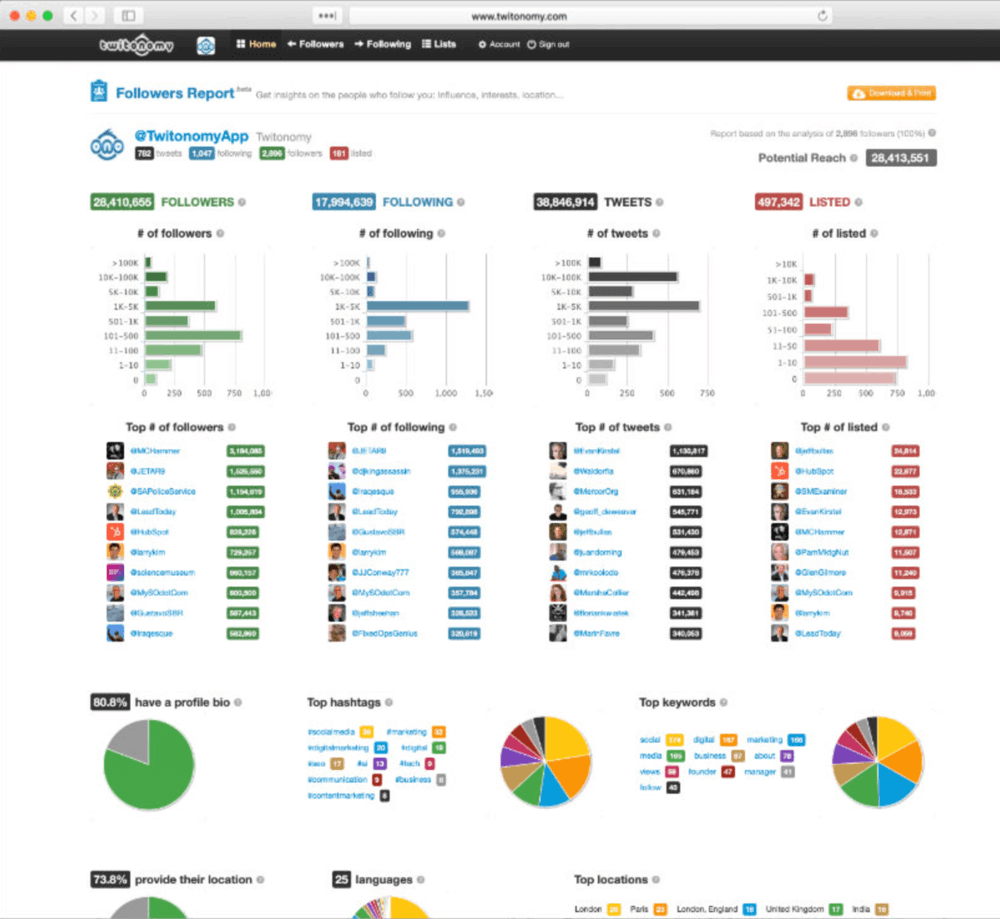
Twitonomy is an X (Twitter) analytics tool that lets you dig deeper into posts, hashtags, and user activity than the built-in insights. It’s especially strong on search-based analytics and visual reports that show how hashtags trend and perform over time.
For many marketers, it’s an easy way to monitor campaign hashtags and export clean, structured analytics reports.
🔑 Key features
- Search analytics for hashtags and keywords – analyze conversations around specific hashtags, keywords, or URLs
- Visual analytics and graphs – see how hashtag activity and engagement change over time
- Influencer identification – identify the most influential contributors participating in a hashtag conversation
- Interactive mentions map – visualize where tweets using a hashtag are posted geographically
- Competitor hashtag analysis – analyze hashtags used by competitors and compare engagement patterns
⭐ Best for
- Marketers exploring hashtag performance on X
- Social media managers analyzing campaign conversations
- Teams identifying influential contributors in hashtag discussions
- Agencies preparing social media analytics reports
💪 Strengths
- Clear visual analytics that help understand hashtag activity over time
- Useful influencer identification features for hashtag conversations
👎 What could be better
- Advanced search analytics and custom date ranges typically require a paid subscription
- Primarily focused on X analytics, with limited monitoring outside the platform
04 TrackMyHashtag
5.0/5 – G2 (2 reviews)
4.7/5 – Capterra (42 reviews)
5-day free trial available
From $149.99/month
TrackMyHashtag is an AI-powered analytics tool that tracks and analyzes hashtags, keywords, and mentions on X (Twitter).
One of its great features is its access to historical X data going back to 2006, which makes it useful for analyzing both ongoing and past hashtag campaigns.
🔑 Key features
- Real-time hashtag tracking – monitor live conversations around hashtags, keywords, or mentions as they happen
- Historical data access – get archived X data going back to 2006 to review past campaigns or trends
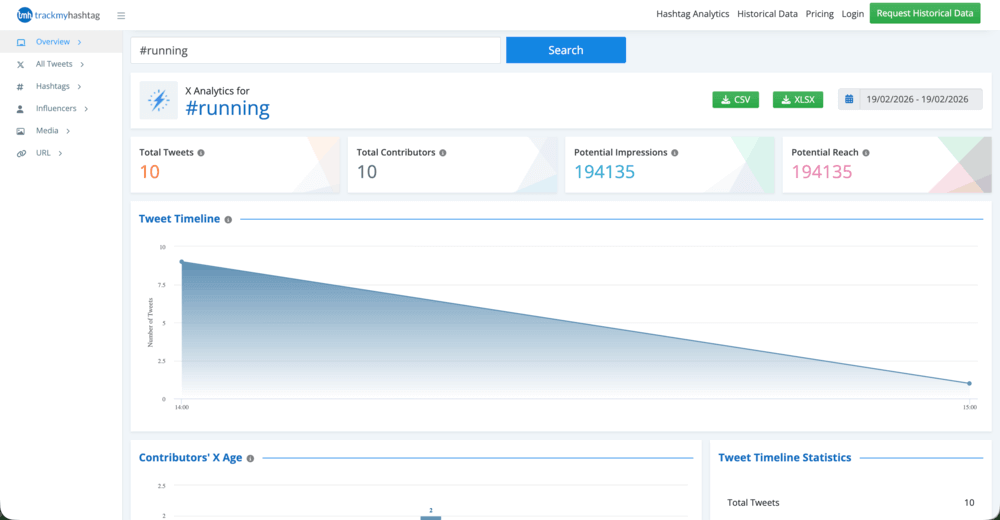
- Performance analytics – measure hashtag metrics such as potential reach, impressions, tweet volume, and contributor activity
- Influencer identification – automatically spot and rank the most active and influential people in the conversation around a hashtag
- Engagement and activity patterns – analyze peak posting times and conversation trends
- Geographical and language insights – see where conversations start and which languages are used
⭐ Best for
- Marketers analyzing hashtag campaign performance
- Researchers studying historical X conversations and trends
- Brands identifying influential contributors in hashtag discussions
- Teams benchmarking competitor hashtag campaigns
💪 Strengths
- Access to a huge amount of historical data, going all the way back to the early X archives
- In-depth analytics on hashtag reach, engagement, and contributor activity
👎 What could be better
- Primarily focused on X analytics, with limited monitoring across other platforms
- Historical data reports or advanced tracking may require paid plans or data requests
05 Fedica (formerly Tweepsmap)
3.5/5 – G2 (3 reviews)
5.0/5 – Capterra (5 reviews)
Limited free plan available
From $10.00/month
Fedica is a social media analytics and audience intelligence platform with hashtag and keyword tracking for X (Twitter).
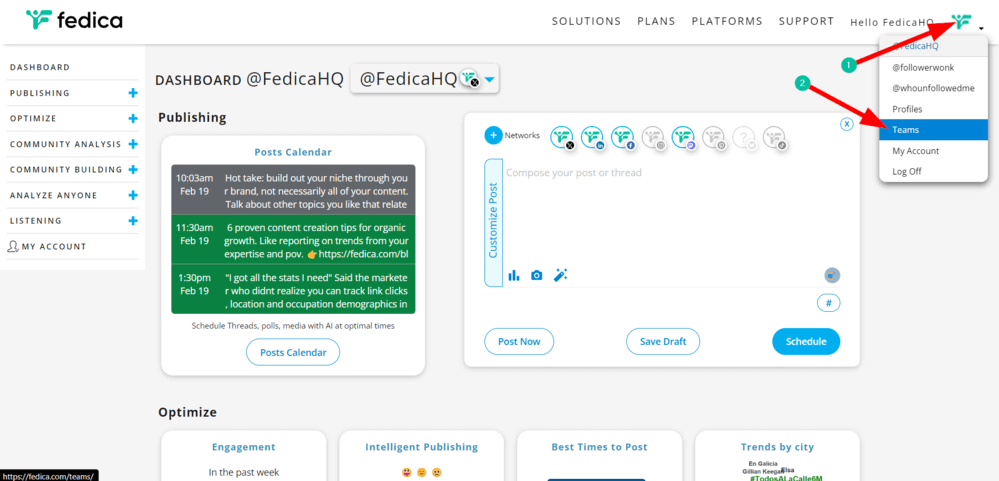
Instead of stopping at basic engagement stats, Fedica digs deeper into insights such as audience demographics or where conversations are happening. It’s a solid option for teams that want to understand the people behind a hashtag rather than just the volume of posts.
🔑 Key features
- Hashtag and keyword analytics – analyze reach, impressions, contributor counts, and engagement for specific hashtags
- Geographic mapping – see where conversations are happening with interactive maps and location insights
- Audience demographics – analyze people profiles, including gender, occupation, and interests
- Brand affinity insights – discover other brands and topics followed by users engaging with your hashtag
- Historical data analysis – access hashtag data beyond X’s built-in time limits
- Timeline analysis – spot spikes in conversation activity and connect them to real-world events
⭐ Best for
- Marketers analyzing the X audience behind hashtag conversations
- Brands researching customer demographics and interests
- Social media teams planning targeted campaigns
- Agencies identifying influential users and engagement patterns on X
💪 Strengths
- Strong audience and demographic insights for hashtag participants
- Geographic and conversation mapping that highlights where discussions happen
- Useful combination of analytics, audience intelligence, and monitoring
👎 What could be better
- Primarily focused on X analytics and audience insights, with limited cross-platform monitoring
- Advanced reports and deeper historical analysis typically require paid plans
FAQ
What are X (Twitter) hashtag tracking tools?
X hashtag tracking tools are analytics platforms that monitor how hashtags are used across posts and conversations. They collect data such as tweet volume, reach, engagement, and top contributors.
A lot of them also include sentiment analysis and historical data, so you can track how the conversation around a hashtag changes over time.
What metrics do X (Twitter) hashtag tracking tools measure?
Most hashtag tracking tools measure metrics such as tweet volume, reach, impressions, and engagement (likes, reposts, and replies), or sentiment.
Additional insights may include top contributors, influencer impact, and hashtag growth over time. These metrics help marketers evaluate campaign performance and audience engagement.
Can I track a competitor’s X (Twitter) hashtag?
Yes. Most hashtag tracking tools allow you to monitor any public hashtag used on X, including those used by competitors.
This helps you analyze campaign performance, identify influencers participating in the conversation, and understand audience engagement.
Monitoring competitor hashtags can also reveal trending topics and content strategies within your industry.
Why track hashtags on X (Twitter) in 2026?
Tracking hashtags helps brands understand how conversations spread across the platform. It allows teams to measure campaign reach, identify influencers driving engagement, and detect spikes in discussion.
Hashtag analytics also reveal audience sentiment and emerging trends. These insights help marketers optimize campaigns and respond quickly to X conversations.

Article Reviewed by