20 Best Instagram Tools to Improve Your Marketing in 2025
If social media were a chessboard, Instagram would undoubtedly be the queen – powerful and a game-changer. Instagram is no longer a nice-to-have. People turn to Instagram to build genuine connections. If you want to make a marketing move that counts, improving your presence on Instagram is the way. And Instagram tools are here to help you!
Instagram tools allow you to automatize or organize work – edit or manage content, manage profiles and engagement, follow and find hashtags, share tasks, and improve teamwork. The right tools can help you get your Instagram grow and improve your presence.
I tested over 20 Instagram tools to make the choosing process easier for you. So, what are you waiting for?
So it’s considered a robust tool that can be beneficial for:
Social media managers
Marketers
PR experts
Owners of businesses
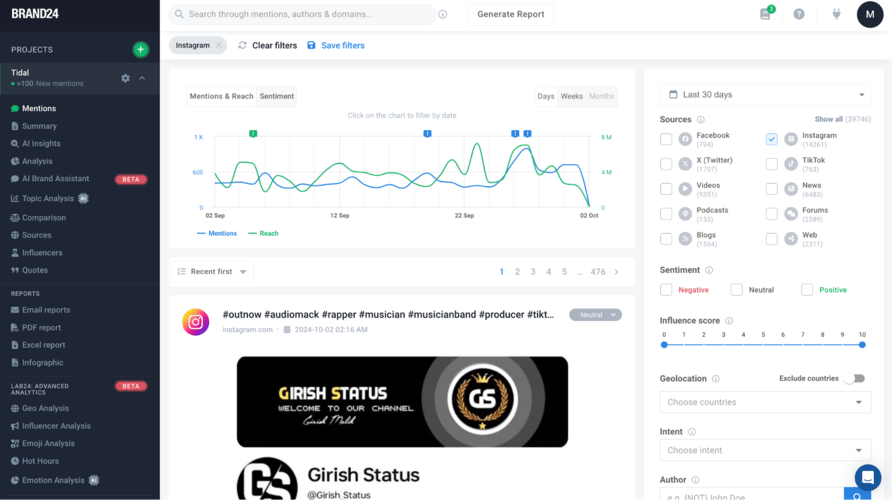
But what makes it truly stand out are the AI features. It now offers an AI Brand Assistant that combines ChatGPT knowledge with your media monitoring data. It makes it a real knowledge master!
Get deeper into Instagram social listening and uncover insights that can help you understand your audience, track brand mentions, and spot emerging trends.
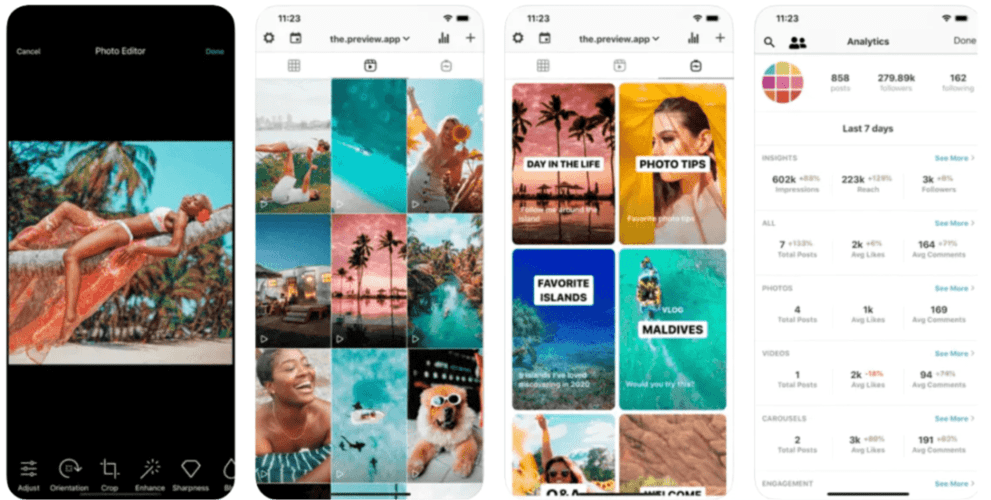
Preview is an app that I personally use to visually plan my feed.
But it can also help you:
Schedule your posts in advance
Edit content
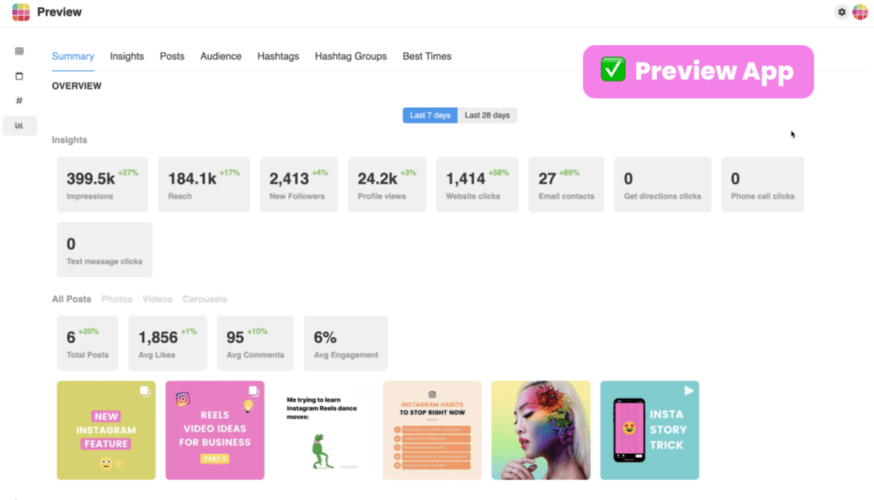
Analyze content performance
It’s super easy to use!
Preview also offers Instagram editing tools that help enhance images and content, making it easier to communicate your brand’s identity through visually appealing posts.
Paid versions of this app offer a great way to find the best Instagram hashtags, caption ideas, and provide analytics that will help you understand the performance of your Instagram account.
Social media marketing tools: Preview app
Key features:
Visual Instagram feed planner
Scheduling and performance tracking
Hashtag research and analysis
Content ideas and caption inspiration
Free Instagram tools: Preview
03 NapoleonCat
NapoleonCat is a must-have Instagram marketing tool and social media management platform.
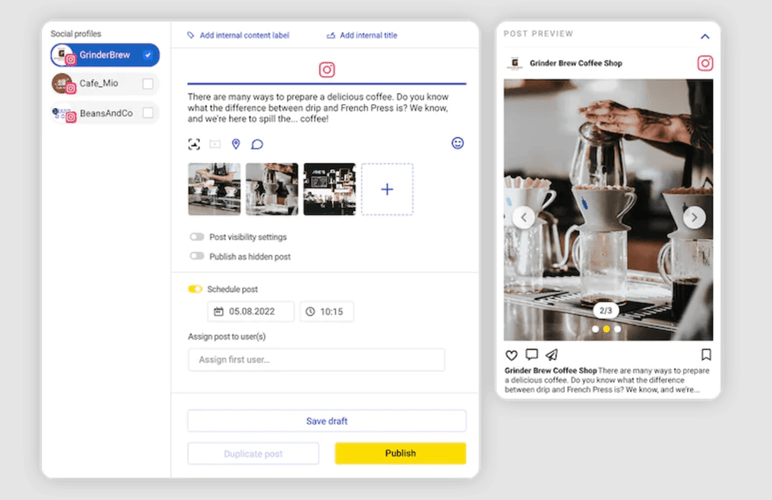
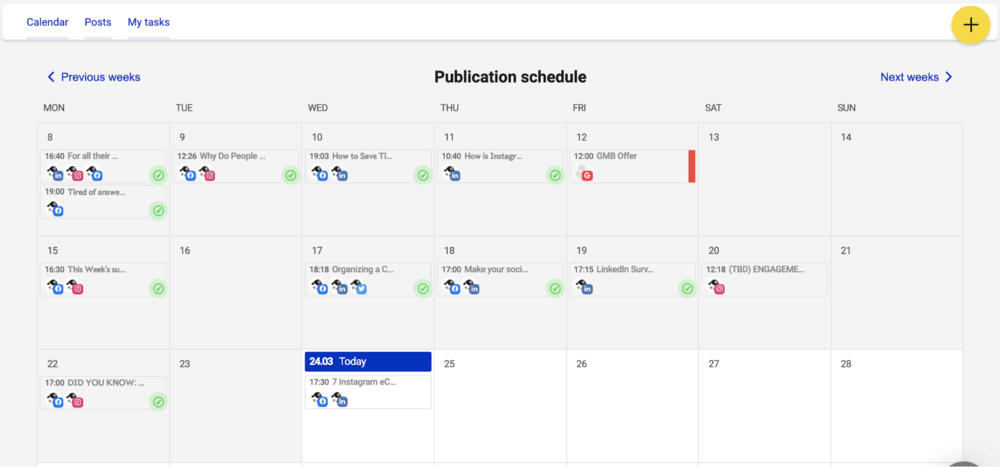
I personally used it for planning my cross-platforms campaigns and it worked perfectly. I was able to add all my posts, stories, tweets (basically any format) from one panel.
If you manage multiple Instagram profiles, you know how challenging it is to switch between accounts and give timely responses to comments and messages.
With NapoleonCat, you can gather all these conversations in a unified dashboard.
In terms of Instagram – NapoleonCat allows you to schedule:
Posts
Carousels
Stories
Reels
If you want to, you can add your other social media profiles and distribute the same post across Facebook, Twitter, LinkedIn, and Google My Business with just a few taps. That’s exactly what I did!
Schedule your social media campaigns, Instagram Reels, posts, and more.
Finally, NapoleonCat allows you to track the performance of your Instagram campaigns, benchmark against competitors, and automate the reporting process.
Key features:
A unified dashboard for all Instagram conversations
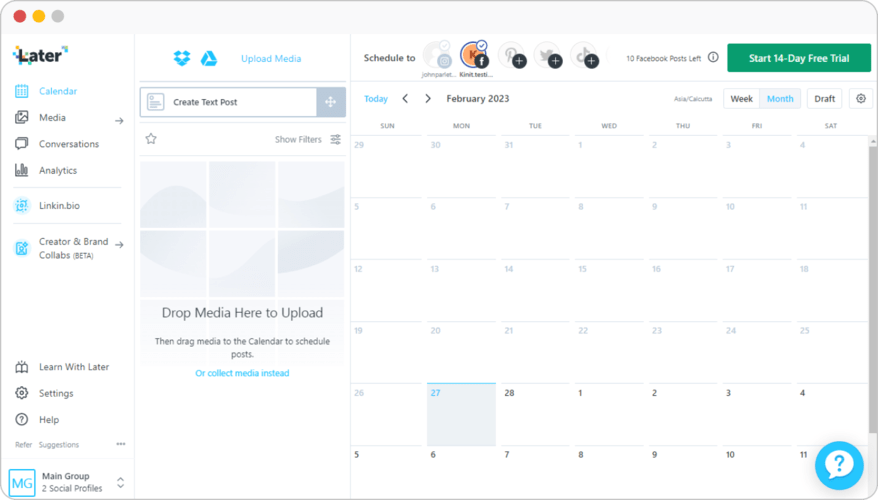
Later is a social media management app and a handy Instagram tool.
It’s an Instagram marketing platform that allows you to plan Instagram posts, publish them automatically, and get tailored insights to help you reach more people.
Later is kind of an all-in-one Instagram tool for social media managers. It offers many features that can help with organizing and planning content. It can save a lot of time and avoid mistakes. Later helps users find and use the best Instagram hashtags for their posts.
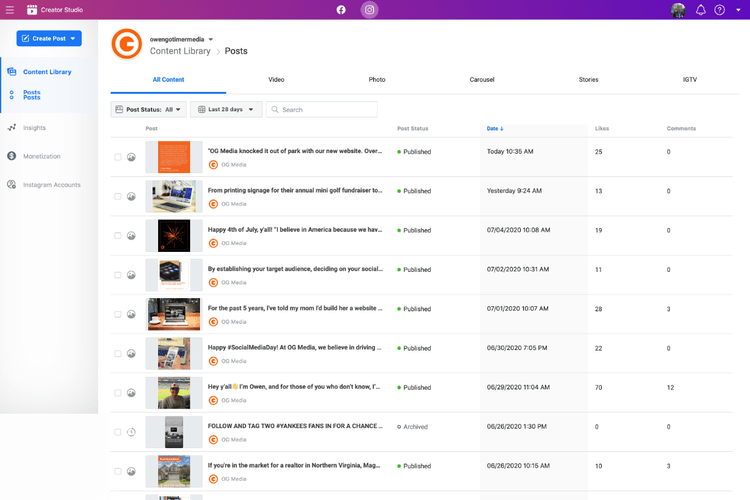
Facebook’s Creator Studio started supporting Instagram a long time ago, making it a useful Instagram business tool for managing accounts.
It offers a couple of features that can be useful for some social media managers who do not have any additional budget to spend on external, more advanced solutions.
Manage your Instagram business account with Creator Studio
Key features:
Managing more than one Instagram account;
Scheduling posts;
Measuring posts’ performance;
Discovering insights;
Managing Instagram inbox and engaging with an audience.
08 Unfold
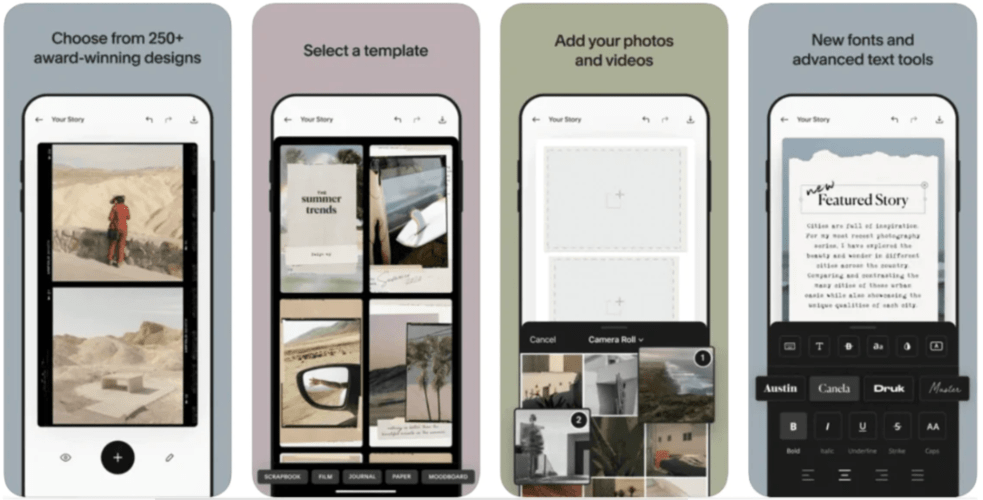
Unfold is a great tool for Instagram Stories.
It’s a mobile app that can help you pimp up your Instagram stories content with video editing and photo editing.
Unfold is similar to Canva but even more simple – you operate based on pre-made templates.
It lets you overlay text, graphics onto your photos and videos as well as use existing templates that will make your stories more creative and interesting for the audience.
The app is very aesthetically pleasing and it gives you a possibility to stand out among other Instagram accounts and competitors.
Key features:
Customizable story templates
Photo and video editing tools
Aesthetic overlays and filters
Easy sharing and collaboration
Social media marketing tools for mobile device: Unfold
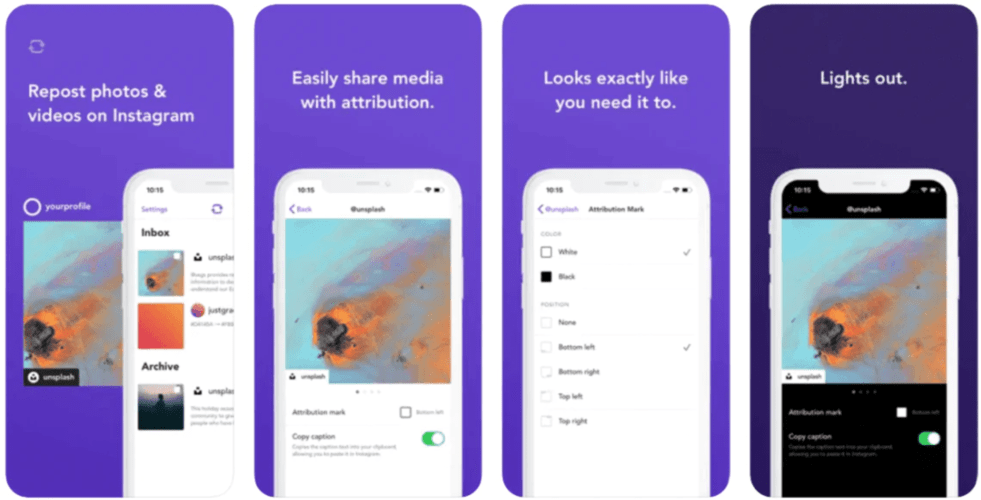
Repost might be useful to you if you often reuse user-generated content.
Due to privacy and creator rights, you can’t just use someone’s photo on your business Instagram account. You have to get their consent and make sure to add them in the caption.
Repost makes it easy to repost your favorite Instagram photos & videos on Instagram while giving credit to the original Instagramer.
It automatically adds their username in the corner.
Key features:
Easy reposting with credit to creators
Customizable captions and hashtags
Free Instagram tools: Repost
10 Sprout Social
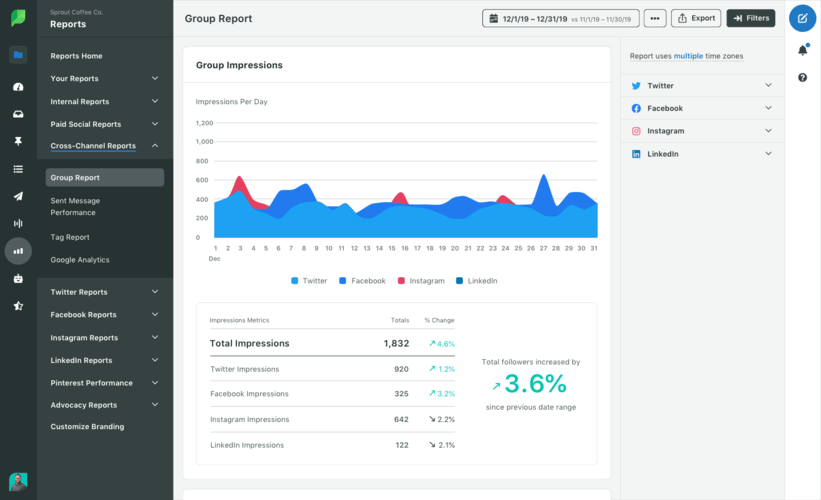
Sprout Social is an all-in-one social media management platform with great scheduling, analytics, and collaboration features.
Its Instagram analytics tools provide detailed insights, making it easy to measure the effectiveness of your content and campaigns. This makes it ideal for larger teams or enterprises.
Key features:
Comprehensive scheduling and publishing
Deep-dive analytics and competitor tracking
Audience insights and engagement reports
Collaboration and approval workflows
Instagram Marketing tools: Sprout Social
11 Insense
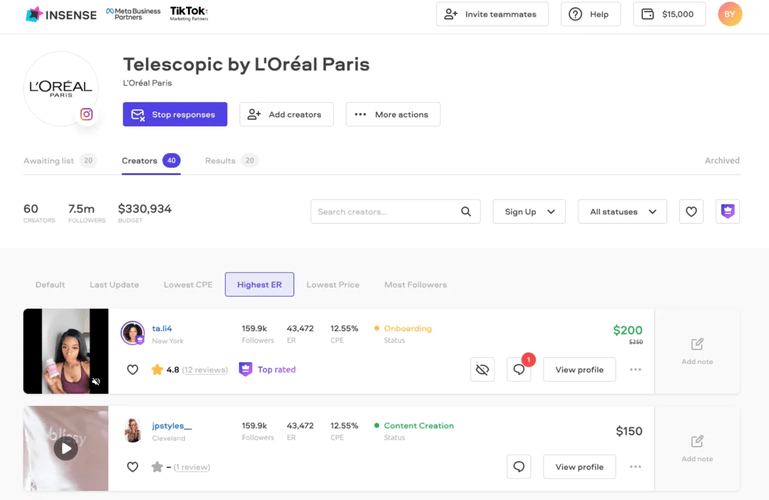
Insense is an influencer marketing platform that connects you with creators to produce user-generated content for your campaigns. It’s great for brands that want to scale their content production and run impactful ad campaigns.
Key features:
Creator collaboration and content production
UGC for organic and paid campaigns
Influencer discovery and Instagram ads management
Analytics for content performance
Influencer Marketing Platform for UGC & Creator Ads: Insense
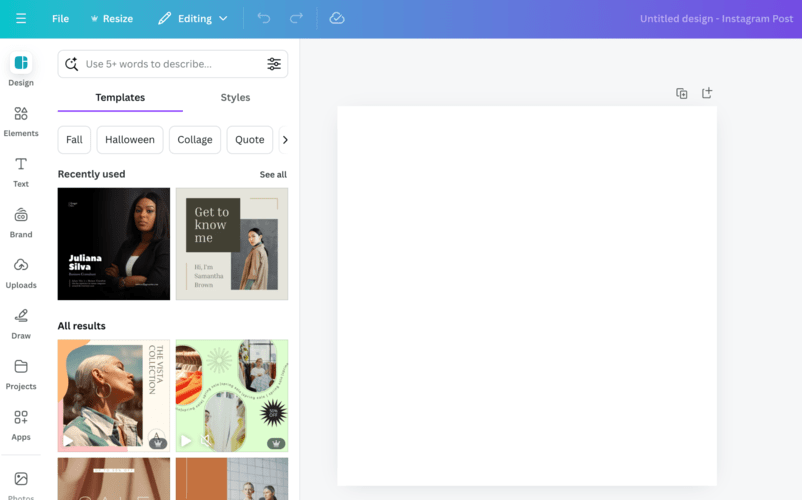
Canva is a versatile graphic design tool that’s perfect for creating beautiful Instagram posts, Stories, and ads.
With its easy-to-use interface and vast library of templates, you can quickly design on-brand visuals that stand out in the feed.
Key features:
Drag-and-drop design editor
Extensive library of templates and elements
Instagram videos and photo editing tools
Collaboration features for teams
Create Instagram content with Canva
13 LinkTree
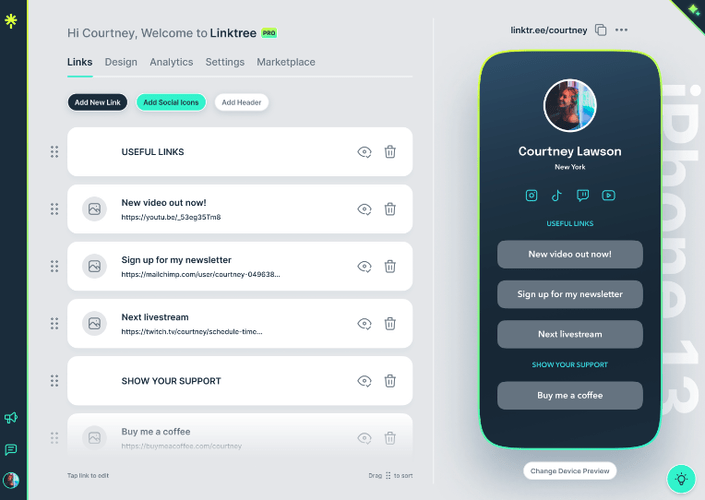
LinkTree lets you create a mini website for your Instagram bio. It’s ideal for small businesses, influencers, and creators looking to direct their audience to multiple links in a visually appealing way.
Plus it’s perfect if you want to promote specific websites in your posts descriptions. It’s impossible to add links there, so you can simply tell the audience to check your bio for more info and add the link there.
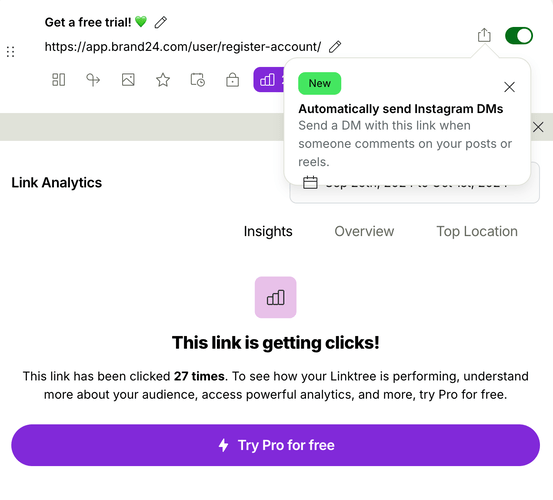
It also includes some basic analytics:
Free Instagram tools: LinkTree
Key features:
Create and customize a bio link page
Add multiple links and multimedia elements
Easy-to-use mobile interface
Insights and analytics for link performance
Social media tools: LinkTree
14 Display Purposes
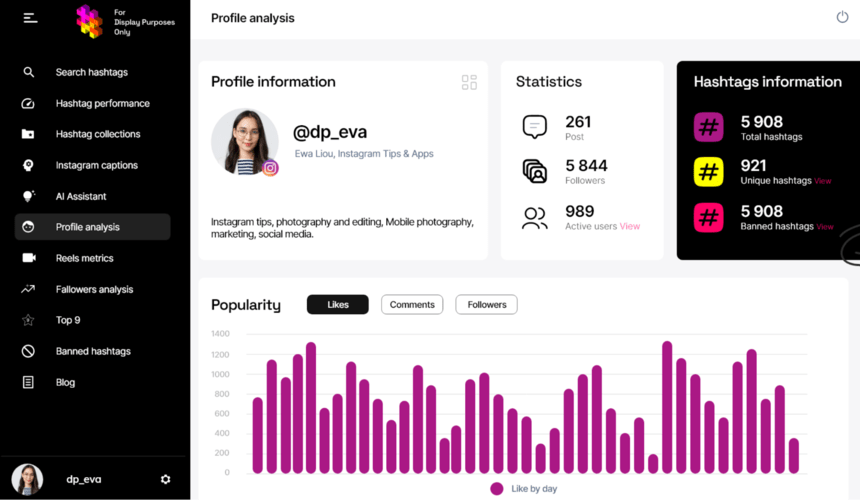
Display Purposes is a hashtag research tool that helps you find the best hashtags for your content. It uses AI to suggest hashtags, which ensures your posts reach a wider and more relevant audience.
It’s perfect if you want to improve your Instagram presence without crazy moves.
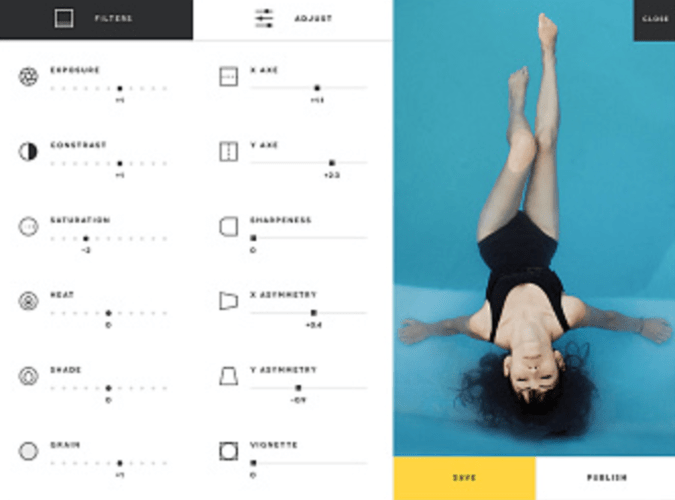
VSCO is a photo and video editing tool that offers professional-level filters and editing capabilities.
With its presets and tools, you can create stunning visuals that stand out on Instagram.
It’s ideal for photographers, creatives, and businesses that focus on visually appealing content.
Key features:
High-quality photo and video filters perfect for Stories
Advanced editing tools
Collaboration and sharing options
Visual planning for Instagram feed
Make your Instagram feed standout with VSCO
16 Mojo
If you want to make your Story or Instagram post pop, Mojo is a must-have tool.
It’s packed with hundreds of animated templates that make your Stories stand out.
I use Mojo to add engaging text animations, transitions, and effects. The real-time preview lets me see exactly how my content will look before posting.
It’s been a game-changer for creating visually stunning Stories!
Key features:
Animated templates for Instagram Stories
Real-time preview feature
Text animations, transitions, and effects
Story templates customizable for different content types
Simple, intuitive interface
Instagram app for editing Stories and Reels: Mojo
17 RiteTag
A hashtag strategy can make or break your Instagram marketing.
Or maybe not…
But it definitely can help and won’t harm!
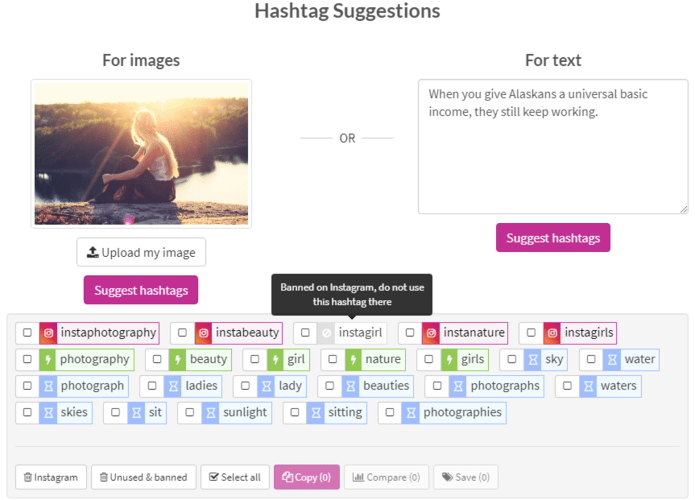
RiteTag offers suggestions based on the content you upload and tells which tags are trending, saturated, or have long-term potential.
I love the real-time color-coded system that makes it super easy to choose the best hashtags for maximizing reach.
Key features:
Real-time hashtag suggestions based on images
Color-coded system for trending, popular, and long-term tags
Performance tracking for each hashtag used
Integration with other social media tools
Advanced analytics on hashtag reach and impressions
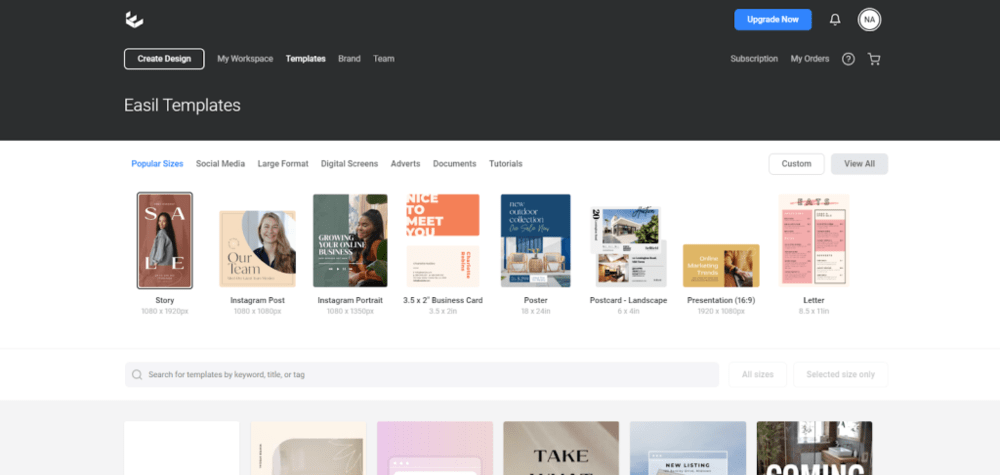
If you’re like me and want your Instagram Stories to look polished and professional, Easil is a must-have.
It’s perfect for creating branded content quickly with its drag-and-drop design editor.
I love using Easil’s pre-made templates and adding my branding elements for a unique touch.
It’s like Canva but with more focus on Instagram Stories and visual branding.
Key features:
Drag-and-drop design editor for branded Instagram content
Pre-made templates for Instagram posts or Stories
Easy customization of visual elements
Brand kit for consistent design styles
Instagram marketing tools: Easil, a graphic design platform
19 Picsart
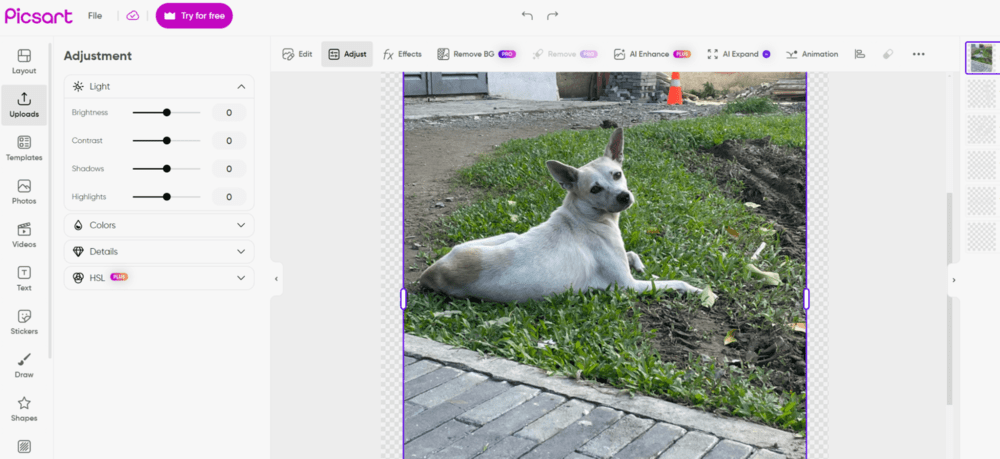
It’s a great photo editing app with a simple interface but advanced features.
I like to use it on the go when I can’t access more professional tools like Adobe. It enables me to add effects and filters, crop, remove background, and do basic retouching.
Plus, it now offers some AI features to make your Instagram content even better.
Picsart: Image editor for your Instagram post.
20 Meta Ads Manager
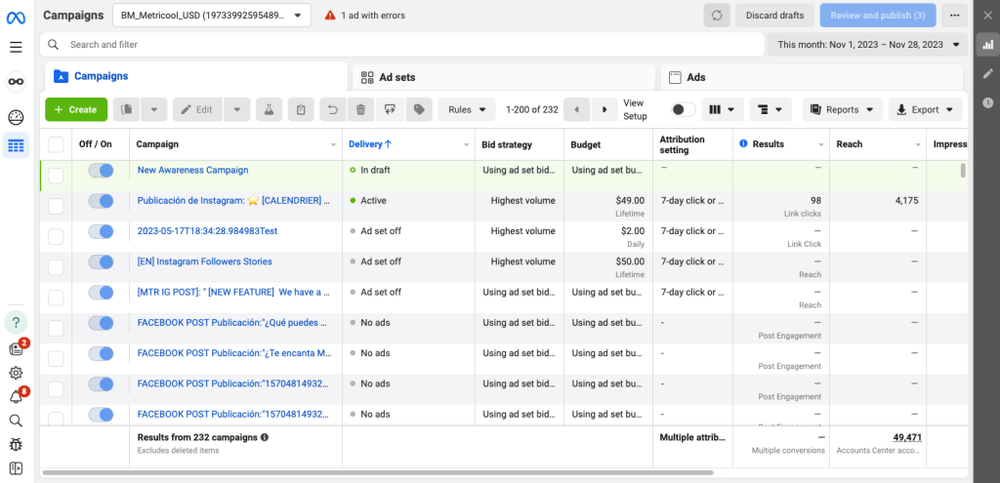
Meta Ads Manager is the go-to tool for Instagram ad campaigns.
Since Facebook and Instagram merged a few years ago, you can control your ads from one place for both.
Meta Ads Manager offers powerful targeting options, like choosing audiences based on demographics, behaviors, and even specific interests.
I can set up and test different ad creatives, optimize budgets on the fly, and track campaign performance in real time.
If your Instagram profile were the Era’s Tour, these tools would be your tour managers behind the scenes, handling all the chaos so you can shine on stage!
With so many tools out there, it’s important to choose the ones that align with your needs.
Key takeaways:
Use Brand24 and Sprout Social for in-depth Instagram analytics and performance tracking.
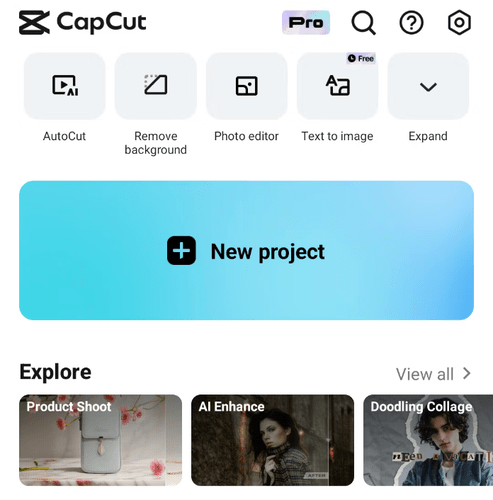
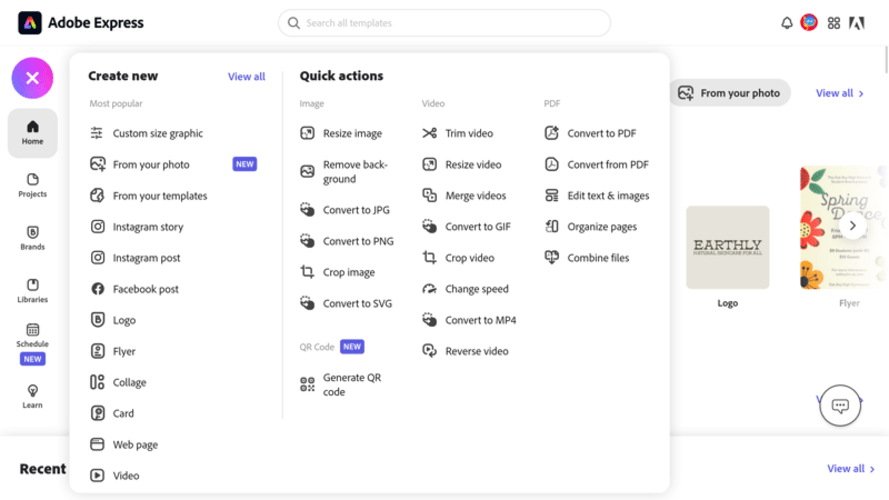
Try CapCut and Adobe Express for creating engaging Reels and high-quality visuals.
NapoleonCat is the go-to for managing multiple Instagram profiles efficiently in one unified dashboard.
Track Instagram mentions, sentiment, share of voice, competitors, and more!
20 Best Instagram Tools to Improve Your Marketing in 2025 | Brand24
Blog
Platform Guides
Brand24
Insights, analyses & case studies
Anna Rudewicz
Here are my top tools that can improve your Instagram performance and simplify your work. Find the best Instagram tools to use in 2025 in this article.