Table of contents
2M Marketers

X listening helps you track mentions, understand sentiment, and react before trends or crises escalate.
In this guide, you’ll learn how to turn real-time Twitter data into better marketing, PR, and product decisions.
Key takeaways:
-
What is X (Twitter) listening?
X (Twitter) listening means tracking public conversations about your brand, product, competitors, or industry on X. It goes beyond tagged mentions and includes posts and discussions where people talk about you without tagging.
-
X listening helps you understand how people see your brand
It gives you a better view of customer feedback, competitor activity, campaign reactions, and early signs of negative sentiment before a discussion grows.
-
The main value of X listening is context, not just volume
A spike in mentions or reach only matters when you know what caused it, who started it, and how people responded.
-
A good X listening workflow starts with clear goals and the right keywords
A six-step process can look like this: set goals, choose keywords, listen, engage, track changes, and analyze recurring patterns.
-
Different tools solve different parts of the job
Brand24 is positioned here as the most complete option for real-time listening and analysis, Sprout Social is useful for teams that combine listening with publishing and support, and X Pro works mainly as a native real-time dashboard.
How can X (Twitter) listening help your brand?
01 Understand what people think about your brand
Customers often share opinions about products on X (Twitter) without tagging the brand, which means a large part of the conversation happens outside your direct visibility.
Twitter listening helps you track:
- shifts in sentiment over time, not just single reactions
- mentions of your brand, including indirect ones
- recurring topics people bring up (e.g. pricing, UX, support)
- how your brand is discussed compared to competitors
Instead of checking notifications, you see the full X conversation. What people like, what annoys them, what keeps coming back again and again.
👉 Example
If users repeatedly complain about pricing or onboarding in different X (Twitter) threads, that means it’s a pattern you can act on.
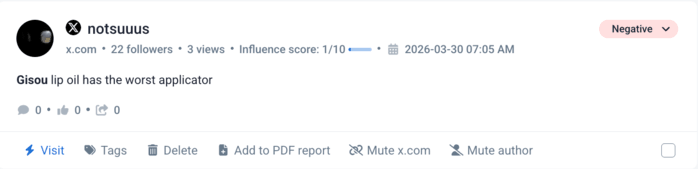
You can also set up alerts for specific keywords, so you don’t have to manually check conversations. When something important happens, you see it immediately and can respond before it spreads.
02 Stay ahead of competitors
Competitor analysis often focuses on activities like posts, campaigns, or product launches, but that doesn’t explain how those actions are received by the audience.
With X listening, you can see how people react in real time and use that as a great source of insight!
For example, you can track:
- how often competitors are mentioned compared to you
- what people are praising or complaining about in their products
- how their campaigns are landing in real time
- which topics or features are driving the most conversation
This gives you something reports usually miss: a deep market perception.
👉 Example
If a competitor rolls out a new feature and users repeatedly point out the same issue in replies or quote tweets, that’s immediate insight you can use in your positioning or product decisions.
03 Explain spikes, drops, and campaign results
A Twitter listening tool can help companies uncover valuable insights from customer conversations on X to better understand the market they operate in.
When something spikes on X, it usually happens fast and for a reason.
It might be:
- a post getting picked up in quote threads
- a reply going viral under your post
- someone with a large following mentioning your product
- or a negative comment starting to circulate
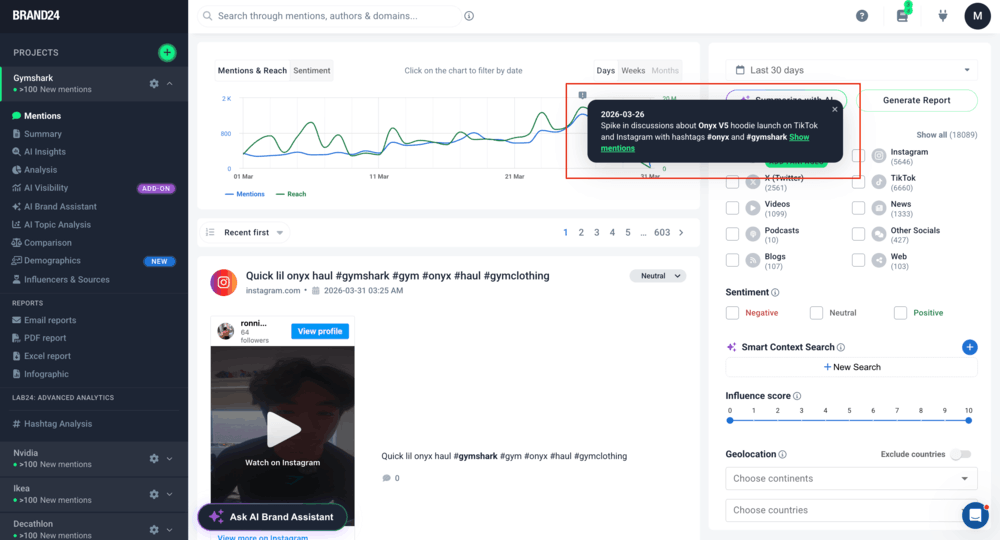
X (Twitter) listening lets you kind of go back to that exact moment, and check what triggered the jump in mentions volume, sentiment, or reach.
Besides analyzing the number, you can also analyze the tweet, the thread, and the reactions around it.
👉 Example
A spike in mentions can come from a single viral quote tweet, not a successful campaign.
A drop can happen because the conversation moved on, not because performance declined.
04 Get your customers involved in the conversation
A lot of great opportunities to engage on X don’t come from direct mentions!
People on X (Twitter):
- ask for tool recommendations
- compare products in threads
- complain about specific features
- look for quick solutions from others
X listening helps you catch those moments literally as they happen:
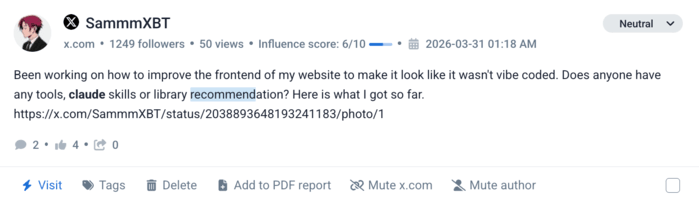
Instead of waiting for notifications, you:
- join relevant discussions
- respond where it matters
- pick conversations with clear needs
- engage customers with lively interaction
How to run an X (Twitter) listening campaign
01 Set clear goals (and make them specific)
Establishing goals is an important step in any Twitter listening campaign. Before you start tracking anything in your social listening tool, define what you actually want to measure.
If your goal is too broad, the data just won’t be that helpful.
Instead of:
- ❌ “increase our brand awareness”
go with:
- ✅ “analyze how people react to our new campaign on X (Twitter)”
- ✅ “track and analyze negative X mentions after a product update”
- ✅ “compare our share of voice on X with competitor A, B, and C”
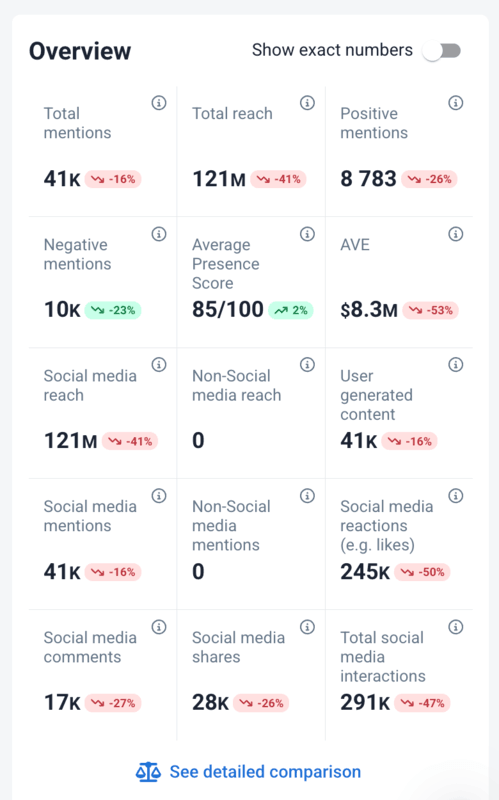
To see whether you’re moving in the right direction, focus on metrics that reflect real outcomes. If you use Brand24, look at these pro:
- Presence Score: shows your overall brand visibility based on mentions and reach, so you can quickly tell if your brand is gaining or losing traction
- Social media reach: shows how many people could have seen the discussion around your brand
- AVE (Advertising Value Equivalent): estimates how much that visibility would cost if you had to pay for it
👉 Example
If your Presence Score increases after a campaign, but sentiment/number of positive mentions stays stable, it usually means you reached more people without hurting perception.
📚 Further read: 11 Key Social Listening Metrics: What to Track and Why [2026]
02 Choose keywords that reflect how people talk
Good-quality keyword research is another important part of a social listening campaign on X (Twitter).
If you only use your brand name, you’ll probably miss a large part of the conversation.
People on X rarely stick to official names. They:
- shorten them
- misspell them
- use nicknames
- describe the problem instead of the product
That’s why keyword selection needs to go beyond obvious terms.
Instead of just:
- ❌ your brand name
find out which terms, phrases, hashtags, and other keywords are most commonly used in conversations related to your brand or topics of interest.
This can be done by using media monitoring tools that track keyword usage over time. Such keywords may include:
- product names and variations
- common misspellings
- campaign hashtags
- competitor names
- phrases people use when they describe your category
Once you’ve picked out the right keywords, you can use them to run searches and filter incoming data so you’re only analyzing what’s truly relevant.
📚 Further read: 9 Keyword Metrics to Track and Measure in 2026
03 Start listening to discussions on X (Twitter)
Once your keywords are set, mentions will start coming in, and your most important goal here should be not to read everything, but to spot those most valuable ones.
Focus on:
- questions or comparisons that signal user needs
- repeated topics showing up across different posts
- mentions with unusually high reach or engagement
- negative comments that start getting replies or quote tweets
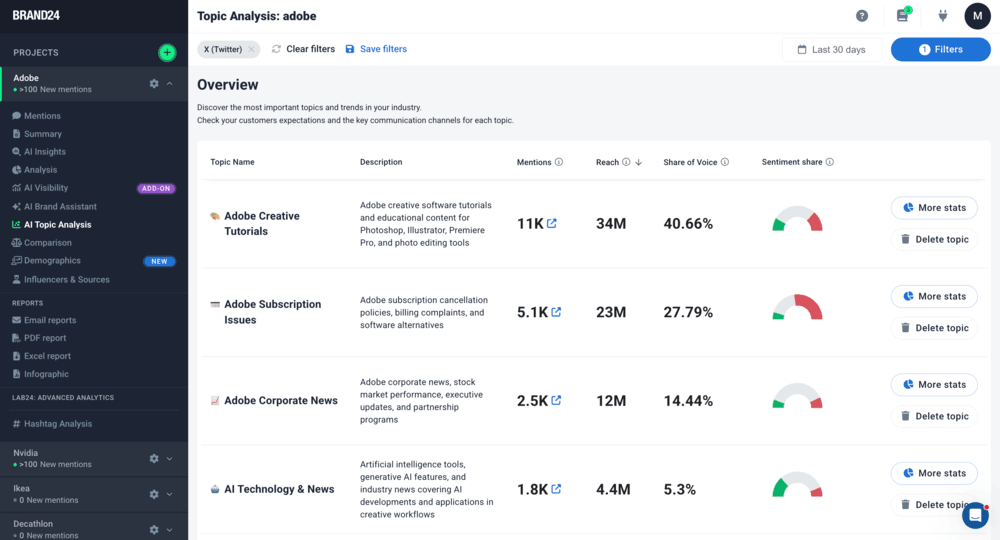
This is how you avoid wasting time on noise and focus only on conversations that can actually impact your brand.
04 Jump into the right conversations
Engaging is the process of responding to conversations about your brand, products, or services.
It involves actively taking part in conversations and providing support, information, or advice when necessary.
If your Twitter listening brings you great volumes of mentions, you can try to focus on:
- questions about your product or category
- comparison posts (“X vs Y”)
- complaints that start getting replies
- mentions from accounts with reach
Listening to mentions on X also helps you thank people for their feedback and show appreciation to users who share positive experiences with your brand.

This can involve:
- providing more information,
- answering questions,
- offering helpful advice.
It’s important to be authentic and genuine when engaging with users so that they feel respected and valued as customers.
05 Watch how things change over time
At this step, you’re checking if anything moved in the metrics and analyzing what could have caused it.
Start with simple questions:
- did something spike after a specific tweet or campaign?
- did reach go up because of one mention or many smaller ones?
- are negative mentions coming from one thread or showing up across different posts?
Analyzing this can involve using Twitter analytics tools to track metrics such as engagement, sentiment, reach, impressions, AVE, or conversions.
📚 Further read: How to Do X (Twitter) Sentiment Analysis? 7 Steps
📚 Further read: 14 Tips on How to Increase X (Twitter) Reach in 2025
Tracking your Twitter account helps you see how well your efforts are working and whether you’re actually hitting your goals.
It can also point out where you might need to put in a bit more work, or highlight opportunities to improve.
Make it a habit to review your tracking data regularly so you can spot shifts in trends or performance early and adjust as needed.
06 Use listening patterns to guide your next move
At this point, you’ve seen the mentions, the spikes, and what caused them.
Now the question is simple: what do you do with all these listening insights?
Look at what keeps repeating:
- the same complaint showing up in different tweets
- the same feature getting positive reactions
- the same type of post driving engagement
👉 Example
If multiple threads mention the same issue with onboarding, that points to a product or UX problem, not isolated feedback.
If a certain feature is consistently highlighted in positive mentions, that’s a clear angle to reinforce in messaging.
If users describe your category in a specific way, that language should be reflected in your communication
Analyzing Twitter listening data provides valuable information that can be used to refine strategies and optimize performance in order to better achieve objectives.
X (Twitter) Listening Tools
1. Brand24
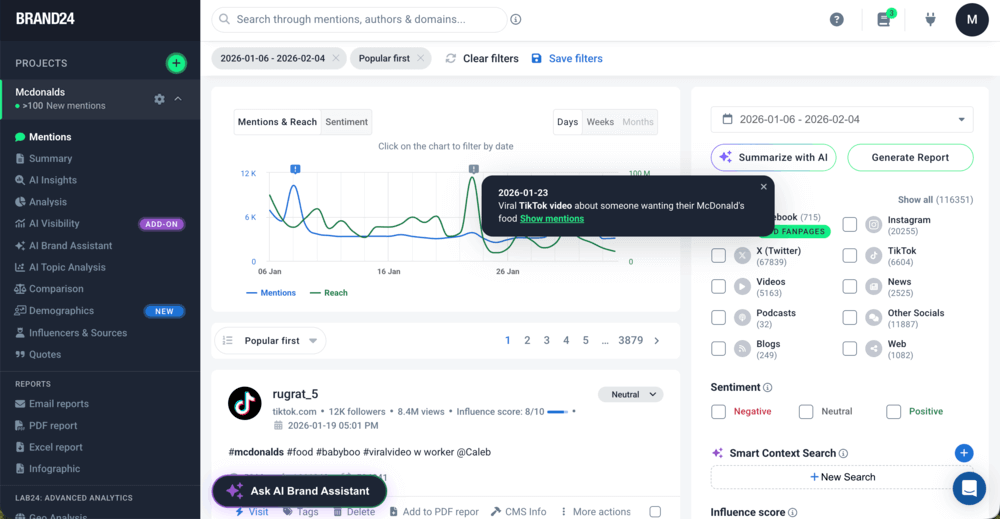
Brand24 is an AI-powered social listening tool that lets you track conversations on X in real time and see what’s driving them.
It collects mentions in real time and helps you understand:
- which X discussions are gaining traction
- what sentiment looks like across tweets
- which X accounts generate the most reach
You can filter results by:
- keywords or exclusions
- social media (including X) and non-social media platforms
- sentiment
- language
📚 Further read: Social Listening Filters: 10 Time-Saving Filters Every Tool Should Have
With Brand24, businesses can monitor trends and customer feedback in real time, so they can respond faster and make smarter decisions about their social media presence.
02 Sprout Social
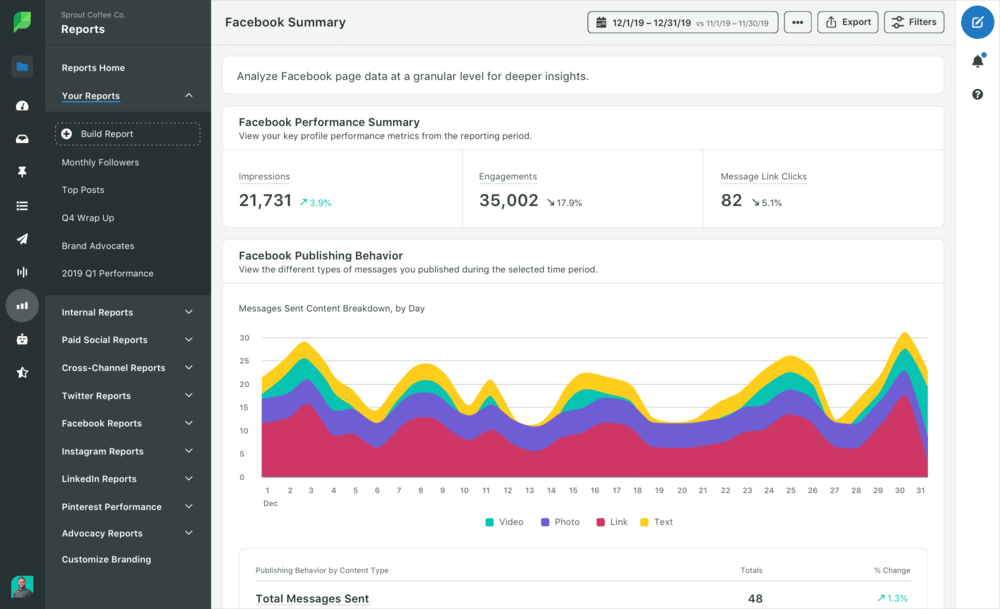
Sprout Social includes listening features that let you track conversations around your brand on X and other social platforms.
You can monitor:
- brand mentions and keywords
- hashtags tied to campaigns or topics
- conversations that don’t directly tag your profile
The tool is often used to connect listening with publishing and customer support workflows, so teams can move from monitoring to responding without switching tools.
This makes it easier to:
- keep track of ongoing conversations
- respond consistently as a team
- and avoid missing important mentions
📚 Further read: 8 Best Sprout Social Alternatives: Tried & Tested in 2026
03 X Pro (formerly TweetDeck)
After Twitter’s rebrand to X, TweetDeck was replaced by X Pro, now available as part of X Premium.
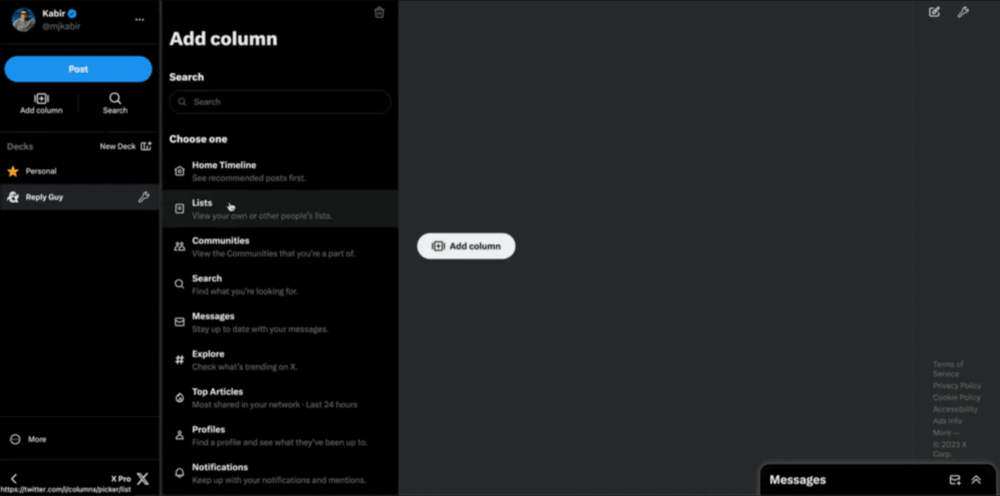
X Pro works as a real-time dashboard where you can set up columns to track:
- keyword searches
- hashtags
- lists and specific accounts
- notifications and mentions
This makes it useful if you want to follow conversations on X as they happen without switching between views.
What to do with X listening data
Once you start collecting and filtering mentions, the next step is using that data in practice.
Here are the most common ways teams actually use it:
01 Improve messaging and content
Look at how people describe problems, products, or your category.
That’s often different from how brands talk about themselves.
If users consistently use specific phrases or highlight certain features, that’s language worth reusing in your content, landing pages, or campaigns.
02 Spot product issues early
Repeated complaints are one of the clearest signals you’ll get.
Instead of waiting for support tickets, you can:
- identify friction points
- catch bugs or UX issues
- see what frustrates users
If the same issue shows up across multiple tweets, it’s usually worth escalating.
03 Find high-need conversations
Some of the X (Twitter) mentions indicate user needs very clearly:
- “any tool for…”
- “looking for alternatives to…”
- “X vs Y”
These are opportunities to engage, recommend, or position your product directly in the decision process.
04 Track competitors from the audience’s perspective
Instead of analyzing what competitors publish on X, look at how people react to them.
You’ll quickly see:
- what users like
- what they complain about
- what expectations they have
This is often more useful than official messaging or product tweets.
05 Validate campaigns and ideas
After launching something, check how people respond to it on X (Twitter) in real time.
Make sure to analyze:
- what they focus on
- what they misunderstand
- what gets picked up
This helps you adjust the X strategy really quickly.
06 Turn trends into content or product ideas
When certain topics keep coming up, they’re worth exploring further.
You can use them to:
- create content around real discussions
- prioritize features or improvements
- align messaging with what people already care about
FAQ
What is X (Twitter) listening?
It includes both direct mentions and posts that don’t tag you, so you can see the full context of discussions and reactions.
Is TweetDeck still available?
It still offers a column-based dashboard for real-time monitoring, but it’s no longer a free standalone tool.
What’s the difference between X (Twitter) monitoring and listening?
X (Twitter) listening goes further by analyzing patterns, sentiment, and context to understand what those mentions actually mean and how they should influence decisions.
Further read: Social Listening vs. Social Monitoring: What’s the Difference? [2026]
What are X Spaces and can you listen to them?
Monitoring Spaces is limited compared to regular posts. Most social listening tools can’t track live audio directly, but you can track tweets announcing or summarizing a Space, reactions and discussions happening around it and mentions of your brand during or after the event.