Table of contents
2M Marketers

Not getting many notifications on LinkedIn? That doesn’t mean nobody’s talking about your brand.
Untagged mentions can easily slip past you, along with valuable feedback and recommendations. And as LinkedIn becomes an important source of AI-generated answers, those conversations could also influence how LLMs talk about your brand.
Here’s how to find, track, and make the most of your LinkedIn mentions.
Key takeaways
-
LinkedIn mentions go beyond @tags.
They include both tagged and untagged references to your brand, products, or profile in posts, comments, and articles.
-
You can track LinkedIn mentions manually or automatically.
LinkedIn notifications show direct tags, while its search can uncover some untagged and competitor mentions. Media monitoring tools collect all accessible mentions and help you analyze sentiment, reach, and trends.
-
LinkedIn mentions can contribute to your AI visibility.
A 2026 study by Meltwater ranked LinkedIn as the second-most-cited domain among those analyzed. This means AI tools are drawing on conversations from real LinkedIn users, including content that mentions brands. And what people say about yours could influence how it's described and recommended in AI answers.
-
LinkedIn mentions can reveal opportunities for your marketing strategy.
Use them to discover potential customers, spot recurring feedback, and see what people like or dislike about competing products. These insights can help you improve your messaging, join relevant conversations, and identify gaps in the market.
What are LinkedIn mentions?
A LinkedIn mention is a reference to a person, brand, or company in a post, comment, or article.
It can be tagged (using @ to link to a LinkedIn profile or company page) or untagged (simply mentioning the name in the text).
Mentions are a great way to get someone’s attention, start conversations, or give a well-deserved shoutout. And on a platform built around professional networking, it’s no surprise that brands get mentioned alongside individual members.
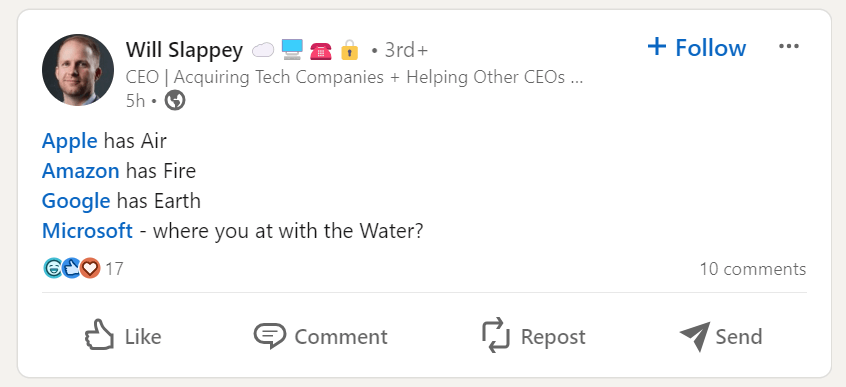
For brands and individuals alike, LinkedIn mentions can mean more exposure, new connections, and opportunities to engage with potential customers.
And in 2026, their value extends beyond LinkedIn itself, as the platform is becoming an increasingly important source for AI-generated answers.
According to a 2026 study by Meltwater, which analyzed 9.5 million AI citations, LinkedIn was the second-most-cited domain among the platforms highlighted, behind only YouTube.
This means what customers, employees, and industry experts say about your brand on LinkedIn could reach far beyond the platform, potentially influencing how AI tools talk about and recommend your brand.
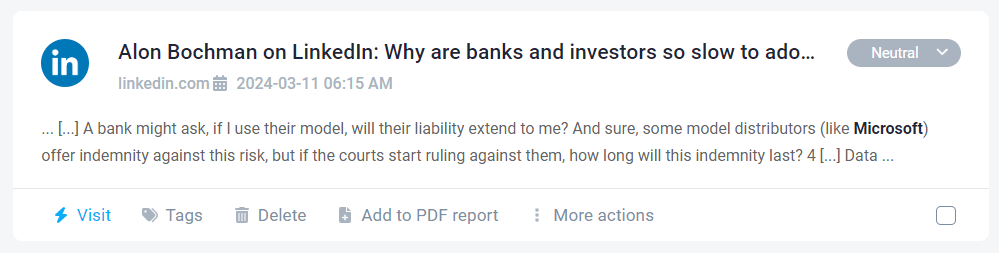
With that in mind, let’s look at the three ways your brand can come up on LinkedIn:
| Type of mention | How it works? | What it looks like? | Why it matters? |
|---|---|---|---|
|
Tagged (@) |
Type @ followed by a person’s or company’s name, then select the right profile from the drop-down list. Double-check if multiple people share the same name. Once published, the @ disappears, and the name becomes bold and clickable.
|
Coca-Cola (clickable to page) |
Sends a notification to the tagged user or brand, increasing engagement and brand visibility.
|
|
Untagged |
Typed in the caption or comment of a post, the name without using @.
|
“Coca-Cola’s new campaigns”
|
No notification is sent; most native tools won’t capture it. Adds lots of context to your reputation.
|
|
Add # + a keyword in a post. Clicking the hashtag leads to a feed of related content. While hashtags aren't technically @mentions, branded hashtags can act as another form of untagged mention.
|
#Cocacola or #Marketingtrends
|
Adds data and context to your campaign analysis.
|
Note: LinkedIn users can restrict who can mention them, so you might not always be able to tag a particular profile in your posts or comments.
How to track LinkedIn mentions?
There are two ways to track LinkedIn mentions: manually using LinkedIn’s built-in features or automatically with a social media monitoring tool.
Let’s break it down.
| Manual tracking | Automated tracking | |
|---|---|---|
|
How it works? |
Relies on LinkedIn notifications and manual searches for mentions
|
Uses LinkedIn monitoring tools to track mentions across LinkedIn and the web automatically |
|
Mentions it tracks |
Tagged mentions through notifications, plus some limited untagged mentions tracking through search
|
Available tagged, untagged, and hashtag mentions
|
|
Notifications |
Email, push, or application notifications for tagged mentions only |
Real-time alerts for collected mentions and changes in sentiment
|
|
Time investment |
High (manually reviewing each post, comment, or article) |
Low (AI processes thousands of mentions instantly) |
|
Analytics & insights |
Very limited — only know who tagged you |
Advanced metrics: sentiment analysis, trends, influencer score, topic analysis, brand reputation crisis & AI recommendations |
|
Competitor tracking |
Possible through manual searches, but time-consuming and difficult to analyze at scale
|
Tracks available competitor mentions and helps compare their performance over time
|
|
Scalability |
Inefficient for enterprise-level pages or high mention volume |
Fully scalable for hundreds or thousands of mentions |
|
Use case |
Small brands with few mentions |
Medium to large brands, agencies, or enterprise-level LinkedIn pages |
01 Manual tracking
You can track LinkedIn mentions manually by checking your notifications or searching for your brand name or hashtags in LinkedIn’s search bar.
Mentions in comments aren’t included in standard search results, so you might miss some conversations.
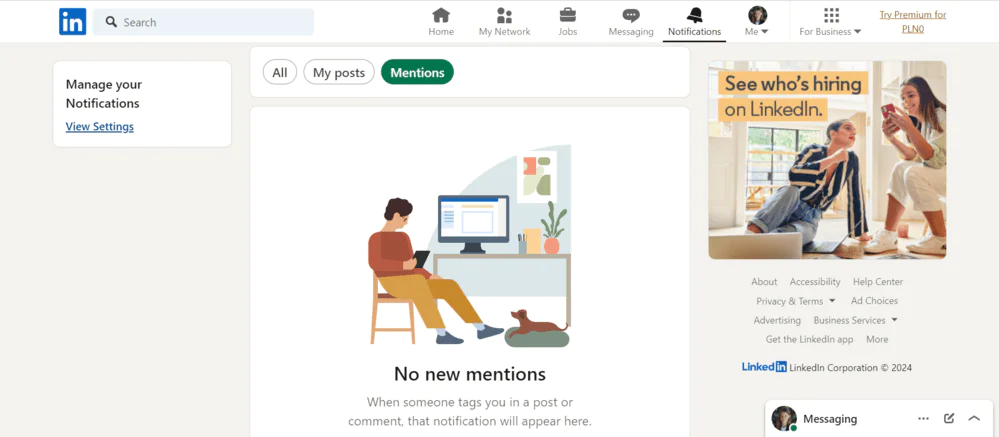
When someone tags your profile or company page, LinkedIn can send you an email, a push notification, or an in-app notification. You can manage these alerts and adjust their frequency in your notification settings.
You’ll find your notifications under the bell icon in the navigation bar at the top of your LinkedIn homepage.
For a smaller brand, this might be enough. But imagine keeping track of hundreds of mentions, checking every notification, and regularly searching for your brand. I’d much rather spend that time figuring out what those conversations actually tell me!
02 Using a social media monitoring tool
Another way to monitor LinkedIn mentions is to use a social media monitoring tool.
Such tools take a lot of the manual work out of tracking LinkedIn mentions.
Instead of checking notifications and running searches yourself, you can collect mentions in a single dashboard and analyze how people talk about your brand over time.
When it comes to LinkedIn, media monitoring tools (e.g., Brand24, Brandwatch) collect:
- Mentions from your company’s LinkedIn page (provided you have admin access).
- Comments under those mentions, once enabled in the LinkedIn integration.
- Other available mentions where your company is tagged or referenced.
Keep in mind that LinkedIn monitoring has its limitations. Tools can’t access private messages or private groups, and even publicly visible conversations aren’t always available for collection.
Still, there’s plenty you can learn from the mentions you do collect.
Beyond tracking their volume, monitoring tools also help you spot trends, analyze sentiment, and understand what’s driving conversations about your brand. Pretty neat!
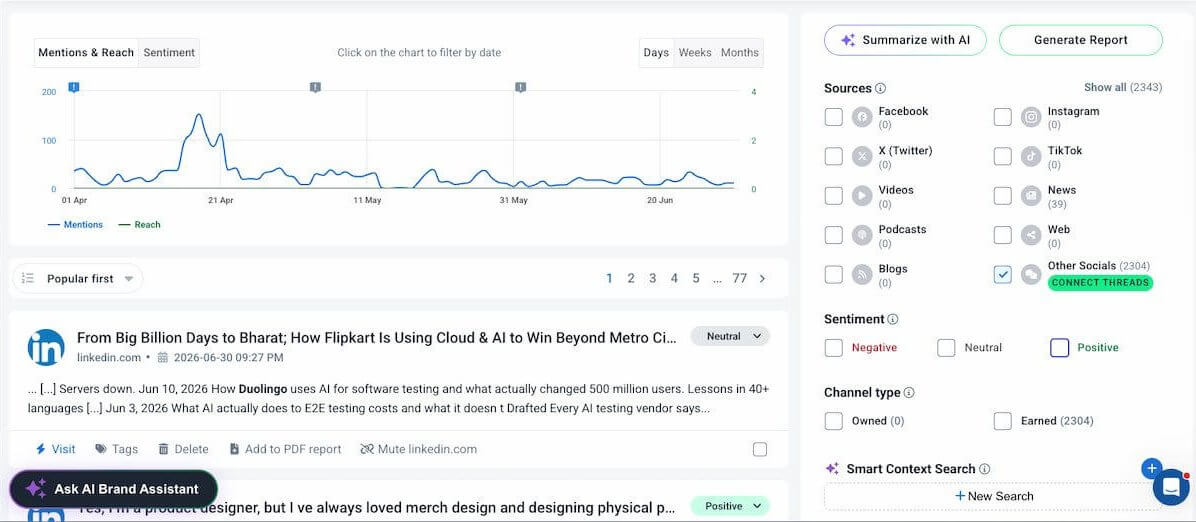
But what I really love about media monitoring tools is how much easier they make it to get to the bottom of what’s happening with your brand. There are two features I keep coming back to when it comes to LinkedIn analysis:
- Event Detector: It quickly spots sudden spikes in mentions and helps me figure out what’s behind them. A real time-saver when there’s a lot going on!
- Comparison tab: Lets me compare brand mentions across different periods or against competitors. Perfect for putting those numbers into perspective.
To show you how this works, I set up a Duolingo monitoring project in Brand24 and compared its LinkedIn mentions for Q2 2026 (April–June) with those for Q1 2026 (January–March).
And the difference was quite something!
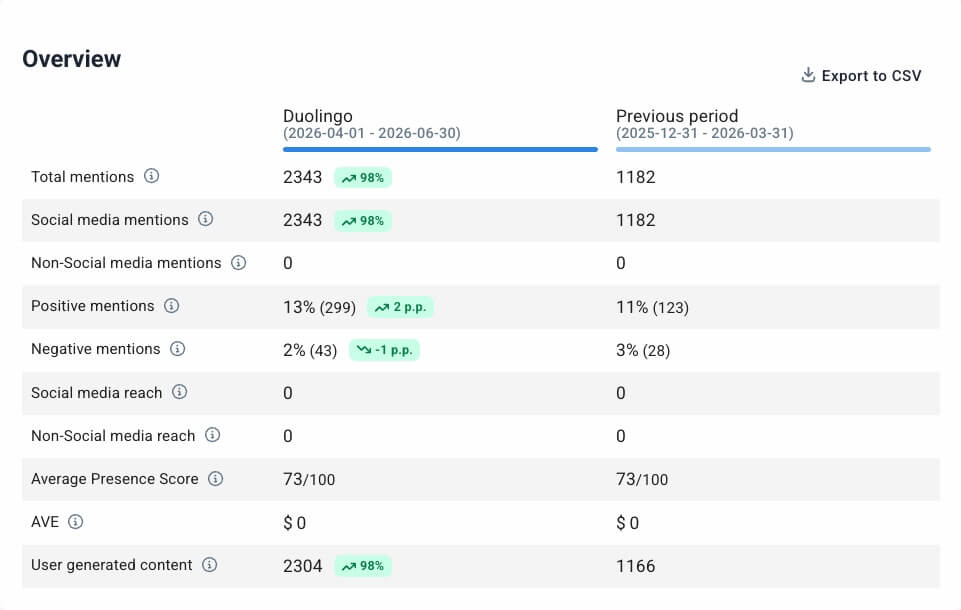
Duolingo went from 1,182 mentions in Q1 to 2,343 in Q2, a 98% increase. Positive mentions also jumped from 123 to 299, while the share of negative mentions dropped from 3% to 2%.
So, the increased attention wasn’t primarily negative. Good news, no reason to sound the alarm! But I still wanted to find out what got people talking.
I headed over to the Mentions tab, where the Mentions & Reach chart shows how conversations change over time.
From there, the Event Detector flags any unusual spikes, which you can click on to see what caused them. Much easier than digging through hundreds of posts yourself!
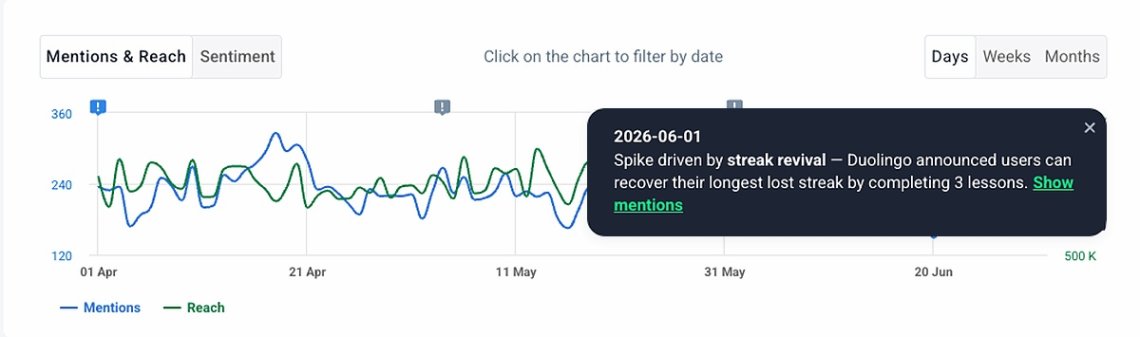
As you can see, one of Duolingo’s spikes during this period was tied to its Streak Revival announcement, which let users recover their longest-lost streak by completing 3 lessons.
The news got people talking about Duolingo on LinkedIn and beyond, contributing to the increase in mentions.
Now that’s something you can actually use!
Knowing which product updates get people talking can help you understand what resonates with the audience and which topics might deserve more attention in future campaigns.
How to use LinkedIn mentions in your marketing strategy?
Okay, so you’ve found out who’s talking about your brand on LinkedIn. Now what?
Let’s figure out which conversations deserve your attention and how you can use them to build relationships, improve your marketing, and reach new audiences.
Here are four ways to make LinkedIn mentions work for your brand.
01 Join conversations, even when you’re not tagged
Someone recommends your product in a LinkedIn post but doesn’t tag your company page? Or maybe they do it in a comment under someone else’s post? That’s still a conversation you might want to be part of!
If it’s a genuine recommendation, drop by and say thanks. And if someone’s asking questions about your product, even better! You can clear up their doubts or help them figure out whether it’s the right fit.
Of course, you don’t need to jump into every conversation. Nobody wants to read a generic sales pitch appearing under every post that mentions a software tool!
My tip: Prioritize mentions where someone is asking for recommendations, comparing products, or looking for advice. These are the conversations where your input is actually welcome.
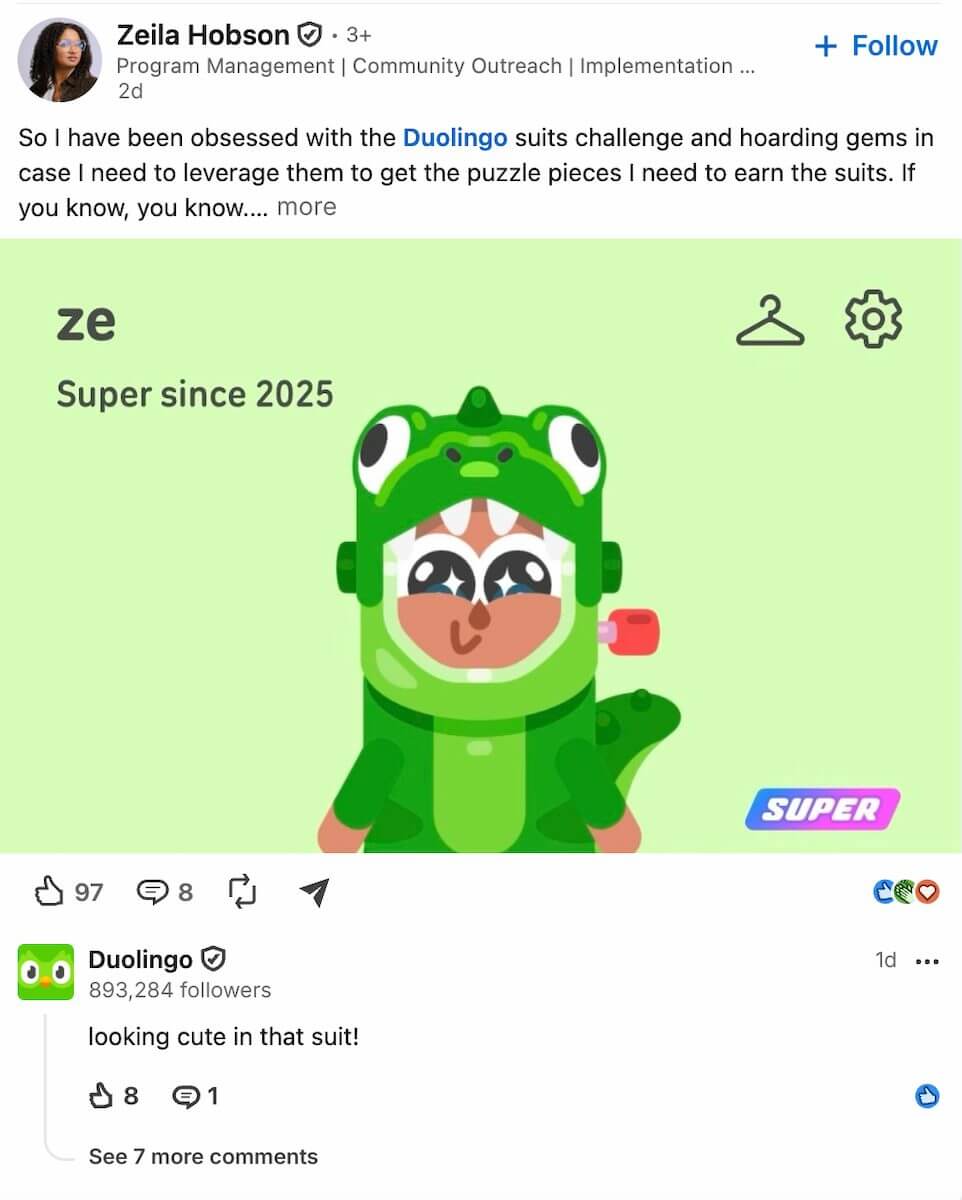
02 Get your employees involved
Spot a LinkedIn conversation about your latest launch, an industry topic, or something your team has been working on? Bring in the people who know it best!
Say a post about your latest feature gets 50+ comments. Your community manager could flag it to the product marketing team, and the people behind the feature can join the discussion, answer questions, or share a little behind-the-scenes insight.
You could even set up a dedicated Slack channel (something like #linkedin-conversations) and send alerts about high-reach posts straight there.
Just to make sure interesting discussions don’t get buried in someone’s inbox, and the right people can jump in while the conversation is still going.
I like this approach because it gives your audience a chance to meet the real people behind your brand while introducing your company to their professional networks, too.
And remember the Meltwater study I mentioned earlier? 75% of LinkedIn citations in AI-generated answers came from individual profiles, rather than company pages.
So, encouraging your employees to share their expertise could also help AI engines discover more about your company and what it’s known for. One more reason to let your people do some of the talking!
03 Use customer feedback to improve your marketing
Not every mention will be a compliment. But that can actually be a good thing! Some of the most useful insights come from people pointing out what’s missing, confusing, or simply not working for them.
If the same issue comes up five or more times in a month, I’d flag it for the product marketing team and see what we can do about it.
And if people keep asking the same question? That’s a pretty good sign that your website, FAQ, or onboarding content could explain something better.
You can learn a lot from positive feedback, too.
For example, if you notice several customers praising a feature you barely mention in your marketing… Well, maybe it’s time to give it some love! Highlight it in your content, show how people use it, or even build a campaign around it.
Your customers are practically telling you what to do to excel. Might as well listen!
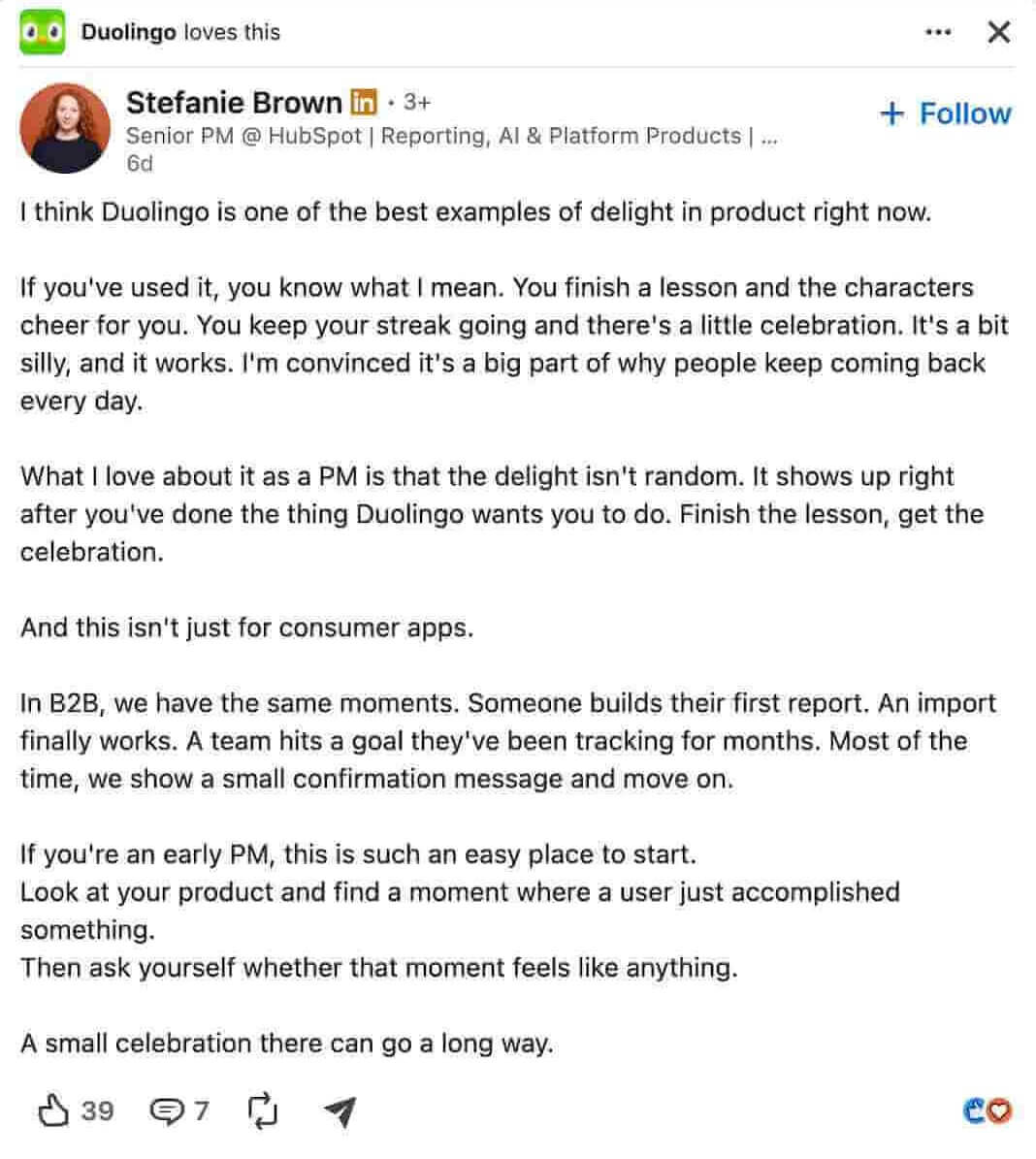
04 Learn from your competitors’ mentions
Your competitors’ LinkedIn conversations can be just as interesting as your own.
Look at which announcements, campaigns, and topics generate discussion around competing brands. Are people complaining about pricing? Asking for something their current solution doesn’t provide?
Similar to monitoring your own mentions, if you notice the same complaint about a competitor’s product recurring, it’s worth looking into.
You can investigate whether it’s a broader customer pain point, how your product compares, and whether there’s an opportunity to address it in your messaging or roadmap.
And if your product already solves that exact problem? Even better! You might have just found a great angle for your next campaign.
Conclusion: The benefits of tracking your LinkedIn mentions
By now, I hope I’ve convinced you that LinkedIn mentions are worth keeping an eye on, whether or not they come with a @tag!
They can help you discover potential customers, build relationships, learn what people really think about your brand, and catch conversations you might otherwise miss.
Here’s a quick recap:
| Benefit | Brands | Individuals |
|---|---|---|
|
1
Reach & visibility |
Reach potential customers, partners, and industry peers
|
Grow network and professional visibility
|
|
2
Credibility & trust |
Build credibility through genuine recommendations and positive feedback
|
Strengthen professional reputation through peer recognition
|
|
3
Engagement & relationships |
Foster conversations with clients and partners
|
Build connections and join industry discussions
|
|
4
Search & AI visibility |
Build an online presence through conversations and recommendations that AI tools may reference
|
Get your expertise in front of new audiences, both on LinkedIn and through AI search
|
|
5
Crisis management |
Spot spikes or negative mentions for quick response
|
Address negative feedback or misinformation promptly
|
And one final thought from me: don’t get too caught up in the number of mentions.
A single recommendation from the right person or a conversation with a potential customer can be more valuable than dozens of passing references.
It’s what you learn from those mentions, and what you do next, that really counts!
FAQ
Open the Notifications tab (click on the bell icon) to see when someone tags your profile or company page. To find untagged mentions, search for your brand name using LinkedIn’s Posts filter. You can look up competitor mentions the same way. For broader tracking, including available mentions in comments, use a media monitoring tool.
Go to Settings & Privacy → Visibility → Mentions, tags, and collaborations and enable Allow mentions, tags, and collaborations. Others will then be able to tag your profile in LinkedIn content.
Brands use LinkedIn mentions to increase organic reach, collaborate with partners, highlight customers, engage industry leaders, and join relevant conversations. Mentions also support influencer marketing, employee advocacy, social proof, and community-building strategies.
LinkedIn lets you mention multiple people in one post, but doesn’t publicly specify an exact limit. I’d recommend tagging only people relevant to your content, rather than adding dozens of profiles just to attract attention.
LinkedIn mentions don’t directly improve your Google rankings, but public conversations about your brand may increase your visibility in AI-generated search results: a 2026 study by Meltwater ranked LinkedIn as the second-most-cited domain in its analysis of 9.5 million AI citations.
Yes, but there are some API limitations. Tagged mentions (@) in posts, articles, or videos send a note (notification) to the mentioned LinkedIn profile or page name, making them easy to track.
However, untagged mentions in comments, captions, or someone else’s network activity are harder to notice because LinkedIn does not provide alerts.
They may have disabled mentions in their privacy settings, or LinkedIn might restrict tagging outside your network. Sometimes, it’s just a technical glitch. Try typing the name of the person after @, selecting their profile from the drop-down list, or refreshing the page. If they’ve disabled mentions, you won’t be able to tag them.