Table of contents
2M Marketers

LinkedIn analytics tools offer a whole range of different features, starting from the native LinkedIn analytics focus on your own profile to dedicated apps and full social media management platforms with LinkedIn analytics built in. I decided to analyze and try them and compile my insights into this simple list.
Why? So, you won’t have to waste your time on research.
Here’s what’s actually worth depending on your needs.
Key takeaways:
-
LinkedIn's own native analytics is great to analyze your own profile.
It pulls data directly from LinkedIn's systems, so demographic and engagement numbers match exactly what LinkedIn reports internally, and it's free with any account.
-
Use Brand24 for sentiment analysis in a broader context
Its AI sentiment analysis view put LinkedIn mentions in context with X, Reddit, news, and other channels instead of viewing them in isolation.
-
Taplio's LinkedIn Benchmark scores posts against 60,000+ analyzed posts monthly
That's the largest comparative benchmarking dataset among the creator-focused tools reviewed here.
-
Two tools offer a genuinely permanent free tier, not just a trial
GoLogin (3 browser profiles) and Social Champ (3 accounts, 15 posts per month) both let you get real value before you ever pay.
Best LinkedIn analytics tools shortlist
- Brand24 – best for LinkedIn monitoring and analytics with cross-platform context
- LinkedIn Native Analytics – best free, first-party data for your own profile or Page
- Taplio – best for benchmarking personal LinkedIn posts against a large dataset
- Shield Analytics – best for solo creators who want a simple, creator-only dashboard
- SocialPilot – scheduling and reporting for small businesses
- Sprout Social – best for teams that want management and analytics in one suite
- Hootsuite – best for teams already managing several platforms who want LinkedIn folded in
- Brandwatch – best for competitor benchmarking
- Keyhole – best for agencies tracking LinkedIn hashtag campaigns and competitor engagement
- SentiOne – best for sentiment tracking bundled with competitor monitoring
- GoLogin – best for securely managing multiple LinkedIn accounts (not analytics itself)
- Klipfolio – best for custom dashboards blending LinkedIn with other business data
- Whatagraph – best for white-label, client-ready LinkedIn reporting
- Social Champ – best free-to-start option for small teams
- Vaizle – best budget option for LinkedIn-only performance tracking
LinkedIn Analytics Tools Overview:
| Tool | Best for | G2 / Capterra | Free trial | Starting price |
|---|---|---|---|---|
|
1
|
LinkedIn + other platforms monitoring and analytics (also AI-based)
|
4.6★ (336) / 4.7★ (254)
|
14 days
|
$199/mo (annual)
|
|
Free first-party profile/Page data
|
Not applicable
|
Not applicable
|
Free
|
|
|
3
|
Post benchmarking for creators
|
3.9★ / 4.0★
|
7 days
|
$39/mo
|
|
Solo creator dashboard
|
3.2★ (14) / not published
|
7 days
|
From $25/mo
|
|
|
Small business scheduling + reporting
|
4.5★ (836) / 4.4★ (375)
|
14 days
|
$25.50/mo (annual)
|
|
|
Management + analytics in one suite
|
4.4★ (6,957) / 4.4★
|
30 days
|
$199/user/mo (Standard)
|
|
|
Multi-platform teams
|
4.3★ (6,699) / 4.4 ★ (3,797) reviews
|
30 days
|
$99/mo
|
|
|
Ccompetitor benchmarking
|
4.2★ (1,543) / 4.2★ (237)
|
None published
|
Custom (~$800-1,000+/mo)
|
|
|
9
|
Hashtag + competitor engagement analysis
|
4.3★ (69) / 5.0★ (2)
|
14 days
|
$179/mo
|
|
10
|
Sentiment + competitor tracking
|
4.7★ (36) / 4.7★ (3)
|
available, length not published
|
From $299/mo
|
|
11
|
Multi-account management
|
4.7★ (73) / 4.6★ (116)
|
7 days
|
Free, or from $24/mo
|
|
12
|
Custom cross-source dashboards
|
4.5★ (256) / 4.7★ (192)
|
14 days
|
From $90/mo
|
|
13
|
White-label client reporting
|
4.5★ (277) / 4.4★ (84)
|
14 days + limited free plan
|
From ~$229/mo (annual)
|
|
14
|
Small teams
|
4.4★ (32) / 4.4★ (69)
|
14 days + free plan
|
Free, paid from ~$23.20/mo
|
|
15
|
Budget friendly LinkedIn-only tracking
|
4.2★ (36) / 4.4★ (50)
|
14 days
|
From $29/mo
|


Before we dive in deeper, I need to clarify the research process.
Plus, be aware that those tools evolve fast (and so does LinkedIn itself). So, take this article as your guide, not absolute knowledge! Some of the features may have already changed and cons addressed.
I built this list by combining hands-on testing of each tool’s dashboard and free trial, cross-referencing G2 and Capterra review data across all tools below. I fact-checked every feature claim, pricing and researched help sites. Every price, star rating, and trial length in this article was verified in 2026 on public pricing pages, since SaaS pricing changes often, and several tools updated their plans this year.
11 Top LinkedIn Analytics Tools:
01 Brand24
4.6/5
G2 (336 reviews)
4.7/5
Capterra (254 reviews)
14 days / Free trial
From $199 / Month
Best for tracking LinkedIn mentions and understanding how your profile is perceived across the rest of the web with AI-based analysis.
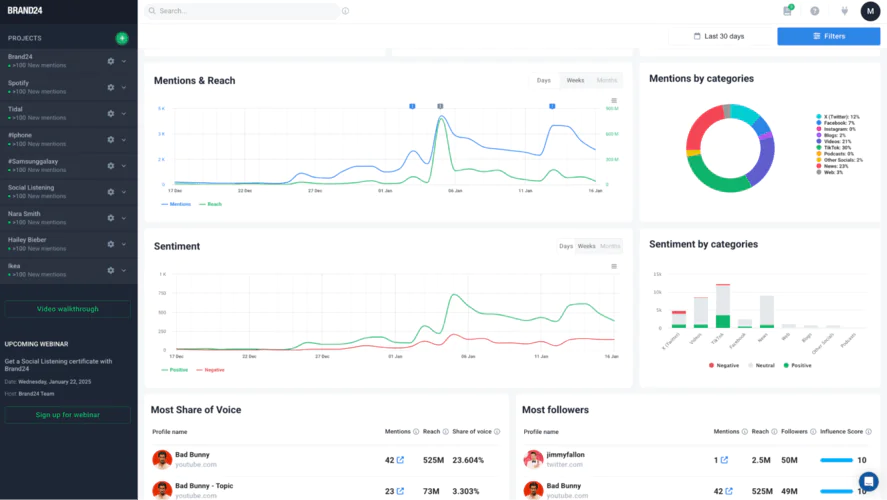
This is what a LinkedIn mention looks like in the tools dashboard:
Why I picked Brand24?
It pairs LinkedIn analytics with AI-powered social listening and sentiment analysis. You can check whether the tone was positive, negative, or neutral, without manually checking posts.
Its share-of-voice and competitor comparison view puts your LinkedIn presence on the same chart as named competitors, a comparison most LinkedIn-only tools can’t make since they only see your own account.
Plus it includes advanced AI-based analysis, so you get ready-to use insights and don’t need to waste time on manual interpretations.
✅ Pros:
- AI-powered sentiment analysis flags tone shifts automatically
- Cross-platform share-of-voice puts LinkedIn mentions in context with the rest of your brand’s footprint
- Automated online/PDF/Excel reports for stakeholders who don’t log into the dashboard
- Slack and email alerts for mention spikes
❌ Cons:
- Historical data on lower-tier plans is capped at 30 days
- Doesn’t natively track your own LinkedIn post-level engagement metrics the way a creator-focused tool does

02 LinkedIn Native Analytics
Best for checking your own profile or Page’s exact metrics straight from the source, at no cost.
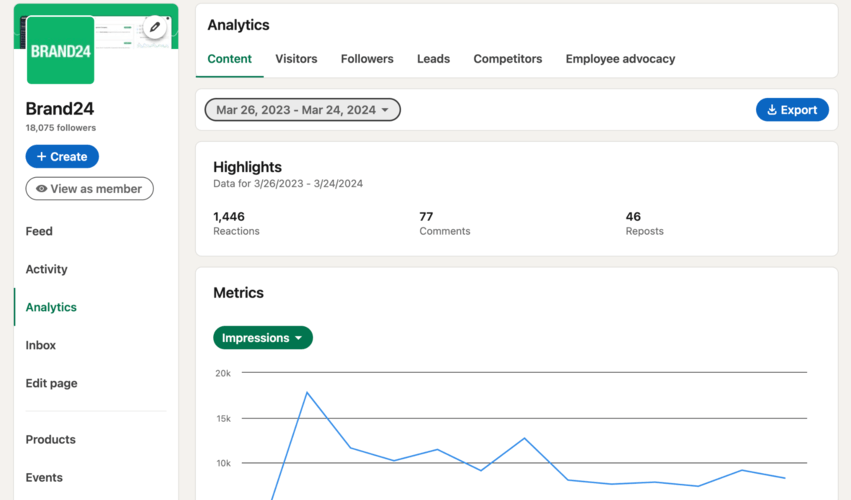
How to access LinkedIn native analytics?
To find data for your company page, simply go to your page’s profile and click on “Analytics” in the LinkedIn company page dashboard.
After entering the panel, you can choose from a few tabs:
- Content
- Visitors
- Followers
- Leads
- Competitors
- Employee Advocacy
Why I picked LinkedIn Native Analytics?
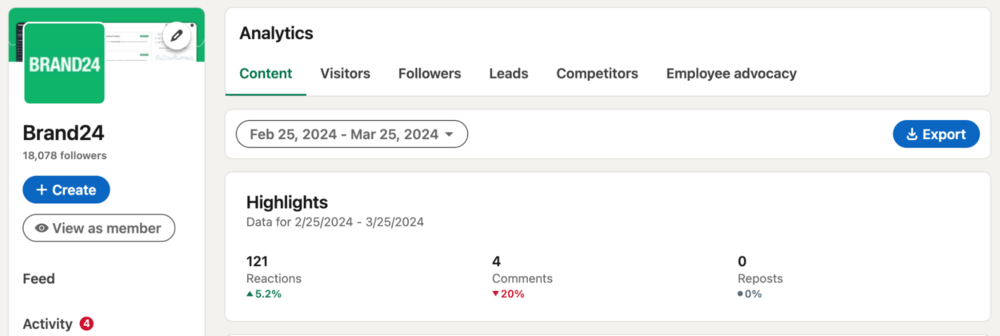
It’s the only tool on this list that pulls data directly from LinkedIn’s own systems, so follower demographics, impressions, and engagement numbers match exactly what LinkedIn itself reports, with no third-party estimates.
It breaks down visitor and follower demographics by job title, seniority, industry, and location by default, a level of built-in audience detail most third-party tools charge extra for.
🔍 Monitored sources: Your own LinkedIn profile or Company Page only.
Unfortunately, if you run mutual LinkedIn profiles, you have to access the analytics for each LinkedIn company page separately.
✅ Pros:
- Free with any LinkedIn account
- Most accurate first-party data available
- Detailed audience demographic breakdowns out of the box
- No setup or integration required
❌ Cons:
- No competitor tracking
- No cross-platform reporting
- No unified multi-account dashboard, requires manual login per account
03 Taplio
3.9/5
G2
4.0/5
Capterra
7 days / Free trial
From $39 / Month
Best for individual creators and personal brands who want to benchmark their LinkedIn post performance against a large dataset of other posts.
Why I picked Taplio?
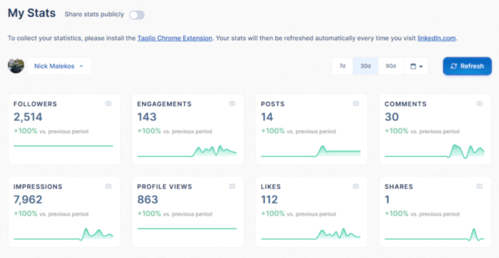
Its LinkedIn Benchmark feature scores every post against a database of 60,000+ analyzed posts, giving you a relative performance score instead of just raw likes and comments. The Starter plan gives you scheduling and analytics.
🔍 Monitored sources: Your own LinkedIn profile and posts, benchmarked against a wider LinkedIn post dataset.
✅ Pros:
- Post-level benchmarking against tens of thousands of other LinkedIn posts
- 7-day trial gives full Pro-tier access before you pay
- Built-in AI writing tools on higher tiers
- 30-day money-back guarantee on first payment
❌ Cons:
- AI features are completely locked on the entry Starter plan
- LinkedIn-only, no cross-platform view
04 Shield Analytics
3.2/5
G2 (14 reviews)
Not published
Capterra
7 days / Free trial
From $25 / Month
Best for solo creators who want a simple, creator-focused LinkedIn analytics dashboard without a full social media suite.
Why I picked Shield Analytics?
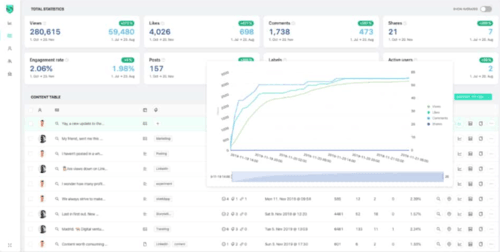
It’s built exclusively around individual creator growth metrics like views and engagement trends over time, rather than being a management suite with analytics bolted on. Its pricing scales per LinkedIn account, so a single creator isn’t paying for team seats or multi-platform features they won’t use.
🔍 Monitored sources: Your own LinkedIn profile.
✅ Pros:
- Purpose-built for individual creator growth tracking
❌ Cons:
- Lower G2 score (3.2 from 14 reviews) than most other tools on this list
- No competitor or cross-platform tracking
05 SocialPilot
4.5/5
G2 (836 reviews)
4.4/5
Capterra (375 reviews)
14 days / Free trial
From $25.50 / Month
Best for small businesses that want straightforward LinkedIn scheduling and engagement reporting without enterprise complexity.
Why I picked SocialPilot
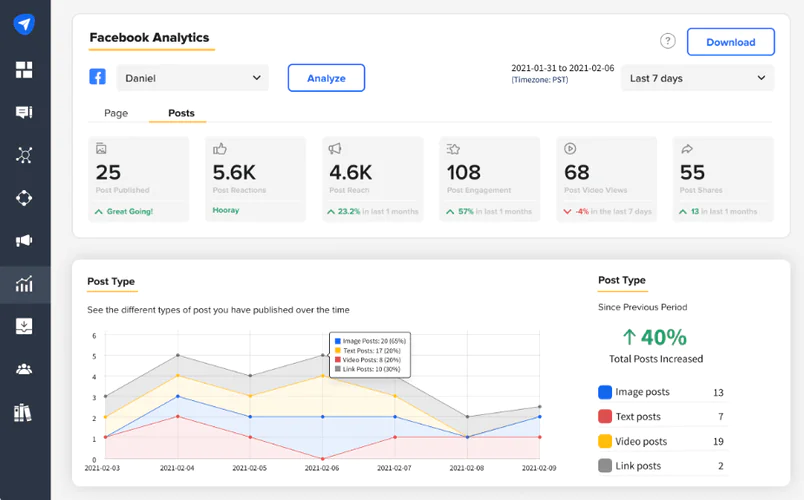
Its Essentials plan covers 7 social accounts, including LinkedIn Pages and profiles, while keeping one of the lowest per-account price points among the management-suite tools in this list.
Customizable client-facing reports are built into the entry tier, which agencies managing multiple LinkedIn clients will love.
🔍 Monitored sources: LinkedIn, Facebook, Instagram, X, TikTok, Google Business Profile, and Pinterest.
✅ Pros:
- Low entry price relative to other management suites
- Customizable client reports included on the base plan
- Bulk scheduling across accounts
❌ Cons:
- No dedicated competitor tracking
- Analytics depth is lighter than dedicated listening tools like Brand24 or Brandwatch
- Additional users and profiles cost extra per seat
06 Sprout Social
4.4/5
G2 (6,957 reviews)
4.4/5
Capterra
30 days / Free trial
From $199/user / Month
Best for mid-size and enterprise teams that need LinkedIn analytics folded into a broader social media management and listening platform.
Why I picked Sprout Social?
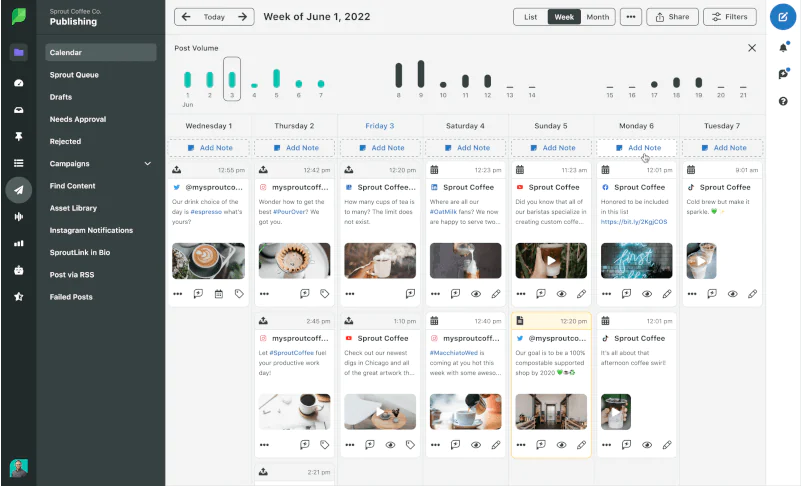
Its higher tiers combine LinkedIn publishing and analytics with dedicated social listening tools, so a team doesn’t need to run a separate listening tool alongside their management suite.
Its 30-day free trial is roughly double the length of most competitors on this list, giving teams a full reporting cycle to test before committing.
🔍 Monitored sources: LinkedIn, Facebook, Instagram, X, TikTok, YouTube, and Pinterest.
✅ Pros:
- Deep reporting and approval workflows built for teams
- Management and analytics combined at higher tiers
- Backed by 6,957+ G2 reviews at a 4.4 average
❌ Cons:
- Advanced listening and analytics exports require higher-tier plans
- Per-seat pricing scales fast for larger teams
07 Hootsuite
4.3/5
G2 (6,699 reviews)
4.4/5
Capterra (3,797 reviews)
30 days / Free trial
From $99 / Month
Best for teams that already manage several social platforms and want LinkedIn analytics as one tab inside a familiar, established dashboard.
Why I picked Hootsuite?
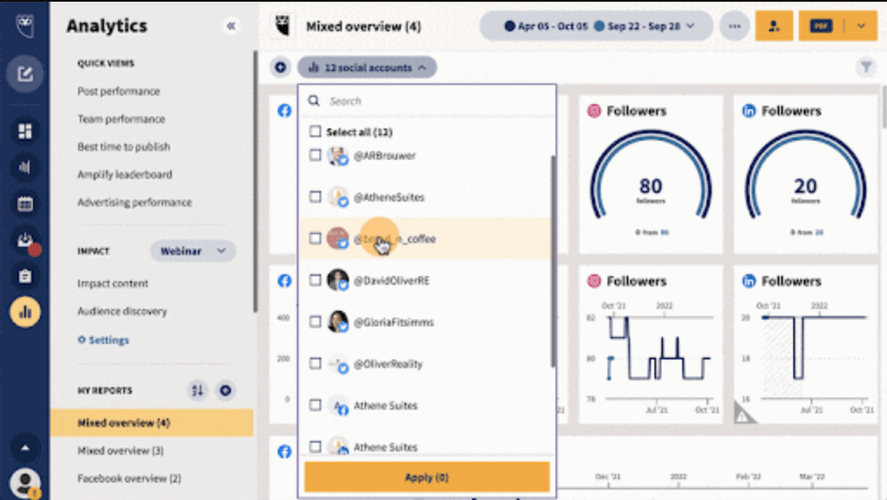
It’s one of the most reviewed social management tools on this list, with 6,699 G2 reviews giving its LinkedIn analytics module a large, mature feedback base to check feature claims against.
Its 30-day trial matches Sprout Social’s for length, giving you a full month to test LinkedIn reporting before the $99/month plan kicks in.
🔍 Monitored sources: LinkedIn, Facebook, Instagram, X, TikTok, YouTube, and Pinterest.
✅ Pros:
- Possibility to run multiple accounts
- Large review base to validate claims
- 30-day free trial
❌ Cons:
- LinkedIn-specific analytics are less deep than a dedicated LinkedIn tool like Taplio or even its native analytics.
- Per-user pricing climbs quickly on Team ($249/mo) and Advanced ($399/mo) tiers
08 Brandwatch
4.2/5
G2 (1,543 reviews)
4.2/5
Capterra (237 reviews)
None published / Free trial
From ~$800 / Month (custom quote)
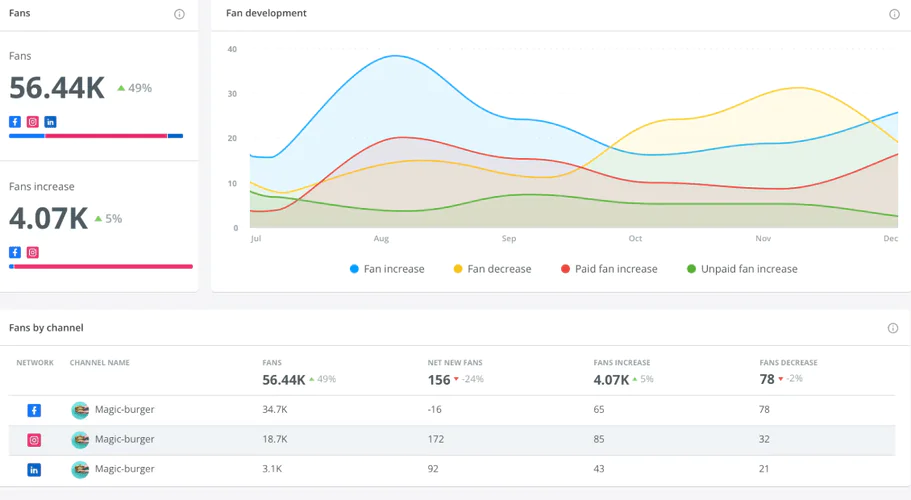
Best for enterprises that need deep LinkedIn competitor benchmarking as part of a broader consumer intelligence platform.
Why I picked Brandwatch?
Its audience segmentation tools let you analyze LinkedIn and cross-platform mentions by detailed demographic and psychographic groups – it’s a depth of segmentation most tools on this list don’t attempt.
It’s built for benchmarking against named competitors at scale, the specific job enterprise teams hire it for over lighter-weight tools.
🔍 Monitored sources: LinkedIn, X, Instagram, Facebook, TikTok, Reddit, forums, blogs, and news, with a large historical archive.
✅ Pros:
- Deep audience segmentation and benchmarking
- Large historical data archive
❌ Cons:
- No public pricing or self-serve free trial, sales call required
- Steep learning curve reported by reviewers
- Overkill and expensive for LinkedIn-only use cases
09 Keyhole
4.3/5
G2 (69 reviews)
5.0/5
Capterra (2 reviews)
14 days / Free trial
From $179 / Month
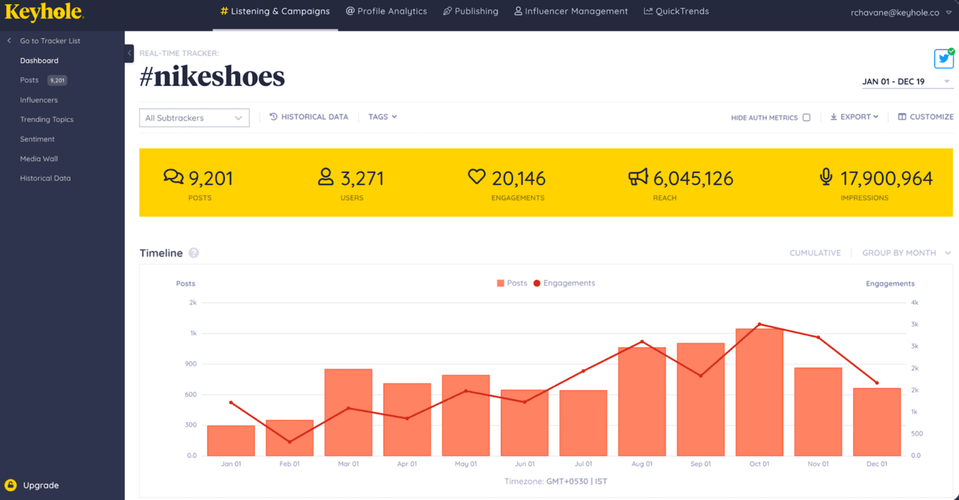
Best for agencies that need to track LinkedIn hashtag and competitor engagement trends side by side.
Why I picked Keyhole?
LinkedIn campaign hashtags are analyzed directly to engagement trend charts, showing performance shift over the life of a campaign rather than a single snapshot.
It’s built specifically for comparing your engagement metrics against named competitors on the same chart, the exact agency reporting use case.
🔍 Monitored sources: LinkedIn, X, Instagram, TikTok, YouTube, and Facebook.
✅ Pros:
- Hashtag campaign tracking
- Side-by-side competitor engagement comparison
❌ Cons:
- Relatively expensive if you only need LinkedIn coverage
- Some metrics need manual interpretation
📚 Learn more: Brand24’s Keyhole alternatives comparison
10 SentiOne
4.7/5
G2 (36 reviews)
4.7/5
Capterra (3 reviews)
Available / Free trial, length not published
From $299 / Month
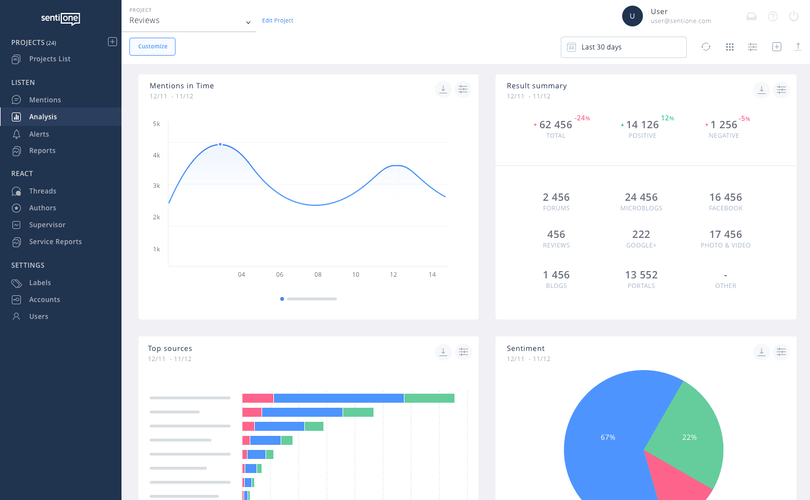
Best for mid-to-large businesses that prioritize LinkedIn sentiment tracking alongside broader competitor monitoring.
Why I picked SentiOne?
Its real-time sentiment monitoring covers a wide set of sources beyond LinkedIn, so sentiment shifts tied to a LinkedIn campaign can be cross-checked against reactions elsewhere on the web. It adds competitor tracking into the same dashboard, so sentiment and competitive benchmarking don’t require two separate tools.
🔍 Monitored sources: LinkedIn, X, Instagram, Facebook, TikTok, forums, blogs, and news.
✅ Pros:
- Real-time sentiment monitoring
- Broad source coverage beyond LinkedIn
- Competitor tracking
❌ Cons:
- Steep learning curve reported by users
- Sentiment-first focus limits versatility for teams that mainly need scheduling or publishing
- Pricing starts high at $299/month
11 GoLogin
4.7/5
G2 (73 reviews)
4.6/5
Capterra (116 reviews)
7 days / Free trial
Free, or from $24 / Month
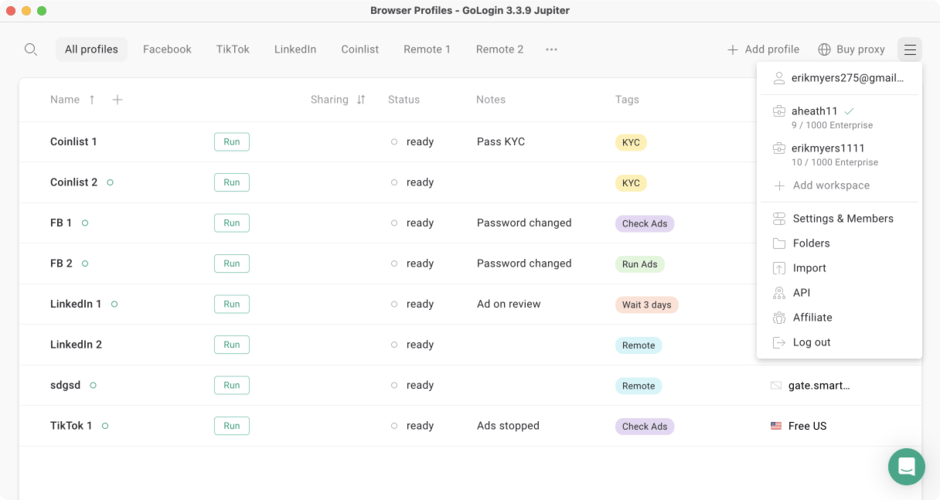
Best for agencies and teams managing multiple LinkedIn accounts securely, rather than analyzing performance data.
Why I picked GoLogin?
It lets teams run multiple LinkedIn accounts from one platform without triggering LinkedIn’s multi-account security flags, solving a real operational problem for agencies.
It offers a genuinely permanent free plan with 3 profiles, which none of the other management tools on this list do.
🔍 Monitored sources: Not applicable, GoLogin is an account/browser management layer, not a mention or analytics data source.
✅ Pros:
- Permanent free plan for 3 profiles
- Secure multi-account browser isolation
- Team collaboration features
❌ Cons:
- Minimal analytics of its own, it’s an account-management tool, not an analytics dashboard
- Overkill if you only manage one LinkedIn account
12 Klipfolio
4.5/5
G2 (256 reviews)
4.7/5
Capterra (192 reviews)
14 days / Free trial
From $90 / Month
Best for teams that want to build a single custom dashboard blending LinkedIn data with data from other business tools.
Why I picked Klipfolio?
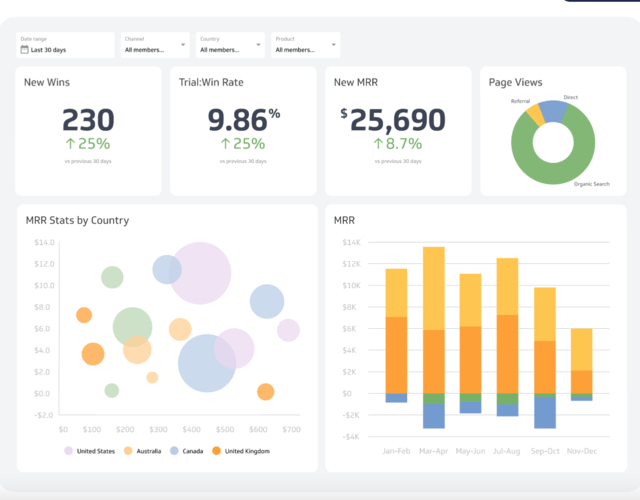
It connects to LinkedIn alongside dozens of other data sources like CRMs, ad platforms, and spreadsheets in one customizable dashboard, so LinkedIn metrics sit next to revenue or pipeline data instead of living in a separate tab.
Dashboards are fully custom-built rather than templated, which matters if your team’s reporting structure doesn’t match a vendor’s default LinkedIn report layout.
🔍 Monitored sources: LinkedIn plus dozens of other connectable data sources depending on your stack.
✅ Pros:
- Custom cross-platform dashboards, not just LinkedIn
- Wide range of data source integrations
❌ Cons:
- Requires SQL/API knowledge to get the most out of it
- Steep learning curve for non-technical users
13 Whatagraph
4.5/5
G2 (277 reviews)
4.4/5
Capterra (84 reviews)
14 days / Free trial + limited free plan
From ~$229 / Month
Best for agencies that need visually polished, white-label LinkedIn reporting for multiple clients.
Why I picked Whatagraph?
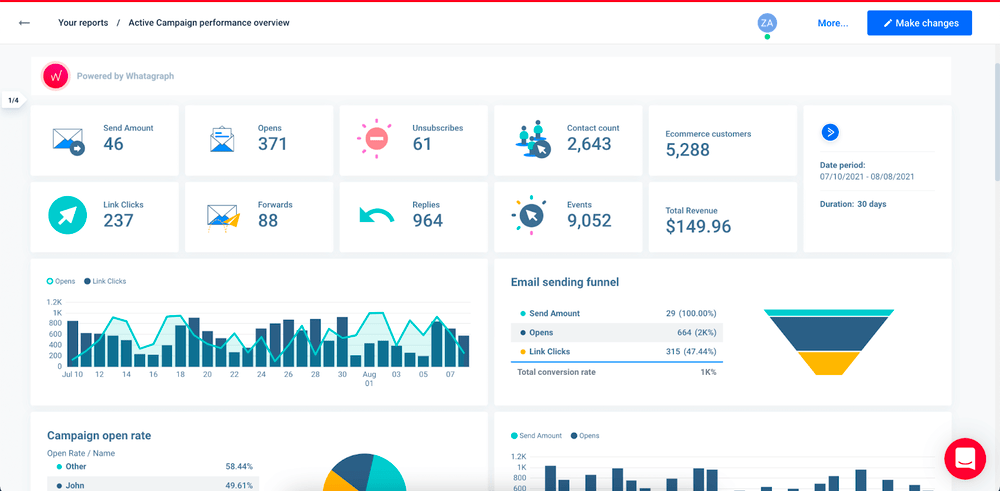
Its report templates are built for client delivery, with white-labeling and visual polish that most analytics-first tools on this list don’t prioritize. It uses a source-credit pricing model instead of per-seat pricing, so an agency can budget by number of connected data sources instead of by headcount.
🔍 Monitored sources: LinkedIn plus a wide range of marketing, ad, and analytics platforms depending on connected credits.
✅ Pros:
- Client-ready, white-label report templates
❌ Cons:
- Paid plans require annual billing, no monthly option
14 Social Champ
4.4/5
G2 (32 reviews)
4.4/5
Capterra (69 reviews)
14 days / Free trial + free plan
Free, or from ~$23.20 / Month
Best for small-to-medium teams that want basic LinkedIn post performance tracking without paying for advanced features they won’t use.
Why I picked Social Champ?
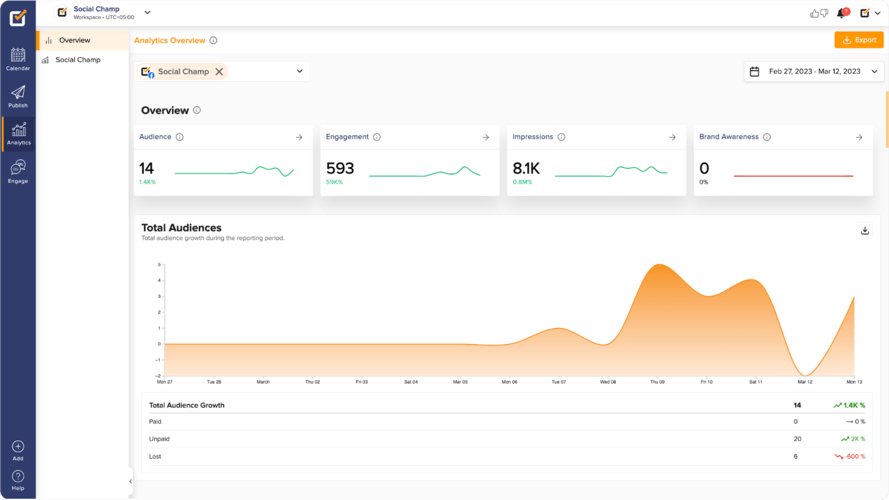
Its free plan includes real LinkedIn scheduling and basic analytics, not just a demo, so a solo user gets real value before ever paying.
Its pay-per-profile option lets teams add just the LinkedIn accounts they need instead of buying a full seat-based tier.
🔍 Monitored sources: LinkedIn, Facebook, Instagram, X, Pinterest, and Google Business Profile.
✅ Pros:
- Free plan
- Straightforward, low learning-curve interface
❌ Cons:
- No AI features
- Limited advanced customization compared to enterprise suites
15 Vaizle
4.2/5
G2 (36 reviews)
4.4/5
Capterra (50 reviews)
14 days / Free trial
From $29 / Month
Best for budget-conscious marketers who want LinkedIn post performance and visitor demographics without a broader monitoring platform.
Why I picked Vaizle
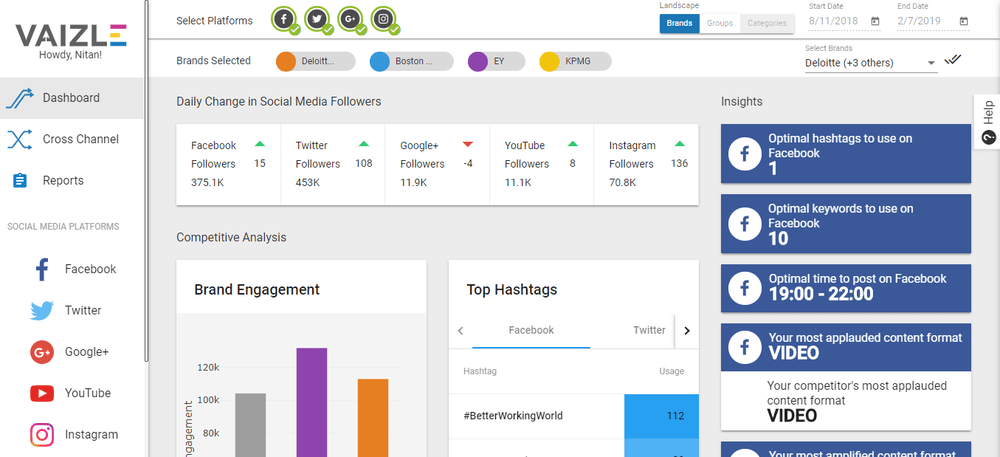
It’s priced meaningfully lower than most other tools on this list at its entry tier, while still covering post performance and visitor demographic insights specific to LinkedIn.
It also offers a free standalone LinkedIn profile analyzer as an entry point, so you can sample its data quality before starting a trial of the full product.
🔍 Monitored sources: LinkedIn profiles and Pages only.
✅ Pros:
- Visitor demographic insights included
- Free standalone LinkedIn profile analyzer to sample first
❌ Cons:
- LinkedIn-only scope, no broader social strategy view
- Feature depth is lighter than dedicated listening or management tools
Conclusion
Each of the tools is different.
Just because someone said that this particular one was extremely successful for them doesn’t really mean it will drive the same results for you.
So, focus on your LinkedIn goals and watch your numbers increase!
- If you only manage your own LinkedIn profile or Page and want free, first-party data, go with LinkedIn Native Analytics.
- If you’re tracking LinkedIn mentions alongside sentiment and share of voice across the rest of the web, go with Brand24.
- If you’re an individual creator who wants to benchmark post performance against a large dataset, go with Taplio.
- If you’re an agency managing multiple LinkedIn clients on a budget, go with SocialPilot for scheduling and reporting, or Whatagraph if white-label client reports matter more than price.
FAQ
The most important features are engagement and follower-growth tracking, audience demographic breakdowns, competitor comparison, and sentiment analysis. AI-assisted insights and automated alerts are increasingly standard in 2026, and a user-friendly interface matters as much as any single feature since a tool nobody opens delivers zero value.
Start by defining your specific goal, such as tracking your own content performance versus benchmarking against competitors, since that determines whether you need a LinkedIn-only tool like Taplio or a broader platform like Brand24 or Sprout Social. Match features to that goal, check integrations with your existing stack, and test the free trial before committing to a paid plan.
Yes. LinkedIn’s own native analytics are free for any profile or Page. GoLogin offers a permanent free plan for 3 browser profiles, and Social Champ offers a permanent free plan covering 3 accounts and 15 posts per month, though both are limited in scope compared to their paid tiers.
LinkedIn’s native analytics pull data directly from LinkedIn’s own systems, so the numbers are the most accurate available, but they only cover your own profile or Page with no competitor tracking or cross-platform view. Third-party tools like Brand24, Taplio, or Brandwatch add competitor benchmarking, sentiment analysis, or cross-platform reporting that native analytics simply doesn’t offer.
Yes. Keyhole and Brandwatch are both built specifically for comparing your LinkedIn engagement against named competitors on the same dashboard. Taplio takes a different approach, benchmarking your posts against a database of 60,000+ analyzed LinkedIn posts rather than specific named competitors.
Pricing on this list ranges from free (LinkedIn Native Analytics, GoLogin’s free tier, Social Champ’s free tier) to enterprise custom quotes from Brandwatch. Most self-serve tools fall between $20 and $300 per month depending on features, with dedicated LinkedIn creator tools like Taplio at the lower end and full social media management suites like Sprout Social and Hootsuite at the higher end.