Table of contents
2M Marketers

PR tools help you track brand mentions, measure campaign impact, and connect with journalists, all in one place.
In this guide, we’ll walk through the top PR tools for 2026 and compare them side by side, based on how you can use them for public relations: media monitoring, outreach, text editing, mind-mapping, or PR project management.
Top 18 PR tools compared
| Tool | Category | Best for | Top strengths | What could be better |
|---|---|---|---|---|
| Brand24 | Media monitoring | Brand mention monitoring, AI PR insights, repuration management | Real-time monitoring, sentiment analysis, AI insights, Storm Alerts | No outreach or CRM features |
| Google Alerts | Media monitoring | Basic PR monitoring & brand mentions | Free mention tracking, easy keyword setup | Delayed alerts, limited sources, no sentiment analysis |
| Brandwatch | Media monitoring | Enterprise PR analytics & social listening | Deep sentiment analysis, trend detection, large data coverage | Expensive, complex for smaller PR teams |
| Muck Rack | Outreach | Journalist discovery & media outreach | Large media database, outreach tracking, monitoring features | High cost, less flexible for ad-hoc PR workflows |
| Anewstip | Outreach | Finding journalists & media opportunities | Real-time journalist requests, Twitter-based discovery | Smaller database, less structured outreach tools |
| MixMax | Outreach | Email outreach & follow-up automation for PR pitches | Email tracking, AI sequences & smart scheduling | No media database, not PR-specific |
| Prowly (Semrush AI PR Toolkit) | Outreach | PR CRM & media outreach management | Media database, press release creator, pitching workflows | Limited real-time monitoring |
| JustReachOut | Outreach | DIY PR outreach & link-building | Pitch templates, journalist requests, SEO-friendly outreach | Manual process, smaller media database |
| PR Newswire | Outreach | Press release distribution at scale | Wide media reach, credibility, distribution analytics | Expensive, limited targeting precision |
| Google Docs | PR text editing | Writing & editing press releases collaboratively | Real-time collaboration, comments, version history | No PR workflow, tracking, or outreach features |
| iA Writer | PR text editing | Distraction-free PR text writing | Focus mode, clean interface, style improvements | No collaboration, no PR-specific features |
| Google Keep | PR text editing | Quick PR notes & brainstorming ideas | Fast idea capture, simple sharing, mobile-friendly | Too basic for structured PR workflows |
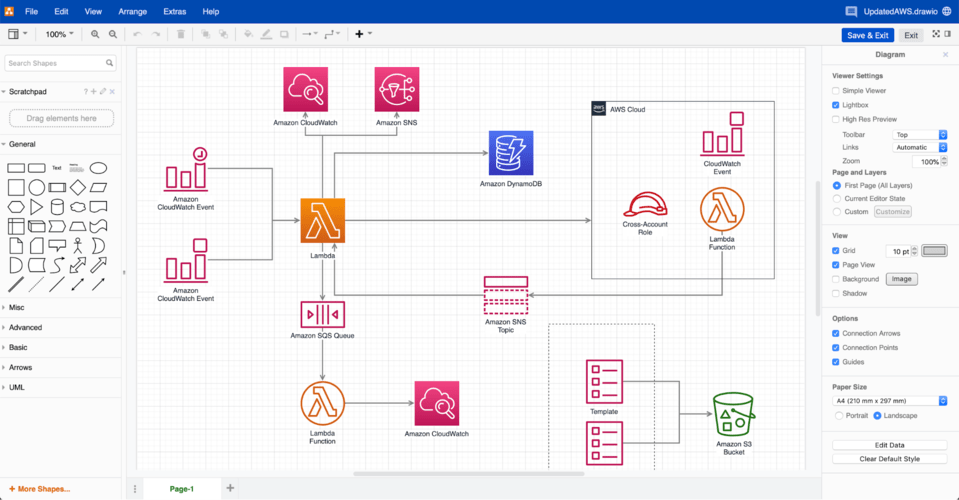
| Diagrams.net (Draw.io) | Mind mapping | Mapping PR campaigns & communication flows | Flexible diagrams, structured planning, free | Not tailored to PR, manual setup needed |
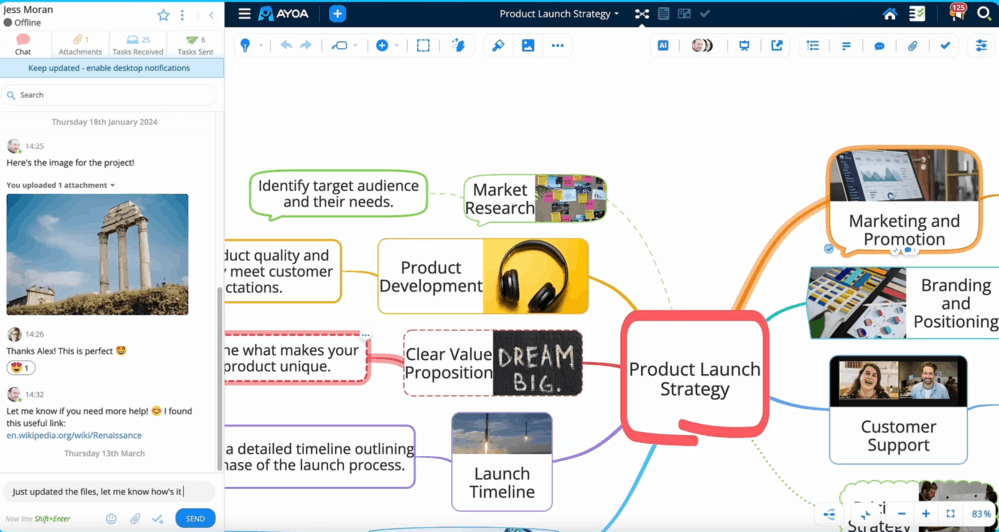
| Ayoa | Mind mapping | PR campaign brainstorming & task execution | Mind mapping & task boards, visual planning | Can feel complex for simple PR use cases |
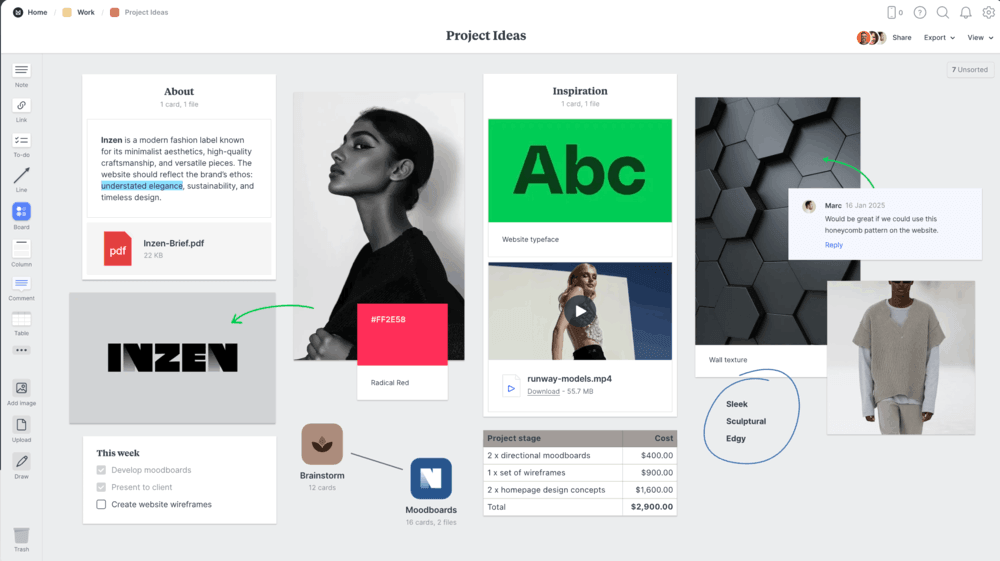
| Milanote | Mind mapping | Creative PR campaign planning & storytelling | Visual boards, great for ideation & moodboards | Limited tracking, no analytics |
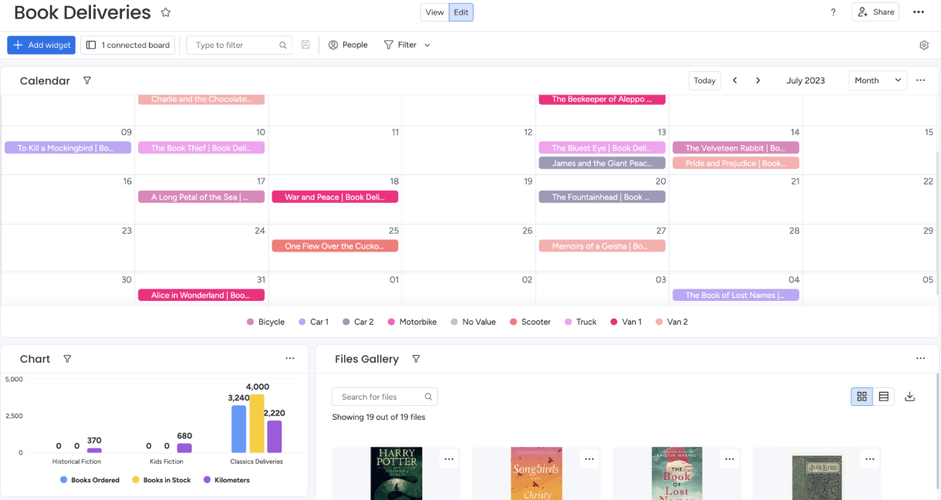
| Monday.com | Project management | Managing PR workflows & team collaboration | Custom workflows, AI automations, dashboards | No built-in media monitoring |
| Asana | Project management | PR project management & campaign execution | Timelines, task dependencies, approval workflows | Limited PR-specific features |
| ClickUp | Project management | All-in-one PR ops & campaign management | Highly customizable workflows, docs, AI automations | Steep learning curve, can get cluttered |
⚠️ Research methodology
We created this ranking by reviewing feedback on review platforms like G2 and Capterra, analyzing AI-generated overviews, and exploring user discussions on Reddit.
We also considered different PR use cases, since most tools focus on specific parts of the public relations processes. The result is a curated list to help you pick the right PR tool.
In many cases, combining two tools gives you a more complete setup, so feel free to mix and match if only it works for your workflow.
PR tools for media monitoring
Media monitoring tools let you track and manage your organization’s reputation in real-time. They help you get notified about brand mentions, identify new media opportunities, or prevent PR crises.
01 Brand24
4.6/5 – G2 (322 reviews)
4.7/5 – Capterra (253 reviews)
14-day free trial available
From $199/month
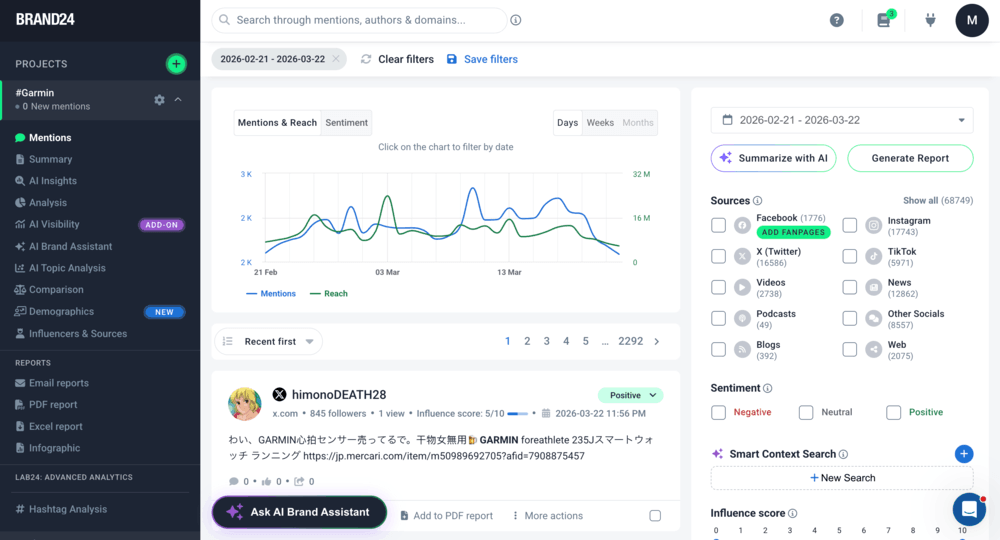
Brand24 is an AI-powered media monitoring tool that makes it easy to track and analyze the online buzz around your brand. It keeps a close eye on news mentions, making it a game-changer for PR pros.
Besides media outlets, Brand24 monitors:
- Blogs, websites, podcasts, video platforms, forums, review platforms, and newsletters
- Social media platforms, like Facebook, Instagram, X (Twitter), LinkedIn, TikTok, YouTube, Bluesky, Telegram, and Twitch
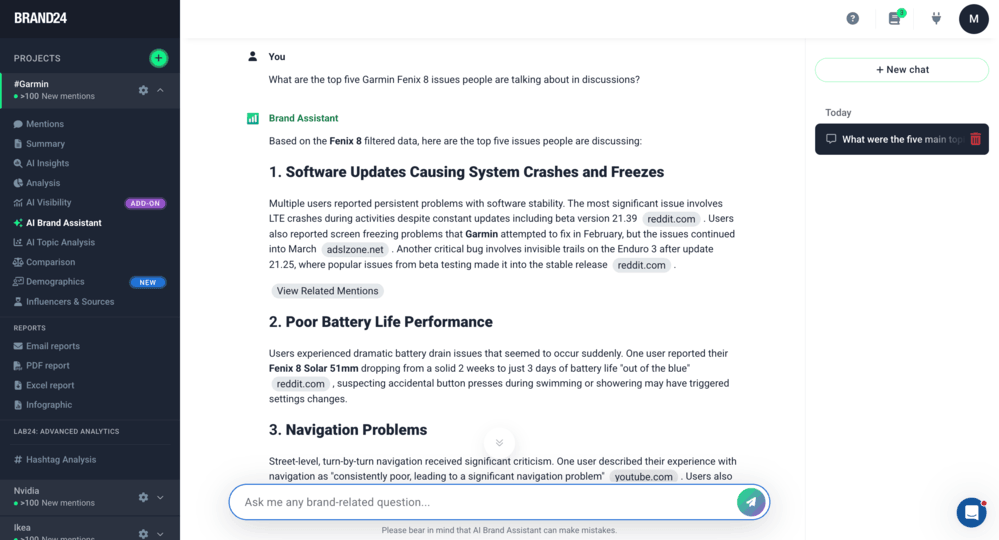
Brand24 also includes a set of AI-powered features that help you make sense of your data faster:
- AI Brand Assistant – a chat-based tool that answers questions using your project data
- AI Insights – automated summaries with trends and key takeaways
- AI Events Detector and Storm Alerts – they highlight unusual spikes in mentions so you can quickly spot potential PR crises
⭐ Best for:
- Tracking brand mentions across the web
- Monitoring PR sentiment and spotting issues early
- Finding media coverage and press release opportunities
- Analyzing target audiences and trends
- Measuring PR campaign results
💪 Strengths:
- Tracks mentions across all the major platforms, from news sites and blogs to social media platforms, video sites, and so on
- AI-powered tools (Brand Assistant, AI Insights, Events Detector, and more) to automate analysis and surface key PR trends
- Real-time Storm Alerts help you jump on crises or viral stories right away
- Clean, easy-to-use interface with great visuals and sentiment analysis
👎 What could be better:
- Advanced features and higher mention limits can be costly for small teams
- Lacks publishing or direct engagement features (not an all-in-one social suite)
⭐️ Overall verdict:
Brand24 is perfect for medium-sized companies and enterprises, as well as PR teams, that value real-time insights and smart automation over manual tracking.
It’s a powerful brand reputation and sentiment analysis tool, though smaller businesses might find it a bit pricey.
02 Google Alerts
4.7/5 – Capterra (315 reviews)
Freemium
Freemium
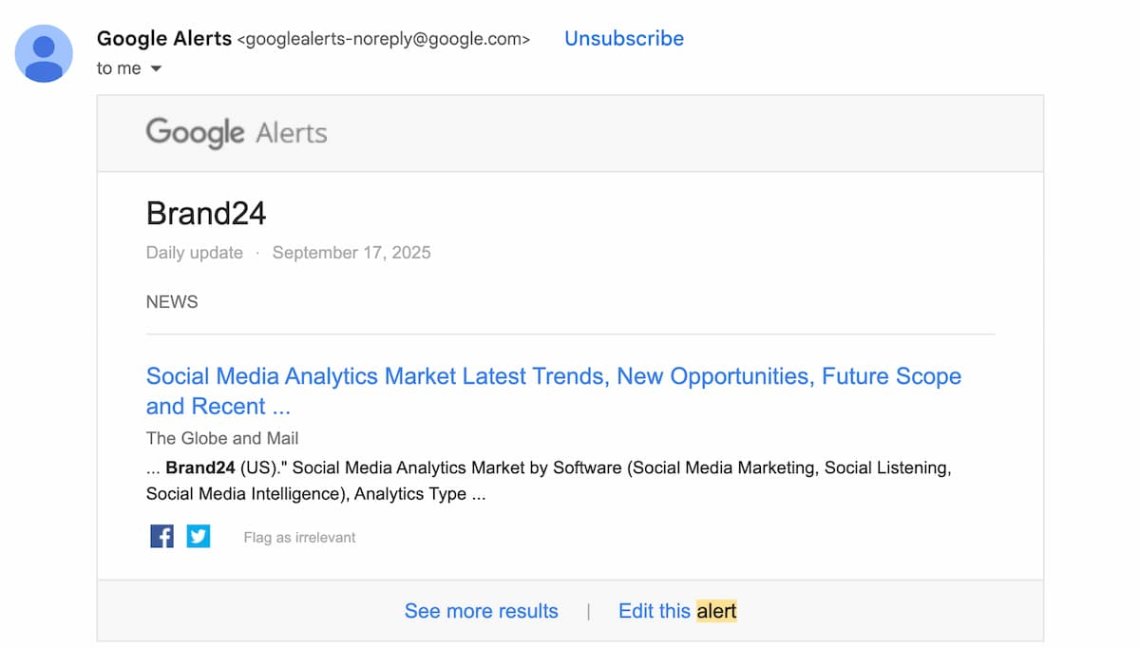
Google Alerts is a free tool that tracks new content in Google’s index and sends email notifications when your selected keywords appear online.
It’s often used for basic media monitoring and keeping an eye on brand mentions.
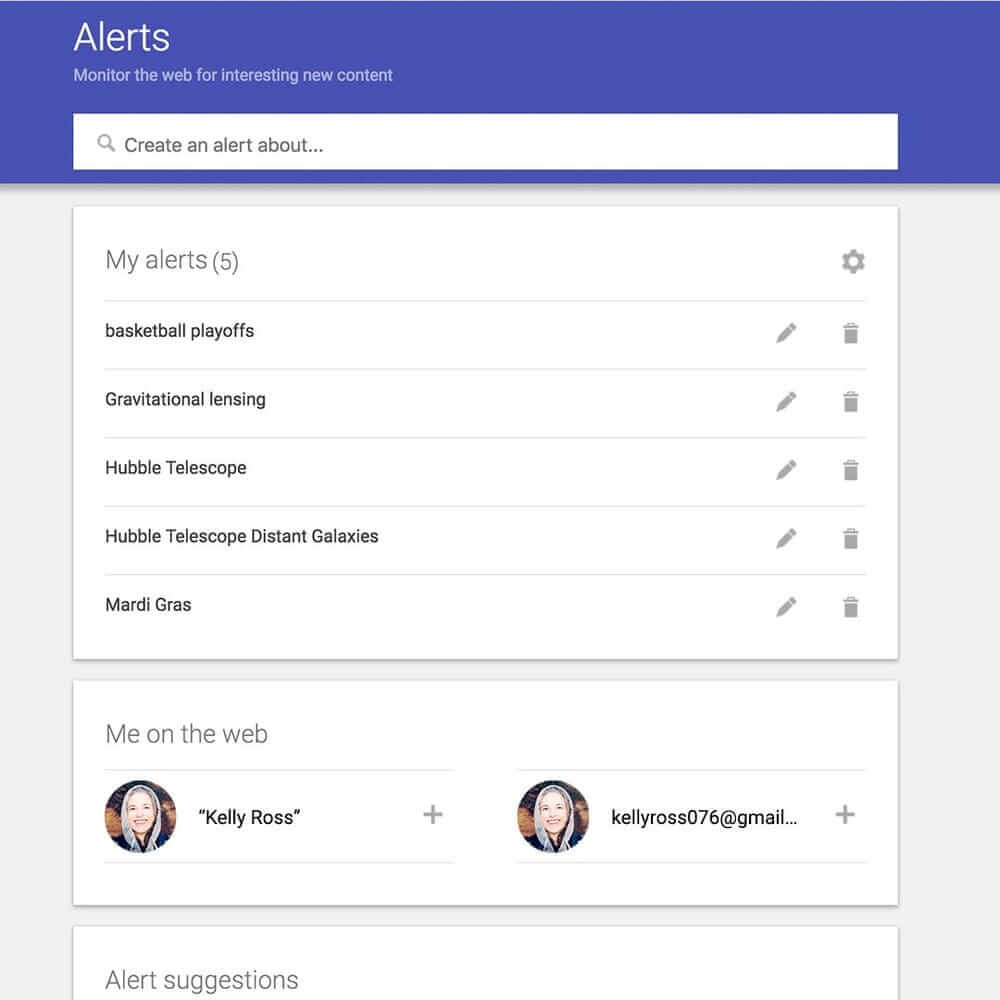
In practice, the results can vary, and sometimes you might notice delays or less relevant mentions. That’s fairly typical for free tools with limited coverage.
Still, it’s worth giving it a try! For basic PR monitoring, it can be enough depending on your needs.
⭐ Best for:
- Basic, free web monitoring
- Tracking simple keyword or brand mentions
- Getting started with media monitoring
💪 Strengths:
- 100% free and easy to set up
- Delivers alerts instantly or on a schedule (e.g. daily or weekly)
- Provides simple keyword and phrase monitoring
- Email and RSS notifications keep you updated
- Works in multiple languages
👎 What could be better:
- Misses mentions and leaves gaps in coverage
- Doesn’t monitor social media conversations
- Offers no analytics, trend tracking, or data visualization tools
⭐️ Overall verdict:
Google Alerts is a handy free tool to get started with basic web-mention tracking, especially for individuals or small teams.
But if your organization needs more complete monitoring, stronger analytics, or social media coverage, you’ll probably outgrow it pretty quickly.
📚 Further read: Google Alerts Alternatives: A Detailed Comparison for 2026
03 Brandwatch
Brandwatch is an advanced social listening and media monitoring platform designed for large brands and agencies.
It helps teams monitor brand reputation, analyze audience data, and measure PR performance across multiple channels.
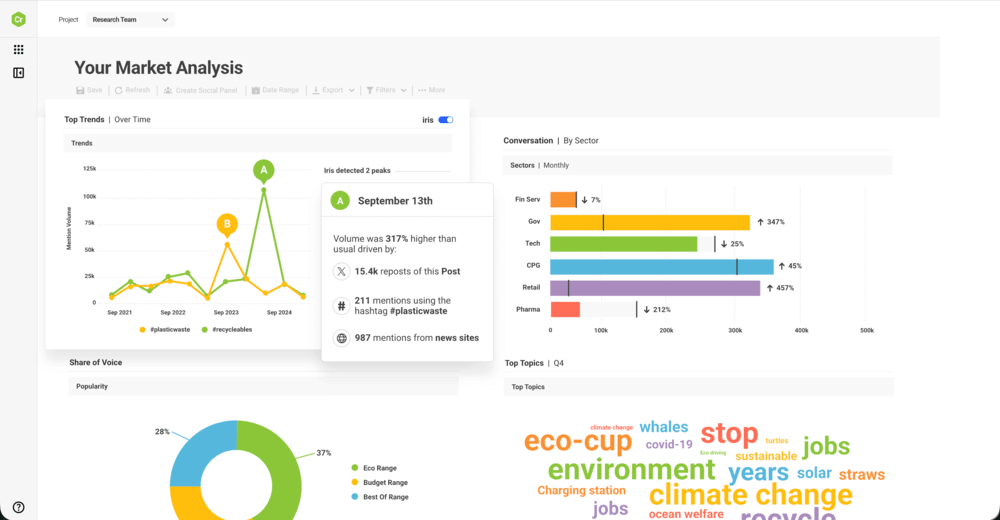
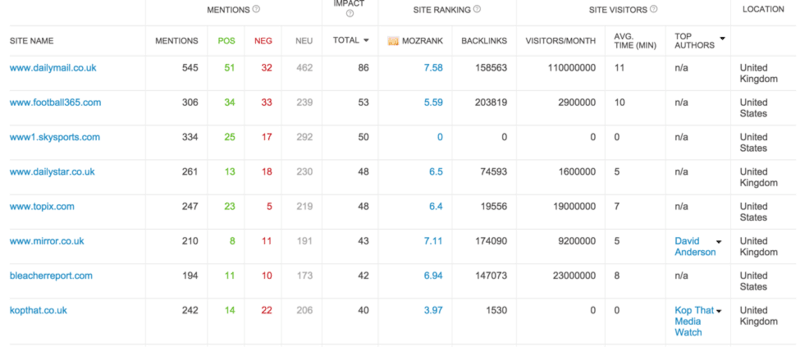
Apart from features typical for a media monitoring tool, such as keyword monitoring, notifications, reporting, or sentiment analysis, Brandwatch also offers:
- Audience Insights (demographic and interest-based data)
- Image Analysis (logo detection across visual content)
- Vizia Dashboards (shareable, real-time data visualizations)
Over the years, Brandwatch has built a strong position in the market. That said, it’s a premium tool for enterprises, and there are more affordable alternatives available – depending on your needs.
⭐ Best for:
- Enterprise PR teams managing brand reputation across global or multiple markets
- Crisis detection and large-scale media monitoring
- Measuring PR impact and share of voice against competitors
💪 Strengths:
- Strong social listening across social, news, blogs, and forums, useful for tracking PR coverage at scale
- Advanced analytics (e.g., share of voice, trends) to evaluate campaign performance
- Detailed audience and influencer insights to support targeting and media strategy
- Custom dashboards that help present PR results to stakeholders
👎 What could be better:
- Pricing is high, which makes it less accessible for smaller PR teams
- Steep learning curve: Setup and query building (e.g., Boolean search) require experience
- The platform can feel complex if your needs are limited to basic PR monitoring
⭐️ Overall verdict:
Brandwatch is a powerful choice for mid-sized to large organizations that need deep social listening, detailed analytics, and easy team collaboration.
That said, for smaller teams, it can feel pricey and a bit overly complex.
📚 Further read: Brandwatch Alternatives Compared [2026]
Best PR tools for outreach
The best digital PR outreach tools help you connect with journalists, influencers, bloggers, and experts, so you can build real relationships and grow your contact list over time.
04 Muck Rack
4.6/5 – G2 (391 reviews)
4.2/5 – Capterra (25 reviews)
Free demo available
Custom pricing on request
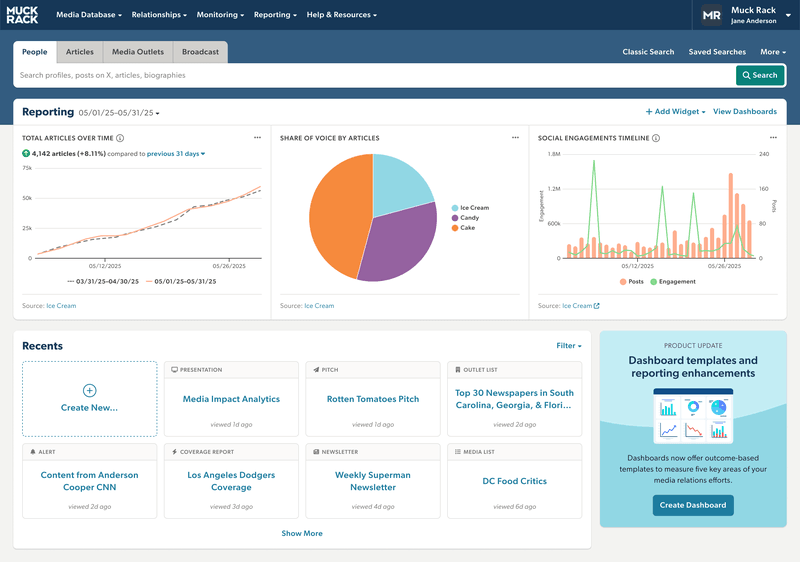
Muck Rack is an all-in-one PR platform that helps you find relevant journalists, monitor media coverage, and measure the impact of your PR efforts.
It combines a media database, outreach tools, and monitoring in one place.
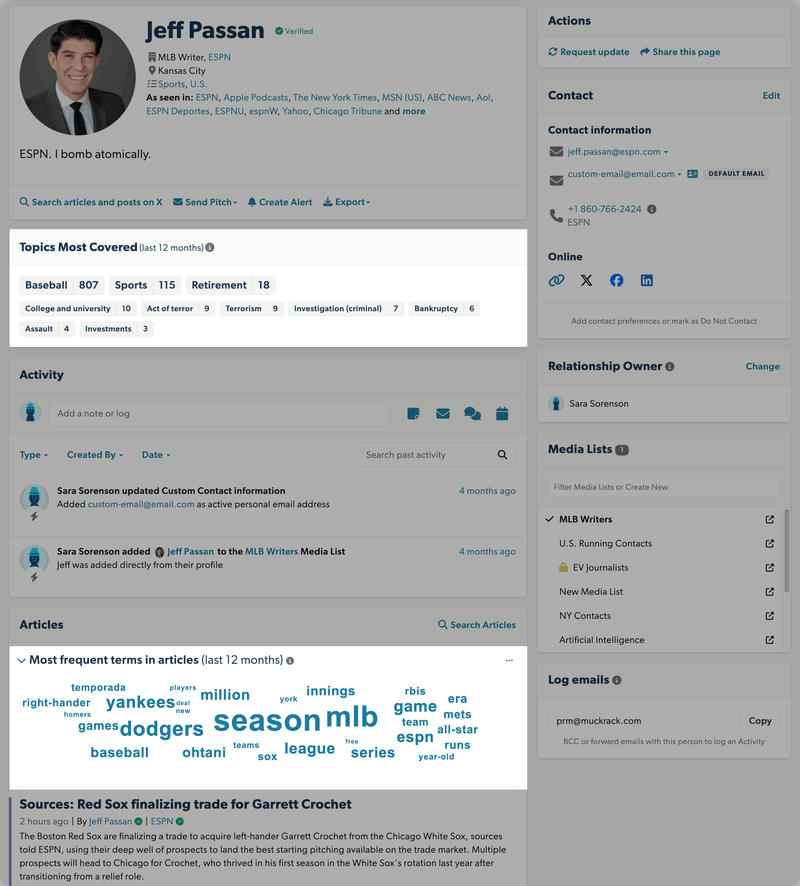
Muck Rack gives you access to a verified media database with in-depth journalist profiles (past coverage, contact details, and more), so it’s easier to find the right people and pitch them.
You can search for contacts based on:
- their location
- their media outlet
- topics they have covered in the last 12 months
- AI-powered keyword cloud from their articles
- what they post on X, share online, or put out in press releases
Add the remaining features, and you’ll have an all-in-one outreach tool with an easy-to-use, intuitive dashboard!
⭐ Best for:
- PR teams focused on media outreach and journalist relationships
- Building targeted media lists and pitching campaigns
- Combining outreach with basic monitoring and reporting
💪 Strengths:
- Large, verified database of journalists, podcasters, and media outlets
- Built-in pitching tools with email tracking (opens, clicks)
- Media monitoring across news, social media, podcasts, and broadcast
- PR-focused reporting (e.g., share of voice, coverage reports, ROI metrics)
- Useful collaboration features for managing media lists and team workflows
👎 What could be better:
- Pricing is not transparent and can be quite high (often enterprise-level)
- Monitoring and analytics are less advanced compared to dedicated listening tools
- Can feel outreach-heavy if you mainly need analytics or reputation tracking
⭐️ Overall verdict:
Muck Rack is a strong choice for PR teams focused on outreach and media relations, especially if you want keep everything, from database and pitching to reporting, in one platform.
Smaller agencies might find it pricey, but its data quality and automations save a lot of time.
05 Anewstip
4.8/5 – G2 (18 reviews)
Free, limited version available
From $200/month
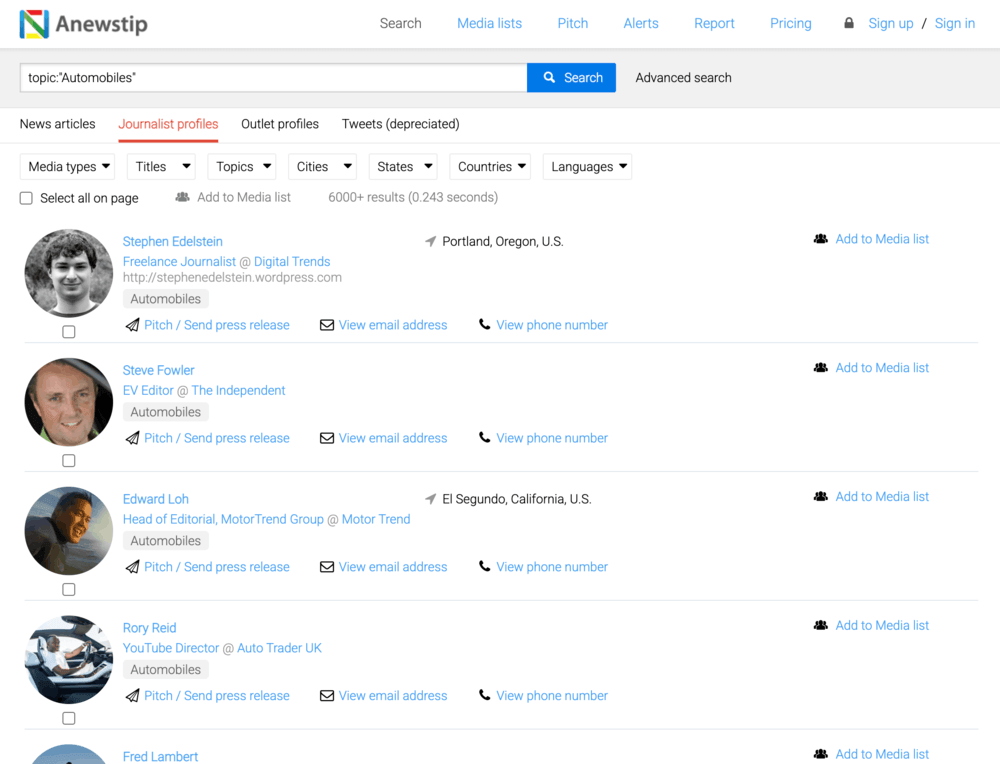
Anewstip is a PR tool focused on helping you find relevant journalists and media contacts based on what they’ve actually written or posted online.
It combines a media database, search engine, and outreach features in one platform.
With a database of over 1M journalist and media contacts, it enables you to engage with journalists who have covered similar topics.
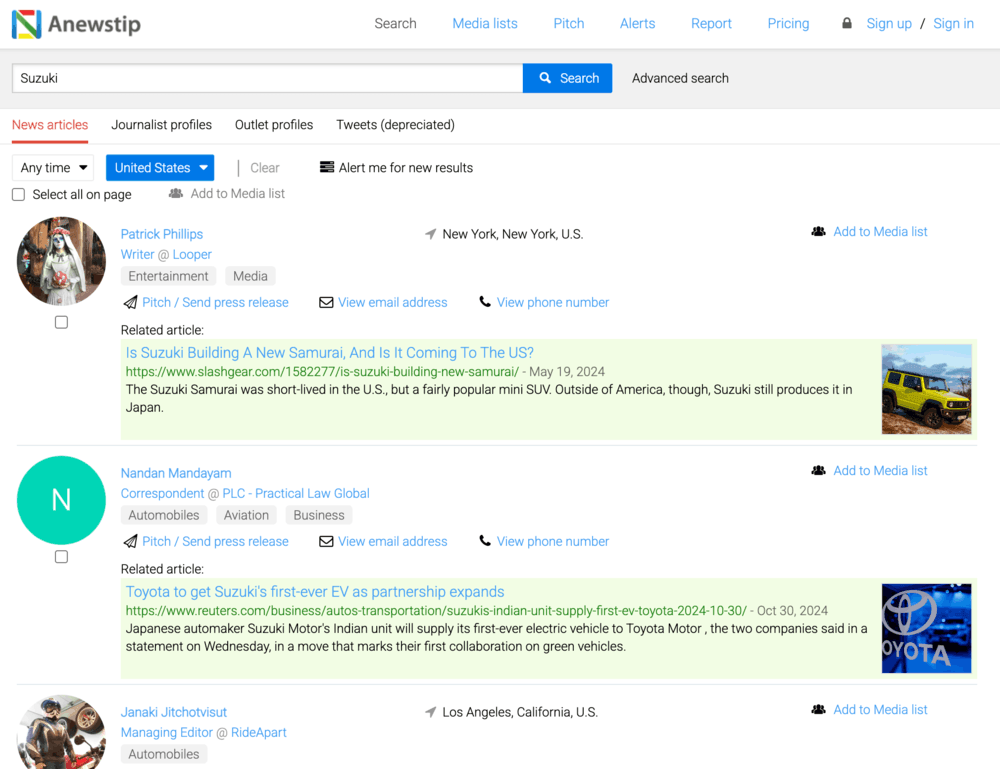
Additionally, Anewstip uses AI to recommend journalists based on what they’ve actually covered, which makes a big difference in PR outreach.
The tool also lets you track open rates, so you can see what’s working and what’s not, and adjust your approach accordingly.
⭐ Best for:
- PR professionals focused on media outreach and journalist discovery
- Finding journalists based on topics, keywords, or recent content
- Building targeted media lists for pitching
💪 Strengths:
- Powerful search engine that indexes articles and social media activity
- Ability to find journalists based on real content (not just job titles or beats)
- Built-in outreach tools with personalization and performance tracking
- Dynamic media lists with automatic updates
- AI recommendations that suggest relevant journalists for your pitch
👎 What could be better:
- Limited analytics compared to “full” media monitoring tools
- Monitoring features are fairly basic (alerts mainly via email)
- Database updates can be a bit out of date sometimes
⭐️ Overall verdict:
Anewstip is a great fit for PR pros who care more about relevance than sheer volume.
It works really well for targeted campaigns, but it can feel a bit limiting if you’re looking for global coverage or more in-depth analytics.
06 MixMax
4.6/5 – G2 (1450 reviews)
4.6/5 – Capterra (236 reviews)
Free, limited version available
From $89/month
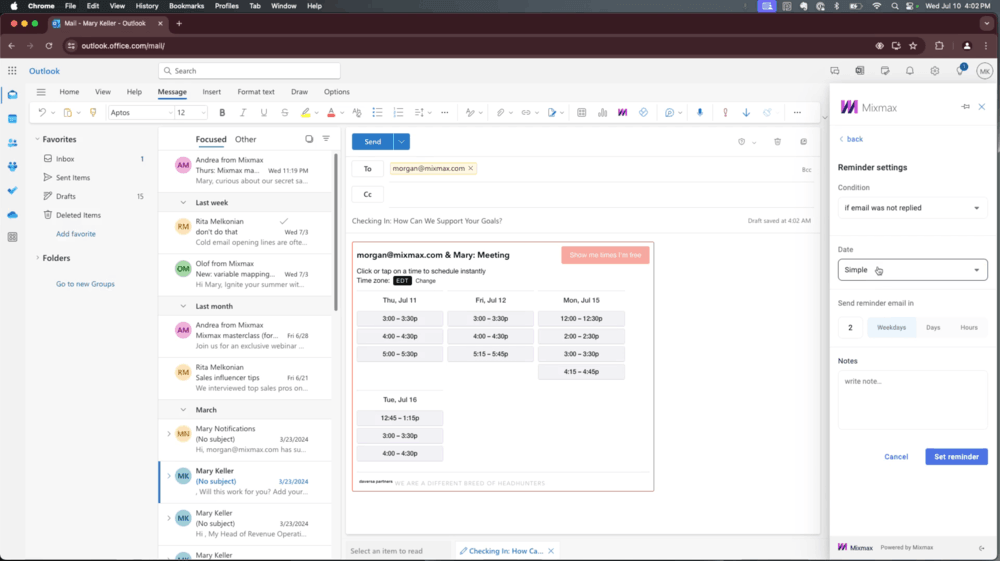
Mixmax is an AI-powered email productivity and outreach tool that works directly inside Gmail or Outlook.
While originally built for sales, it’s widely used by PR professionals to manage pitching, automate follow-ups, and track email performance.
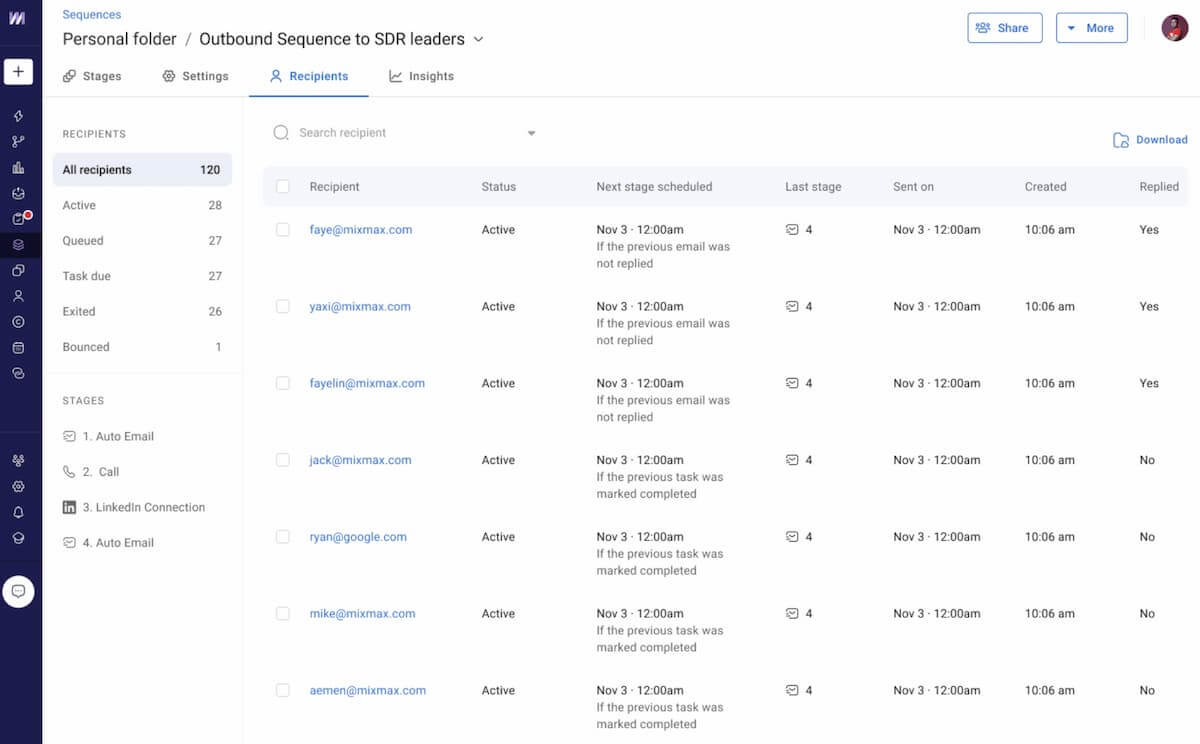
It also has paid plans with more advanced features, but the basic plan works just fine for PR pros who want to:
- Schedule outreach campaigns
- Auto-fill contact details
- Upload a media contact list for your campaign
- Track open rates, bounces, and unsubscribes
- Create email outreach templates
⭐ Best for:
- PR professionals handling high-volume outreach
- Managing follow-ups and improving response rates
- Tracking how journalists engage with your pitches
💪 Strengths:
- Email tracking shows opens, clicks, and engagement in real time
- AI features (e.g. AI Smart Send that helps you reach out when your recipient is most likely to engage)
- Works directly inside Gmail/Outlook, so no need to switch tools
- Easy meeting scheduling and calendar sharing within emails
- CRM integrations (e.g., HubSpot, Salesforce) for managing relationships
👎 What could be better:
- Not a dedicated PR tool (no media database or journalist search)
- No media monitoring or coverage tracking features
- Can feel more “sales-oriented” than PR-focused
⭐️ Overall verdict:
MixMax is a great add-on for PR outreach, especially if you’re looking for stronger tracking and easier follow-ups.
However, keep in mind that it works best when combined with a dedicated PR or media monitoring tool.
07 Prowly (Semrush AI PR Toolkit)
4.2/5 – G2 (114 reviews)
3.8/5 – Capterra (19 reviews)
7-day free trial available
From $149/month
⚠️ Important note
Prowly has been fully integrated into Semrush and is now available as the Semrush AI PR Toolkit.
If you’ve used Prowly before, you’ll still find the core features you know, but now they’re built into a bigger Semrush workflow, with extra data and AI-powered capabilities.
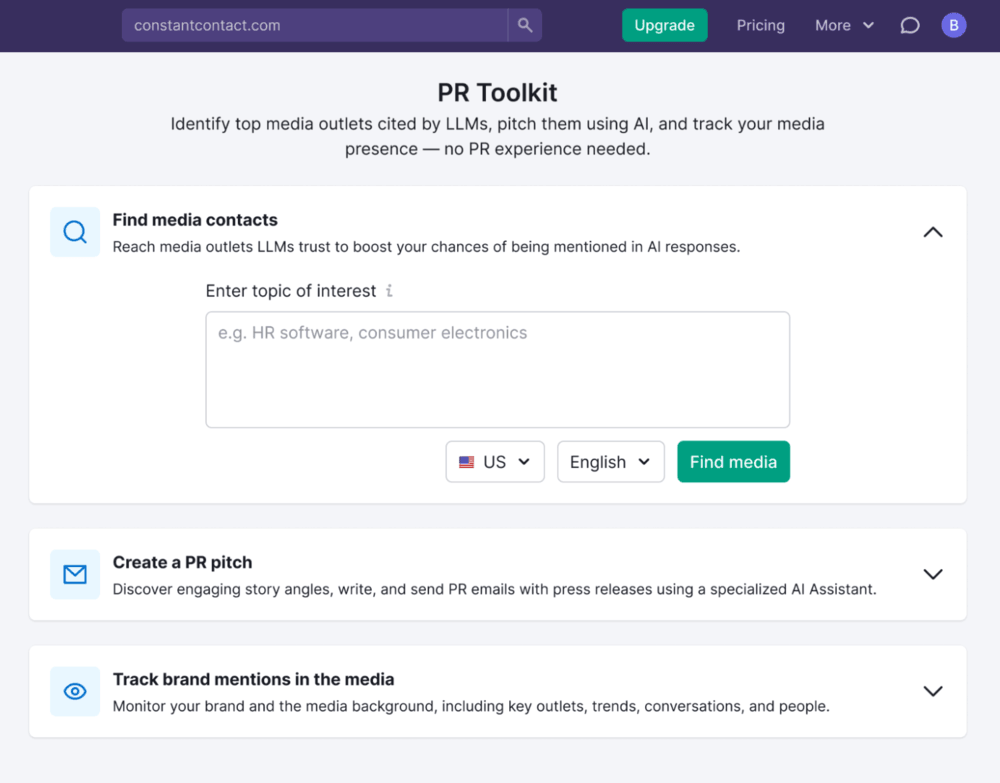
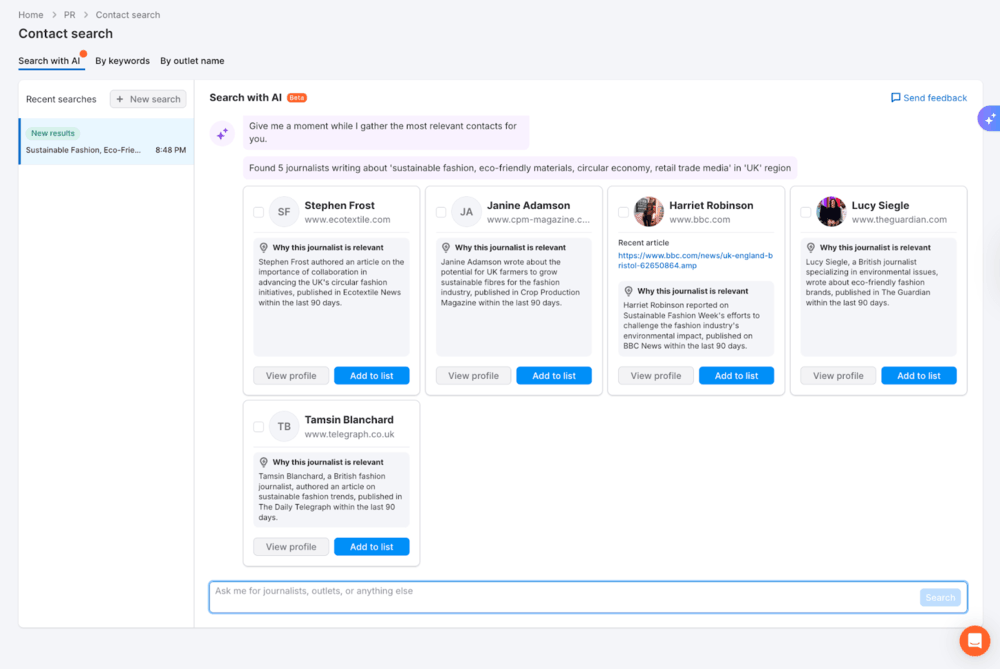
The Semrush AI PR Toolkit (formerly Prowly) pulls your PR workflow into the Semrush ecosystem, so you can handle media outreach, write press releases, and monitor coverage, along with SEO and traffic data.
It’s a great fit for teams that want to manage PR and brand visibility in one place, with extra insight powered by Semrush’s data.
⭐ Best for:
- Managing outreach and media relations in one ecosystem
- PR and marketing teams already using Semrush
- Combining PR activities with SEO and visibility data
💪 Strengths:
- Connects PR workflows (outreach, database, monitoring) with SEO and traffic insights
- Access to a large media database with journalist profiles
- Built-in outreach tools with automation and performance tracking
- AI-assisted content creation (press releases, pitches)
- Helps connect PR efforts with online visibility and AI presence
👎 What could be better:
- Requires working within the Semrush ecosystem
- Feature set may feel more “marketing-oriented” than traditional PR tools
- Some capabilities differ from the original standalone Prowly experience
⭐️ Overall verdict:
Prowly is a great option if you’re already in the Semrush ecosystem and want to connect PR with SEO and AI visibility.
08 JustReachOut
4.6/5 – G2 (8 reviews)
Free demo available
From $98/month
JustReachOut is a PR outreach tool that helps you find the right journalists, reach out with pitches, and land media coverage or backlinks, without needing a huge media database or an agency.
It offers a range of tools and services to help you find the right journalists and bloggers in your industry or niche, put together strong pitches, and run your media outreach campaigns more smoothly.
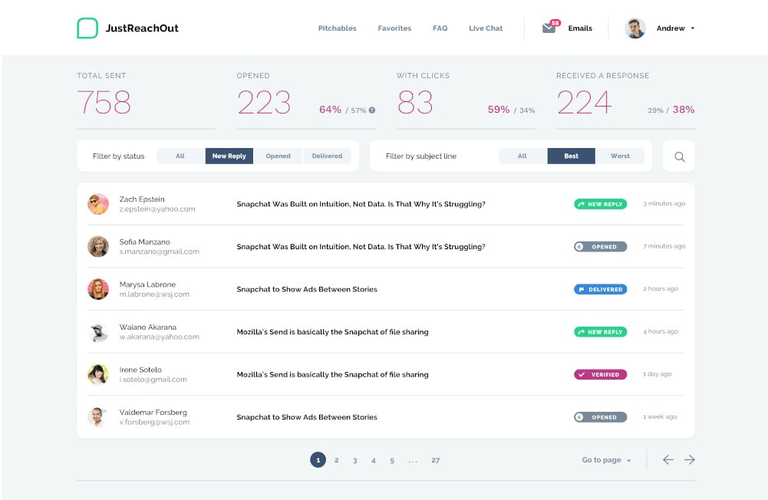
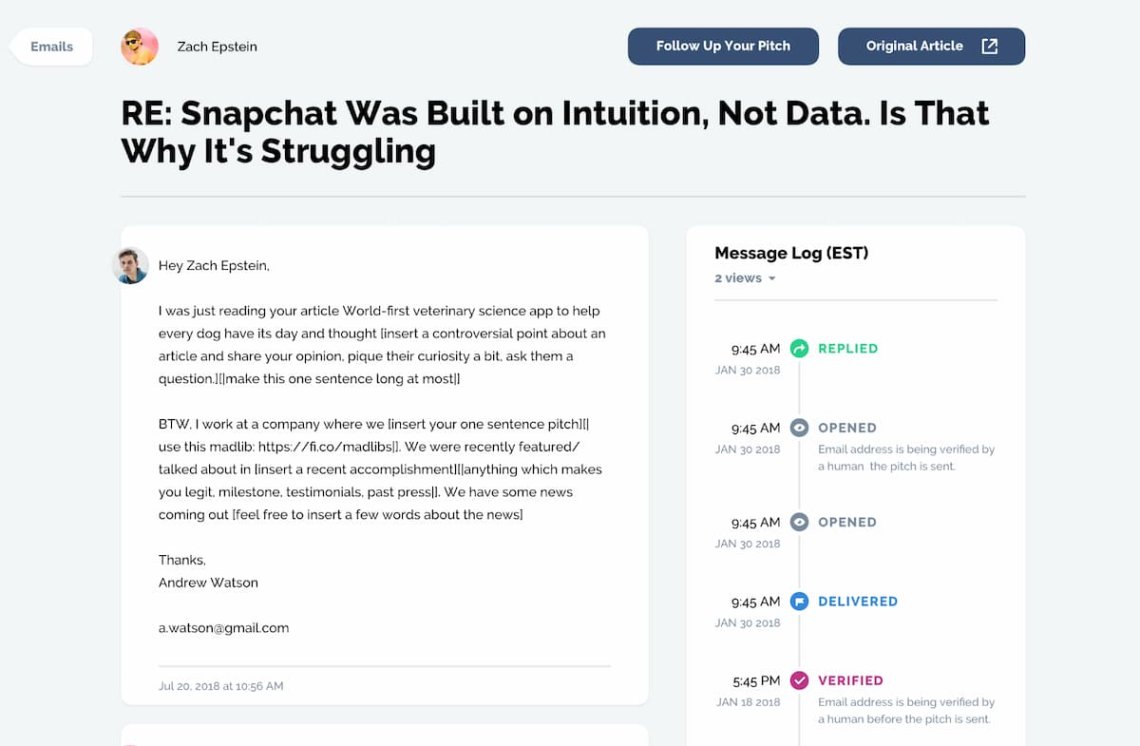
JustReachOut is built around one core workflow: find the right journalists, pitch them, and follow up consistently.
- 1 You start by searching a database of journalists and media outlets to identify relevant contacts.
- 2 Then you create and personalize your pitch based on what they’ve previously written about.
- 3 From there, you can manage outreach and schedule follow-ups, so conversations don’t go cold.
- 4 Finally, you track which emails actually lead to coverage or backlinks, so you know what’s working.
⭐ Best for:
- PRs and founders who want to level up their outreach and link building
- Finding journalists actively looking for sources
- Link-building and building brand awareness for smaller companies
💪 Strengths:
- Combines journalist search with real-time media request opportunities
- AI-powered pitch suggestions based on journalists’ previous work
- Built-in tools for podcast outreach and guest appearances
- Helps identify backlink opportunities (e.g., broken link building)
- Simple workflow focused on getting placements, not just tracking them
👎 What could be better:
- Smaller database than enterprise competitors
- Worse fit for managing large-scale PR campaigns or teams
- Not a full media monitoring tool (limited tracking and analytics)
⭐️ Overall verdict:
JustReachOut is ideal for startups and individuals focusing on relevance and relationships. Especially if your goal is to land placements and backlinks rather than manage full-scale PR operations.
09 PR Newswire
3.9/5 – G2 (752 reviews)
4.6/5 – Capterra (105 reviews)
Free demo available
Custom pricing on request
PR Newswire is a global press release distribution service (and part of Cision) that helps companies publish and promote their announcements globally.
It’s a popular choice for enterprise brands and public companies that need wide reach, compliance support, and reliable distribution.
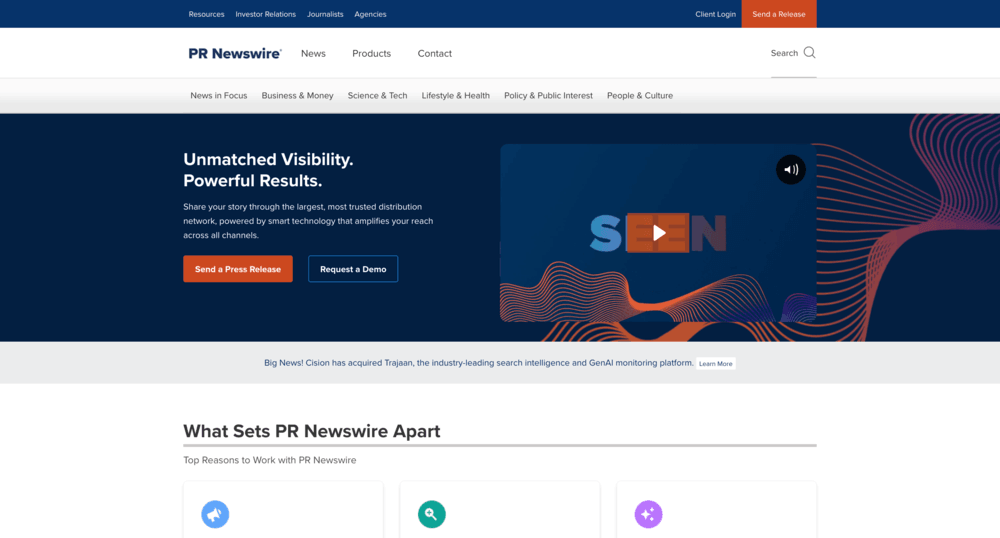
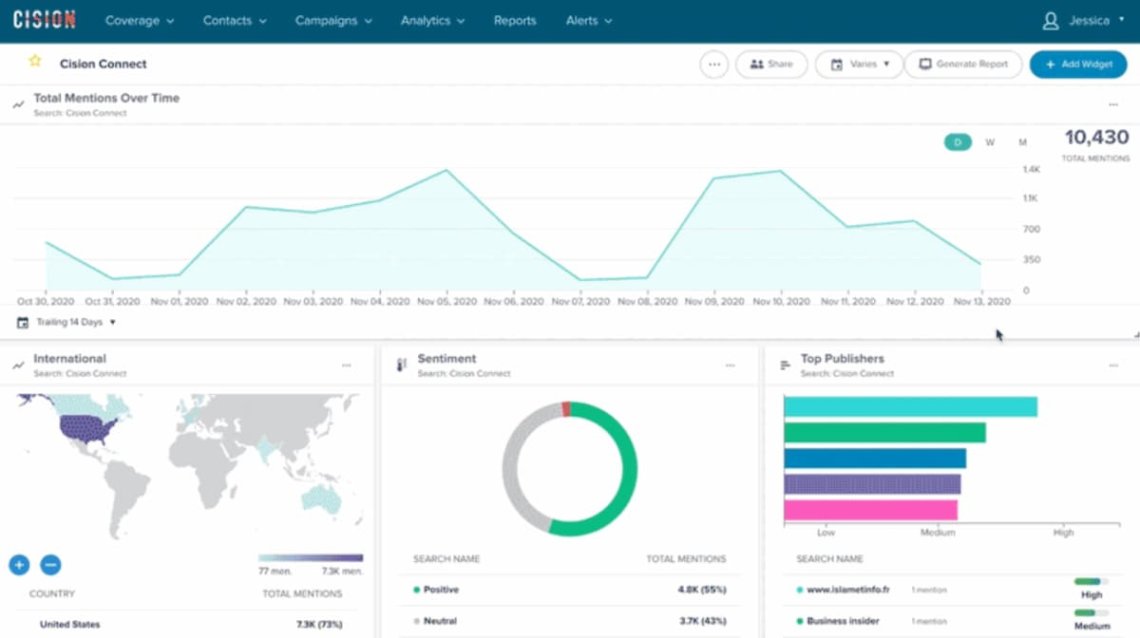
Not too long ago, reporters had to do all the digging to find sources for their stories, but not anymore.
Platforms like PR Newswire make it easy to discover fresh media lists and connect with the right journalists, all in one place.
So it’s not just a nice-to-have tool but a must-mention for any PR list.
⭐ Best for:
- Big brands and corporations sharing official announcements
- Investor relations updates and other communications focused on compliance
- PR teams that prioritize reach and visibility over direct outreach
💪 Strengths:
- Very wide distribution, especially for large or global campaigns
- Works well for official announcements and corporate communication
- Supports multimedia content and additional promotion options
- Clear reporting on where your press release was published
👎 What could be better:
- Doesn’t support direct outreach or relationship-building with journalists
- Coverage can be broad rather than highly targeted
- Pricing can be high, especially for frequent use
- Limited control over how content is picked up after distribution
⭐️ Overall verdict:
PR Newswire is a great fit for corporations or large campaigns that need guaranteed brand visibility.
It’s less about building relationships and more about getting broad, professional exposure.
PR tools for text editing
Writing is a big part of any PR pro’s job, whether you’re drafting a long email, putting together an article, or writing a press release. Here’s a look at some of the PR editing tools available.
10 Google Docs (a part of Google Workspace)
4.6/5 – G2 (47,569 reviews of Google Workspace)
Free 14-day trial available (for Google Workspace)
From $7/month (for Google Workspace)
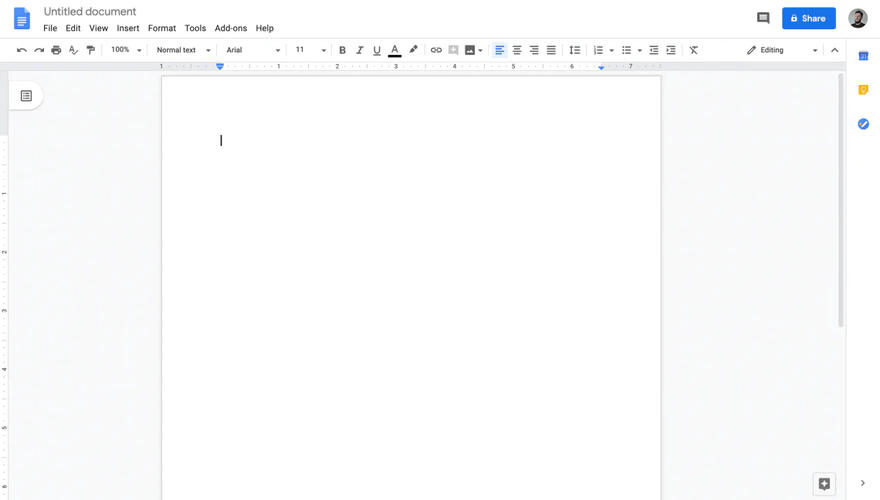
Google Docs isn’t technically a PR tool, but PR teams use it all the time to write, edit, and collaborate on press releases, pitches, and statements.
It’s especially handy when different team members need to review and sign off before anything gets sent out.
Google Docs can be useful for planning your PR campaigns, collecting ideas for a PR strategy, or just note-taking.
⭐ Best for:
- PR teams collaborating on press releases and pitches
- Agencies working with clients on content approvals
- Teams that need a simple, shared workspace for editing
💪 Strengths:
- Easy real-time collaboration with comments and suggestions
- Version history makes it simple to track changes and remove edits
- Flexible sharing permissions for internal and external team members
- Familiar and accessible: most teams already use it
👎 What could be better:
- Not a PR-specific tool (no media database or outreach features)
- No built-in monitoring or performance tracking
- Can get messy with too many collaborators or long comment threads
- Limited structure for managing full PR workflows
⭐️ Overall verdict:
Google Docs is a must-have tool for collaborative PR writing and editing.
It works great for team workflows, but it’s not really built for distraction-free, deep-focus work. Also, you’ll need other tools for outreach, monitoring, and reporting.
11 iA Writer
4.4/5 – G2 (23 reviews)
5.0/5 – Capterra (1 review)
Free 14-day trial available
From $19.99
iA Writer is a minimalist writing tool built for distraction-free editing.
It’s often used by PR professionals who want to focus purely on writing and refining text without the clutter of traditional editors. It makes the creative process of writing press releases much easier.

⭐️ Best for:
- PR professionals focused on writing and editing copy
- Drafting press releases, pitches, and statements without distractions
- Individual PR writers (not teams) who prefer keeping things simple
💪 Strengths:
- Clean, distraction-free interface that helps you focus on writing
- Strong style-checking features to improve clarity and remove fluff
- Markdown support for fast, structured formatting
- Works offline and keeps content private
👎 What could be better:
- No collaboration features (no comments, sharing, or approvals)
- Not built for PR workflows like outreach or monitoring
- Limited formatting compared to traditional editors
- Not ideal for team-based work
⭐️ Overall verdict:
iA Writer is an ideal fit for PR pros who write long-form content and need to stay fully focused.
It’s perfect for drafting, but it isn’t really built for team collaboration.
12 Google Keep
4.6/5 – G2 (47,569 reviews of Google Workspace)
Free 14-day trial available (for Google Workspace)
From $7/month (for Google Workspace)
Google Keep is a lightweight note-taking tool that PR teams often use for quick drafts, brainstorming, and capturing ideas on the go.
It’s not a full writing or PR tool, but it works well as a simple, fast workspace for early-stage content.
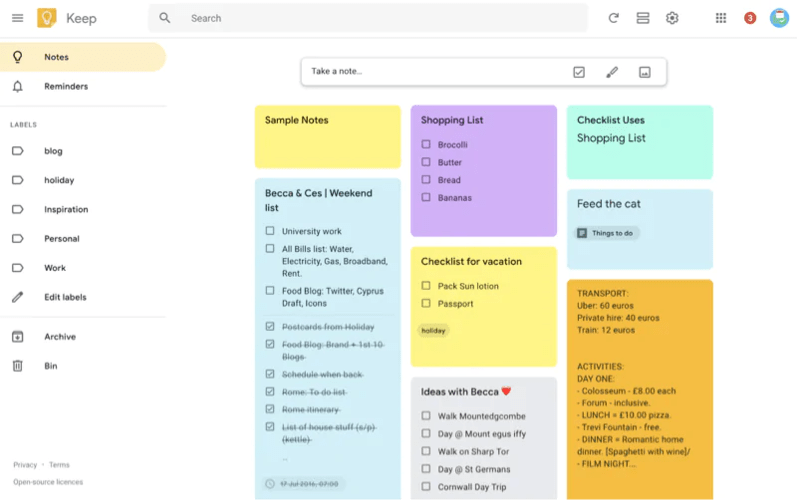
Like most Google products, Google Keep is super easy to get started with. You can use it on your phone, on your desktop, or as a Chrome extension.
It can help you keep track of key topics and gather ideas for your next press release, social media posts, media opportunities, press release distribution, or a new digital campaign.
⭐️ Best for:
- Quick note-taking and brainstorming ideas
- Drafting rough versions of pitches or headlines
- PR professionals who need a simple, mobile-friendly tool
💪 Strengths:
- Very quick and easy to use, ideal for capturing ideas fast!
- Real-time collaboration for simple feedback and edits
- Voice notes and OCR features for collecting content on the go
- Seamless integration with Google Docs for further editing
👎 What could be better:
- Limited formatting and editing capabilities
- Not suitable for longer or more complex PR content
- No structured workflow for approvals or collaboration
- Lacks PR-specific features like outreach or monitoring
⭐️ Overall verdict:
Google Keep is awesome for writing down quick PR ideas, keeping track of to-dos, and setting reminders.
It’s easy to use and super accessible, but it’s not really meant for any step-by-step PR campaign planning.
PR tools for mind-mapping
With the right mind-mapping tools, you can put together a strong press release, plan a new outreach campaign, or lay out your PR crisis management strategy.
13 Diagrams.net (formerly Draw.io)
4.4/5 – G2 (444 reviews)
4.6/5 – Capterra (771 reviews)
Free of charge
Free of charge
Draw.io is a visual tool for mapping out PR strategies, campaigns, and outreach plans.
Instead of writing things in a document, you can present everything as a mind map or flow, which makes complex campaigns easier to understand (and explain to others).
⭐️ Best for:
- Planning PR campaigns and workflows visually
- Brainstorming messaging, angles, and media lists
- Teams that think better in diagrams than documents
💪 Strengths:
- Great for structuring messy ideas into clear plans
- Flexible, because it works for mind maps, flows, timelines – whatever you need
- Real-time collaboration for team planning sessions
- Easy exports for sharing with clients or team members
👎 What could be better:
- Not built for writing or editing PR content
- Can get messy if the map grows too complex
- No built-in PR features like outreach or monitoring
⭐️ Overall verdict:
Draw.io is a great fit for PR teams that need to map out campaign structures or approval workflows. It’s straightforward, practical, and free to use.
14 Ayoa
4.4/5 – G2 (63 reviews)
4.5/5 – Capterra (206 reviews)
Free trial available
From $16/month
Ayoa is a visual planning tool that brings together mind mapping and task management. You can brainstorm ideas, turn them into to-dos, and track your progress, all in one place.
What’s especially interesting is that it was developed in collaboration with Tony Buzan, the inventor of the mind-mapping technique.
⭐️ Best for:
- Teams that want to go from brainstorming to execution without switching tools
- Visually planning PR campaigns (not just in documents)
- Keeping projects and ideas organized in one place
💪 Strengths:
- Combines mind maps with task boards (rare and actually useful)
- Good for turning ideas into tasks fast
- Flexible views (maps, boards, timelines) depending on how you work
- Works well for collaborative planning sessions
👎 What could be better:
- Can feel a bit overwhelming at first
- Not focused specifically on PR workflows
- Writing and editing features are pretty basic
⭐️ Overall verdict:
Ayoa is great if you want to connect planning with execution, but it’s more of a workflow tool than a dedicated PR solution.
15 Milanote
4.5/5 – G2 (42 reviews)
4.7/5 – Capterra (63 reviews)
Free trial available
From $16/month
Milanote is a flexible, visual workspace for planning PR campaigns on an open canvas.
Instead of sticking to strict mind maps, you can easily arrange notes, links, images, and ideas however you like, more like on a mood board than in a diagram.
⭐️ Best for:
- Creative PR planning and campaign brainstorming
- Visual thinkers who don’t like structured mind maps
- Building media kits, storyboards, or PR campaign boards
💪 Strengths:
- Very intuitive drag-and-drop canvas
- Great for mixing content (notes, images, links) in one place
- Works well for storytelling and campaign concepts
- Easy to share boards with clients or teams
👎 What could be better:
- Not ideal for structured planning or complex workflows
- No outreach, monitoring, or PR-specific features
- Can get chaotic without clear organization
⭐️ Overall verdict:
Milanote is perfect for early-stage ideation and creative planning, but you’ll need other tools to actually run and measure your PR campaigns.
PR tools for project management
These tools are great for helping PR pros stay organized when things move fast. They make it easier to track deadlines, assign resources, and see how projects are coming along.
Here are some uncommon time- and project-management apps you might find interesting if you work in PR.
16 Monday.com
4.7/5 – G2 (17,716 reviews)
4.6/5 – Capterra (5,715 reviews)
Free, limited version available
From $9/seat/month
Monday.com is a project management tool that PR teams often use to organize outreach, track campaigns, and manage relationships.
It’s not built specifically for PR, but with the right setup, it can act like a lightweight PR CRM.
⭐️ Best for:
- Teams managing multiple PR campaigns at once
- Tracking outreach, pitches, and coverage in one place
- Agencies that need clear workflows and client reporting
💪 Strengths:
- Highly customizable (you can build your own AI-powered PR workflows)
- Clear visibility into campaign progress and outreach status
- Automations help with follow-ups and reminders
- Good for team collaboration and task management
👎 What could be better:
- Requires setup – not plug-and-play for PR
- No built-in media monitoring or listening
- Can get complex (and pricey) as you scale
⭐️ Overall verdict:
Monday.com is a great PR ops hub, but you’ll still want dedicated tools for media monitoring and deeper PR insights.
17 Asana
4.4/5 – G2 (13,292 reviews)
4.5/5 – Capterra (13,539 reviews)
Free, limited version available
From $10.99/user /month
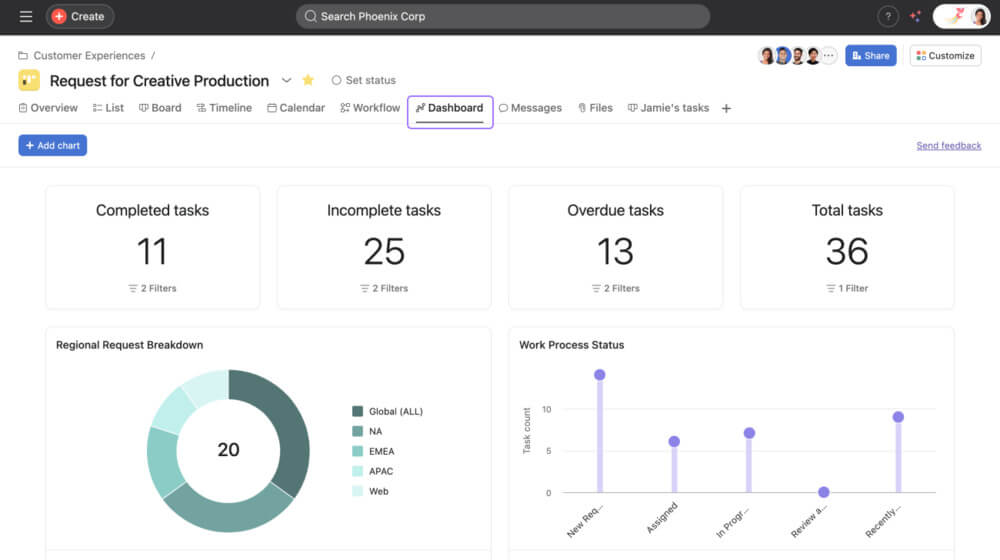
Asana is a project management tool PR teams use to plan campaigns, manage outreach, and keep everything (and everyone) aligned.
Asana is a project management tool PR teams use to plan campaigns, manage outreach, and keep everyone (and everything) on the same page.
It’s flexible and powerful, but just like Monday.com, you’ll want to set it up to match the way you run your PR workflows.
⭐️ Best for:
- Teams running multiple campaigns with lots of “moving parts”
- Agencies managing clients, approvals, and deadlines
- PR teams that need clear workflows and better visibility
💪 Strengths:
- Great for planning and tracking PR campaigns end-to-end
- Flexible views (dashboards, lists, Kanban boards, timelines) for different workflows
- A lot of integrations available (Slack, Drive, Adobe, etc.)
- Free plan covers small team needs
👎 What could be better:
- Not PR-specific – requires setup and customization
- No media monitoring or social listening features
- Can feel “heavy” for smaller teams or simple workflows
⭐️ Overall verdict:
Asana is a great fit for mid-size PR teams juggling multiple campaigns.
It’s pretty easy to use once everything’s set up, but you’ll need to stay on top of it to keep things organized.
18 ClickUp
4.7/5 – G2 (11,356 reviews)
4.6/5 – Capterra (4,555 reviews)
Free, limited version available
From $7/user/month
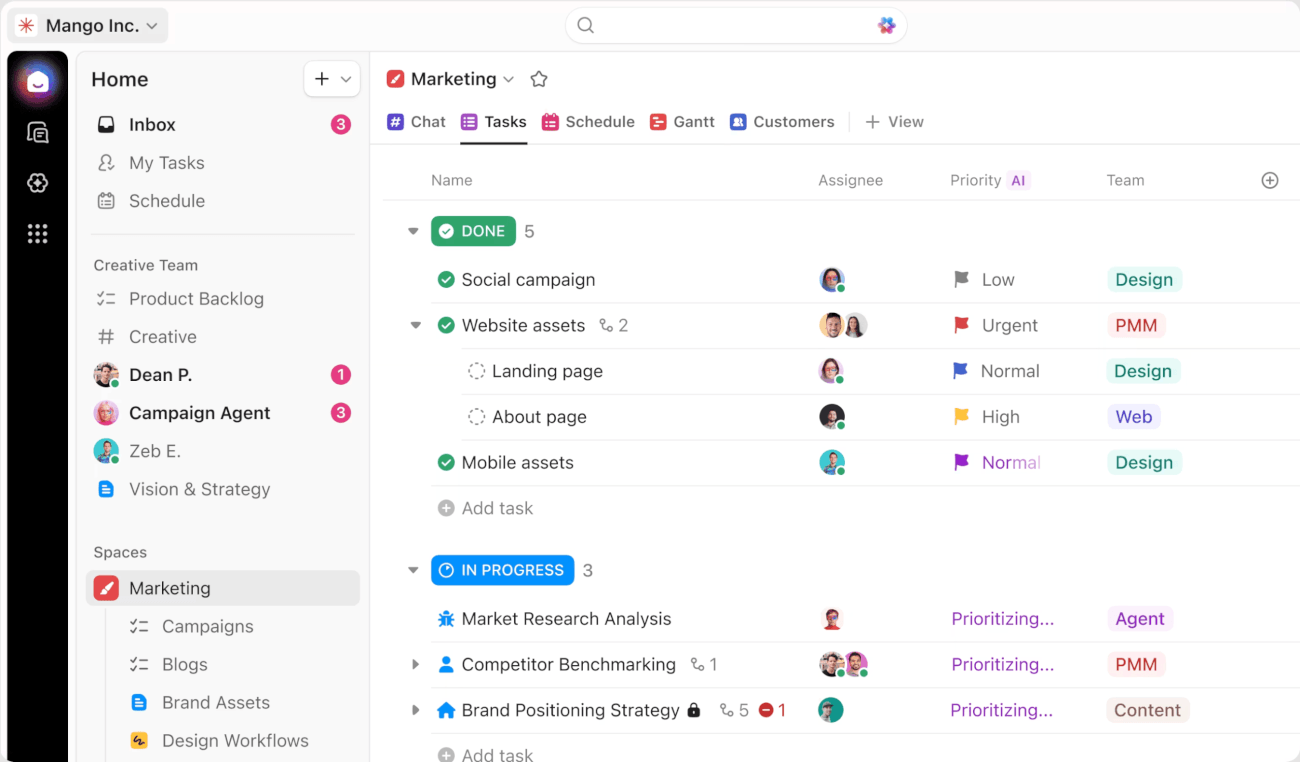
ClickUp is an AI-powered, flexible project management tool PR teams use to plan campaigns, track media outreach, manage approvals, and keep tasks and conversations all in one place.
It brings together task management, lightweight CRM-style features, automation, and reporting in a single workspace.
⭐️ Best for:
- PR teams managing complex campaigns with multiple steps
- Agencies coordinating outreach, approvals, and reporting
- Teams that want customizable workflows in one tool
💪 Strengths:
- Combines project management with CRM-style contact tracking
- Strong automation for follow-ups and task workflows
- Flexible ways to view your work (lists, boards, calendars, dashboards)
- Built-in docs, whiteboards, and AI Assistant support
👎 What could be better:
- An overwhelming number of settings
- Takes time to set up and structure for PR use
- No built-in media monitoring or social listening
⭐️ Overall verdict:
ClickUp works best for data-driven PR teams that want everything in one place. It’s super powerful, but you’ll need to spend some time setting it up the right way.
FAQ
What are public relations tools?
PR tools are software that help PR professionals manage media outreach, monitor brand mentions, create content, and measure campaign results.
They replace manual work like tracking coverage, building media lists, and reporting.
Some focus on one area, while others combine a few PR workflows in one platform.
What is the best PR tool?
There isn’t one “best” PR tool; it really comes down to what you need most. For instance:
- Brand24 is great for media monitoring and analytics,
- Semrush AI PR Toolkit (Prowly) and JustReachOut help with outreach,
- and tools like Asana or ClickUp are better for managing PR workflows.
Most teams choose based on their biggest bottleneck rather than trying to find an all-in-one solution.
What are the main types of PR tools?
PR tools usually fall into a few categories:
- media monitoring
- outreach & media databases
- content creation & editing
- project and workflow management
Some tools combine categories, but most are strongest in one area.
How to choose the best PR tools for your digital PR team?
Start by identifying what takes your team the most time or causes the most friction.
Then look for public relations software that solves that specific problem well, instead of trying to cover everything. Always test it with real use cases to see if it fits your workflow.
What are the benefits of using a PR tool?
PR tools (and especially those AI-powered) help you save time by automating repetitive, sometimes mundane tasks like media monitoring, outreach, reporting, and email follow-ups.
They also make it easier to see what’s working in your daily workflow (and what isn’t).
How do social listening tools support PR?
Social listening tools help PR teams track brand mentions, sentiment, and trends across online channels in real time.
They make it easier to spot opportunities, monitor campaign reach, and respond quickly to potential crises.
Tools like Brand24 also help identify influencers and measure how your message spreads.
How do you measure digital PR impact in analytics tools?
Digital PR impact is measured by tracking metrics like brand mentions, reach, sentiment, backlinks, and share of voice.
Some of the PR tools combine these into reports so you can see what coverage you earned and how it performed.
The key is connecting your brand’s media coverage to real outcomes like engagement or LTV.
Are free PR tools enough?
Free tools can work for basic tasks or small teams, for example, Google Alerts for simple monitoring or limited free features in MixMax for outreach.
However, they often come with restrictions in data coverage, accuracy, and reporting.
As your PR efforts grow, you’ll likely need more advanced tools to get reliable insights and scale your work.