Table of contents
2M Marketers

In 2026, the internet is the default: 5.56 billion people are online, creating conversations brands shouldn’t ignore. Social media tools help you monitor and manage this buzz.
Top Social Media Tools (Summary)
| Tool | Best for | Key features |
|---|---|---|
| Brand24 | Social listening and media monitoring | Mentions and reach, sentiment, hashtags and trends, competitor analysis, share of voice, influencers, anomaly detection, AI insights |
| MavSocial | Enterprise social media management | Stock library, background remover, content planner, engagement tracking, and AI image generator |
| Canva | Visual content creation | Stock library, background remover, content planner, engagement tracking, AI image generator |
| Sprout Social | Social management and analytics | Content planning, smart inbox, conversation management, reporting, social listening |
| Bitly | Link management for social | Link in bio, landing pages, link analytics, URL shortener, QR codes |
| Google Analytics | Measuring social impact on traffic and ROI | Competitor reports, ads overview, demographics, and actionable insights |
| Buffer | Scheduling and analytics for small teams | Traffic attribution, conversions, ROI, demographics, and custom dashboards |
| Post Planner | Content planning and curation | Content calendar, engagement analytics, demographics, multi-account dashboard, landing pages |
| Metricool | Content planner, bulk posting, content discovery, analytics, re-posting top content | Content planner, hashtag tracking, ads manager, smart links, reporting |
| Audiense | X marketing and audience intelligence | Community analytics, hashtag tracking, audience segments, influencer discovery, reporting |
| Vaizle | Competitive analytics and benchmarking | RSS feeds, collections, content discovery, and sharing integrations |
| Feedly | Content curation and trend tracking | All-in-one social management |
| Hootsuite | Scheduling, multi-channel sharing, mobile app, browser extension, link shortener | Scheduling, best time suggestions, unified inbox, tagging, analytics, sentiment reporting |
| Friends+Me | Simple scheduling for individuals | Unified inbox, stock library, AI image editing, team collaboration, reporting, ads, and publishing |
| Onalytica | Influencer marketing | Influencer discovery, profiles, relationship management, content seeding, reporting |
| CoSchedule | Marketing calendar for content and social | Unified calendar, task templates, drag and drop scheduling, bulk scheduling, best time suggestions |
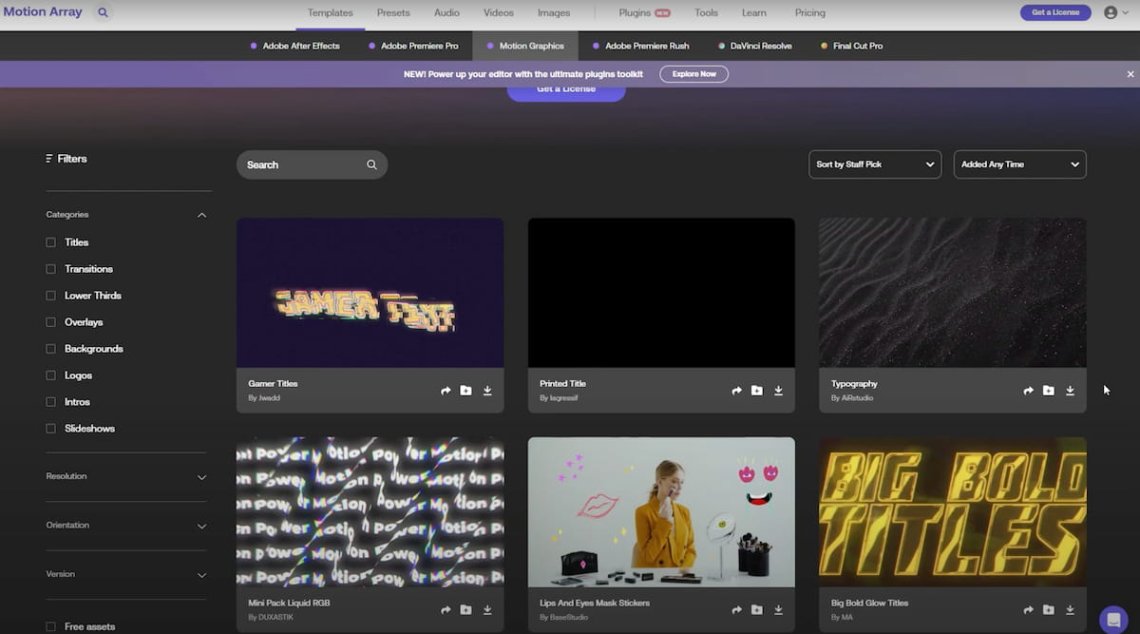
| Motion Array | Video assets and templates | Video templates, stock media, music, and SFX, social templates, and Adobe integrations |
Most social networks have their own management, scheduling, and analytics features. So, should you spend your time and money on external solutions? Will they enhance your social media strategy?
The shortest answer: Yes. The slightly longer answer: Absolutely yes!
Here is a selection of the 17 best social media tools, along with why they are worth it.
What are the best tools to view and analyze social media activity?
01 Brand24
Let’s start our list of social media tools for marketing with Brand24.
Why is it one of the best tools for social media marketing?
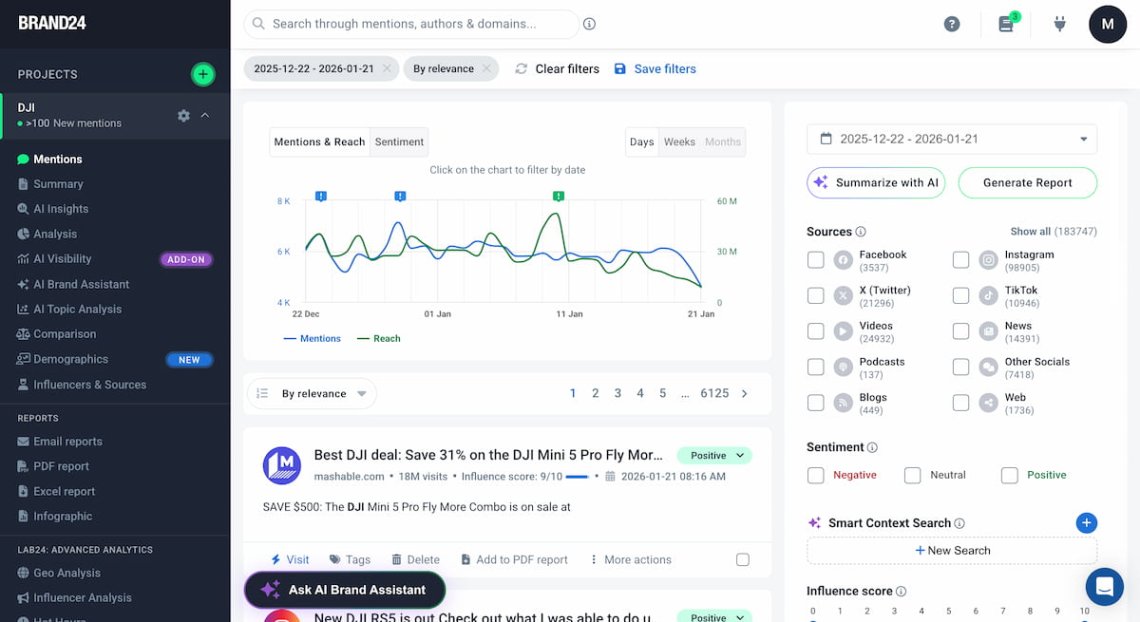
Short answer: Brand24 is an AI-supported social listening and media monitoring platform that helps you understand what people say about your brand, competitors, and industry across the web.
Brand24 collects mentions from platforms like Facebook, Instagram, X (Twitter), LinkedIn, TikTok, YouTube, Reddit, Quora, Twitch, Telegram, and more — including untagged mentions.
You can use Brand24’s to upgrade your social media strategy by:
- Social media mentions monitoring
- Social media reach measuring
- Understanding the sentiment regarding your brand and social media efforts
- Advanced competitive analysis
- Identifying and monitoring trending hashtags
- Finding top influencers and your most influential social media platforms
- Tracking Reputation Score
- Upgrading your social media strategy thanks to personalized, AI-boosted conclusions & suggestions
… and many more.
That makes it a perfect tool to view and analyze social media activity.
Key features:
- Social media mentions volume & reach
- Sentiment Analysis
- Hashtag monitoring
- Trending hashtags discovery
- Advanced competitor analysis
- Share of Voice
- AVE
- Influencers Tab
- Influence Score
- Influencer Analysis
- Emoji Analysis
02 MavSocial
MavSocial is an enterprise-level social media management platform for multi-location businesses, brands, and agencies.
The tool supports multiple social media platforms: Facebook, X (Twitter), Instagram, LinkedIn, Tumblr, YouTube, and WeChat.
With MavSocial you can easly view and analyze social media activity.
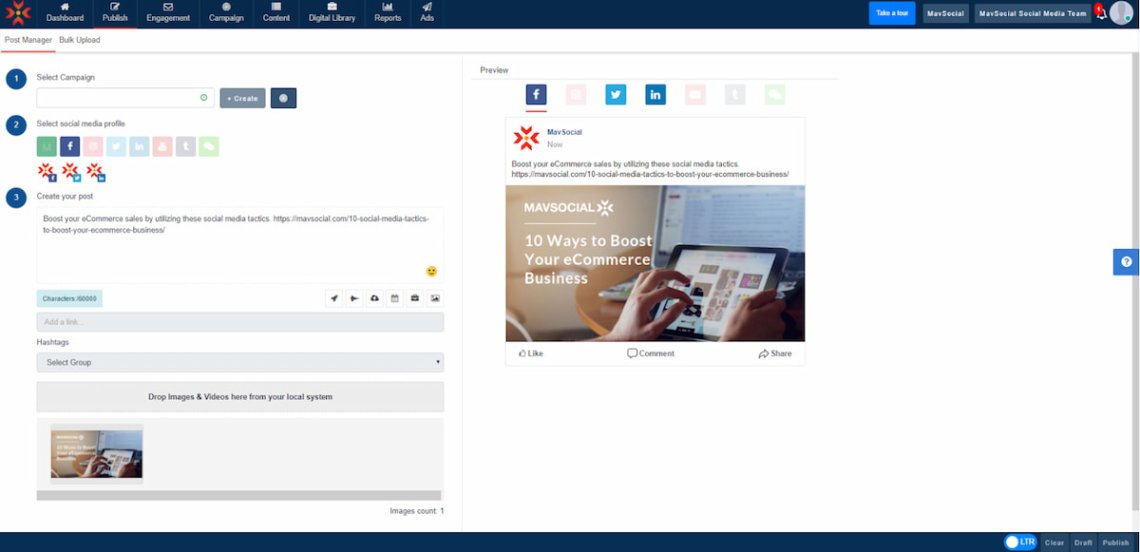
Its main advantage is that you can manage social media ads and publish posts on multiple social media channels from a single dashboard.
Besides, the tool has team collaboration features and basic social listening features.
MavSocial’s top sphere is content creation and management. It has a built-in stock image library and quite powerful editing tools. All of that is supported by the AI image recognition tech.
As for MavSocial’s downsides, you might not be satisfied with its old-school user interface and experience.
Key features:
- Unified social inbox
- A large stock image library
- AI-supported image editor
- Team collaboration
- Intuitive reporting
03 Canva
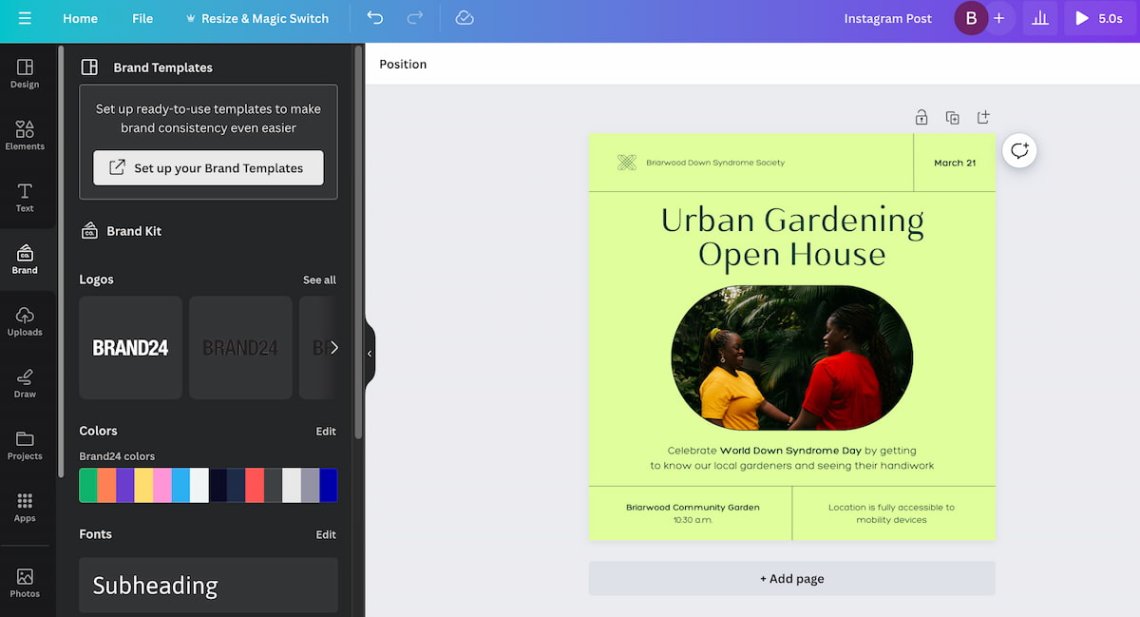
Canva is a widely known online graphic design tool. The platform is recognizable mostly thanks to its advanced visual content creation, allowing you to produce social media posts, templates, and videos.
You can enjoy basic Canva’s features with a free plan. But to use its full potential, you should switch to their Pro plan. Why?
With Canva Pro, you can access over 100 million adjustable graphic resources, including stock photos, videos, and animations.
Besides, the tool offers extra social media features, such as Content Planner, that help schedule posts on Facebook, Instagram, X, and LinkedIn.
Moreover, Canva Pro gives access to basic audience engagement tracking.
Key features:
- Rich stock library
- Image and video background remover
- Content Planner for scheduling posts
- Audience engagement tracker
- AI image generator
04 Sprout Social
Sprout Social is a comprehensive social media management platform combining publishing content, social media listening, and analytics features.
It allows you to manage your social media presence across many platforms: Facebook, Instagram, X, LinkedIn, TikTok, Pinterest, and YouTube.
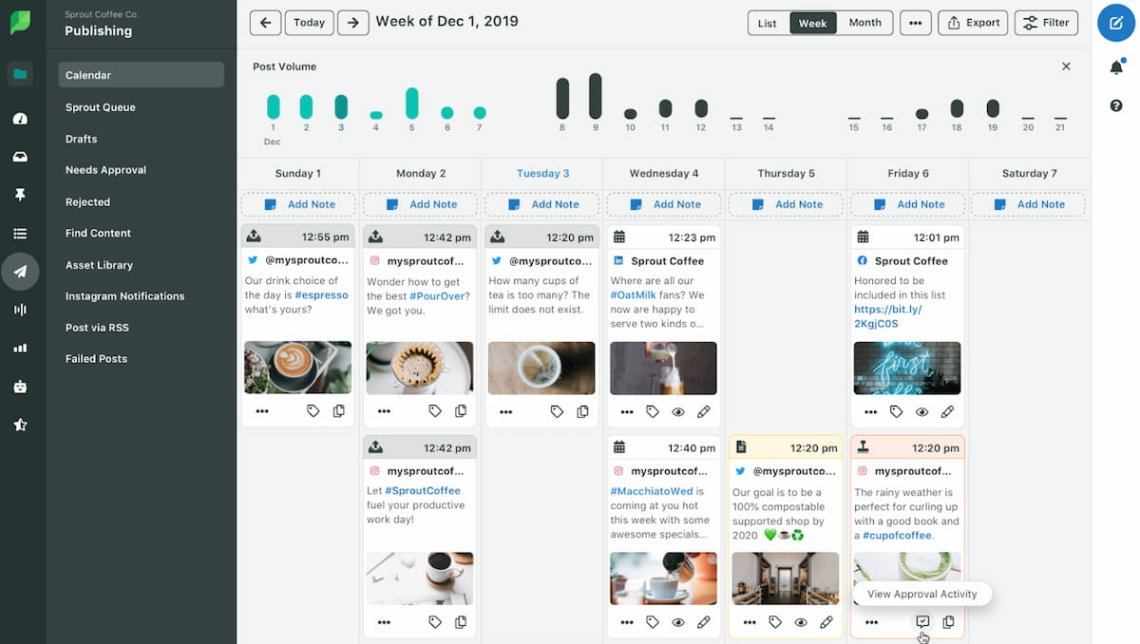
The tool enables planning, organizing, and scheduling posts.
Solutions like a content calendar and suggesting optimal publishing time based on your audience’s behavior can be a nice add-on to streamline your content strategy.
Besides, Sprout Social lets you track your social media’s real-time engagement and gives valuable insights into your social media performance.
However, access to insights and reporting features requires purchasing a Professional Plan.
Similarly, if you’d like to support your efforts with media monitoring (which is undoubtedly critical for measuring social media presence), you must prepare for a high cost.
Key features:
- Content planner
- Smart inbox
- Conversation management
- Advanced reporting
- Social listening features
05 Bitly
Bitly is a tool that became recognizable thanks to its URL shortener feature. I guess you may have seen a short link containing “bit.ly” – that’s what I’m talking about.
But Bitly offers some additional solutions that can enhance your social media efforts!
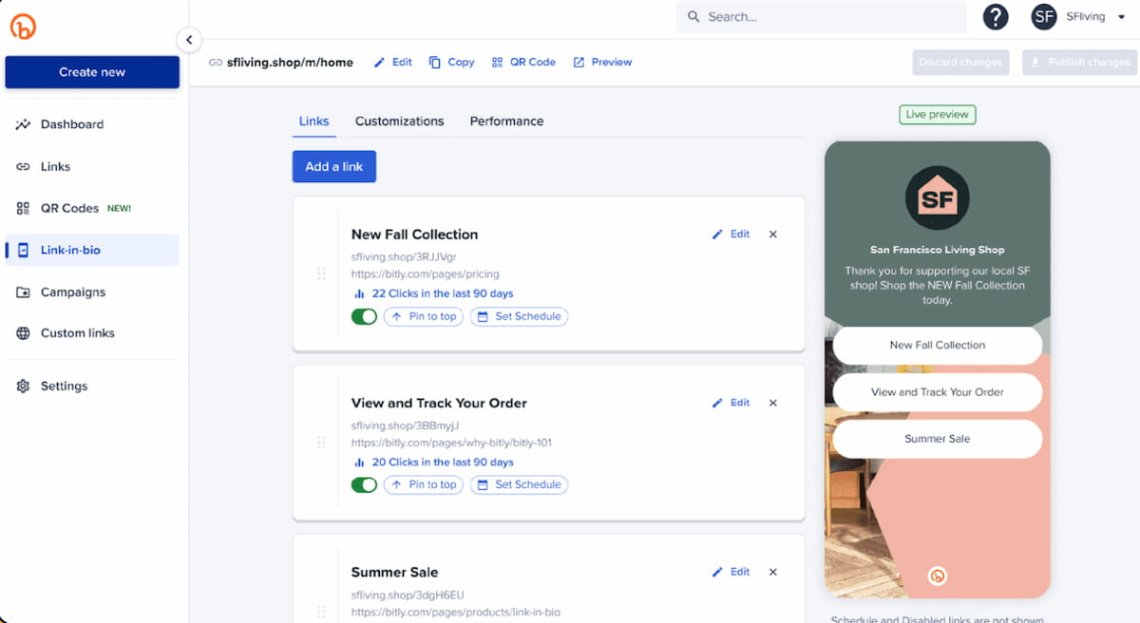
The link-in-bio feature enables you to create and design a simple landing page, consolidating various links (to your website, podcast, YouTube channel, etc.) in one place.
Moreover, Bitly equips you with basic analytics – you can track which links on your landing page people click the most frequently.
In addition to the URL shortener, which is still the tool’s core feature, Bitly allows you to convert links to QR codes.
This feature ensures your message will reach your audience without taking up as much space as the usual URL.
Key features:
- Link-in-bio
- Simple link landing page creator & analytics
- URL shortener
- QR codes creator
06 Google Analytics
I think there is no need to introduce you to Google Analytics (GA4).
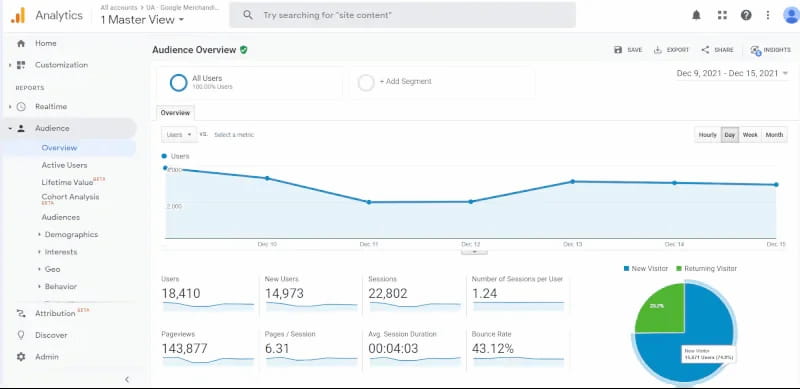
In short, it’s a customizable analytics platform that tracks websites, mobile apps, and event traffic to generate invaluable insights. Used wisely, this GA can be one of your best social media analytics tools.
How?
Google Analytics allows you to track which social media platforms bring you the most traffic, leads, and conversions.
That makes it one of the best tools to view and analyze social media activity.
It’s also an invaluable source of reliable audience & demographic data you can use to improve your overall content marketing strategy.
Besides, GA4 is great if you want to calculate your social media campaigns’ return on investment (ROI).
Key features:
- Social media traffic, leads & conversions sources
- ROI analytics
- Demographic metrics
- Customizable analytics dashboards
07 Buffer
Buffer is one of the most well-known social media marketing tools. It’s designed to help small businesses manage their social media content with scheduling, publishing, and analytics features.
The tool supports multiple social networks, including Facebook, Linkedin, Instagram, TikTok, and so on.
Along with Buffer’s content marketing features, you can enjoy its analytics capabilities.
You can discover your audience’s demographics, measure your stories, posts & hashtags performance, as well as compare your organic and paid social campaigns.
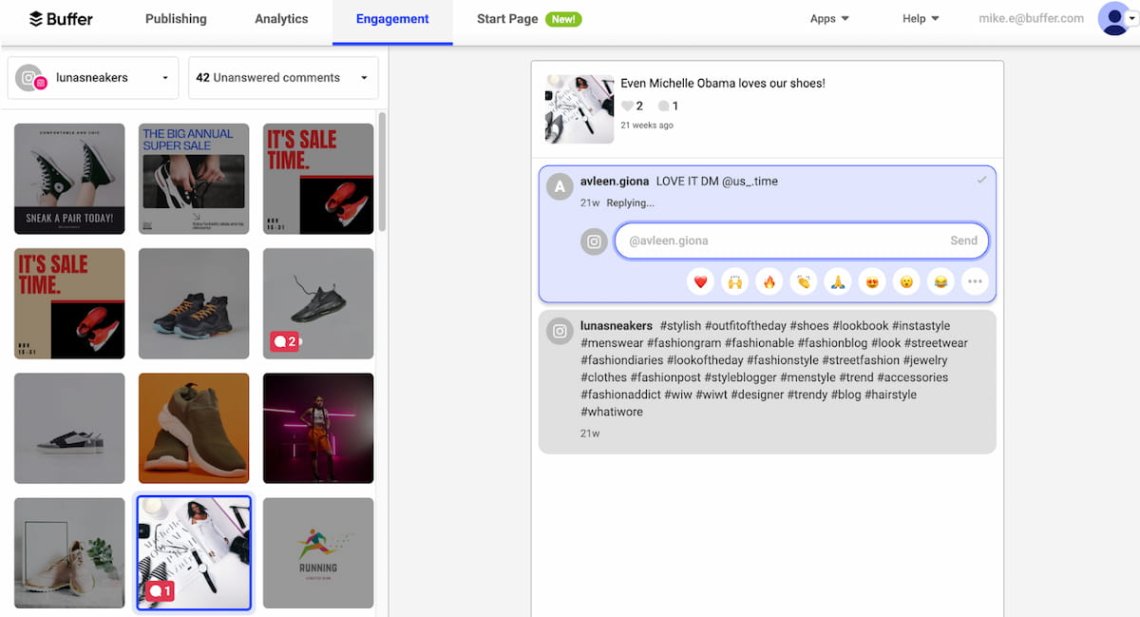
Moreover, Buffer is a type of social media management software that allows you to track engagement on various social channels from a single dashboard.
Also, you can create a personalized landing page and embed it in your bio.
Unfortunately, many users face many bugs when using the platform – especially regarding Instagram. It’s also quite tricky to learn to use the software.
Key features:
- Content calendar & planning
- Audience engagement and demographics
- Single dashboard to manage social media accounts
- Landing page creator
08 Post Planner
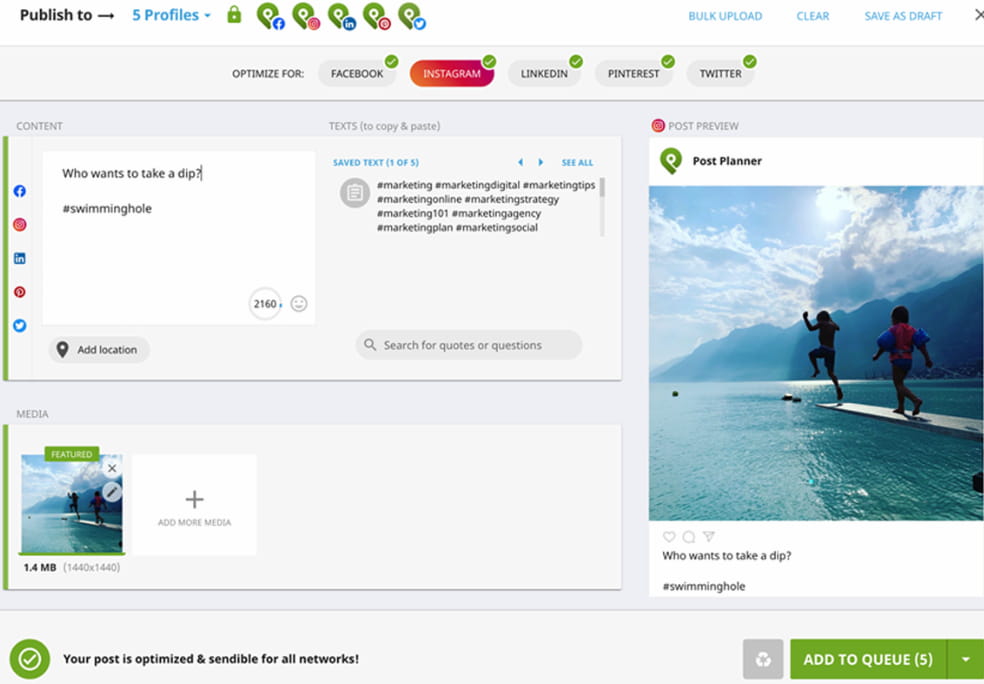
Post Planner is a social media management tool and content planner. It allows you to create, manage, and schedule content on multiple social media platforms (Facebook, Instagram, LinkedIn, Twitter, and Pinterest).
Besides, the tool is perfect for finding viral niche content. Post Planner offers features that identify popular posts, quotes, memes, and articles from your industry.
The tool shows in-demand results, so it’s up to you what type of content you’d like to share with your audience.
As you might have expected, Post Planner also provides analytics features. Quite a unique one is the option of quickly re-posting your top-performing content with just a few clicks.
Key features:
- Content planner
- Bulk post creation
- Content curation
- Dynamic analytics
09 Metricool
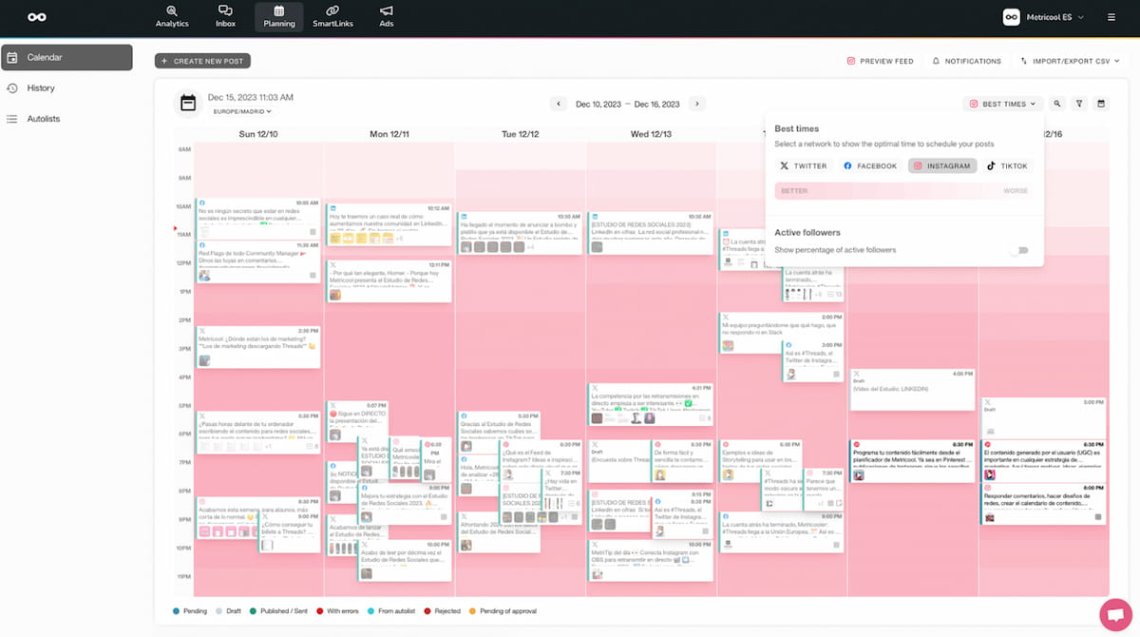
Metricool is an all-in-one social media management tool. It provides you with many solutions to handle your business’s social channels, including analytics, a content calendar & drag and drop features.
The tool supports multiple platforms, including Facebook, Instagram, X (Twitter), and some others.
You can easily view and analyze social media activity with Metricool.
Metricool allows you to integrate, calculate, and schedule social media posts. With just a few clicks, you can set up your social media content and publish it simultaneously on multiple platforms.
It also provides analytics showing how the individual social media platform performs and a general overview of your posts.
Additionally, you can choose the particular report to see the metrics you’re interested in and monitor hashtag performance.
Key Features:
- Content planner
- Hashtag tracker
- Social media ads manager
- Bio landing page & smart links creator
10 Audiense
Audiense is a social media & competitive intelligence tool offering features regarding two primary spheres: X (Twitter) marketing and audience intelligence.
As for the X platform, Audiense allows you to research, manage & analyze followers, and run targeted ad campaigns. Besides, the tool provides a feature to track and analyze hashtags on Twitter.
But the real Audiense’s power lies in its intelligence capabilities.
The tool offers three complementary analytics products.
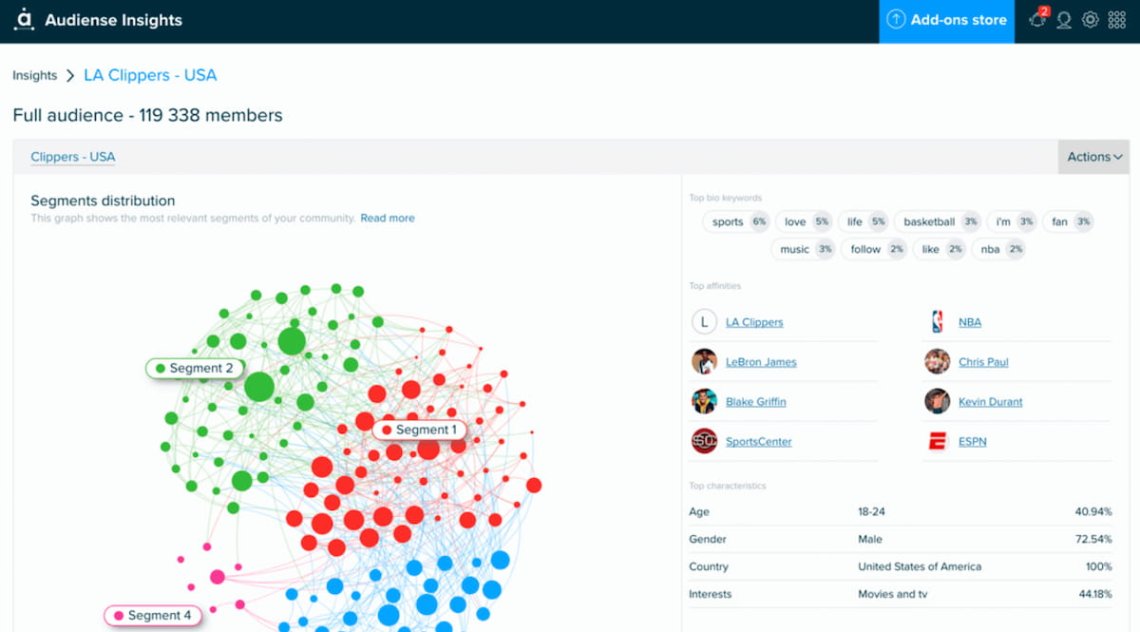
Social Intelligence is the most fundamental. It is responsible for uncovering consumer segments and deeper understanding with the help of social listening.
In practice, Audiense allows you to uncover detailed audience demographics, interests, and behaviors. You can also identify influencers within your target market.
When you add its reporting features it turns out that Audiense is one of the best social media marketing tools.
The other two levels – Digital Intelligence and Demand Intelligence – offer large-scale data analytics and insights. Therefore, Audiense is one of the most interesting competitive intelligence tools.
Any downsides? Well, although Twitter analytics is relatively cheap, access to audience intelligence is very expensive. Therefore, this area is reserved for businesses with large budgets.
Key features:
- Twitter community management & analytics
- Twitter hashtag tracker
- Very advanced audience intelligence solutions
11 Vaizle
Vaizle is a social media analytics tool tailored for competitive analysis and performance benchmarking, supporting Facebook, Instagram, Twitter (X), and YouTube.
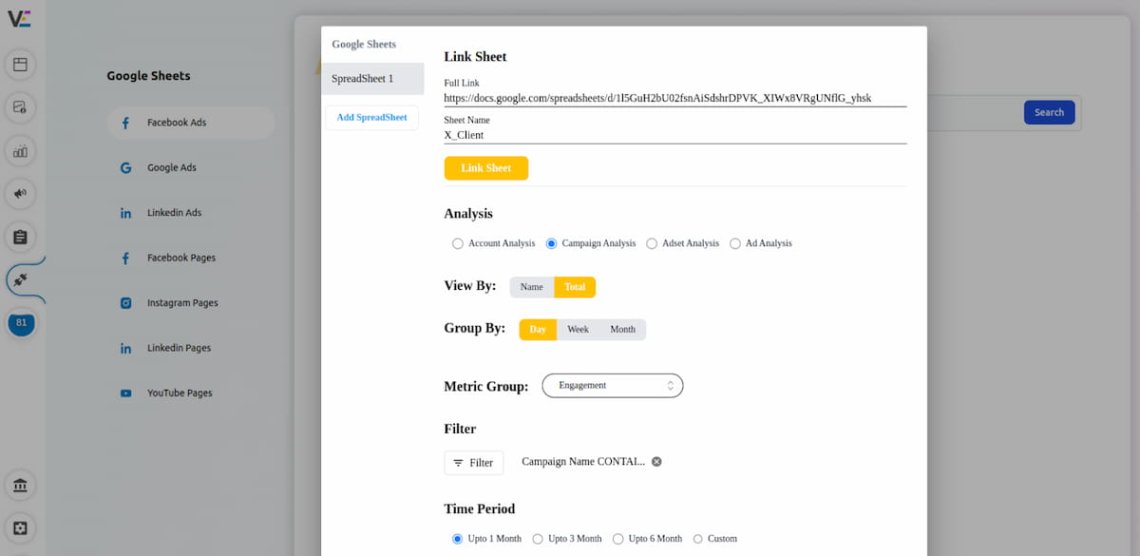
The tool stands out for its easy-to-understand reports, making complex data more accessible. Vaizle is especially useful for actionable tips based on your performance, helping you improve your social media strategy.
Besides, Vaizle is one of these social media marketing tools that gives you a holistic view of your ad campaigns across multiple social media accounts. Moreover, it offers a pretty detailed demographic analysis.
While it’s great for competitor analysis, remember that the Vaizle feature set is quite narrow. Therefore, Vaizle must be supported with other social media marketing tools.
Key features:
- Competitor analysis
- Ads management
- Demographic analysis
12 Feedly
Feedly is quite a unique social media tool. In short, it is a content aggregation platform designed for those who need to stay updated with industry trends and news.
It’s especially popular among content creators for its ability to streamline information gathering.
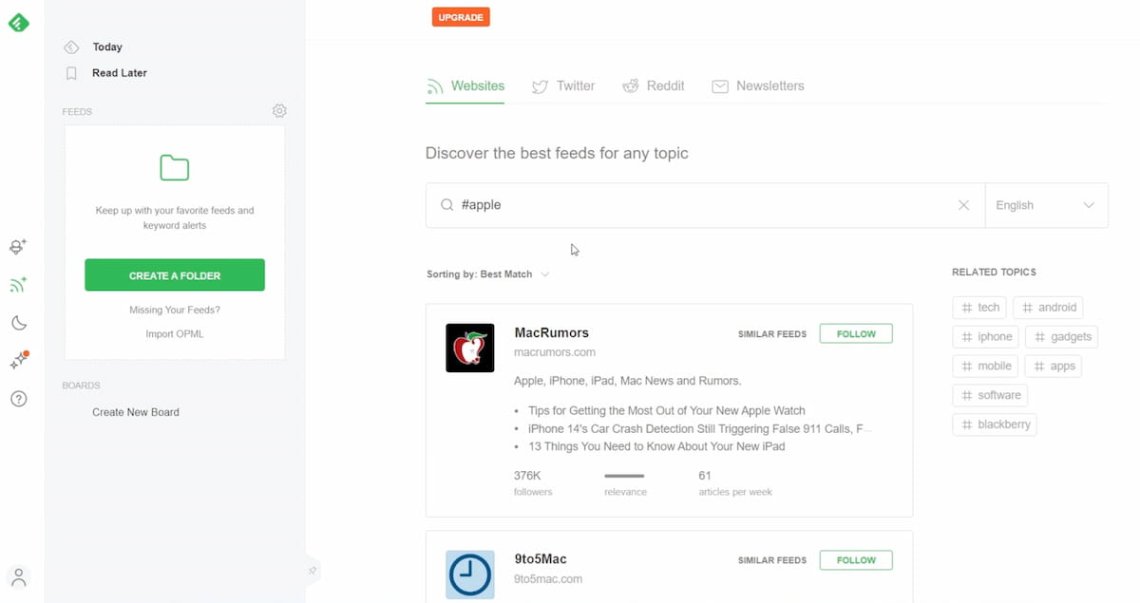
Feedly allows you to follow various blogs, news sites, and other online sources, organizing them into an easy-to-navigate feed.
Okay, but what can you do with it?
Feedly is particularly useful for curating content relevant to your audience. By staying updated with your industry trends, you can share timely and relevant posts on your social channels.
Feedly also offers features to organize articles into collections, making accessing information for different topics or projects easy.
Moreover, Feedly integrates with other social media tools, allowing you to share interesting articles across your networks directly.
Remember though that Feedly doesn’t provide direct social media management features like scheduling or analytics. It’s best to support it with other social media tools.
Key features:
- Content curation
- RSS feed
- Sharing content directly from the platform
13 Hootsuite
Hootsuite is definitely one of the most recognizable social media management tools available. Regardless of your experience, I assume you have seen this name at least once.
For clarity, let’s explain what Hootsuite is.
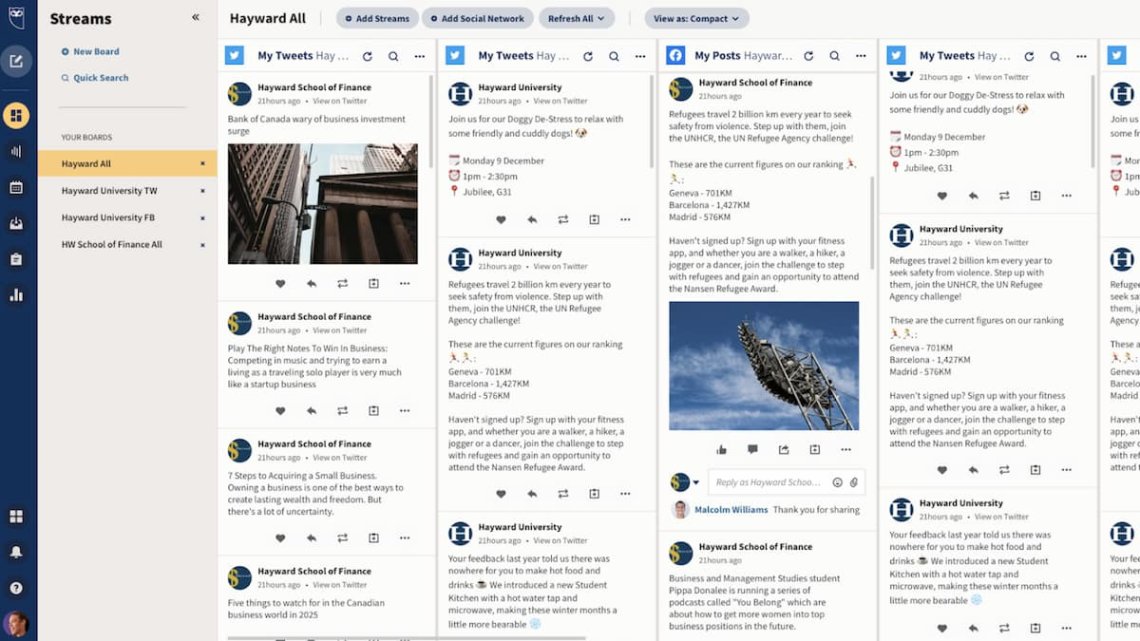
So, it’s an all-in-one social media management platform that combines content creation, scheduling, and analytics features.
It’s perfect if you need to view and analyze social media activity.
In practice, Hootsuite offers a social media posts & bulk scheduler, AI writer support, best times to post, and so on.
As for engagement, the tool provides a common inbox with automated tagging and some basic social media monitoring features.
We also shouldn’t omit Hootsuite’s social media analytics features, including post performance reports and Sentiment Analysis reporting.
To enjoy Hootsuite’s full potential, you must consider purchasing the Team or Enterprise plan.
Key features:
- Post scheduling
- Multiple integrations
- One inbox for multiple accounts
- Custom analytics and report
- Competitive benchmarking
14 Friends+Me
Let’s leave big and wealthy social media tools for a moment. It’s time to introduce you to Friends+Me, which is a simple social media management tool designed for single users and small businesses.
Focusing on Facebook, Twitter, LinkedIn, Tumblr, and Pinterest, this tool is all about efficiency and ease of use.
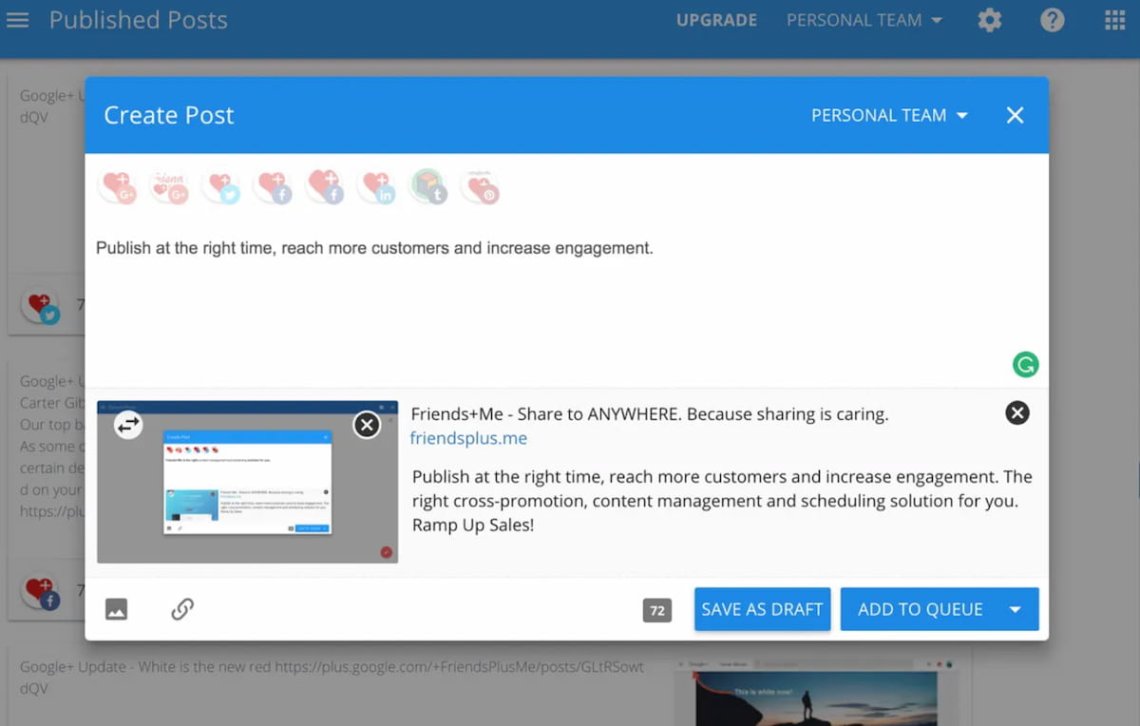
Friends+Me specializes in scheduling posts and their distribution, allowing you to share content across multiple social media accounts.
The tool has the ability to repost content from Google My Business, making it unique in the social media landscape.
Sure, Friends+Me lacks the advanced analytics of larger platforms. But that’s the point!
It has an easy-to-use interface and focuses on essential features, making it a great fit for those who need a handy and budget-friendly solution for managing their active social media presence.
Key features:
- Post planner
- Mobile app
- Browser extension
- Link shortener
15 Onalytica
Onalytica is an influencer marketing software that helps brands in scaling their influencer programs. The tool streamlines the whole process of binding and maintaining influencer relationships.
In practice, Onalytica helps you find influencers and events that might be interesting for your social media campaigns.
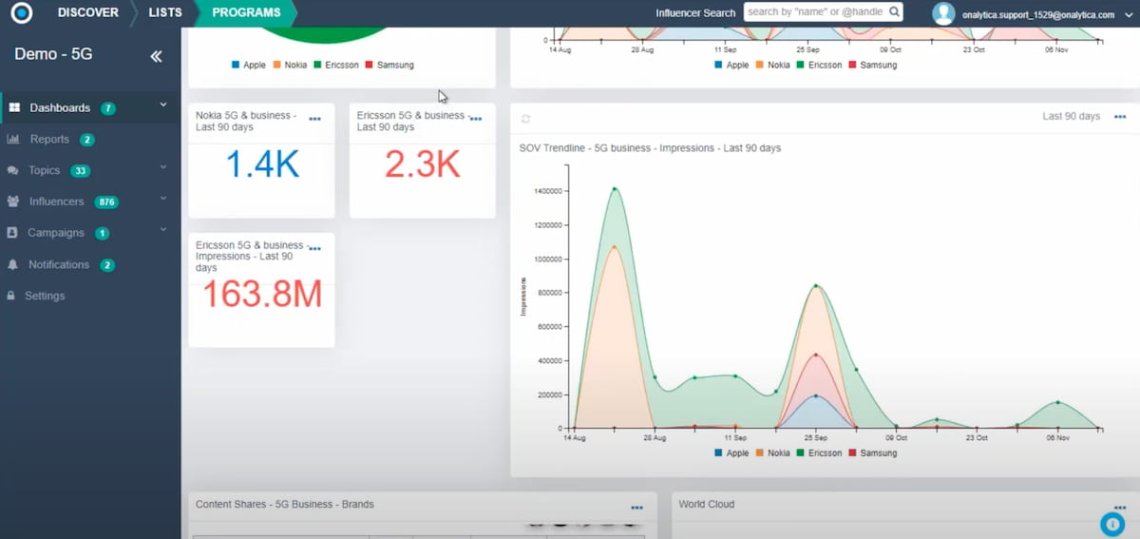
Afterward, the tool analyzes the social media data and identifies the influencer’s share of voice in the niche.
You shouldn’t be surprised that Onalytica enables you to contact and manage relationships with niche influencers too.
Last but not least, the tool offers analytics features that help you to understand your brand awareness and engagement evaluations.
A visible downside of the tool is its old-fashioned interface. Besides, the tool is for one purpose only.
Therefore, if you need software supporting your holistic social media marketing strategy, you must consider subscribing to other tools.
Key features:
- Influencer discovery
- Influencer profiles
- Content seeding
- Analytics and reporting
16 CoSchedule
CoSchedule brands itself as an all-in-one marketing calendar for content, social, and more. Okay, let’s see that bet!
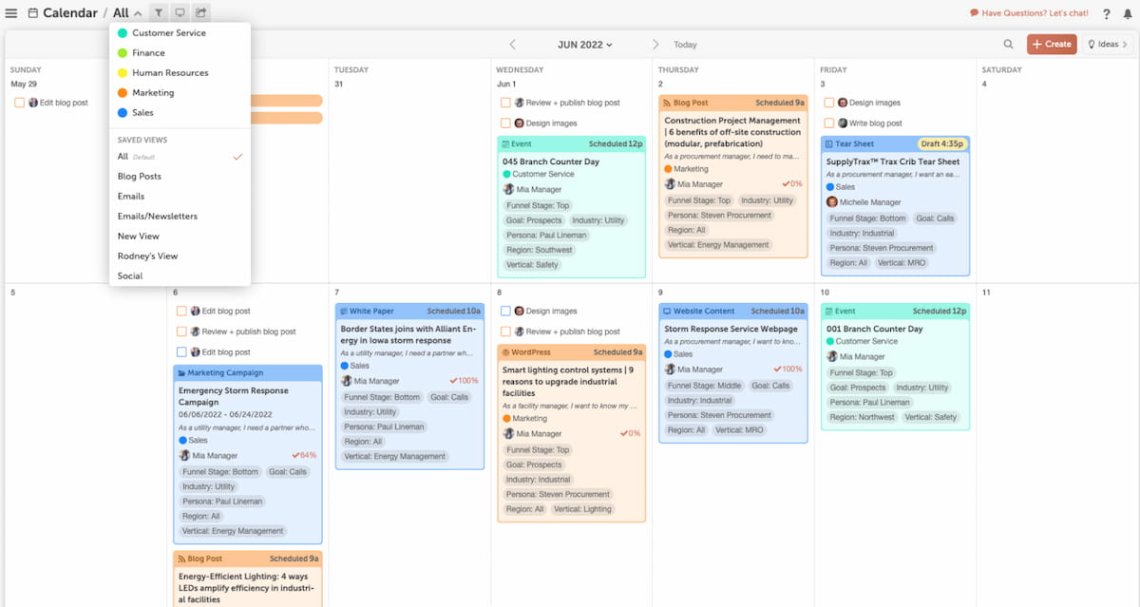
The tool indeed offers one calendar for nearly all content-related marketing actions. You can schedule not only social media content but also blog posts and newsletters.
To streamline your work and remember your daily responsibilities, CoSchedule provides a task template feature.
The calendar is easily manageable. Changing your content publication time is simple, thanks to a drag-and-drop interface. You shouldn’t be surprised that CoSchedule also offers a bulk scheduling feature.
Moreover, it analyzes your past content and, based on that, suggests the most adequate publishing time.
These are just some examples of how you could use CoSchedule to streamline your everyday work. For me, CoSchedule is one of the most interesting social media tools on the list!
Key features:
- Advanced content calendar
- Bulk scheduling
- Team collaboration
- Best publication time suggestions
17 Motion Array
Motion Array is a comprehensive video asset & visual content creation platform.
It offers a vast library of video templates, stock videos, music, and sound effects, which can significantly enhance the quality of social media posts and campaigns.
In an age when grabbing people’s attention is more difficult than ever, creating compelling posts, stories, and ads is invaluable. Motion Array’s assets make crafting visually appealing content possible.
But that’s not the only key advantage of this tool. The second one is the intuitive interface that makes it accessible even for those with limited video editing skills & experience.
For those reasons, Motion Array is one of the most exciting tools for social media marketing, and you should check it on your own.
Key features:
- Adobe After Effects, Premiere Pro, and Photoshop integrations
- Vast videos, images, and sounds stock library
- Social media content templates
Conclusion
“Social media tools” is a general term that covers many different types of software designed to improve your social media efforts.
I’ve shared a list of tools that I personally find useful as a marketer.
Now it’s up to you to choose the core tools you actually need.
To make the decision easier (and less of a hassle), I’ve put together this step-by-step guide:
| Topic | What to do | Outcome |
|---|---|---|
| Goals | Pick one main goal + 1–3 KPIs | You know what “success” means |
| Channels | List your priority platforms | You don’t pay for stuff you won’t use |
| Tool type | Decide what you need most: management / analytics / listening / influencer | You pick the right category first |
| Daily work | Write your top 5 tasks (schedule, reply, report, monitor, etc.) | You can test tools realistically |
| Must-haves | Set 3–7 requirements + deal-breakers | Easy filtering during demos/trials |
| Data coverage | Check platforms, mention sources, history, limits | No surprises after purchase |
| Reporting | Define reports + exports + GA4/UTMs | You can prove impact/ROI |
| Team & approvals | Confirm roles, permissions, approval flow | Smooth collaboration |
| Trial | Test with real tasks for a few days | You see what’s actually usable |
| Final choice | Compare results + total cost | Confident decision + rollout plan |
Final thoughts:
- Identify your specific needs before choosing a social media tool. The right tool can streamline your work and enhance your strategy.
- There’s a tool for every level, from single users to large agencies. Consider the size and scope of your social media activities and budget;
- Social media monitoring tools for marketing like Brand24 show that comprehensive data and automation are key to unlocking the full potential of your social channels.
- For creative content, platforms like Canva and Motion Array are indispensable for crafting visually appealing posts that capture attention.
- Remember, while social media tools are powerful, they’re just one part of a successful marketing strategy. They support but don’t replace creativity and understanding of your audience.
Are you curious how using the right tool will improve your social media performance? Start a free trial and check it out for yourself!
FAQ
What are social media marketing tools?
Social media tools are specialized software designed to streamline user efforts with scheduling, publishing, managing, advertising, and analytics features. Depending on your needs, social media tools can support your entire range of activities or focus on just one specific area.
Why are social media marketing tools important?
You may wonder why even bother to search for the right social media marketing tool? Why is it important to view and analyze social media activity?
Well, let me share some stats with you:
- 1 ~5.24B of people use social media.
- 2 People spend about 2h 21m daily on social.
- 3 People use about 6.8 platforms per month.
- 4 People find brands through about 5.8 sources on average.
See, numbers don’t lie: your customers are spending a huge part of their day in social feeds.
If you’re not actively listening, you’re missing the moments that shape their decisions.
They’re also bouncing between multiple platforms and touchpoints.
That means your message can get lost fast unless you have a tool that keeps everything connected and under control.
What types of social media tools exist (and which ones do I actually need)?
Social media tools usually fall into a few main categories. You don’t need all of them—most teams start with 2–3 and add more only when the workload (or goals) grow.
Here are the key types:
- Social media management (publishing + scheduling) Helps you plan, schedule, and publish content across multiple platforms from one place. Great if you post regularly and want a clean content calendar.
- Engagement & community management (inbox tools) Brings comments, mentions, and messages into one dashboard, often with tagging and collaboration. Essential if you get a lot of interactions or you want faster response times.
- Analytics & reporting Turns performance into clear dashboards and reports. Useful when you need to explain results to stakeholders, compare channels, and track progress over time.
- Social listening & monitoring Tracks brand mentions (including untagged ones), sentiment, trends, competitors, and industry conversations. A must if reputation, PR, competitor tracking, or insight gathering matters to you.
- Content creation (design + video tools) Helps you create visuals, templates, and video assets faster. Perfect if your team produces a lot of creative and wants consistent branding.
- Link management (link-in-bio + tracking) Lets you create link hubs and track clicks, often with short links and QR codes. Helpful if social drives traffic to multiple destinations.
- Influencer/creator tools Supports discovery, relationship management, and measurement of influencer campaigns. Worth it when influencer marketing becomes a repeatable channel, not a one-off experiment.
- Content discovery & curation Helps you find trends, articles, and content ideas to share. Nice-to-have if your strategy includes curated posts.
So which ones do you actually need?
A simple rule: start with what solves your biggest pain today.
- If you’re doing PR or competitor work → listening is non-negotiable
- If you struggle with consistency → management + content creation
- If you struggle with conversations and replies → inbox/community + listening
- If you struggle to prove impact → analytics/reporting + GA4 tracking
What are social media listening tools?
Short answer: Social media listening tools are platforms that track and analyze online conversations about your brand, competitors, products, or keywords.
With social listening tools, you can understand what people are saying, where, and how it’s trending.
What they typically do:
- Collect mentions across sources (social platforms + often forums, news, blogs, reviews)
- Catch untagged mentions (when people talk about you without @-mentioning you)
- Analyze sentiment (positive/negative/neutral) and common themes
- Spot trends and spikes (alerts for sudden mention increases or crises)
- Help with competitive insights (share of voice, compare topics, benchmark brands)
- Identify influencers/authors driving the conversation
- Turn the data into insights and recommendations (sometimes with AI summaries)
How they’re different from “social media management” tools:
- Management tools focus on publishing + scheduling + replying
- Listening tools focus on discovering and analyzing conversations, including ones you didn’t start
Do I need one all-in-one platform or a few specialized tools?
It depends on what you value most: simplicity or depth.
Choose an all-in-one platform if you want…
- One workflow for planning, publishing, inbox, and basic reporting
- Less tool switching (one login, one calendar, one place for the team)
- A faster setup for a small team or straightforward social presence
- Fewer integrations to maintain
Best for: solo marketers, small teams, brands running mainly organic social, teams that prioritize speed and consistency over advanced insights.
Choose a few specialized tools if you need…
- Better quality insights (deeper listening, cleaner analytics, stronger influencer discovery)
- Specific use cases like PR/reputation, competitor tracking, crisis alerts, or lead gen from mentions
- Advanced reporting (custom dashboards, exports, more control over metrics)
- Flexibility to swap one part of the stack without replacing everything
Best for: growing teams, agencies, enterprise brands, teams with heavy listening/PR needs, or anyone serious about reporting and optimization.
Simple answer: Social media tools improve efficiency by cutting the “hidden work” around posting, replying, tracking, and reporting.
How do social media tools improve efficiency?
- Plan once, publish everywhere
Content calendars, bulk scheduling, and cross-posting reduce manual posting and last-minute chaos. - Less context switching
One dashboard for multiple accounts means fewer logins, tabs, and platform hopping. - Faster replies (and fewer missed messages)
Unified inboxes pull comments/mentions/DMs into one place, with tagging, assignments, and saved replies. - Repeatable workflows
Templates, approvals, asset libraries, and role permissions make collaboration smoother (especially with teams/clients). - Quicker content creation
Design/video tools speed up making on-brand visuals with templates and resizing. - Smarter decisions with less digging
Analytics dashboards and automated reports replace manual screenshot reporting, helping you spot what works faster. - Early warning + less fire-fighting
Listening tools and alerts detect spikes, negative sentiment, and trending topics before they become bigger problems. - Cleaner measurement
Link tracking, UTM parameters, and GA4 integrations make it easier to tie social activity to traffic, leads, and conversions.
What are the most common mistakes people make when choosing a social media tool?
- Choosing based on popularity, not your use case (you need listening, you buy scheduling)
- Not defining success first (no KPIs → no way to judge if the tool helps)
- Assuming “all-in-one” means “best at everything” (often it’s average across the board)
- Skipping data coverage checks (missing platforms, limited history, weak mention sources)
- Ignoring workflow fit (approvals, collaboration, inbox routing—then adoption drops)
- Not testing with real tasks (demo looks great, daily work feels painful)
- Forgetting tracking and reporting needs (no UTMs/GA4 plan → ROI is unclear)
- Underestimating total cost (seats, add-ons, onboarding, limits, support tiers)
- Not thinking about growth (tool works for 2 users, breaks at 10)
- Overbuying (too complex for the team → nobody uses it)
What questions should I ask during a tool demo?
Ask about:
- Which platforms/data sources are included (and what’s not)
- Historical data access and retention
- Listening coverage (untagged mentions, forums, news, etc.)
- Team permissions, approvals, audit logs
- Reporting: templates, exports, white-labeling
- Integrations (GA4, CRM, helpdesk, Slack, BI)
- Support, onboarding, SLAs
What are the most common mistakes teams make after buying a tool?
Here are the mistakes I see most often (and they’re painfully common):
- Buying the tool before defining success No clear KPIs → nobody knows if the tool “works,” so it becomes an extra tab, not a system.
- No setup plan (they just connect accounts and… stop) They skip basics like roles, tags, dashboards, alert thresholds, naming conventions, saved replies, and workflows.
- Trying to use every feature at once Results: overwhelm, messy data, and the team quietly goes back to spreadsheets.
- Messy tracking = impossible ROI No UTMs, inconsistent campaign naming, no GA4 events → social looks like “engagement” only, even when it drives revenue.
- Alert fatigue in listening/monitoring Too many keywords and notifications → people ignore alerts, including the important ones.
- No ownership or process for the inbox Everyone assumes “someone else will reply,” responses are slow, and sentiment gets worse.
- Reporting that’s busy, not useful They dump screenshots and vanity metrics instead of answering: what worked, why, and what we’ll do next.
- Not integrating insights into daily work Listening insights don’t reach product/PR/CS. Nothing changes, so monitoring feels pointless.
- Underestimating change management No training, no internal “how we use this” doc, no champion → adoption drops after week 2.
- Ignoring total cost and scalability Seats, add-ons, limits, and onboarding fees creep up, and the tool becomes expensive friction.
What’s the fastest way to set up a social media tool properly?
Use a 7-day setup plan:
- Connect accounts + set roles/permissions
- Build your content calendar + naming conventions
- Set UTMs + GA4 events for social traffic tracking
- Configure inbox tags, saved replies, escalation rules
- Set listening keywords (brand, competitors, products, execs)
- Create alerts for spikes/crisis keywords
- Build 1 weekly dashboard + 1 monthly report
Which metrics should I track to prove social media ROI?
Track by funnel stage:
- Awareness: reach, impressions, share of voice, brand search lift
- Engagement: saves, comments, CTR, profile visits
- Conversion: leads, sign-ups, purchases (tracked with UTMs + GA4)
- Retention: returning visitors, repeat engagement, support deflection
Then tie it together with a simple monthly “what drove results” summary.
When should I switch social media tools?
Switch when the tool is blocking outcomes, not just mildly annoying.
- Reporting can’t answer important questions (ROI, leads, what works)
- It doesn’t support your key channels well (or breaks often)
- Workflow is too slow (approvals, scheduling, collaboration, inbox)
- Listening/alerts are unreliable (too noisy or missing real mentions)
- Integrations/export aren’t good enough (GA4/UTMs/CRM, reports)
- Cost keeps rising faster than value
- Your team outgrew it (more users, brands, security, governance)
Tip: Use the rule of thumb: if 3+ are true for a month, start testing alternatives.


