Table of contents
The 15 Best Social Media Analytics Software to Use in 2026
What Are the Best Social Media Analytics Tools?
15 Best Social Media Analytics Tools
Data! Data! Data! I can’t make bricks without clay!
01 Brand24
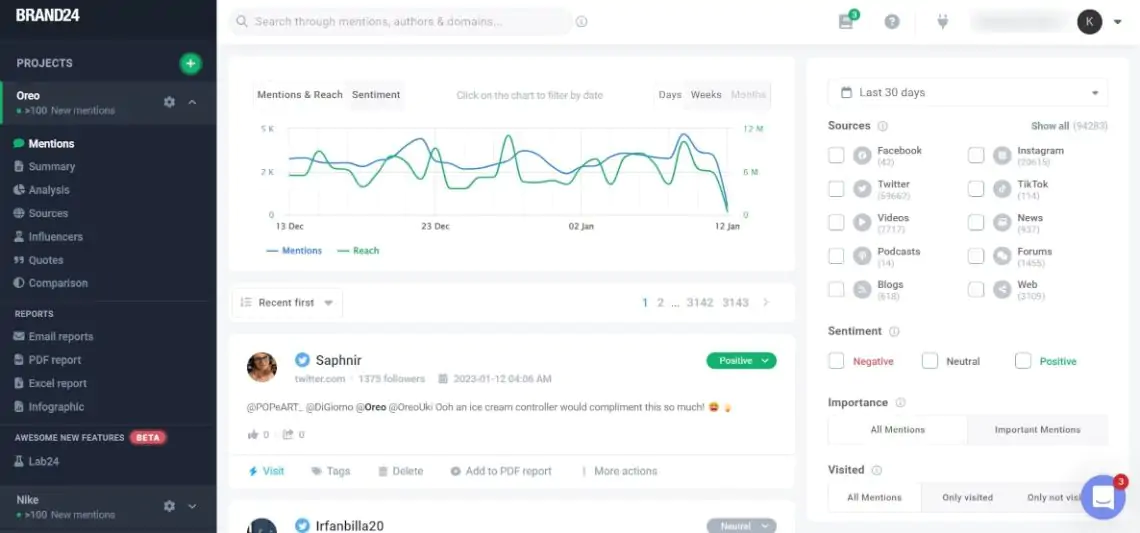
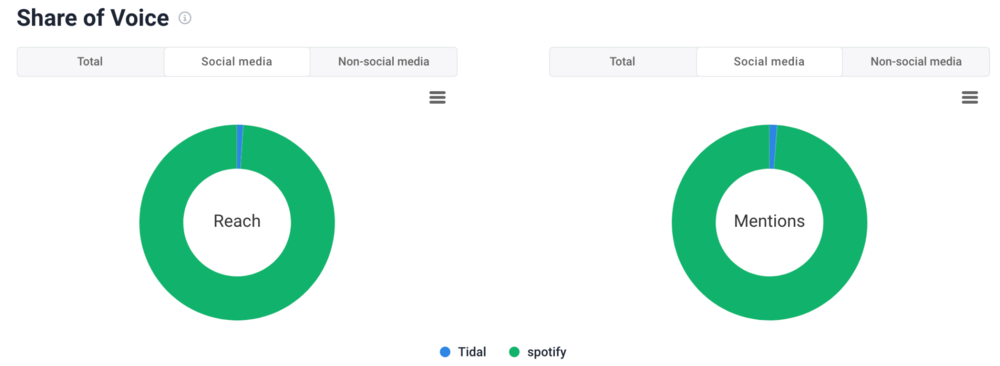
Monitoring brand mentions across multiple channels in one place Analyzing sentiment, reach, and engagement for any keyword or campaign Finding trending topics and influential authors driving conversations Comparing your brand vs competitors with share of voice and performance metrics
Real-time monitoring across social and web sources Strong AI insights and easy-to-share reports Useful influencer, trend, and competitor analysis
Cons:
Doesn’t provide a social media management platform.
02 Google Analytics
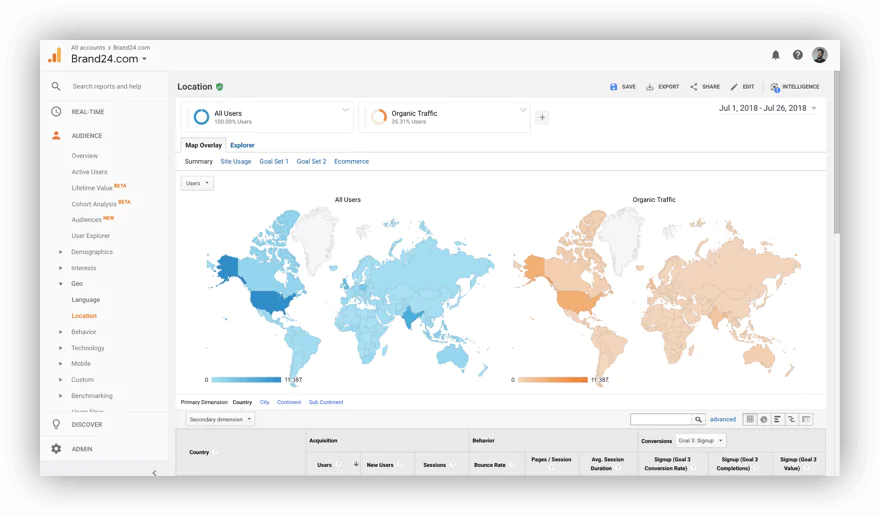
Sources of social media traffic to your website: Discover what social media platforms bring the traffic Goals completions for your social media posts: Assign goals and analyze their completion Conversions from social media posts: Assign revenue to conversions in social media Assisted social media conversions: See if any of your social media platforms contributed to a conversion
Pros:
Google Analytics is free. Provides valuable insights about your audience. One of the most popular analytics platforms – lots of free tutorials are available online.
Cons:
It takes time and skills to set it up to track your performance properly. It’s not designed for managing social media, and requires some advanced knowledge about the tool.
03 BuzzSumo
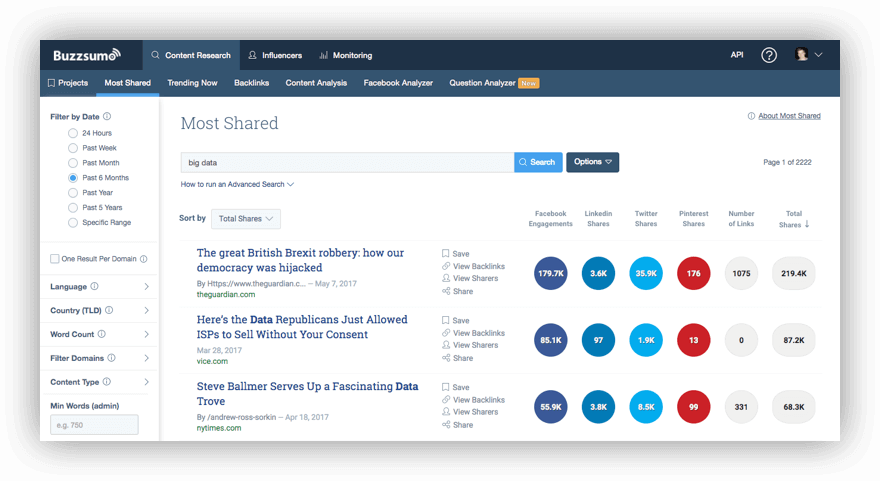
Content discovery: This feature allows content writers to find the most shared content on social media networks. It’s a powerful feature! Content analysis: Find social media data about a particular topic of interest: content type, top shared domains, top social media platforms, etc. Influencer marketing: Find top influencers in a niche or industry based on social media reach or engagement.
Pros:
Presents up-to-date popular content. Allows finding trending topics to share on social media. Easy to use.
Cons:
Bit pricey if you want the full version. It’s not a management tool. You will need additional tools if you need that feature.
04 NapoleonCat
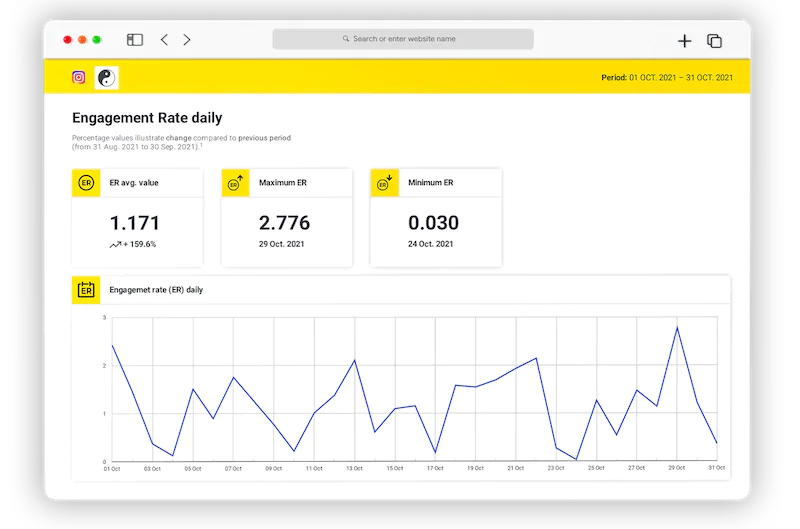
Viewing what content types work best and when or how often you should post to achieve the highest engagement Monitoring your team’s activity to keep your social customer service major league Comparing audience insights and post engagement of multiple social media profiles (including competitive analysis) Scheduling weekly, monthly, or quarterly social media analytics reports that will be automatically sent out to your boss, your client, or whoever else needs them
Pros:
Allows you to benchmark your results against your competition Automatically generates customizable social media analytics reports Tracks social media key metrics in real-time
05 Sotrender
Pros:
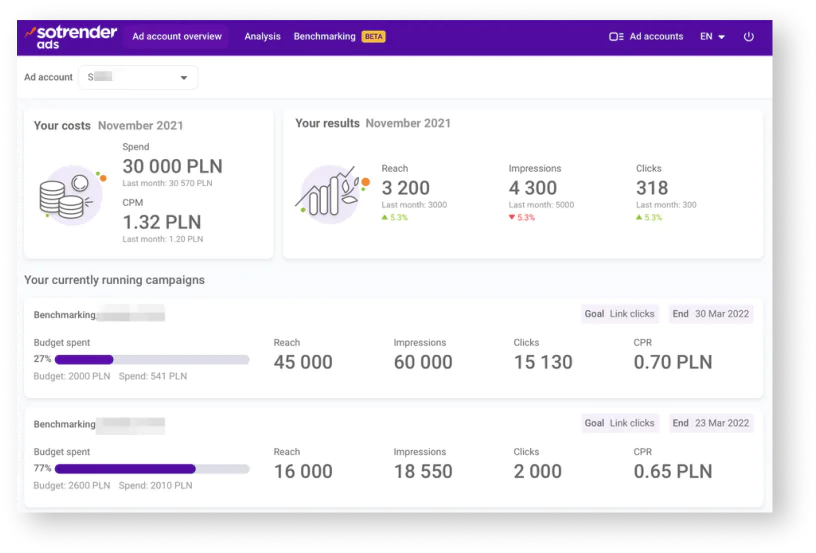
Extensive analysis of your own social media accounts Possibility to track competitors’ organic and paid social media performance (including their CPC and CPM costs) Quick social media reporting – getting a report takes less than 60 seconds Offers unique data, like Interactivity Index counting the total engagement on a profile Social inbox is included in every package
Cons:
Doesn’t provide LinkedIn analysis Custom reports are available only on request
06 Cyfe
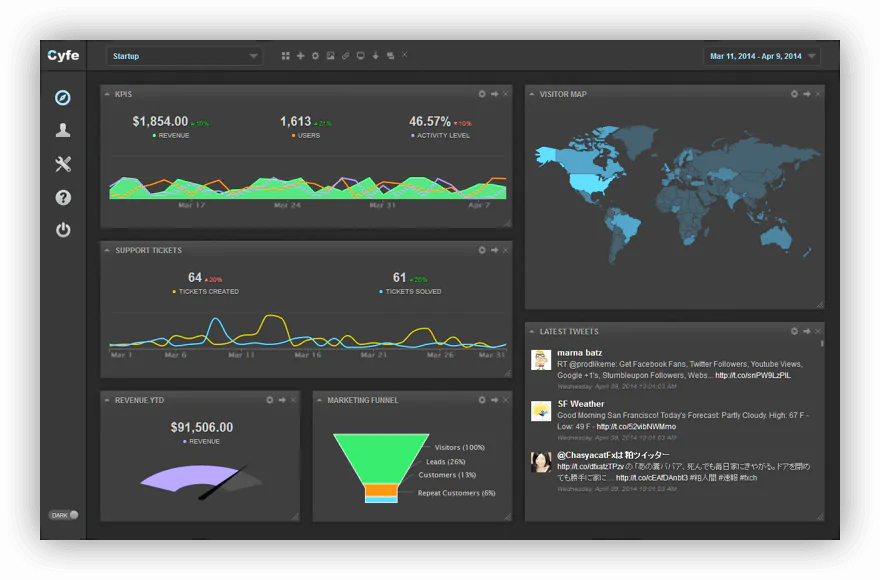
AddThis Bitly Facebook Ads: Cost, impressions, clicks, actions Facebook Pages: Likes, clicks, active users, page views Flickr: Top photos, slideshows Google+: Plus ones, circled by Google+ Search: Posts Instagram: Photos, followers, following LinkedIn Ads: Cost, impressions, clicks, conversions LinkedIn Company: Followers, impressions, engagement Pinterest: Boards, pins, likes, followers, following Publisher: Schedule social media posts Reviews: Yelp, TripAdvisor, Facebook, Google, YP SlideShare: Views, favorites, comments, downloads Twitter: Tweets, followers, listed, mentions, influencers Twitter Ads: Cost, impression, engagement, follows Twitter Search: Tweets, mentions, hashtags Vimeo: My feed, top videos YouTube
Pros:
Create reports with an in-depth social analytics tool Easy setup Pre-built widgets for services like Google or Salesforce
Cons:
UI can be unintuitive No custom reports with social data Doesn’t provide audience demographics
07 CoSchedule
The best day to post The best time to post The best type of content to post
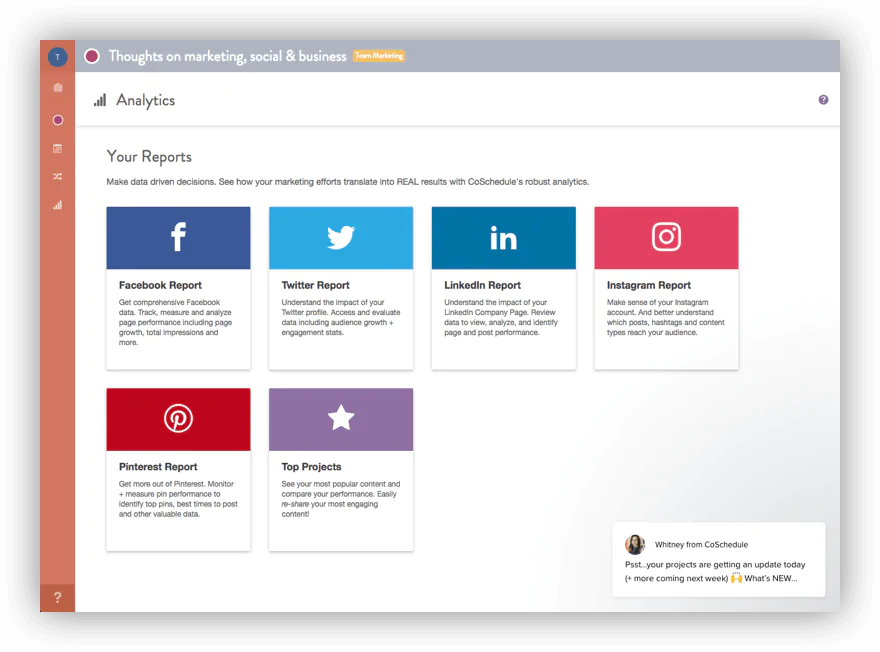
Social engagement analytics: Analytics of interaction your social media posts receive Social campaign report: Tracking across multiple platforms the performance of a campaign Audience insights: In-depth reports about the performance of your social media channels Social message analytics: Tracking engagement for particular posts Social share analytics: How many times your link has been shared across social media Top projects report: Analysis of top 100 posts
Pros:
Great for scheduling social media campaigns Creates social media reports Good for task tracking
Cons:
Can be a bit pricey for smaller companies The UI can be difficult to use for some people
08 Social Status
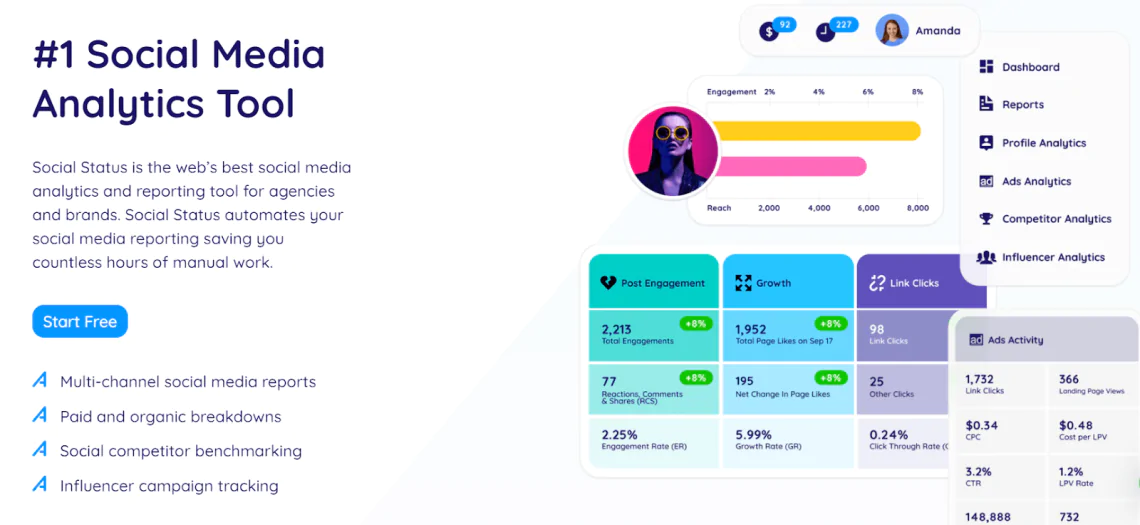
Automated reports: It offers fully customizable, white-label social media reports that are automatically generated according to your specified schedule. Competitor analytics: You can use Social Status to spy on your competitors and track their performance metrics to see what is working for them. Multichannel profile analytics: It allows you to track your social media performance across multiple channels, such as Facebook, Instagram, etc. Influencer analytics: Social Status lets you track your influencers’ and campaign performance. You can see how your influencer campaign is performing and make improvements. Ads analytics: If you run social media ad campaigns, Social Status will help you motor your campaign performance and provide in-depth analytics for ads.
Pros
Automated recurring reports for ongoing performance tracking In-depth profile, ads, and competitor analytics and reporting Integrated dashboard for analytics on multiple channels An intuitive user interface that is extremely easy to use
Cons
Limited historical data with the starter plans The free plan offers limited functionality
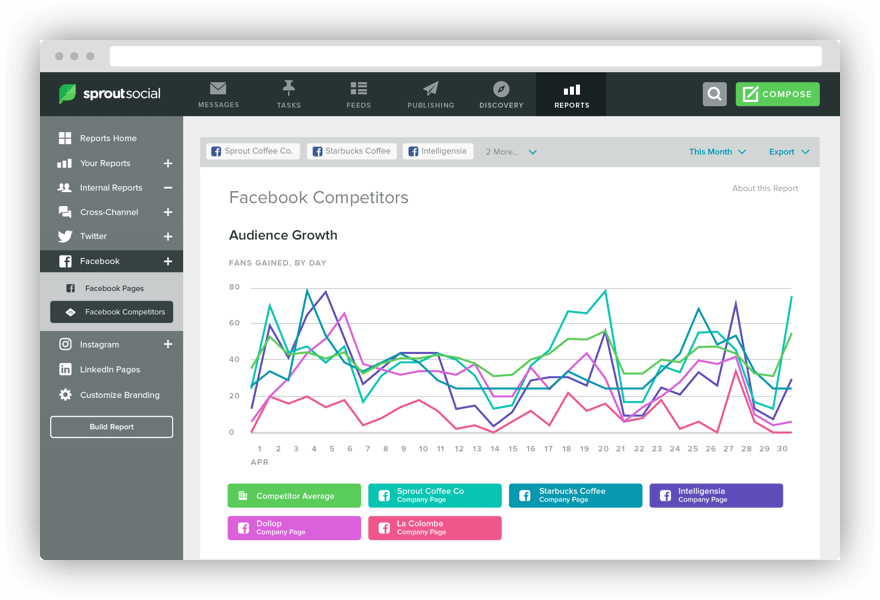
09 Sprout Social
For enterprise For Agencies For small businesses
For social management For social marketing For customer care For employee advocacy
Twitter Facebook Instagram LinkedIn Google+
Pros:
Great social media reporting tool. A good solution for social media professionals – includes advanced social media management and analysis options. You can track social media campaigns inside the tool.
Cons:
Can cause problems with Instagram posting. No integration with YouTube or TikTok. Expensive.
10 Keyhole
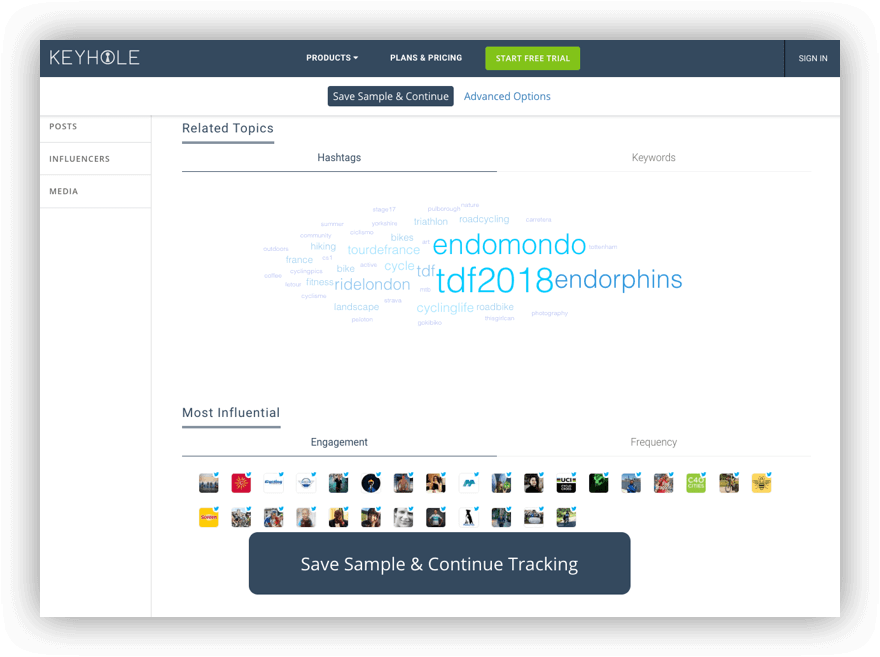
Historical data PDF reports Real-time data Twitter Analytics tools Instagram analytics tools Facebook Analytics tools YouTube analytics tools Social media sentiment analysis API Access
Pros:
Ability to measure influencer impact & ROI. Tracking and analyzing competitors in social networks. Hashtag tracker .
Cons:
Hidden pricing. Might be too expensive for some companies. Not easy for first-time users.
11 Brandwatch
social media discussion forums blogs news sites other publicly available sources
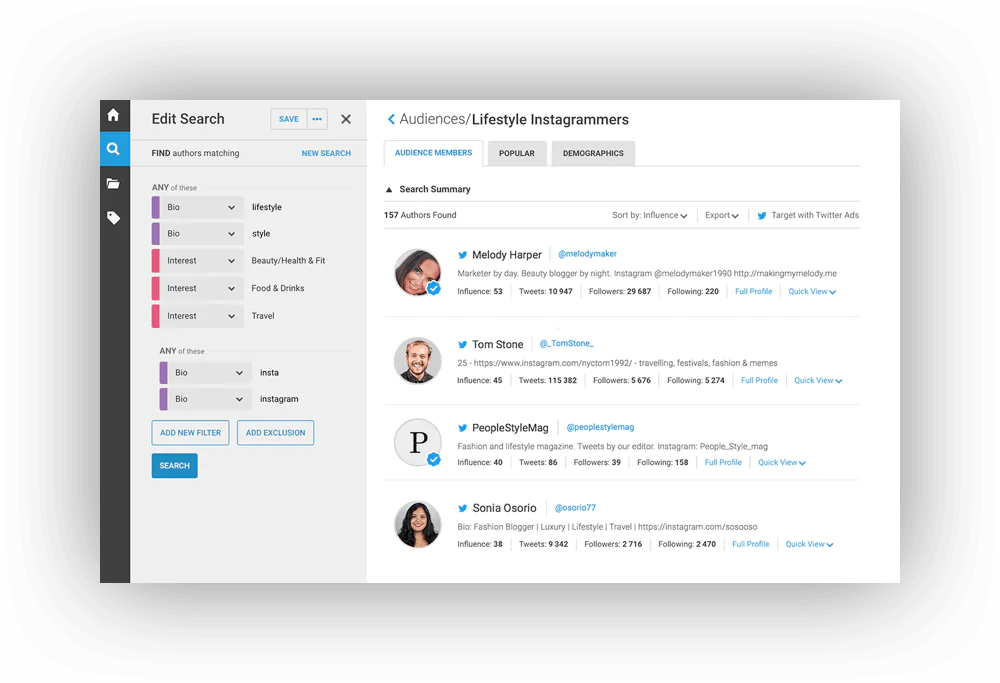
Demographics: Data about authors of mentions, including gender, interests, profession or location Image analysis: Detect images that contain your company logo Influencers: Find top influencers mentioning your keywords Locations: Discover where do your mentions come from Automated reports: Get your data directly to your inbox in HTML or PDF formats +more!
Pros:
Provides valuable marketing data and custom reports. A great tool to collect brand mentions.
Cons:
Pricey It offers a lot of advanced data, so it’d be wise to use it for more than just social media analysis.
12 Quintly
Facebook Twitter YouTube Google+ LinkedIn Instagram Pinterest blogs
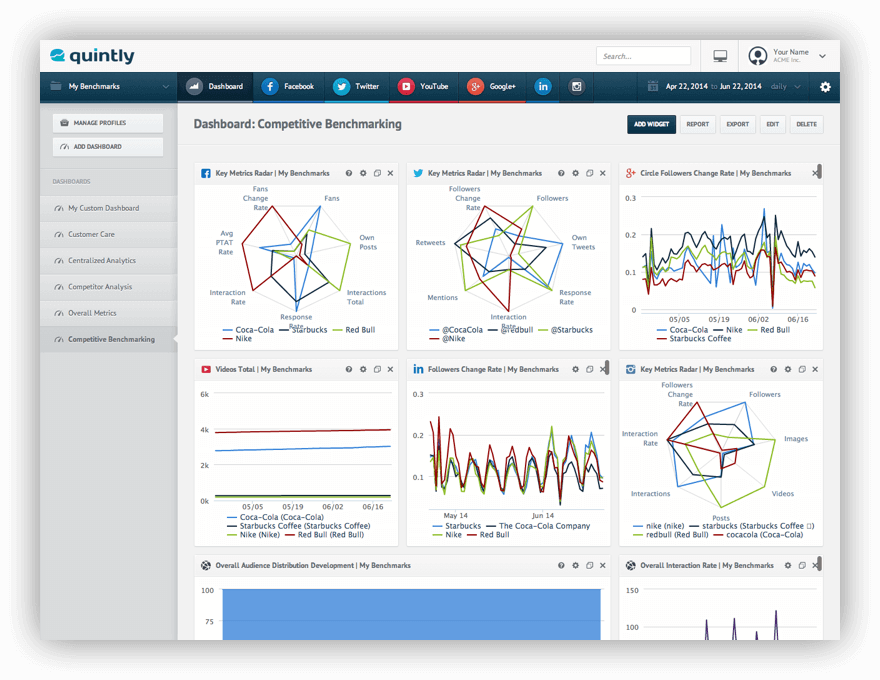
Competitive benchmarking: Find benchmarks for your social media channels and discover what content works best for you Centralized analytics: Discover over 250 social media metrics and track your performance on multiple social media accounts Smart reporting: Get reports based on your custom dashboards and pick any parameters you want Custom dashboards: Create custom dashboards including metrics of your choice Overall metrics: Track specific KPI’s and measure social media performance across all major networks Key influencers: Get data about the most influential profiles Data exporting: Export your data to CSV or Excel and download any metric as JPG, PNG, PDF, PPTX Customer care: Monitor Facebook and Twitter to track customer queries + more!
Pros:
You can track your marketing efforts with automated reports and customized dashboards. Easy to track social analytics.
Cons:
Too expensive for smaller brands, custom plans start from $300 a month. The gathered data is too general and not good for in-depth social analytics.
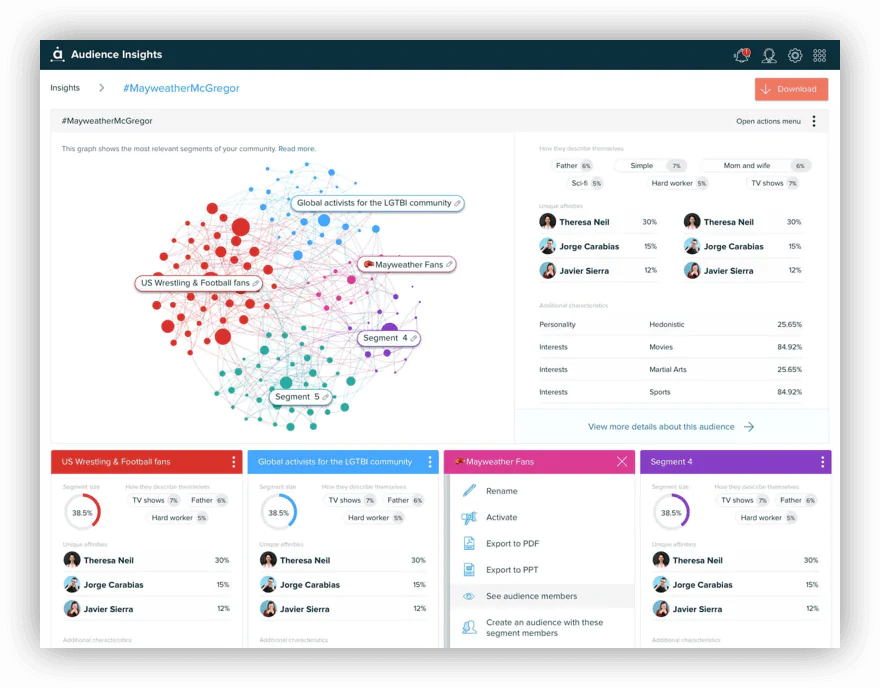
13 Audiense
Interests Location Languages Influence Best time to tweet
Pros:
Dedicated to Twitter analytics – a great tool if your brand is focused on this social media channel. Allows identifying nano influencers and micro-influencers .
Cons:
Very simple tool with limited possibilities.
14 HeyOrca
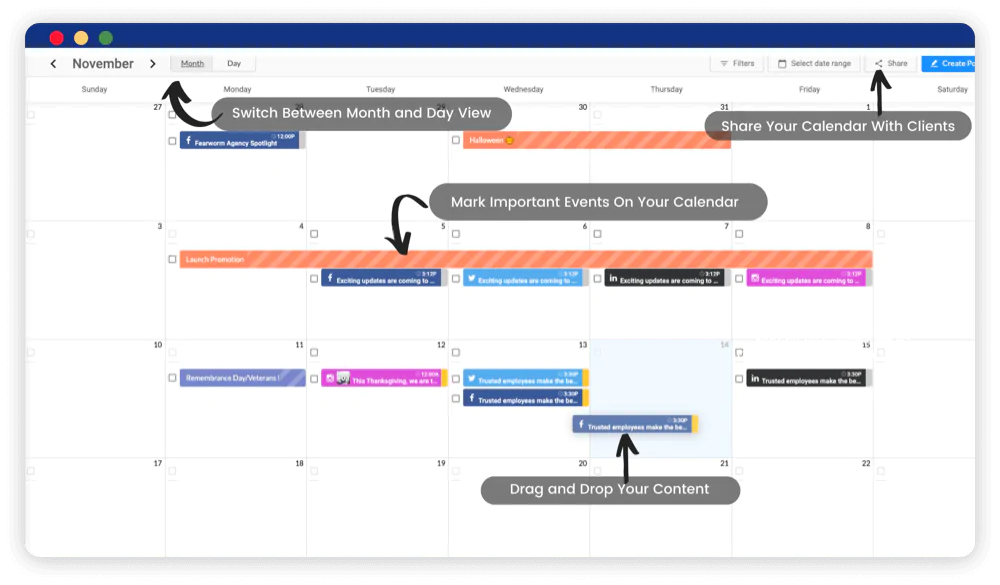
Accounts organization Social media planning Internal collaboration Client approvals Direct publishing Monitoring Social Media Performance
Pros:
It’s a social media analytics tool that allows advanced collaborations for agencies. Tracking campaigns is easy.
Cons:
Doesn’t provide in-depth media analytics. Limited capabilities in terms of integration.
15 Buffer
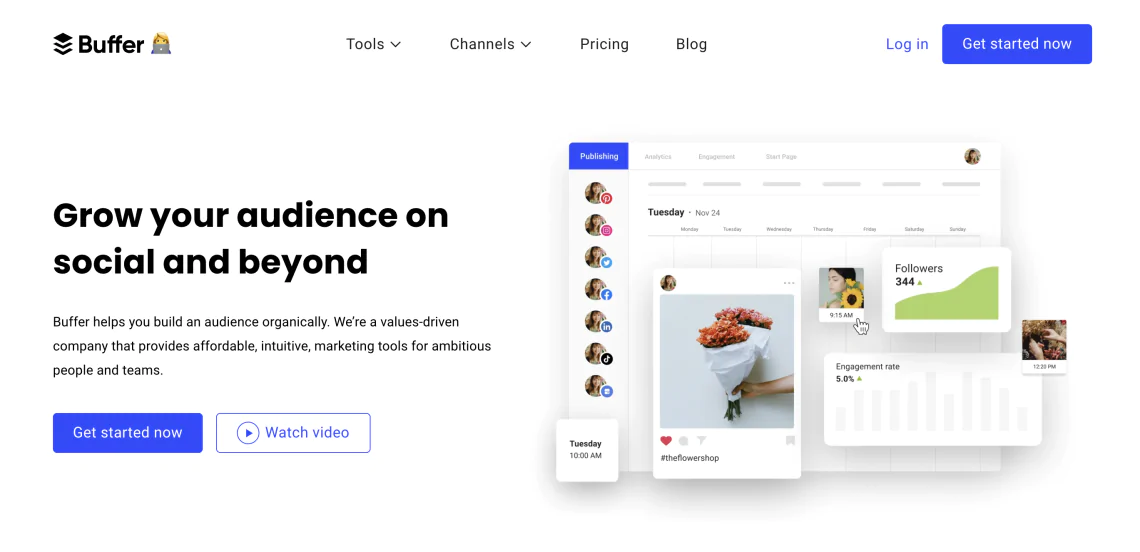
Automated publishing Social media analytics The ability to engage with your social media audience within the app AI features
AI-powered ideas generator Affordable pricing and free plan for individuals Easy to use
Limited functionality compared to other social media management tools Limited reporting compared to other analytic tools Doesn’t include audience demographics
Why should I use social media analytics software?
Understanding your audience
People rarely say mean things to your face. As marketers, we can’t expect unhappy customers will complain on our social media profiles. They’re everywhere else, and it’s our job to find them. With media monitoring, it’s super easy. 

Who they are? What are their needs? What do they think about your business? What types of content resonate with them? What time do they hang out on social networks?
Increasing brand awareness
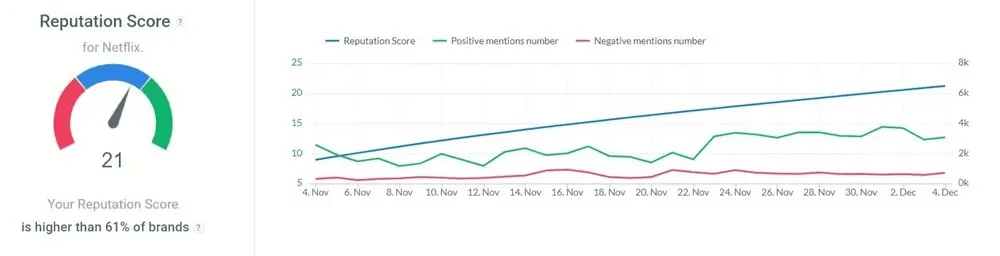
Social media reach – shows how many social media profiles come across branded content Influence score of social media profiles – shows influential profiles that talk about your business Sentiment analysis – shows happy and unhappy customers and media talking about your business and products Topic analysis – delves into the discussions around your brand and categorizes it into topics The volume of mentions – shows how the number of online mentions of branded content changes Engagement – shows the engagement around your brand
Conducting competitor analysis
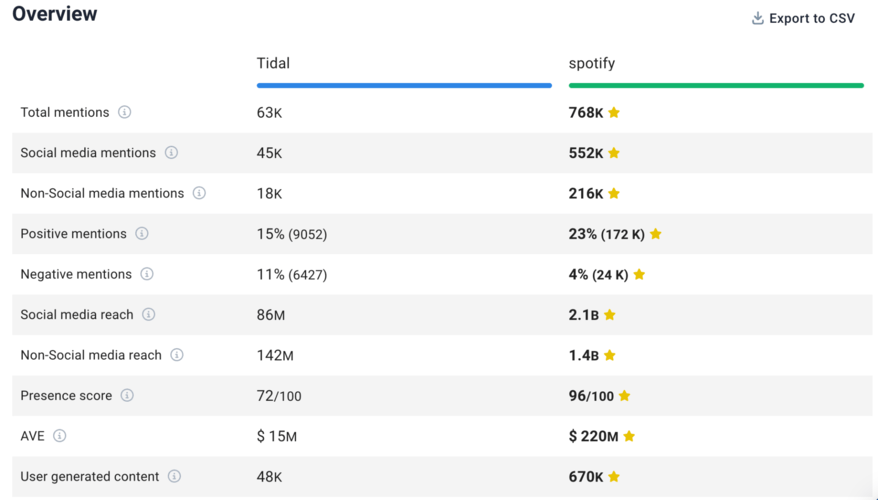
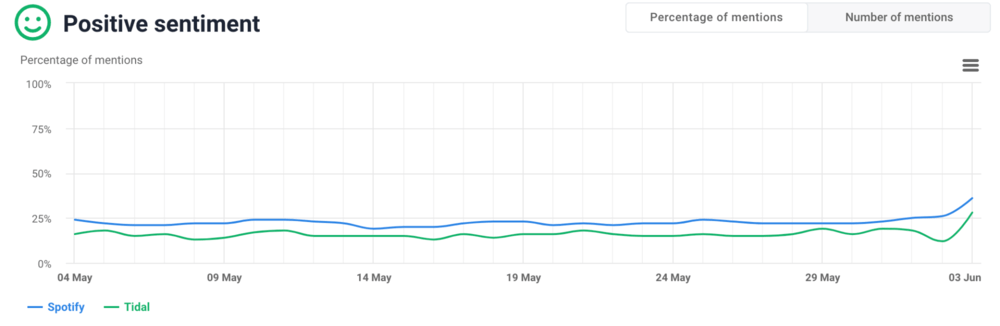
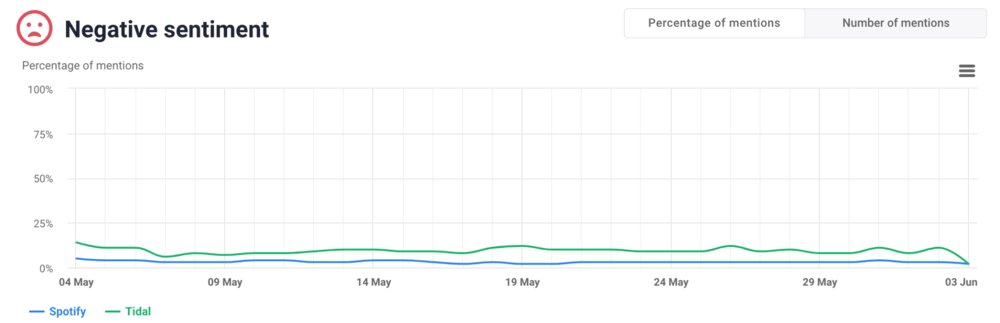
Gain a better understanding of customer needs and preferences. Uncover potential market gaps, industry trends, and growth opportunities. Refine your social media strategies to better compete.
How to choose the right social media analytics tool ?
Conclusion
FAQ
What Are Social Media Analytics Tools?
Why Are Social Media Analytics Tools Important?
-
1
5.24 billion people use social media worldwide (63.9% of the world). -
2
The average person spends 2 hours 21 minutes per day on social media. -
3
People use about 6.83 social platforms per month on average. -
4
Worldwide ads investment will surpass 1 trillion USD in 2026.
Are free social media analytics tools enough?
Cross-platform reporting (one dashboard for everything) Longer data history Competitor benchmarks Brand mentions + sentiment (what people say about you) Nice reports you can share with a team or client
Do I need a “management tool” too, or is an analytics tool enough?
Choose an analytics tool if your main job is: measuring performance, spotting patterns, reporting, improving content. Choose a management tool if you also need: scheduling, publishing, approvals, team workflow, replying to comments/DMs. Choose a hybrid if you want both in one place (usually pricier).
What features should a good social media analytics tool have?
Cross-platform dashboard (or at least easy switching between channels) Clean reporting (exports, recurring reports, share links) Post-level insights (best posts, formats, topics, best time/day) Trend spotting (what’s rising, what’s falling) Audience insights (growth, demographics when available, active times) Campaign tracking (tags, naming, comparing campaigns) Competitor benchmarking (optional, but super useful) If you care about reputation: mentions + sentiment + influencers (that’s usually social listening)
What are the most important metrics to track?
How often should I check social media analytics?
Weekly (15–30 min): what worked, what didn’t, what to repeat next week Monthly (60–90 min): trends, best content themes, growth, channel strategy During campaigns: every 1–3 days (so you can adjust while it still matters)
What are the most common mistakes people make with social media analytics tools?
Tracking too many metrics and getting stuck in dashboards Chasing vanity metrics (likes/followers) instead of actions (clicks, saves, conversions) Comparing different platforms the same way (TikTok ≠ LinkedIn) Looking at totals instead of rates (engagement rate tells the truth) No campaign tracking (no UTMs, no naming system → no clear conclusions) Reporting without decisions (analytics should lead to “do more of X, stop Y, test Z”)
What are the best tools to analyze social media metrics ?
If you want mentions, sentiment, trends, influencers: Brand24 If you want website + conversion insights from social: Google Analytics If you want content performance + trending topics: BuzzSumo If you want multi-channel analytics + automated reporting: Social Status If you want deep enterprise listening and advanced analysis: Brandwatch If you want multi-network metrics + dashboards + benchmarking: Quintly If you want a big suite (management + analytics + listening): Sprout Social
Can social media analytics tools help with competitor analysis?
What content formats work in your niche How often competitors post (and when) Engagement benchmarks (so you know what “good” looks like) Share of voice (who dominates the conversation) Sentiment trends (when their reputation dips and why)
What are the best tools for managing and analyzing social media campaigns?
NapoleonCat — management + analytics + reporting, helpful for teams and benchmarks Sprout Social — powerful all-in-one suite (but expensive) Buffer — simple scheduling + lightweight analytics HeyOrca — great for collaboration, approvals, and agency workflows CoSchedule — strong for planning/editorial calendar + performance recommendations Social Status — great for reporting-heavy campaign analysis (especially for agencies)

Article Reviewed by